

Where it lives
Enrollments sits under Portal, at Courses.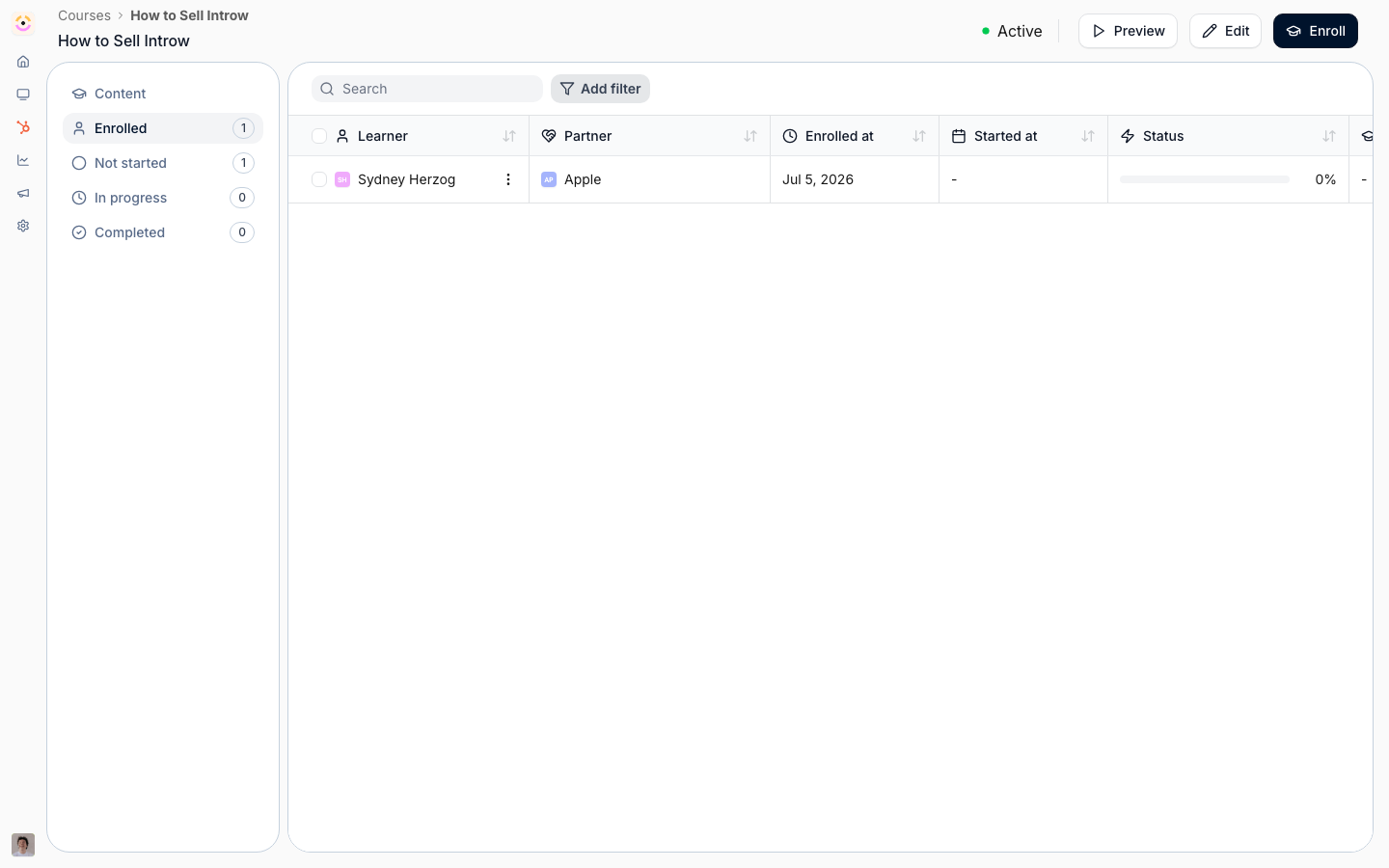
Before you start
A role limited to “own partners only” auto-enrolls just the partners that user manages.
How it works
An enrollment puts a partner into a course. There are two ways to create them:- Manually - pick specific partners and enroll them, optionally notifying them.
- Automatically - turn on auto-enrollment for a course and attach one or more segments; every partner in those segments is enrolled, and new partners are enrolled as they join the segment. Before you save, you can preview how many partners a segment will reach.
Settings & configuration
Enrollment settings live in the Update course dialog, plus a notify option in the manual enroll dialog.Enrollment tab
Enable automatic enrollment is off by default; when you turn it on, partners in the segments you choose are enrolled automatically and stay enrolled as new partners join those segments. Segments is where you pick which segments’ partners get auto-enrolled - it only applies while automatic enrollment is on, and you can preview the reach before saving.Advanced tab
Due date is off by default and sets a completion deadline. Choose Relative - a number of Days / Weeks / Months / Years after enrollment, so each partner gets the same window from when they start - or a Fixed date that’s the same for everyone.When enrolling manually
Notify is off by default and controls whether each partner gets an enrollment notification when you enroll them by hand.Automate it with a workflow
Course progress is a workflow trigger. Course started runs the first time a partner contact opens a course, and Course completed when the last module is finished; being enrolled without opening it runs neither. Both are contact-scoped, so the steps after them can email or certify the person who did the learning. Course started is also the only trigger that offers a wait anchored to the course’s own due date, so “remind them a week before the course is due” is expressible, and a fork can read Course progress right now to stop a nudge reaching someone who has since finished. There is no enroll-in-a-course action, because auto-enrollment is decided by segments rather than one-off writes. The route from a workflow is Add to a segment, which is why a static segment is worth keeping for each course cohort. See Configure enrollment rules.How-to guides
Troubleshooting
Partners not auto-enrolling
Partners not auto-enrolling
Confirm automatic enrollment is on, the right segments are attached, and the partners actually match.
No enrollment email
No enrollment email
Notify was off when enrolling, or notification channels aren’t set up.
Reach count looks low
Reach count looks low
The acting user may be scoped to their own partners only.