

For channel managers fighting completion drop-off without sending manual chase emails.Enrolling partners is easy; getting them to actually finish is the hard part. Courses lose people in the middle, and chasing them one by one over email does not scale. Nudging lets you remind everyone who has stalled in a couple of clicks, through the channels partners already use. It is the difference between a course people start and a course people complete.
What you’ll achieve
A reminder sent to the learners you choose who have not completed a course, delivered through Introw’s notification channels, repeatable as completions trickle in.Before you start
1
Confirm access
You need access to the course’s tracking view, and notification channels must be configured for your organisation.
Watch it
- Video
- Click through
Steps
1
Open course tracking
Open the course from Courses and go to its tracking view. Use the Not started or In progress tabs to see exactly who has not finished.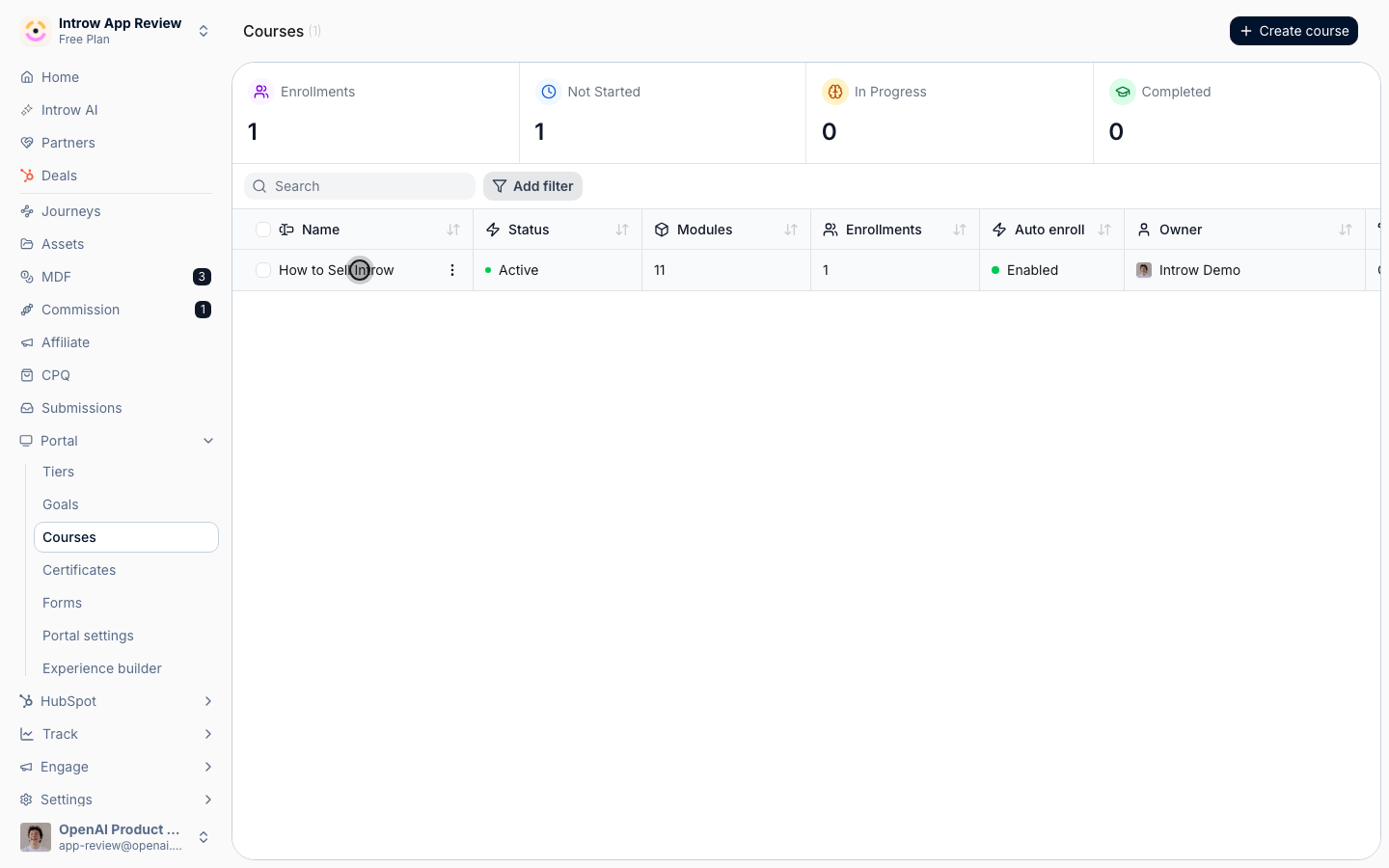
2
Select the learners to remind
Choose who to nudge: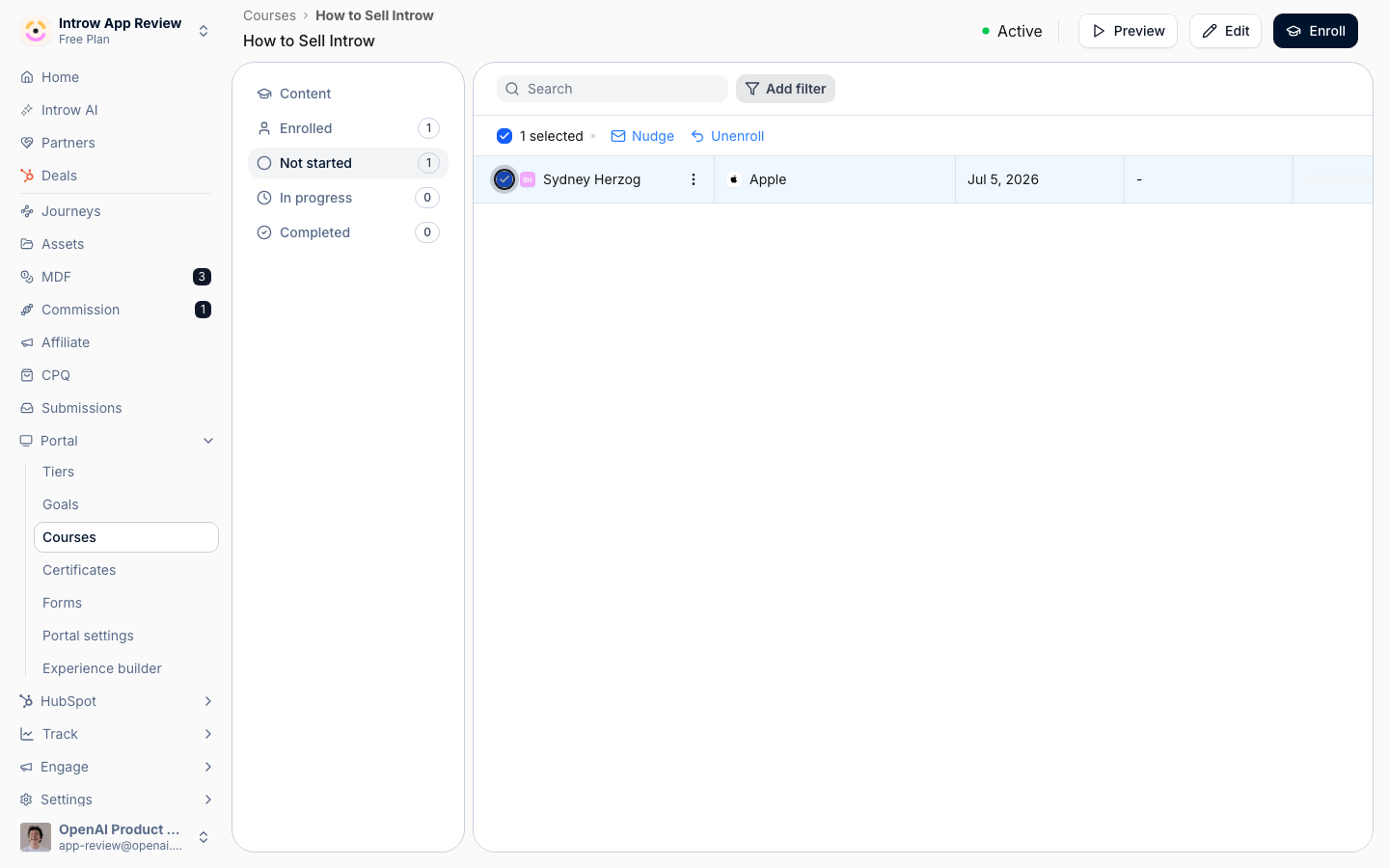
- Learners - pick a few specific partners from the filtered list, or select everyone in the tab for a broad reminder. Targeting the Not started and In progress tabs keeps the reminder relevant and avoids messaging partners who already completed.
3
Send the nudge
Send the reminder. You can review the email preview before sending. Selected learners get the nudge through your configured channels, and you can repeat this as completions come in - for example, once a week in the run-up to a due date.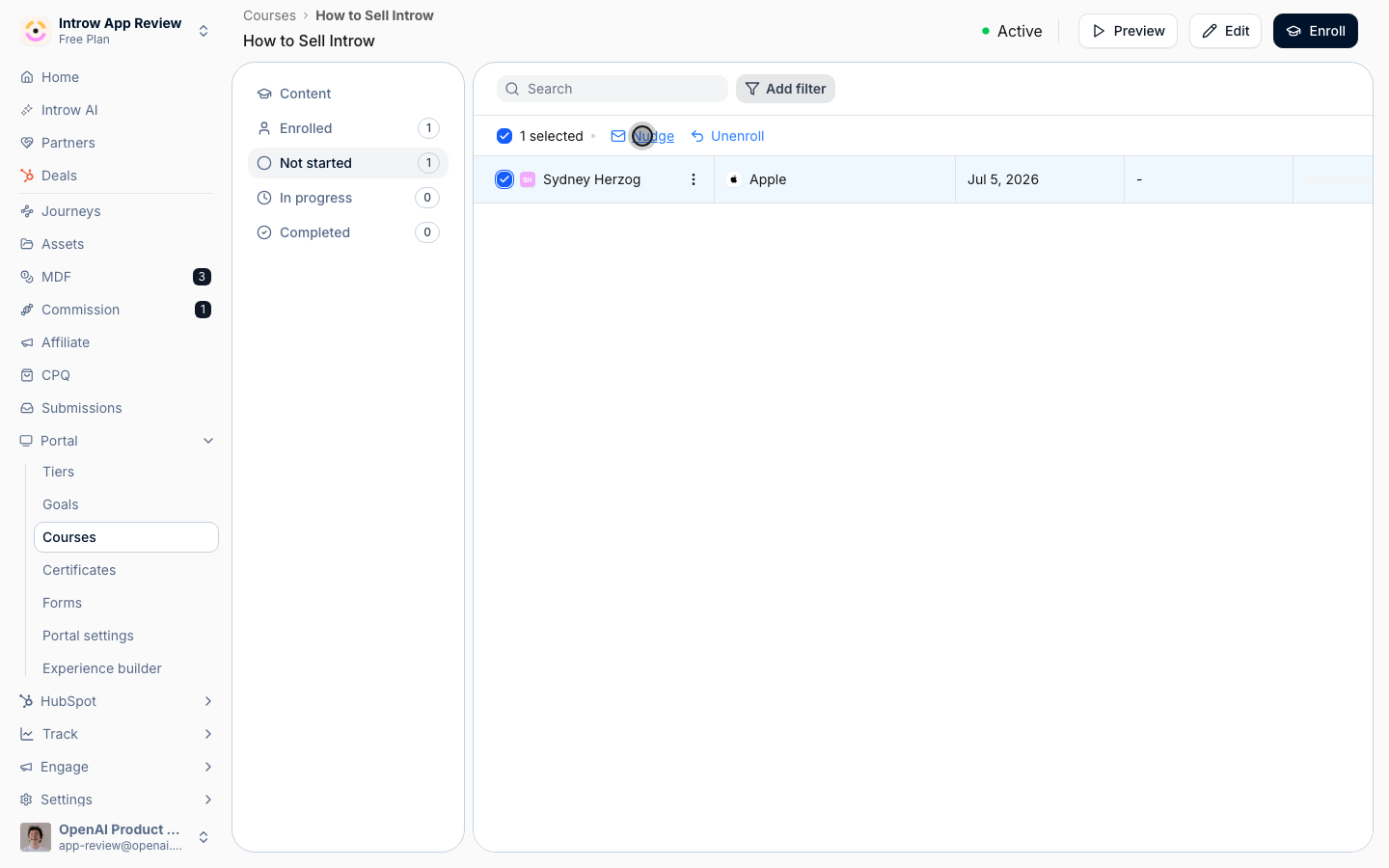
Verify it worked
The nudged learners receive a reminder notification, and the relevant tracking tabs shrink as partners complete the course over the following days.Related
Monitor course progress
Find who still needs a nudge.
Configure enrollment rules
Set the deadline you are nudging against.
Implementation reference
Nudges and notification channels.