

Where it lives
Portal Access sits under Settings, at Portal access settings.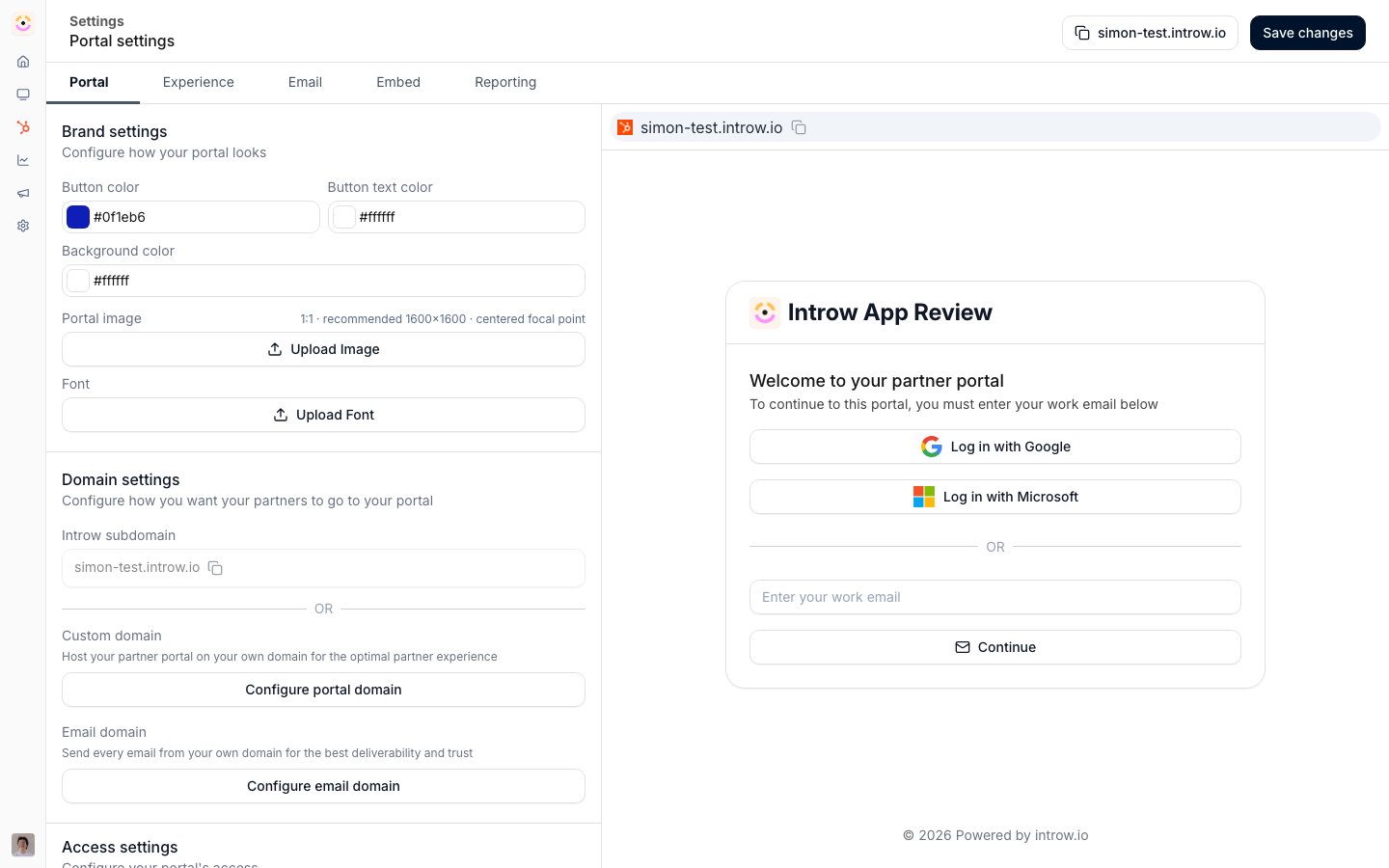
Before you start
How it works
Portal access combines three controls: how partners log in, who is allowed in, and what they see. Login methods are set at the portal level and can include a one-time 6-digit code by email (no passwords), social sign-in, and SSO. Access can be granted by inviting specific people or by allowing any user from a partner’s email domain. Visibility is controlled per tab by restricting it to segments. Partners can only reach the portal once it is unlocked with a subdomain or a verified custom domain, so access settings work alongside your domain setup.Settings & configuration
Access is configured in portal settings and on individual experiences.Login methods
Choose how partners sign in: an emailed verification code for low-friction access, Google or Microsoft social sign-in, or your own SSO. You can offer more than one, except that enabling your SSO makes it the only method so access is fully governed by your identity provider. SSO is a paid add-on, configured under SSO. Microsoft sign-in can need one approval from the partner’s IT admin before anyone at that partner gets in. See Allow Microsoft sign-in for a partner’s organization.How a contact actually gets in
The most common access question is not which login method to use, it is why a specific person cannot get in. Four things have to be true, in order, and each one is a separate place to look.- The partner has a portal. A partner with no experience assigned has no portal, and the access control against their contacts reads No portal yet. Publish an experience to them first.
- The person exists as a contact on that partner. Contacts arrive with the partner from your CRM and are kept current, or you add them by hand. A person who is not a contact cannot be given anything.
- They have access. Access is per contact, granted with Grant access (and taken back with Revoke access) from the partner’s People dialog. A CRM property can decide this instead, so your CRM stays the source of truth. See Map contact portal access.
- They have been told. This is the step that gets missed, because granting access and sending an invitation are separate actions. Access can be given silently, so a contact can be perfectly able to sign in and have no idea the portal exists.
A contact in Pending access or Requested access shows the switch off, in the People table and in the contact’s drawer.
Turning it on opens the grant dialog, the same one Grant access opens.
Invites
Invite specific partner users to a portal. An invited user receives access to the partner portal based on their assigned experience. Inviting is deliberately separate from granting access: the invite dialog lets you pick which contacts to include, and sending the email is a choice rather than the default, so you can stage a rollout by granting access first and inviting when you are ready. Partners can invite too. With Invite colleagues on for their segment, a partner contact invites a coworker from inside the portal or from their Team page at partners.introw.io, and the coworker receives the same invite email. Every invite a partner sends is CC’d to the partner manager assigned to that partner on its Team card, and replies go to both the inviter and the partner manager. A partner with no team member assigned gets no CC, so assign the manager before you open self-serve invites. See Segments for the permission and Partner team for the assignment. For the rollout itself, see Launch the portal and run the first two weeks.Email-domain access
Allow anyone from a trusted partner’s email domain to join automatically, which lets large partner organizations self-serve access without you inviting each person. A sign-in that matches no portal adds nobody. Introw does not create a contact or open a request off a guess at the partner from the email domain: the person is refused, and your team is notified of the attempt, so you can invite them if they belong. The same holds for a form submitted outside the portal: its submitter is added to the partner only when the form’s partner automation has Auto-invite submitter on.Tab visibility by segment
On an experience, restrict a tab to one or more segments so only partners in those segments see it. A partner in any of the chosen segments sees the tab, and belonging to another, more restricted segment never hides it: visibility resolves to the most permissive of a partner’s segments. Use this to tailor the portal to different partner types.Session and code lifetimes
These values are fixed and identical for every login method.
A signed-in partner keeps their session for 30 days. The session lives in an
httpOnly,
Secure cookie and the token inside it carries the same 30-day expiry, so the session really
does end after 30 days rather than the cookie outliving its token. The cookie is SameSite=Lax,
and switches to SameSite=None only when you embed the portal in an allowed iframe, such as a
HubSpot card. After 30 days the partner signs in again.
The emailed verification code is a 6-digit number, valid for 15 minutes and usable once. It
is deleted the moment it works. A partner gets 3 attempts per code: on the third failure the
code is discarded and they need a new one. A new code can be requested once every 60 seconds per
email address, which keeps the sign-in screen from being used to flood someone’s inbox.
Automate it with a workflow
Contacts arriving and changing are workflow triggers. Partner contact added runs when a contact appears on a partner’s portal, narrowed by the access state they arrive in: invited, has access, asked for access, or access removed. Partner contact updated runs when an existing contact’s access moves or one of their fields changes, narrowed by both the access state and Which changes count. Both are contact-scoped, so the steps after them can address that person directly rather than the whole partner. One caveat worth knowing: a CRM sync cannot say which property moved, so a sync only runs workflows that have no field picked. A workflow email is not an invitation, and should not be used as one. Access is granted through your access setup or by inviting the contact. See Invite partners and their teams.How-to guides
Troubleshooting
An invited partner cannot get in
An invited partner cannot get in
The portal is not unlocked, or they have no experience assigned.
A partner's verification code is rejected
A partner's verification code is rejected
It is older than 15 minutes, was already used, or three wrong attempts invalidated it. Request a new code.
A partner is asked to sign in again
A partner is asked to sign in again
Their session passed its 30-day lifetime, or they cleared cookies.
A partner sees a tab they should not
A partner sees a tab they should not
The tab is not restricted to the right segments.
Nobody at a partner can sign in with Microsoft
Nobody at a partner can sign in with Microsoft
Their organization only lets admins approve new apps, so an admin has to grant consent once. Send them Allow Microsoft sign-in for a partner’s organization.
Nobody at a partner can sign in with Google
Nobody at a partner can sign in with Google
Rare, because Google sign-in only asks for basic profile access. It happens when the partner’s Google Workspace admin blocks third-party apps they have not approved. Their admin marks the app as trusted under App access control in the Google Admin console.
SSO is not offered at login
SSO is not offered at login
It has not been enabled and configured for the portal.