

What you’ll achieve
A two-way mapping where setting the access property to a positive value in the CRM grants a contact active portal access (and a negative value revokes it), and where each contact’s role comes from a CRM field, so segments and reports group contacts correctly without manual upkeep.Before you start
1
Connect your CRM
A CRM must be connected and syncing partner contacts.
2
Create the CRM properties
On the contact in your CRM, create an access property that is either a checkbox or a Yes/No dropdown (the values “Yes/true” grant access and “No/false” revoke it), and, if you want roles, a role property as a dropdown or text field. The properties must be writable, not read-only.
Steps
1
Open a partner's People
Go to Partners, open a partner, and go to the People tab where its contacts are listed.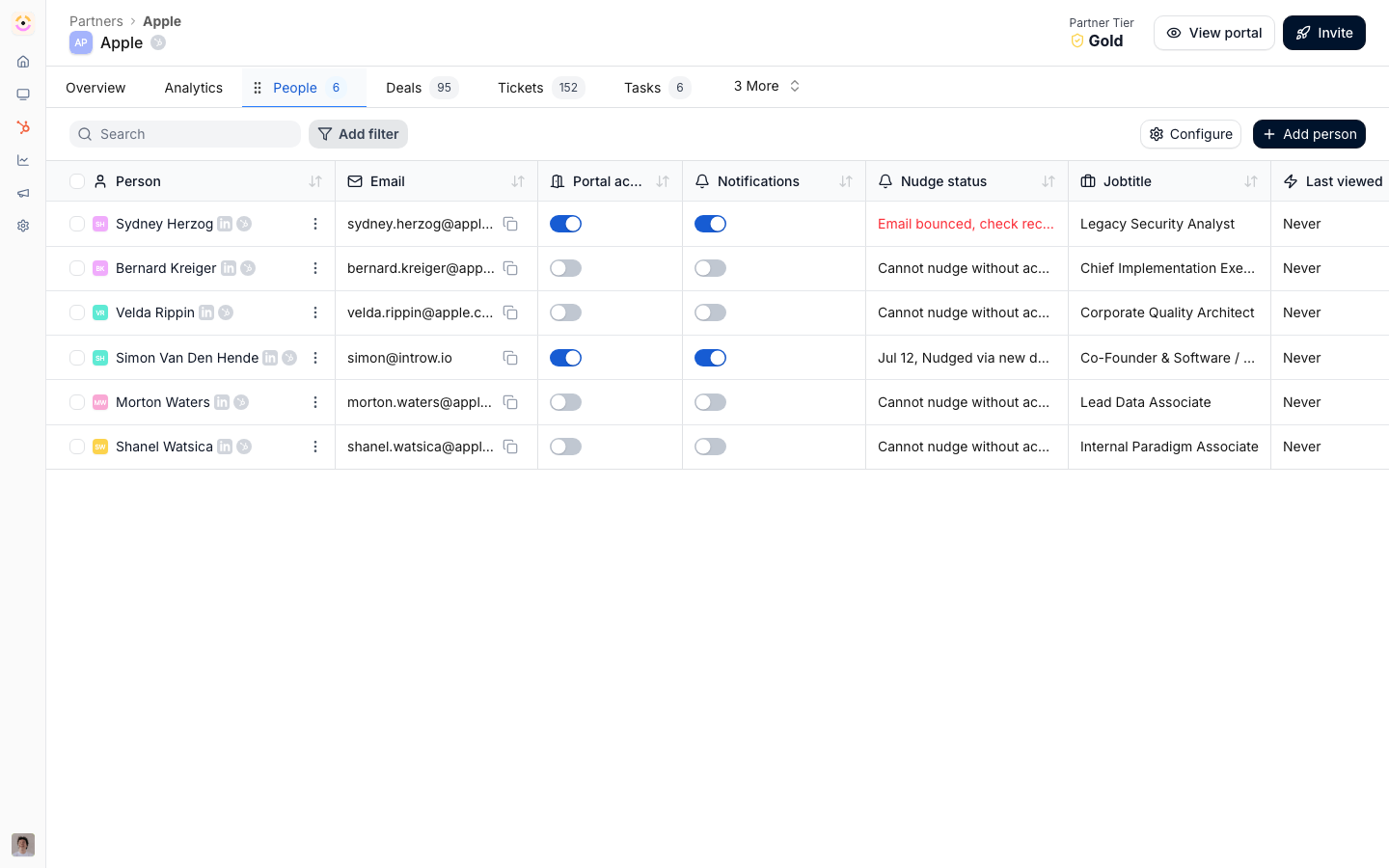
2
Open the field sync
Select Configure to open the people properties, then on the Portal access or Contact role row select Sync (the CRM logo button). This opens Sync contact fields with [your CRM], where you map portal access and the CRM property used for contact roles. The button reads In Sync once a mapping exists.
3
Map the access property
Set Access property to the CRM contact property that controls portal access. Only eligible properties appear: a checkbox property, or a dropdown whose options are exactly Yes and No. This is the field the CRM uses to decide who logs in: a positive value keeps the contact’s access active, and a negative value revokes it.
4
Map the role property
Set Role property to the CRM contact field used for partner contact roles in segments and reports. Eligible fields are a dropdown or a plain text field with no relationship to another object. This groups contacts (for example by their job or function) so your segments and reports can target them. Leave it unset if you only want to drive access.
5
Save
Select Save. Introw confirms the contact field mappings have been updated.
Verify it worked
Set the access property to its positive value on a contact in the CRM: after the next sync that contact has active portal access in Introw. Set it to the negative value and the contact’s access is revoked. If you mapped a role, each contact shows its CRM role value, and your segments and reports group contacts by it.Related
Sync partner tiers and roles to your CRM
Push tiers, programs, and team roles back to the CRM.
Manage portal access
Learn about all the ways access is granted.
Implementation reference
Full configuration options.