

What you’ll achieve
A cleanly disconnected CRM: the sync stops, imported CRM data is removed from Introw, and the tile returns to a connectable state so you can link a different CRM when you are ready. Only one CRM can be connected at a time, so disconnecting is also the prerequisite for switching CRMs.Before you start
1
Confirm your permission
You need permission to manage integrations in Introw.
2
Understand the impact
Disconnecting removes the data Introw imported from the CRM and stops any new updates from syncing in either direction. Partners and attribution that depend on the CRM sync will no longer update. Export or note anything you need before continuing.
Watch it
- Video
- Click through
Steps
1
Open the connected CRM
Go to Integrations and open the connected CRM by selecting Configure on its tile to reach the connection detail page.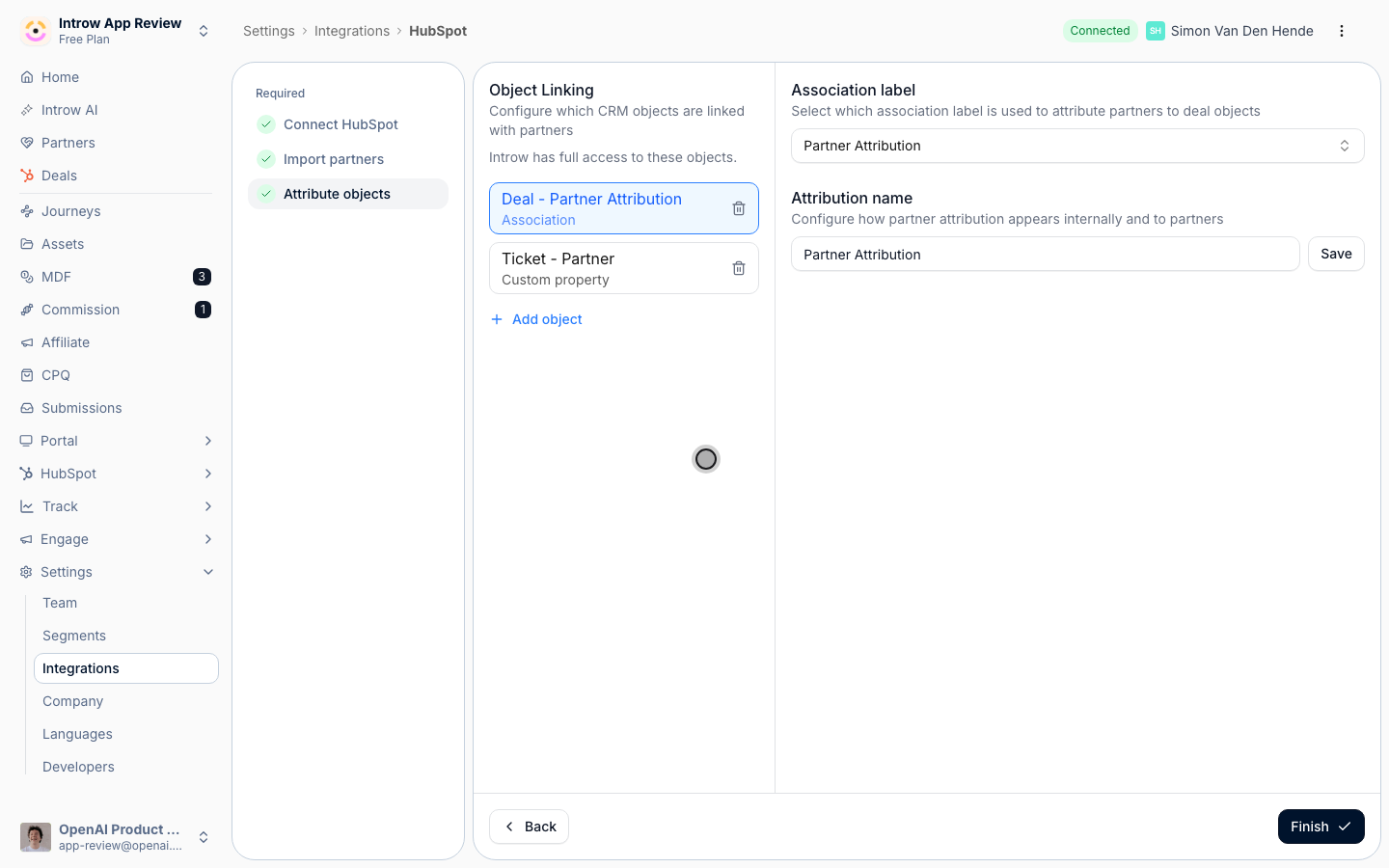
2
Start the disconnect
In the detail header, open the three-dots More integration actions menu at the far right and select Disconnect. Introw opens a confirmation dialog titled Disconnect [HubSpot / Salesforce] that spells out the impact: it will remove all the data Introw has imported from your CRM and prevent any new updates from syncing to Introw and your partners.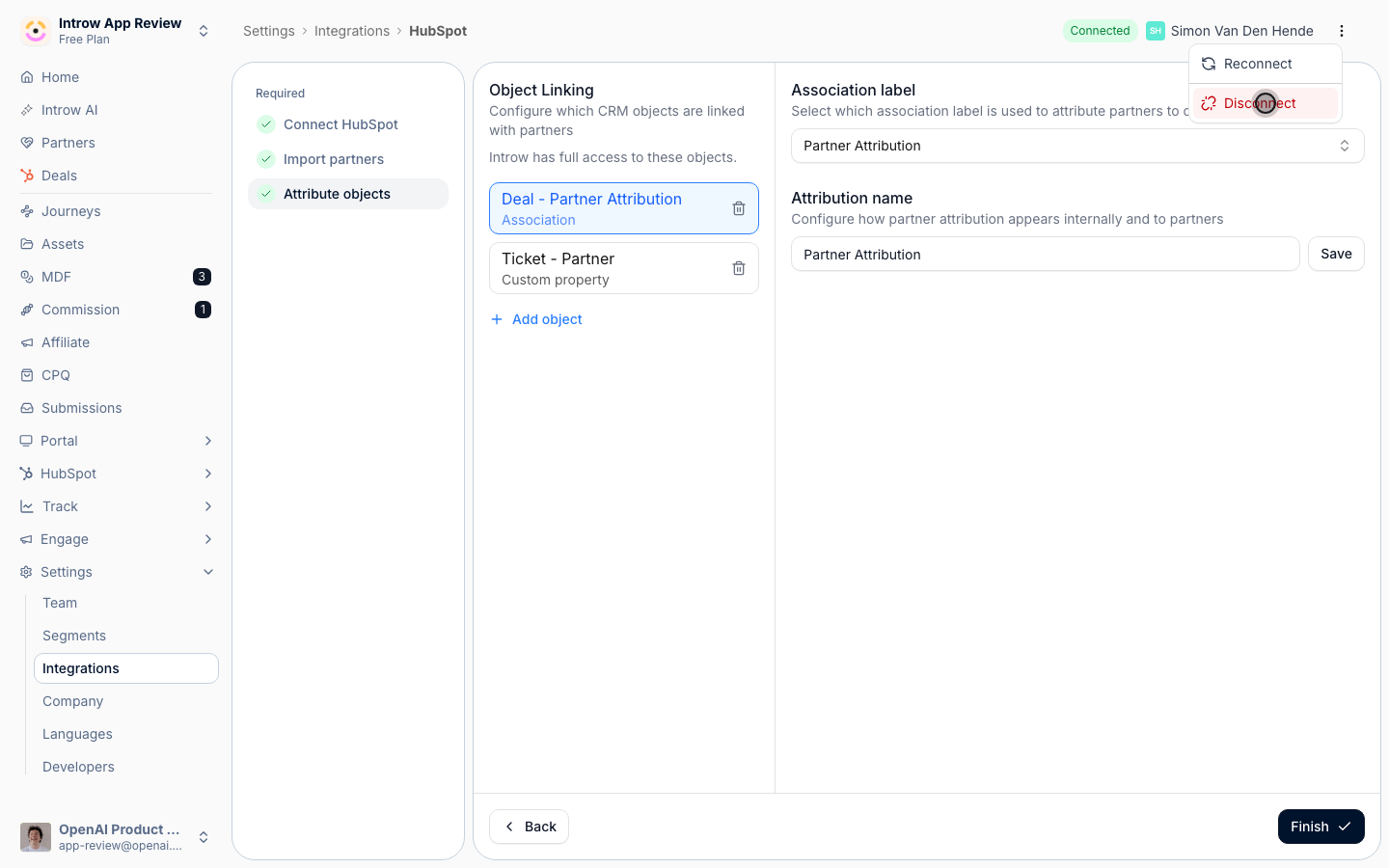
3
Confirm
Read the warning, then confirm the disconnect. Introw shows a success message and the tile returns to a Connect state.
Verify it worked
The CRM tile on the Integrations page shows Not connected, the sync has stopped, and you can now connect a different CRM if you are switching.Related
Troubleshoot a CRM connection
Try fixing a connection before you disconnect it.
Connect HubSpot as your source of truth
Reconnect or switch to a new CRM.
Implementation reference
Full configuration options.