

What you’ll achieve
A verified custom domain serving the partner portal securely on your own hostname, with a certificate issued automatically, so partners reach the portal at an address that looks like yours.Before you start
1
Confirm the plan and access
Custom domains are a plan feature; if your plan does not include them you will be prompted to upgrade. You also need admin access to portal settings. Check what your plan includes at introw.io/pricing.
2
Have a hostname and DNS access
Choose a hostname you control, such as partners.yourcompany.com, and make sure you can add records at your DNS provider.
Watch it
- Video
- Click through
Steps
1
Open domain settings
Go to Portal settings and open the custom domain configuration. If your plan does not include custom domains, you will be prompted to upgrade here.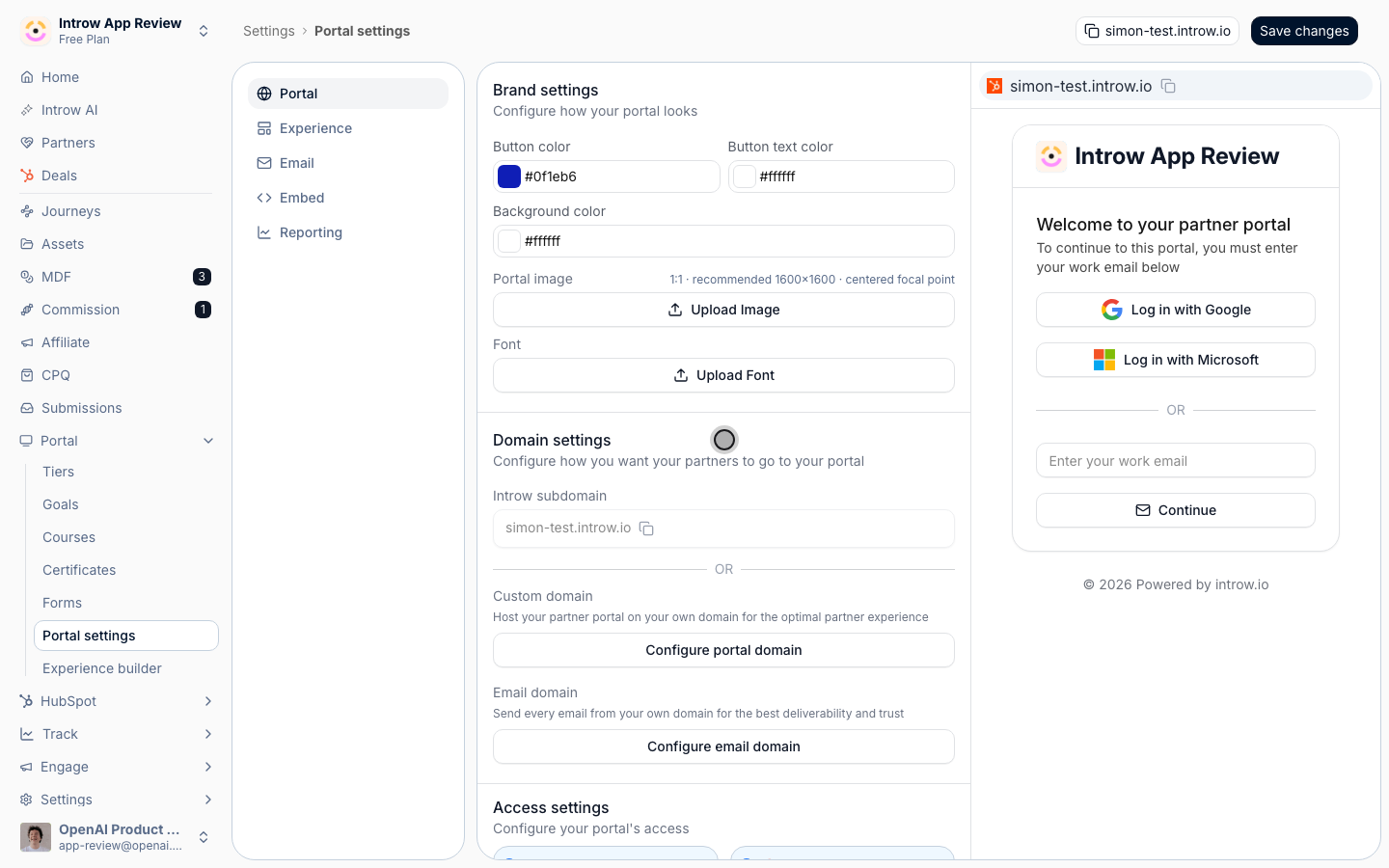
2
Enter your hostname
Add the domain you want the portal served on, such as partners.yourcompany.com. Use a subdomain you control and are not already using elsewhere, so it can point cleanly at the portal.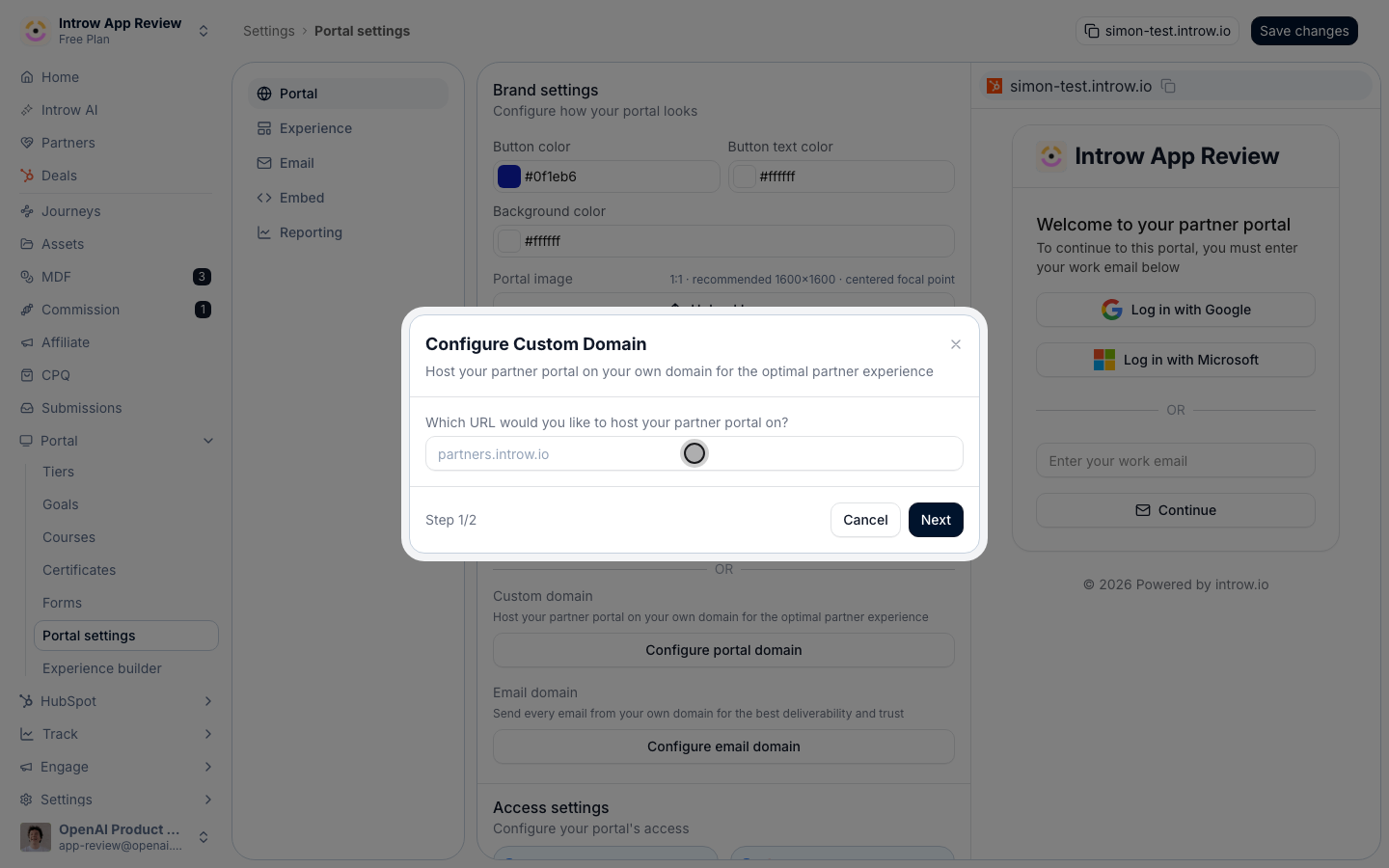
3
Create the CNAME record at your provider
There is exactly one record to add, and Introw shows both halves of it with a copy button: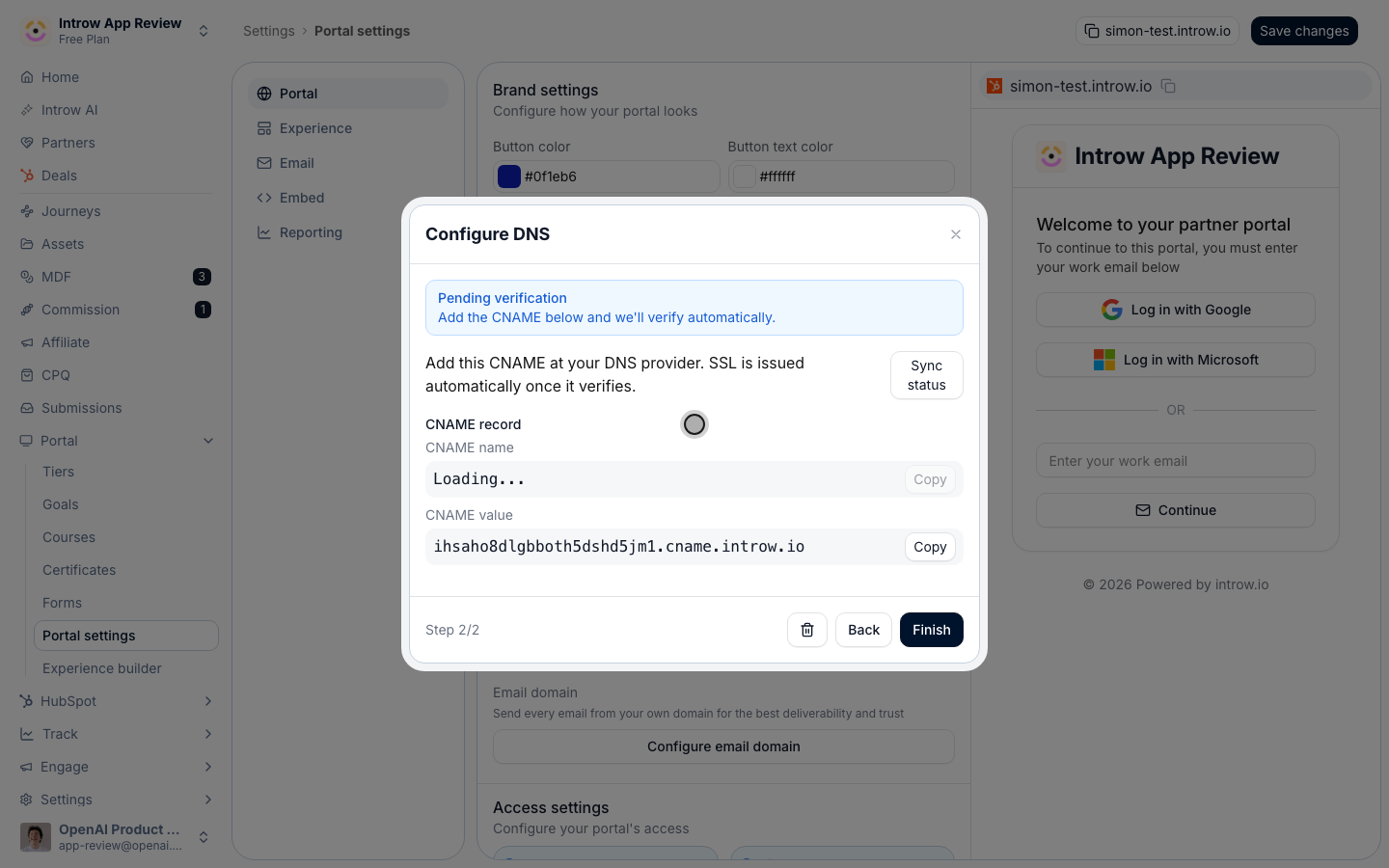
- CNAME name - the hostname you entered, for example
partners.yourcompany.com. - CNAME value - your organisation’s target on
cname.introw.io.
yourcompany.com cannot take one. There is no TXT record to add and no token to keep in
sync - ownership is proven over HTTP once the CNAME resolves, which is why nothing here
expires while you wait for your provider.4
Wait for propagation, then sync the status
DNS changes take time to propagate, sometimes minutes, sometimes longer depending on your
provider. Use Sync status in the dialog to re-check: it tells you which half of the job
is outstanding - 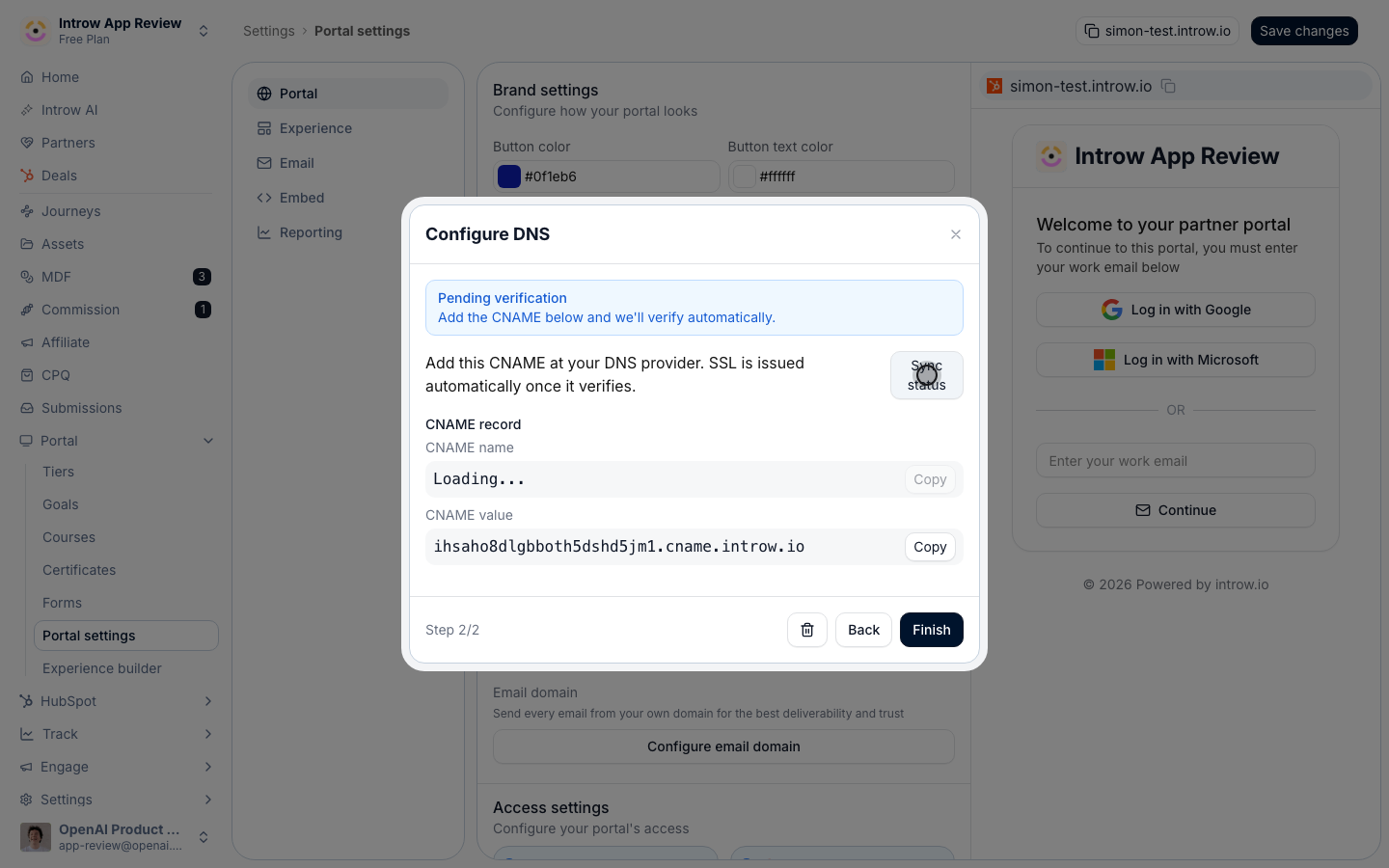
CNAME not detected means the record has not resolved yet, while an SSL
state means the record is right and the certificate is still being issued. The certificate
is issued automatically, at TLS 1.3, and renews itself.5
Confirm the portal loads
Visit your hostname and confirm the portal serves over a secure connection on your domain.
Keep an eye on the certificate after go-live
Once the domain is live, Introw re-checks its certificate every hour, and the badge next to the domain tells you what it found.- Verified - the domain is live and its certificate is healthy.
- Renewing certificate - the domain is live and the certificate is being renewed. Nothing to do.
- Certificate expiring - the certificate expires within 14 days and renewal has not completed yet. Contact support if it does not clear.
- Certificate issue - the certificate has expired, could not be renewed, or the domain is no longer registered for one, so visitors may see a browser warning. Contact support.
Links you already sent keep working
Your Introw subdomain, for exampleyourcompany.introw.io, stays valid and available after you connect or switch to a custom domain.
Form links, portal links, and any other link you already sent on the subdomain keep working, so you do not need to resend them to partners.
New links you copy from Introw use your custom domain.
The subdomain only stops working if your organization’s subdomain itself is changed.
Verify it worked
The domain shows as verified in settings and the portal loads on your hostname with a secure certificate. If it stays pending, re-run Sync status:CNAME not detected points at the DNS record, anything else points at certificate issuance.
Related
Remove a custom domain
Disconnect a domain you no longer use.
Brand the partner portal
Match the brand to your new domain.
Implementation reference
Full custom domain configuration options.