

Where it lives
Knowledge Base lives at Agent knowledge base.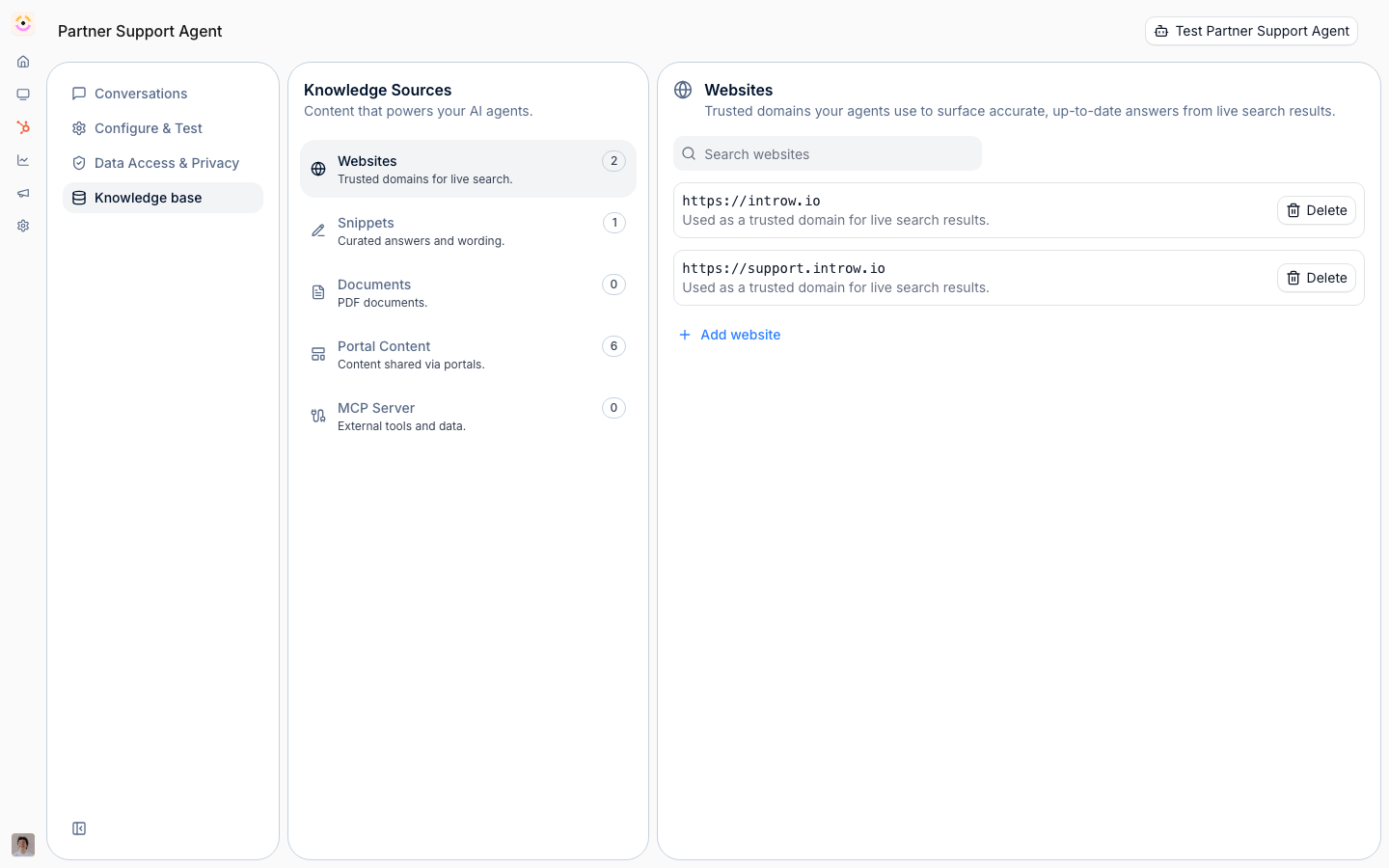
Before you start
How it works
The knowledge base lives on the agent’s Knowledge base tab. It has sections for Websites, Snippets, Documents, and an MCP Server connection, plus a read-only Portal Content summary of what the agent uses automatically. Websites are connected and kept live-updated, so they stay current automatically; snippets are short text entries; documents are PDFs marked as agent knowledge. The agent retrieves the most relevant pieces when answering.Portal content used automatically
Beyond what you upload, the agent automatically draws on each partner’s own portal content, announcements, tiers, commission, assets, CRM objects, and goals and KPIs, without you adding it as a source. This data is always scoped to what the requesting partner can access, so a partner can only ever get answers about their own program data and the agent never leaks one partner’s information to another. The Portal Content tab simply shows which of these sources are in play; it is read-only.Shared across agents
The sources you curate here are not limited to one agent. The same knowledge base grounds the partner support agent and Introw’s other agents (for example the agents behind deal coaching, channel conflict, and content generation), so content you add once is reused everywhere an agent needs it. Each agent still applies the per-partner scoping above, so broader reuse never widens what an individual partner can see.Settings & configuration
The knowledge base is managed at Agent knowledge base.Websites
Add a website URL and Introw connects it as a source, keeping it live-updated so the content stays current automatically.Snippets
Write short snippets to teach the agent specific facts or canned answers.Documents
Mark PDF assets as agent knowledge so the agent can draw on them.Portal content
The agent automatically uses portal-scoped data such as tiers, commissions, and assets; this section explains that and is read-only.MCP server
Connect an MCP server to give the agent live tool access. This requires the MCP connection module.How-to guides
Troubleshooting
A website's content is missing
A website's content is missing
Indexing has not finished yet, or the page was not reachable.
The agent ignores a document
The agent ignores a document
Confirm the PDF is marked as agent knowledge.
MCP cannot be connected
MCP cannot be connected
The MCP connection module is not enabled on your plan.