

What you’ll achieve
A product that is visible only to the partner segments you choose and only on deals whose CRM properties match your filters. Partners outside those segments never see it, and it stays hidden on deals that do not match, so the catalog a partner browses on a deal reflects exactly what you allow them to sell.Before you start
1
Confirm CPQ is on your plan
The product catalog is a plan feature. If the CPQ area shows an upgrade prompt, it is not on your plan yet - check what yours includes at introw.io/pricing.
2
Confirm products have synced
Products only appear in the catalog once they have synced from your CRM. Core fields like name,
SKU, and price are maintained in the CRM, not in Introw.
3
Create the segments you need
To restrict by partner, define the segments first in Settings. A segment groups partners (for
example by tier, region, or type) so you can scope the product to them.
4
Know the deal properties to gate on
To restrict by deal, decide which CRM deal properties should allow the product, for example a
region, deal type, or amount threshold.
Watch it
- Video
- Click through
Steps
1
Open the product
Go to CPQ and stay on the Products tab. Click the product you
want to scope to open its detail panel. The panel shows the read-only CRM details at the top,
then the Segments, Deal filters, and Discount sections you control. Changes save
automatically as you make them, so there is no separate Save button.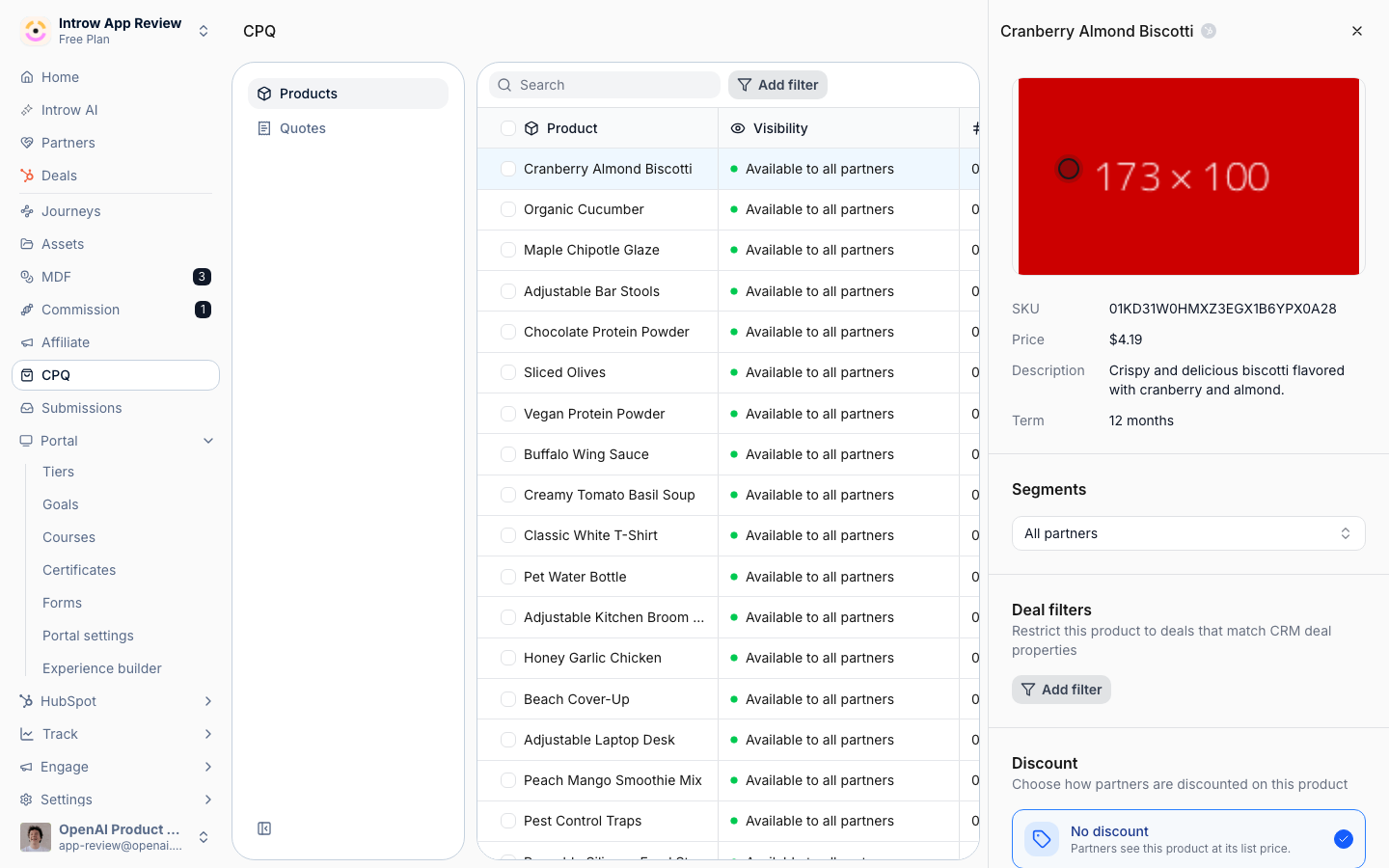
2
Restrict to partner segments
In the Segments section, choose the segments allowed to see and quote this product.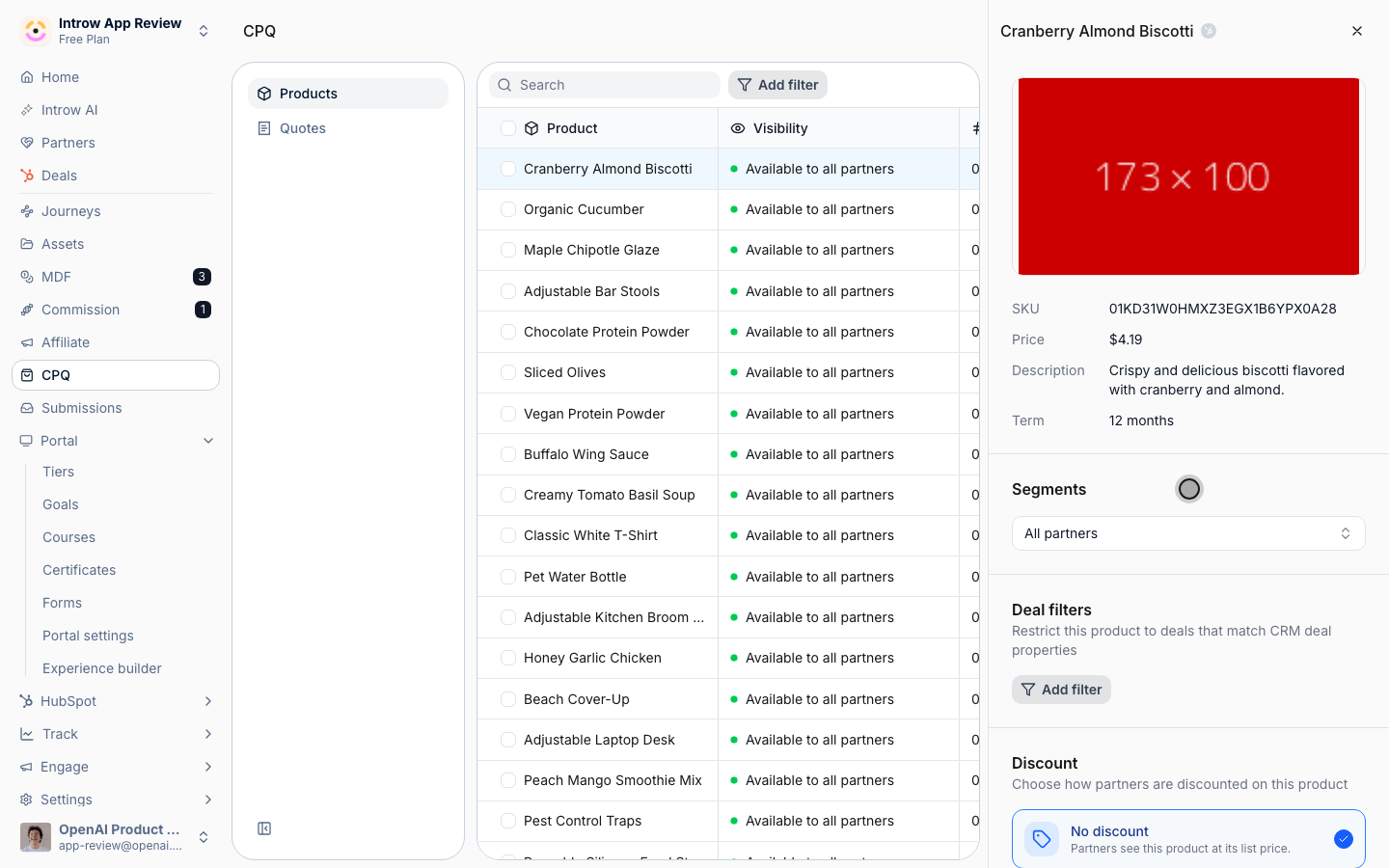
- Segments - the partner groups that can use the product. Only partners in a selected segment see it when building a quote, so use this to keep restricted or strategic SKUs with the right partners. Leave it empty to make the product Available to all partners; add one or more segments to scope it. If your role only manages a subset of partners, segment previews and counts reflect the partners you manage.
3
Restrict to matching deals
In the Deal filters section, limit the product to deals whose CRM properties match your
criteria. This is independent of segments: a partner in an allowed segment still only sees the
product on deals that pass the filter.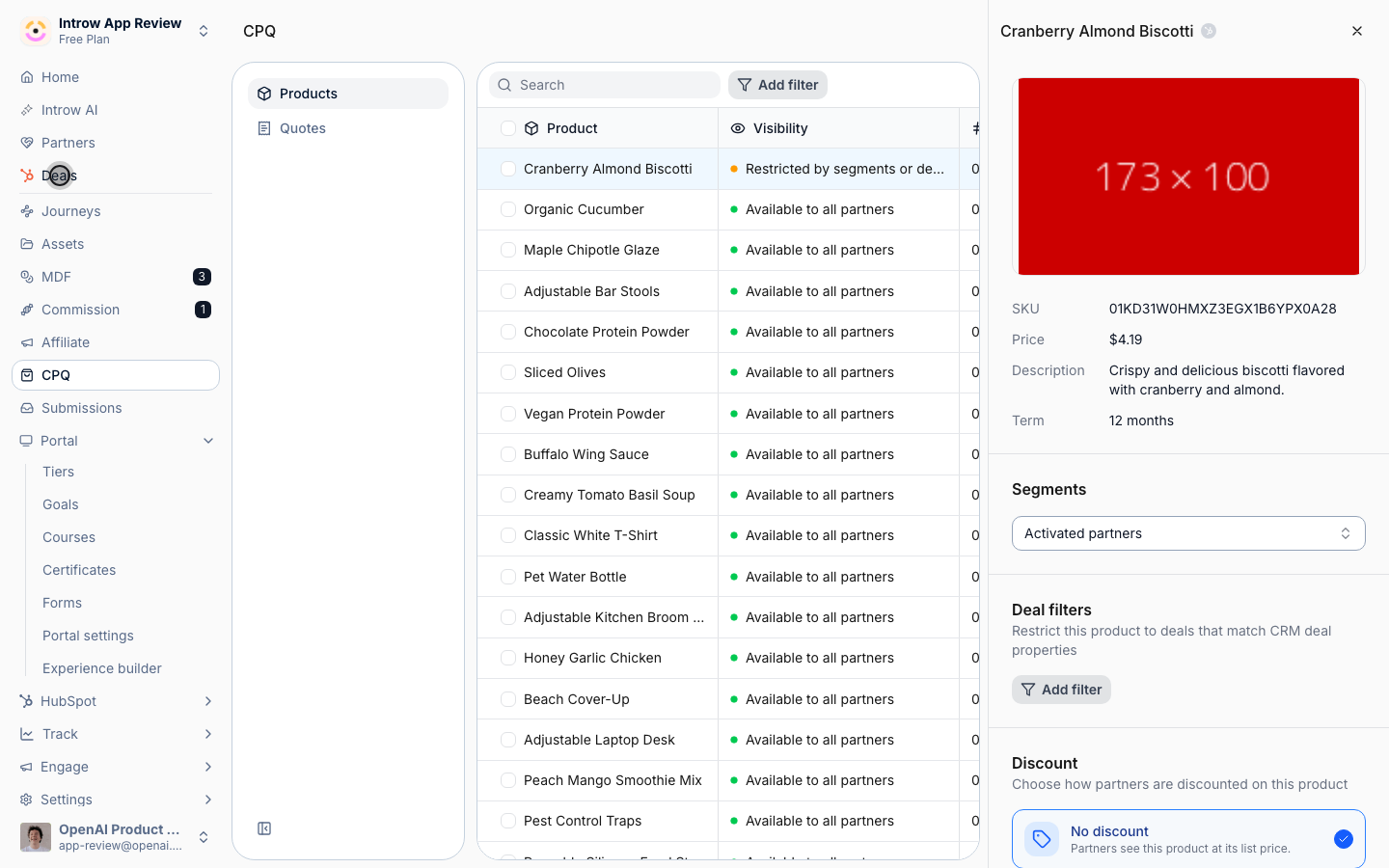
- Deal filters - one or more conditions on CRM deal properties (for example region equals EMEA, or amount is greater than a threshold). The product only appears on deals that match every condition you add. Leave it empty to allow the product on any deal the partner can access. Add filters when a product is region-specific, tier-specific, or otherwise only valid on certain deals.
4
Confirm the visibility status
With segments or deal filters set, the product’s Visibility in the catalog list changes from
“Available to all partners” to “Restricted by segments or deal filters” (an amber dot). This is
your at-a-glance confirmation that the product is now scoped.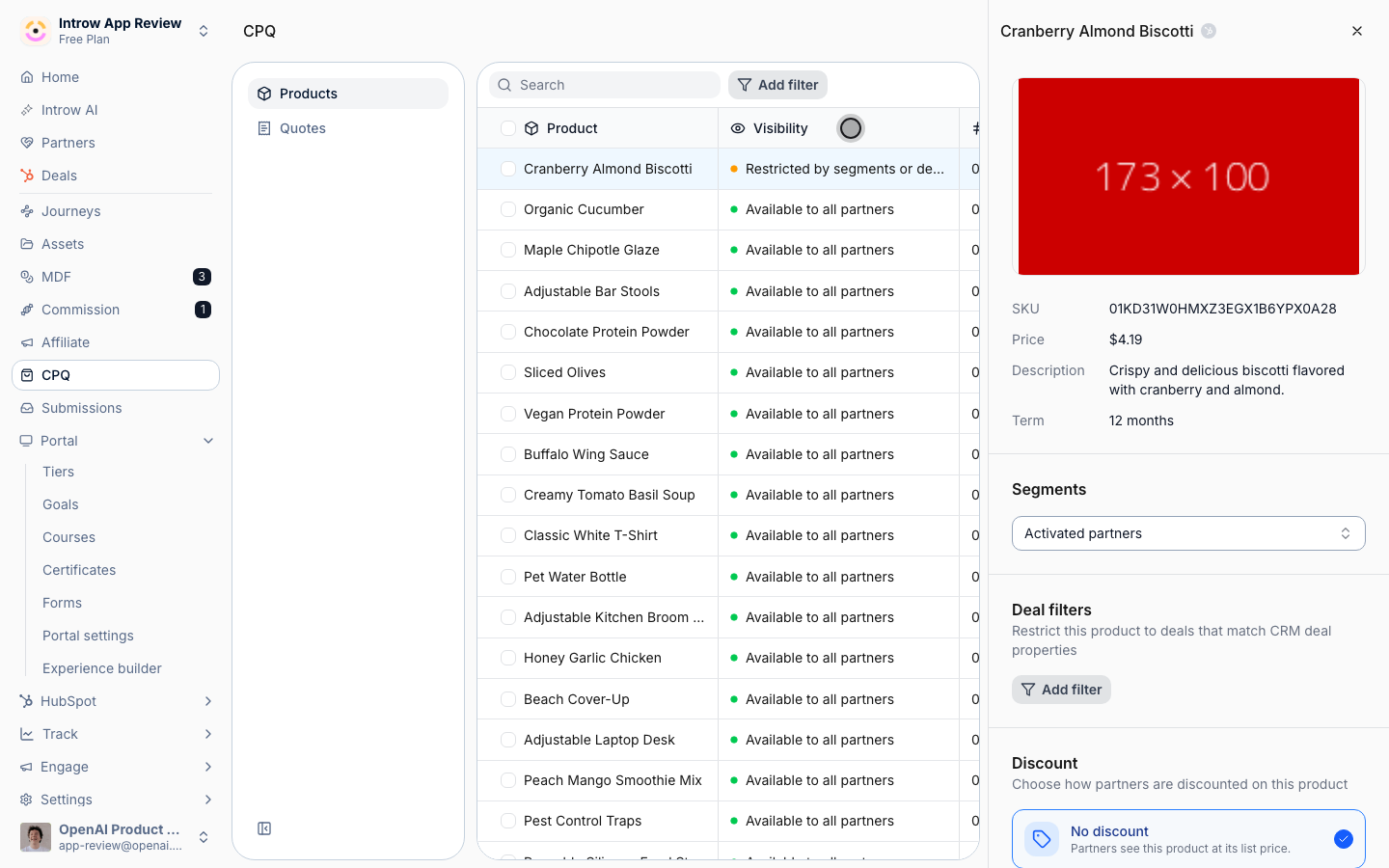
Verify it worked
In the Products list, the product’s Visibility column reads “Restricted by segments or deal filters”. To confirm the partner experience, open a deal as a partner: a partner inside an allowed segment sees the product in the line-item picker on a matching deal, while a partner outside the segments, or any partner on a deal that fails the filter, does not see it at all.Related
Bulk edit product configuration
Apply the same visibility to many products at once.
Create a static segment
Define the partner segments to scope to.
Pricing & Discounts
Set the discount rule on the products you scoped.
Implementation reference
Full catalog configuration options.