

What you’ll achieve
Every product you selected ends up with the same segment access and the same discount rule applied at once. Partners then see a consistent set of products and consistent pricing across that product line, without you touching each product individually.Before you start
1
Confirm products have synced
Products only appear in the catalog once they have synced from your CRM.
2
Plan the shared change
Decide which products should share the same visibility or pricing rule, and which rule that is.
Bulk edit applies one set of values to all selected products, so group products that genuinely
belong together.
3
Prepare prerequisites for the discount type
For a tier discount, tiers must be defined in Settings. For a partner discount, a numeric or
currency discount property must exist on the partner record in your CRM.
Watch it
- Video
- Click through
Steps
1
Open the catalog
Go to CPQ and stay on the Products tab.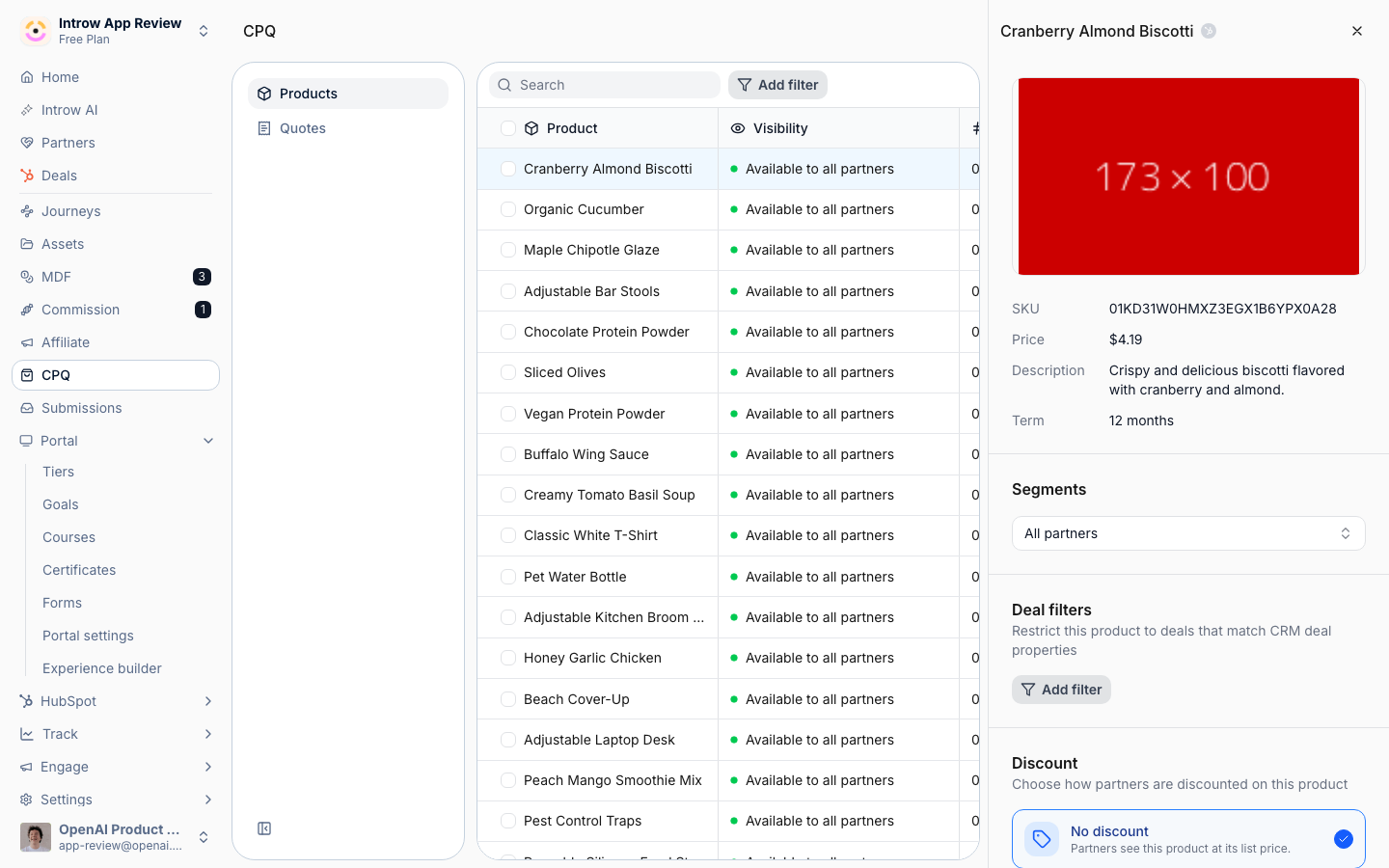
2
Select the products
Tick the checkbox on every product that should get the same configuration. Use the column filters
first if you need to narrow a large catalog down to one product line before selecting.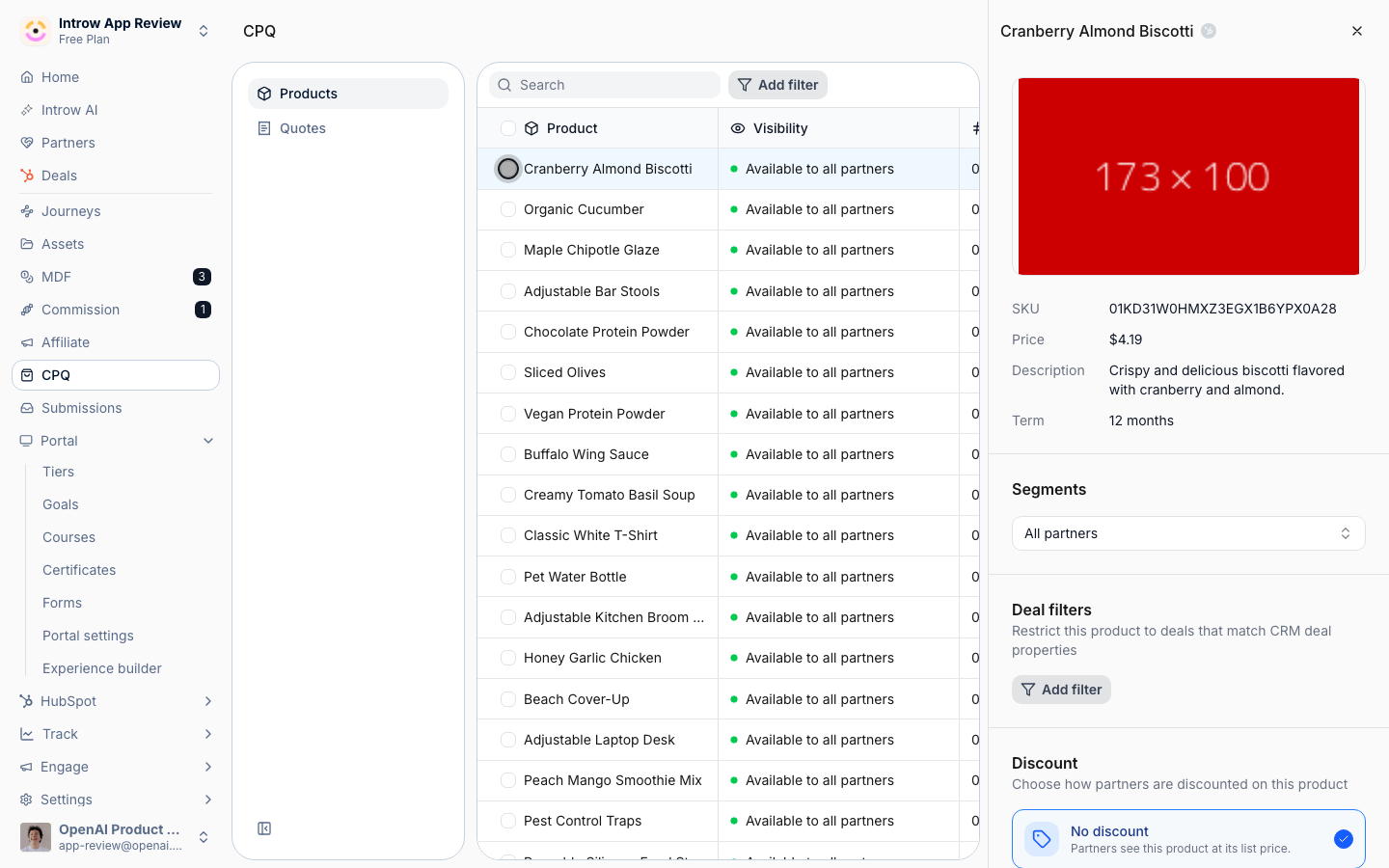
3
Open bulk edit
With products selected, open the bulk edit action. The dialog is titled with the number of
products you are editing, so you can confirm the selection before applying anything.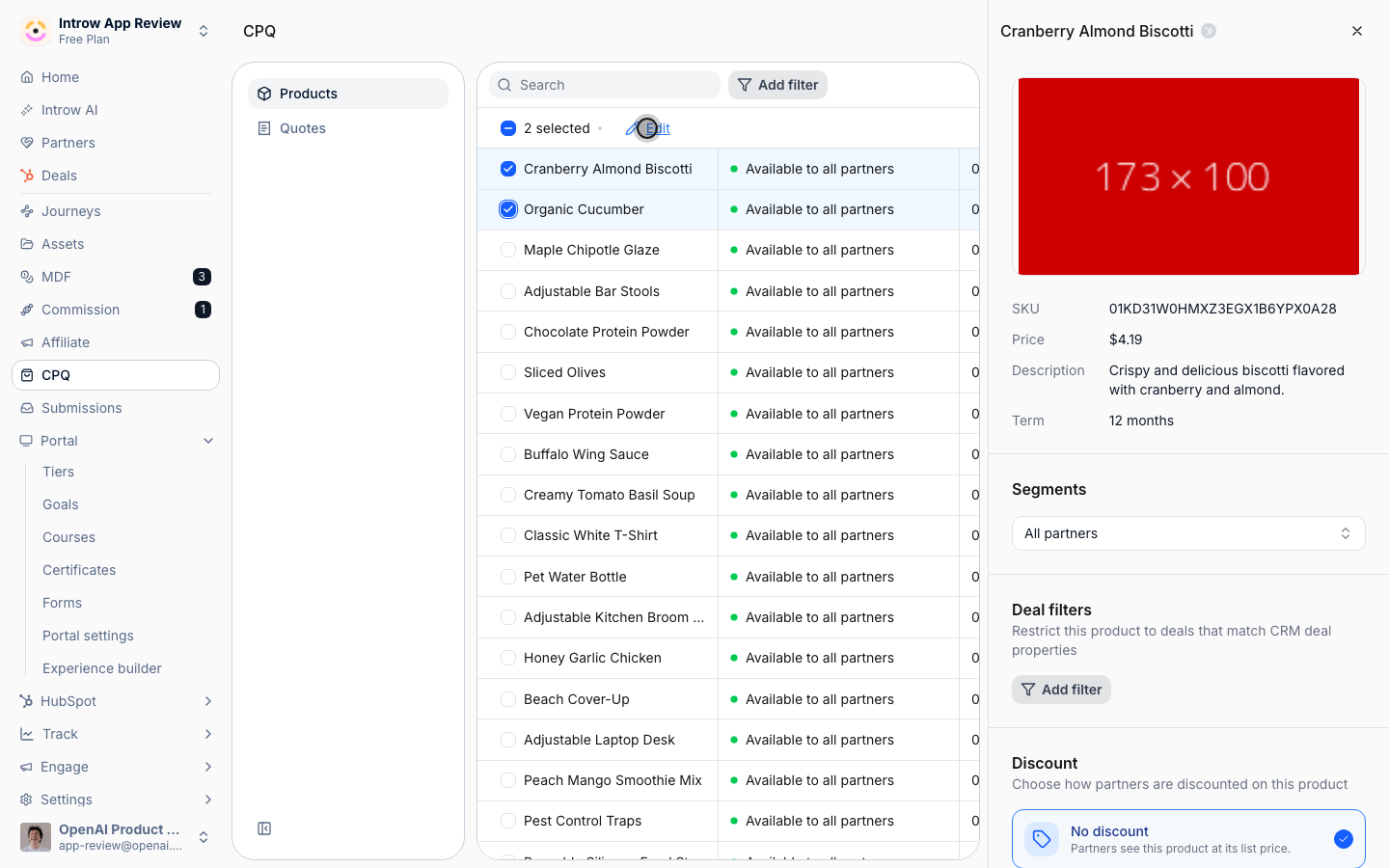
4
Set the shared visibility and discount
Fill in the values you want to apply to every selected product: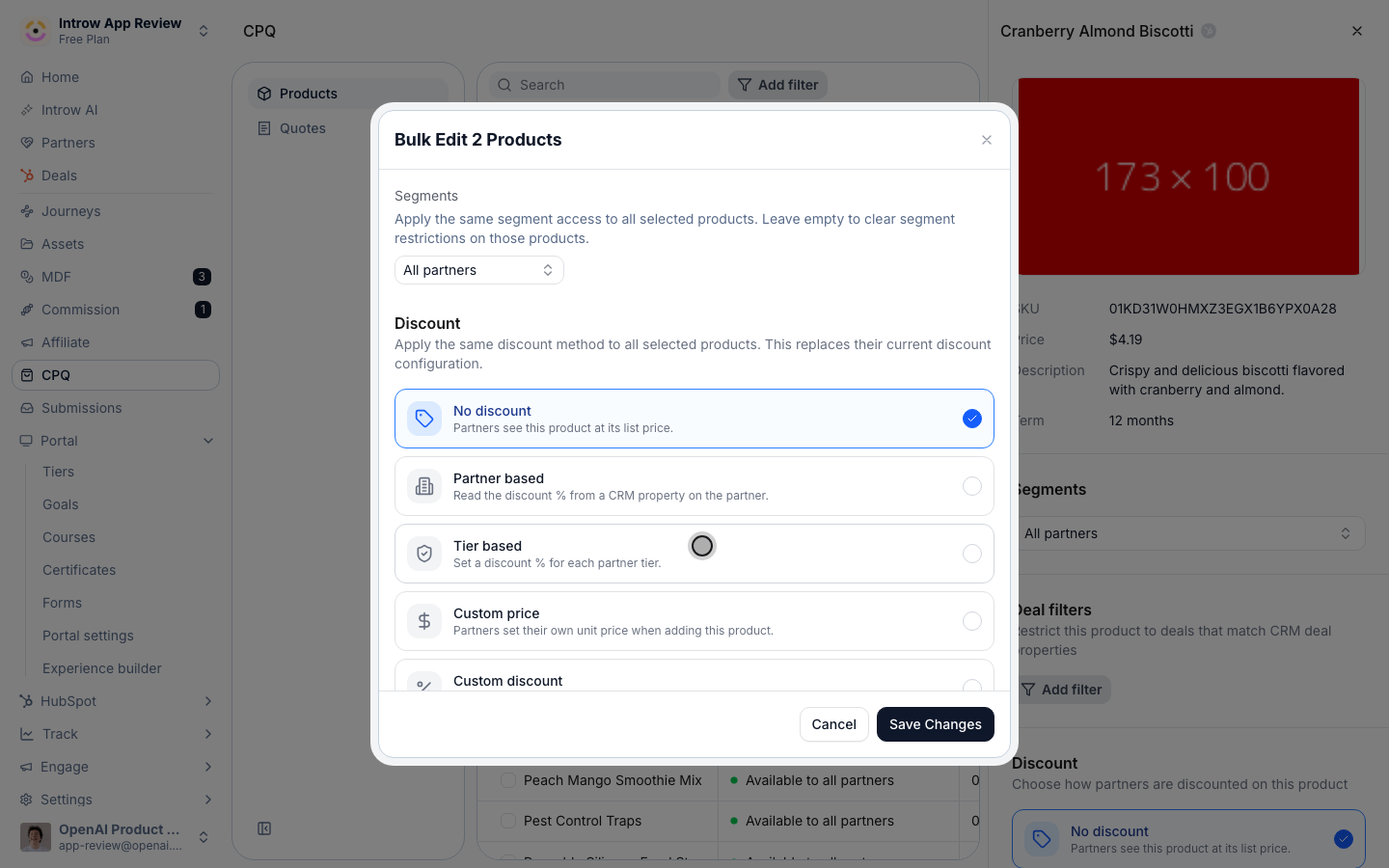
- Segments - the partner segments allowed to see these products. Add segments to restrict the products to those partners, or leave it empty to clear segment restrictions on all of them (the empty state reads “All partners”). Because this applies to every selected product, an empty value will remove any existing segment restriction those products had.
- Discount - choose Partner based or Tier based for the whole set, or leave it unset to leave pricing untouched. Bulk edit covers these two rule types; custom pricing and deal filters are set per product.
- Discount property (Partner based) - the numeric or currency CRM property on the partner record whose value becomes each partner’s discount percentage.
- Tier Discounts (Tier based) - a percentage per tier (0 to 100) that prices partners by the tier they belong to. If no tiers exist yet, create them in Settings first.
5
Save the changes
Apply the configuration to all selected products. The change is written to every product in the
selection at once.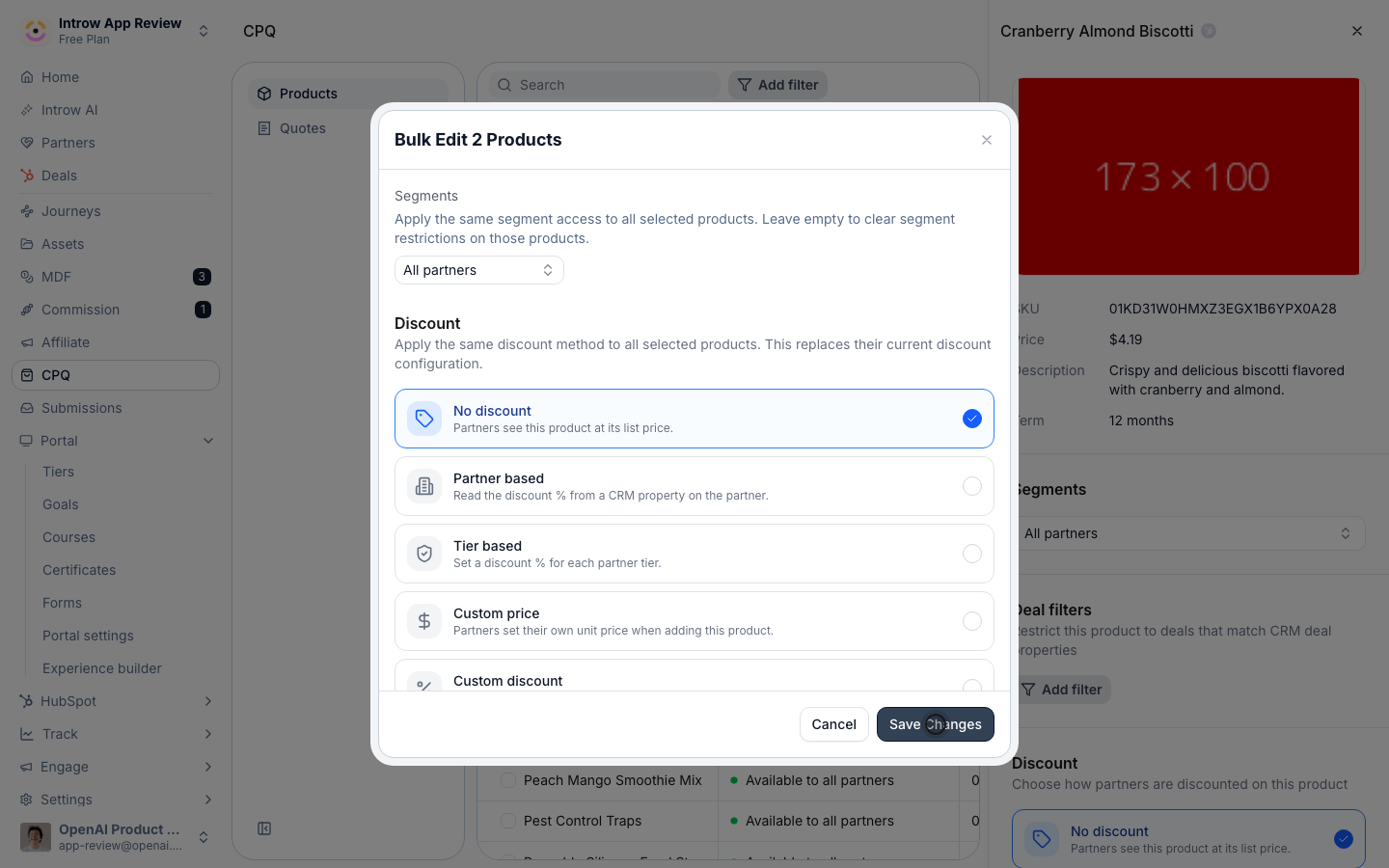
Verify it worked
Reopen any of the products you edited and confirm its Segments and Discount match what you applied. In the Products list, each edited product’s Visibility column reflects the new segment restriction, and a partner building a quote sees the products and pricing exactly as configured.Related
Govern product visibility
Scope a single product by segment and deal.
Set tier-based discounts
Discount partners by tier.
Implementation reference
Full catalog configuration options.