

Where it lives
Commission Plans sits under Commission, at Commission plans.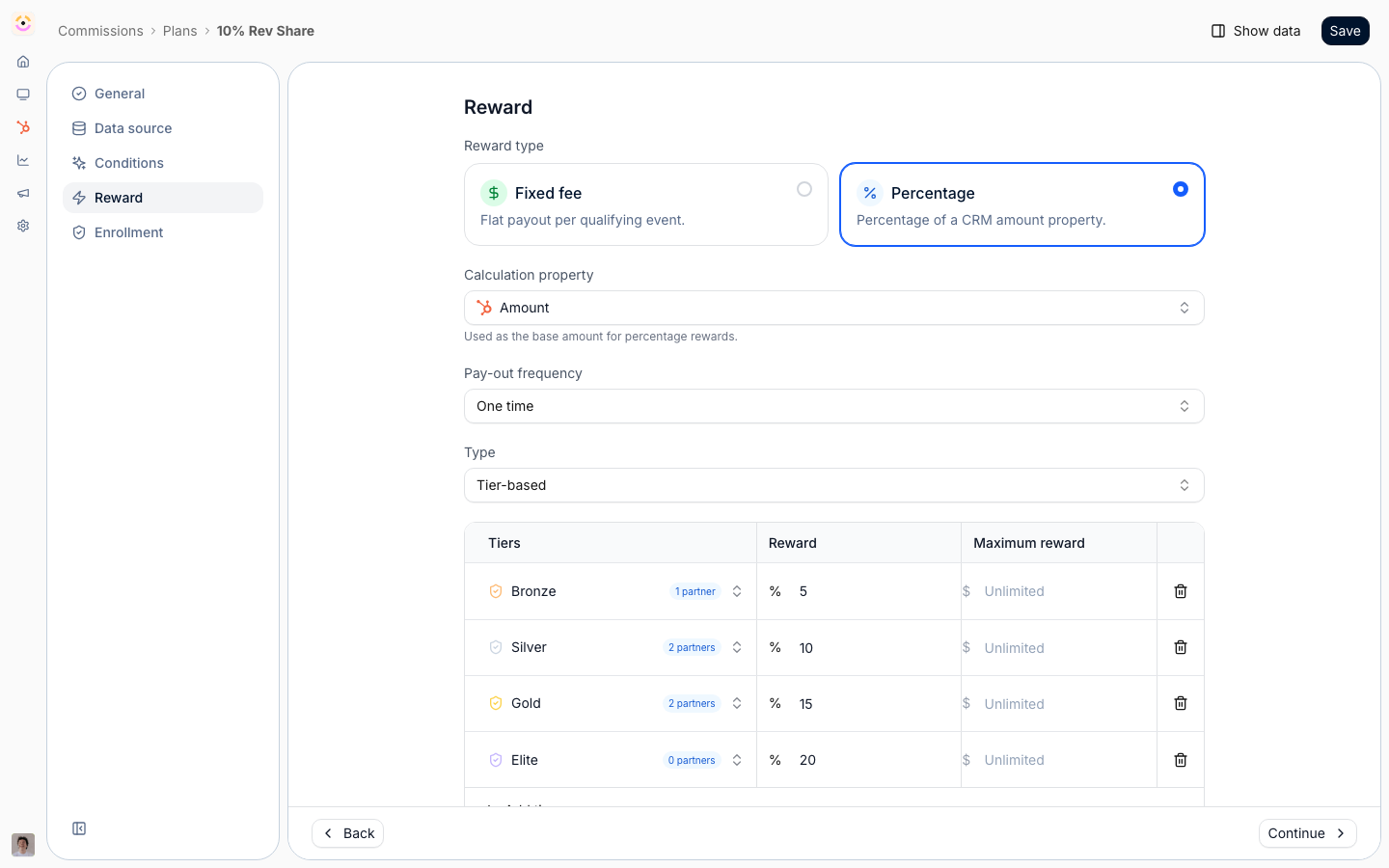
Before you start
Billing sources (Stripe, Chargebee) are connected separately, and the relevant module has to be on your plan.
How it works
Commission plans are built in a wizard with five steps: general details, data source, conditions, reward, and enrollment. The data source connects the plan to your CRM or a billing system, the conditions decide which records qualify, and the reward defines how much partners earn and how often. Once partners are enrolled, Introw calculates commission lines for qualifying records on a schedule. You can start from a template, such as a fixed fee, a revenue share, or a tiered commission, and adjust it. Plans can be duplicated, archived, and edited, and editing can optionally recompute pending lines.Settings & configuration
Plans are built at Commission plans; start a new one at/commission/plans/new.
General
Name the plan, describe it, and set its start and end dates.Data source
Choose where the plan reads from: your CRM, or a billing system. For a CRM source you pick the object type and the amount and date properties; for billing you connect the relevant integration.Conditions
Set the conditions a record must meet to qualify, using property filters, so only the right deals or records generate commission.Reward
Choose a fixed fee or a percentage, set the frequency (one-time, monthly, or yearly), and define the rate, tiers, and any maximum cap. You can target rates by partner, segment, or tier, and set installment amounts for recurring rewards.Versions and duration
A plan is a chain of versions. Editing rates or conditions creates a new version, and every commission line records the version it was priced on - so changing a plan never re-prices lines that were already generated, and a deal keeps the terms that were in force when it was registered. A version’s end date is optional. Leave it empty and the plan runs open-ended; combine that with a recurring plan and its frequency and the plan keeps generating lines for the life of the customer rather than stopping on a fixed date.Enrollment
Enroll the partners the plan applies to, individually or via filters and segments.How-to guides
Troubleshooting
No commission lines are appearing
No commission lines are appearing
No enrolled partners have qualifying records yet, or the conditions exclude them.
A reward is smaller than expected
A reward is smaller than expected
A maximum cap or tier targeting is limiting it.