

Where it lives
Links & Attribution sits under Affiliate, at Affiliate campaigns.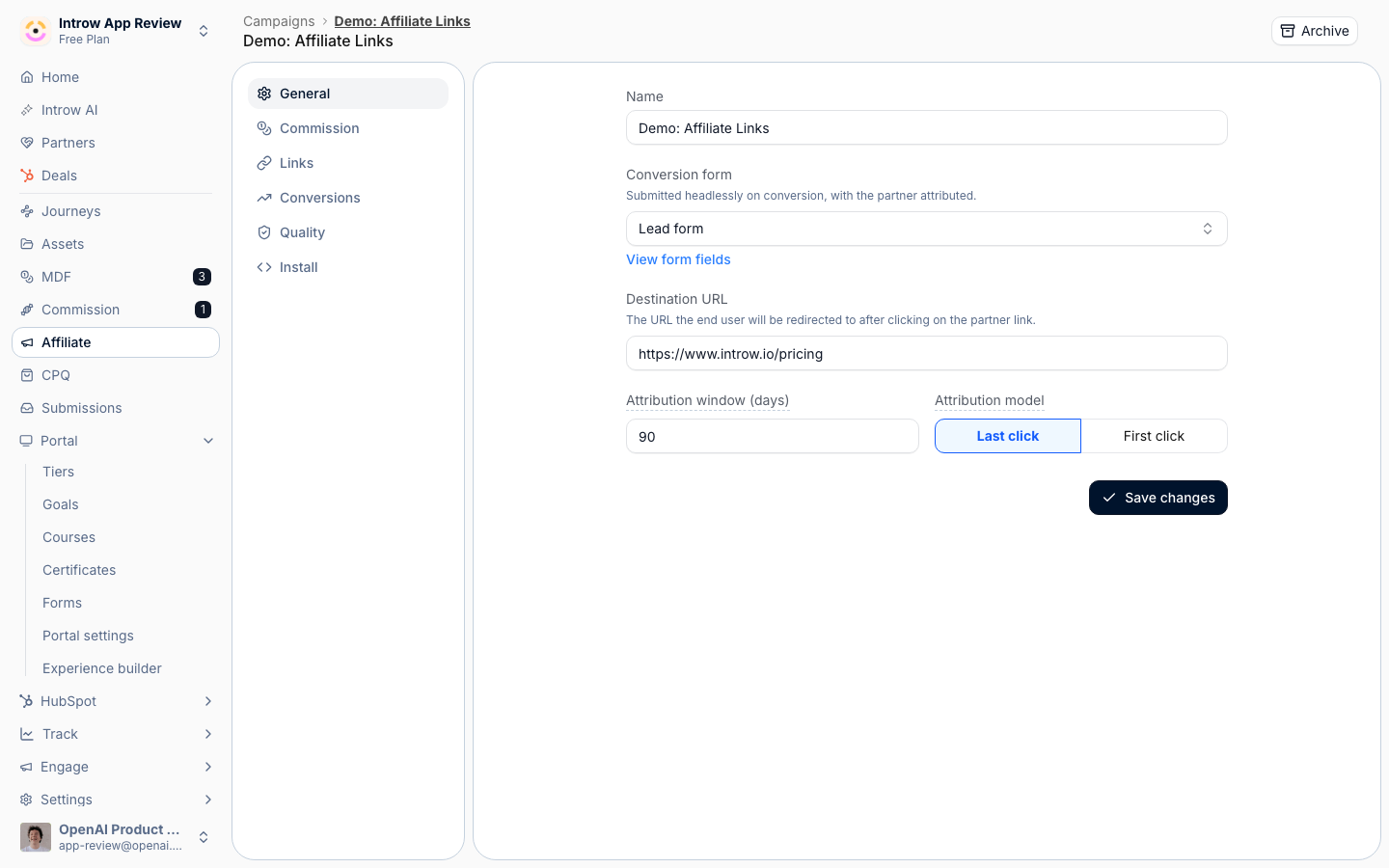
Before you start
How it works
Each partner gets exactly one unique referral link per campaign, provisioned automatically when the campaign reaches them: publishing an experience that carries the campaign’s affiliate block gives every partner in that publish a link, and a partner who opens the block without one gets it minted on the spot. Generate links on the campaign’s links tab does the same thing on demand. Clicks are tracked with a signed token so the partner association cannot be spoofed. Attribution is governed per campaign by two settings: the attribution window, how long after a click a conversion still counts, and the attribution model, last click or first click. Links live on the campaign’s links tab, where you can see per-partner clicks and conversions, set a vanity alias, and revoke or restore a link.Settings & configuration
Attribution and links are managed on the campaign at Affiliate campaigns.Attribution window
On the general tab, set how many days a click remains valid for attribution. A conversion outside the window is not credited to the partner.Attribution model
On the general tab, choose last click or first click. Last click credits the most recent partner; first click credits the partner who introduced the visitor.Vanity alias
On the links tab, set a custom alias for a partner’s link to give them a cleaner URL to share.Revoke and restore
On the links tab, revoke a link to disable it immediately, or restore a previously revoked link.How-to guides
Troubleshooting
A conversion was not attributed
A conversion was not attributed
It arrived outside the attribution window, or no click was tracked.
A vanity alias is rejected
A vanity alias is rejected
The alias is already in use on the campaign.
A revoked link still works briefly
A revoked link still works briefly
Allow for short caching before the link stops resolving.