

What you’ll achieve
A partner’s affiliate link (its default code and every custom alias) instantly disabled so it no longer redirects or attributes conversions, with the ability to restore it later exactly as it was. Custom aliases stay reserved while revoked, so no one else can claim them.Before you start
1
Identify the link to change
Know which partner’s link you need to revoke or restore. The Links tab marks a disabled link with a Revoked pill, and a Review pill flags partners whose traffic looks suspicious.
Watch it
- Video
- Click through
Steps
1
Open the Links tab
Go to Affiliate campaigns, open the campaign, and select the Links tab. Locate the partner’s row.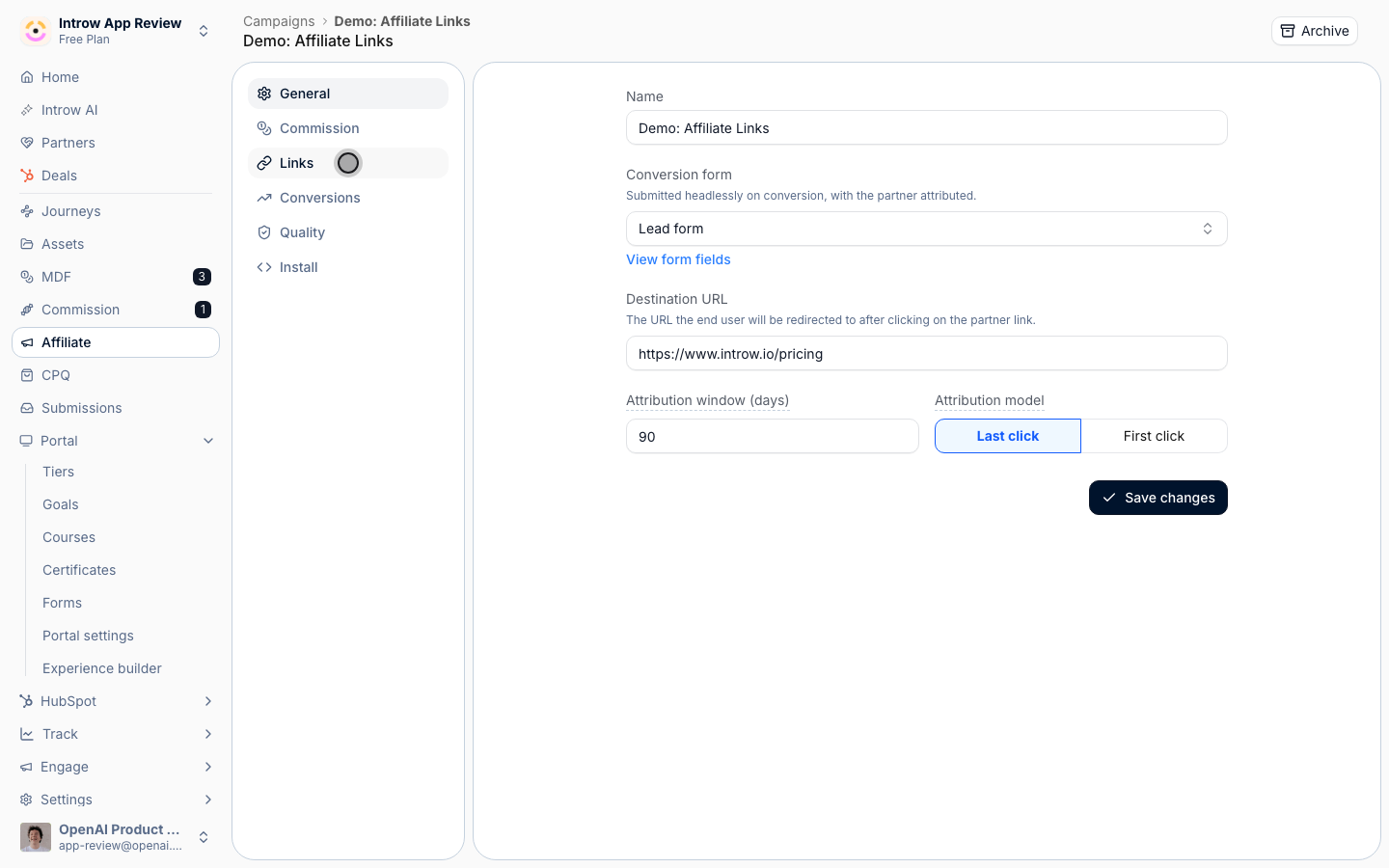
2
Revoke the link
Open the row’s actions menu and select Revoke link. The confirmation dialog explains the effect: the default code and every custom alias immediately return an error and stop attributing conversions, even for clicks already in flight. Custom aliases stay reserved while the link is revoked, so they cannot be taken by anyone else. Confirm with Revoke link. The row then shows a Revoked pill.A revocation sticks. Introw provisions partner links automatically when you publish an experience carrying the campaign’s affiliate block, and again when a partner opens that block without a link, but neither route reissues a link you revoked: the row keeps its Revoked state until you restore it.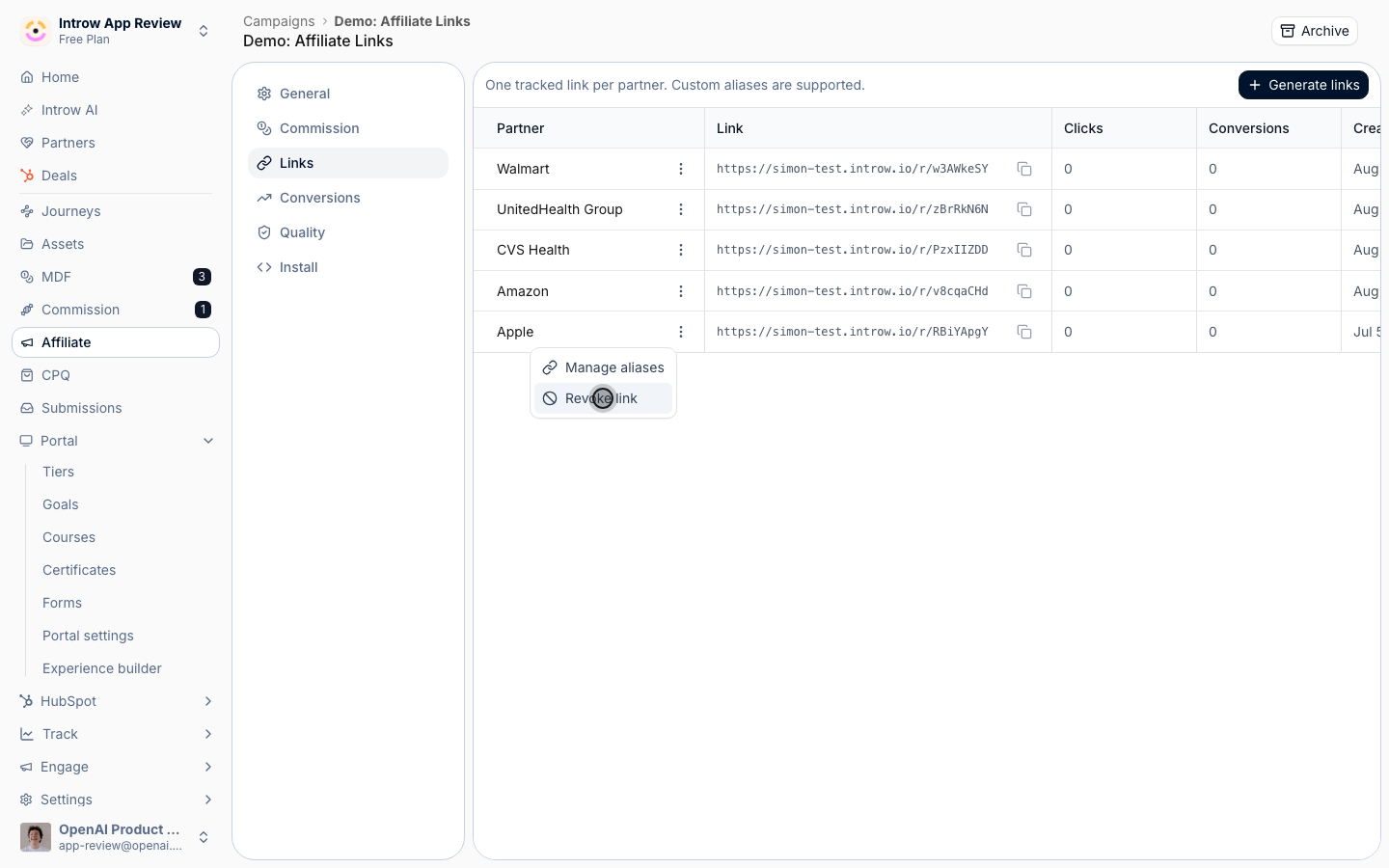
3
Restore the link when needed
To bring a link back, open the actions menu on the revoked row and select Restore link. The default code and all its aliases start working again immediately, with the link’s history intact. No regeneration is needed and partners keep the same URLs.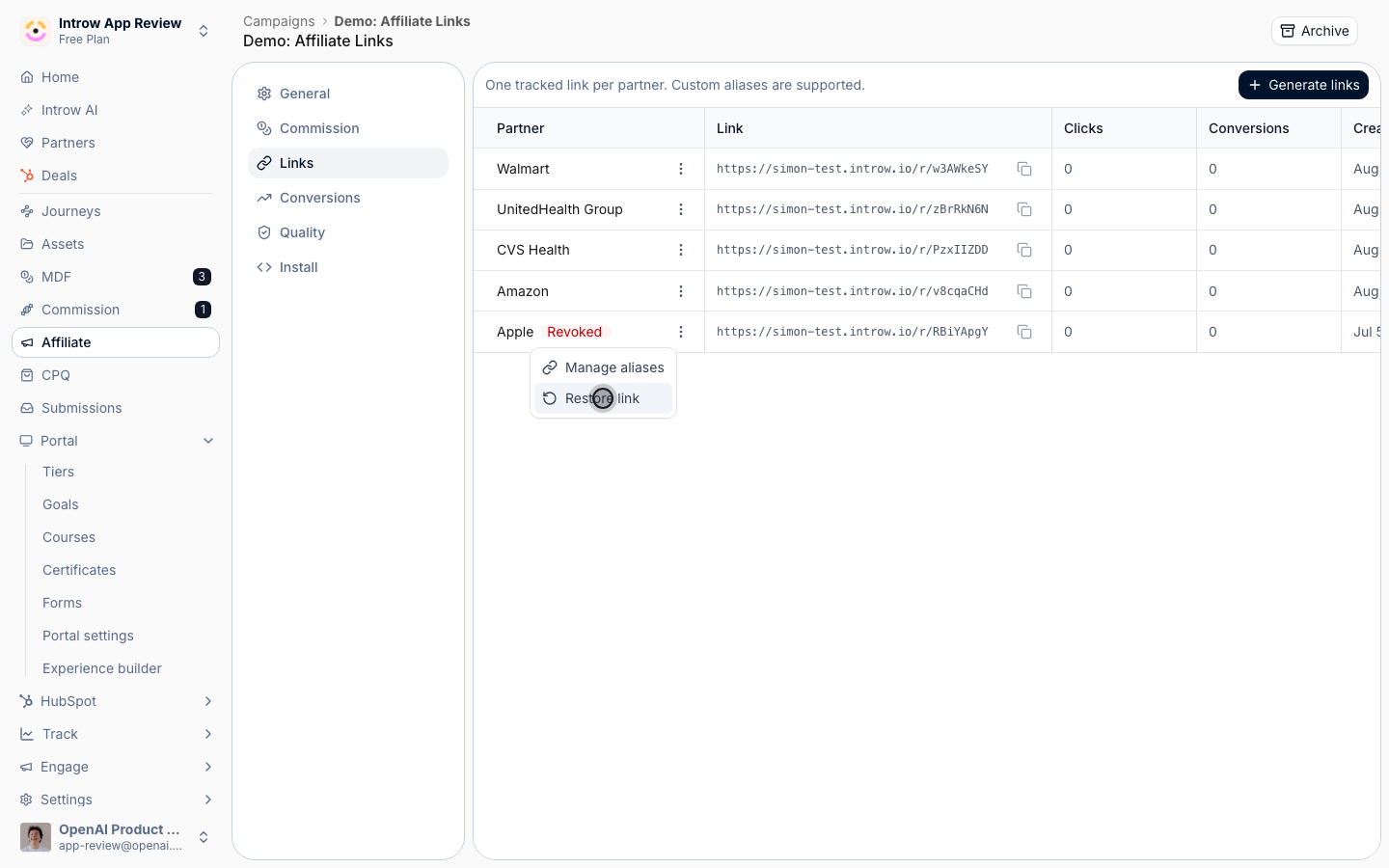
4
Optionally free an alias
If you want to permanently release a specific alias rather than keep it reserved, open Manage aliases for the link and delete that alias. Its slug becomes available for reuse.
Verify it worked
A revoked link no longer resolves to the destination and records no new conversions; its row carries the Revoked pill. After restoring, the same default code and aliases redirect and attribute again. Because revocation is reversible, you can shut off a link the moment it is misused and bring it back if the situation changes.Related
Protect affiliate revenue from fraud
Spot links worth revoking.
Create a vanity link alias
Customize active links.
Implementation reference
Full configuration options.