

What you’ll achieve
A HubSpot workflow that calls an Introw action as part of its automation, so partner onboarding and lifecycle steps happen automatically from CRM triggers instead of someone doing them by hand in Introw.Before you start
1
Connect HubSpot with current scopes
HubSpot must be connected and the app authorized with current scopes. See Embed Introw in HubSpot. If actions are missing in HubSpot, re-authorize via Install update.
2
Know your trigger
Decide which HubSpot workflow (and enrollment trigger) should run the partner step, for example a company reaching a partner stage.
Steps
1
Open or create the workflow
In HubSpot, open the workflow where you want partner automation, or create one with the enrollment trigger that should fire the step (most partner actions enroll on the company).
2
Add an Introw action
Add an action step and search for Introw: the Introw app’s actions are listed under Integrated apps. The actions available in a HubSpot workflow are: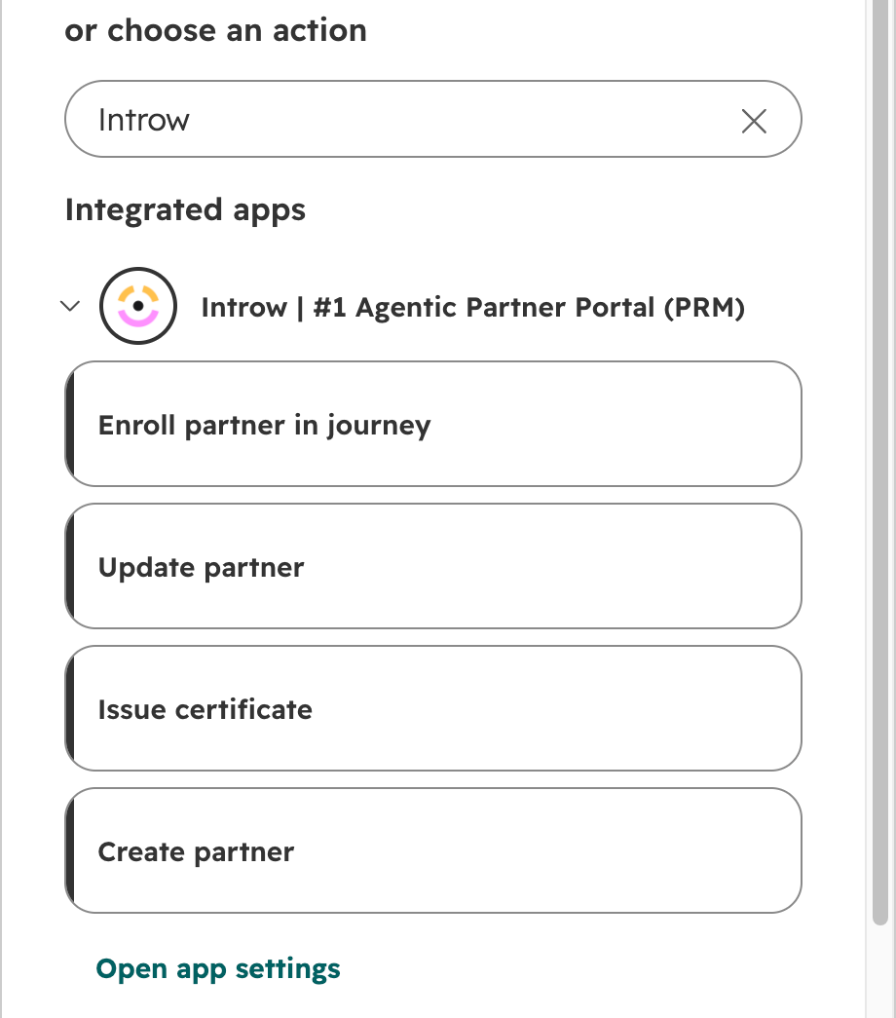
- Create partner - creates an Introw partner from the enrolled company. Use this to onboard a partner the moment a company qualifies. You can set the partner’s experience, partner manager, and portal access as part of the action.
- Update partner - updates an existing partner’s experience, tier, phase, or manager. Use this to keep partner standing in step with CRM changes.
- Enroll partner in journey - starts an Introw journey (onboarding or enablement checklist) for the partner, so the right tasks kick off automatically.
- Issue certificate - issues a certificate to a contact or company, with an option to notify the recipient. Use this to recognize completion as part of a flow.
3
Configure the action's inputs
Set the action’s inputs for your case (for example the experience and partner manager on Create partner, or whether Issue certificate notifies the recipient). Map the inputs from the enrolled record’s properties where the action allows it, so each record runs with the right values.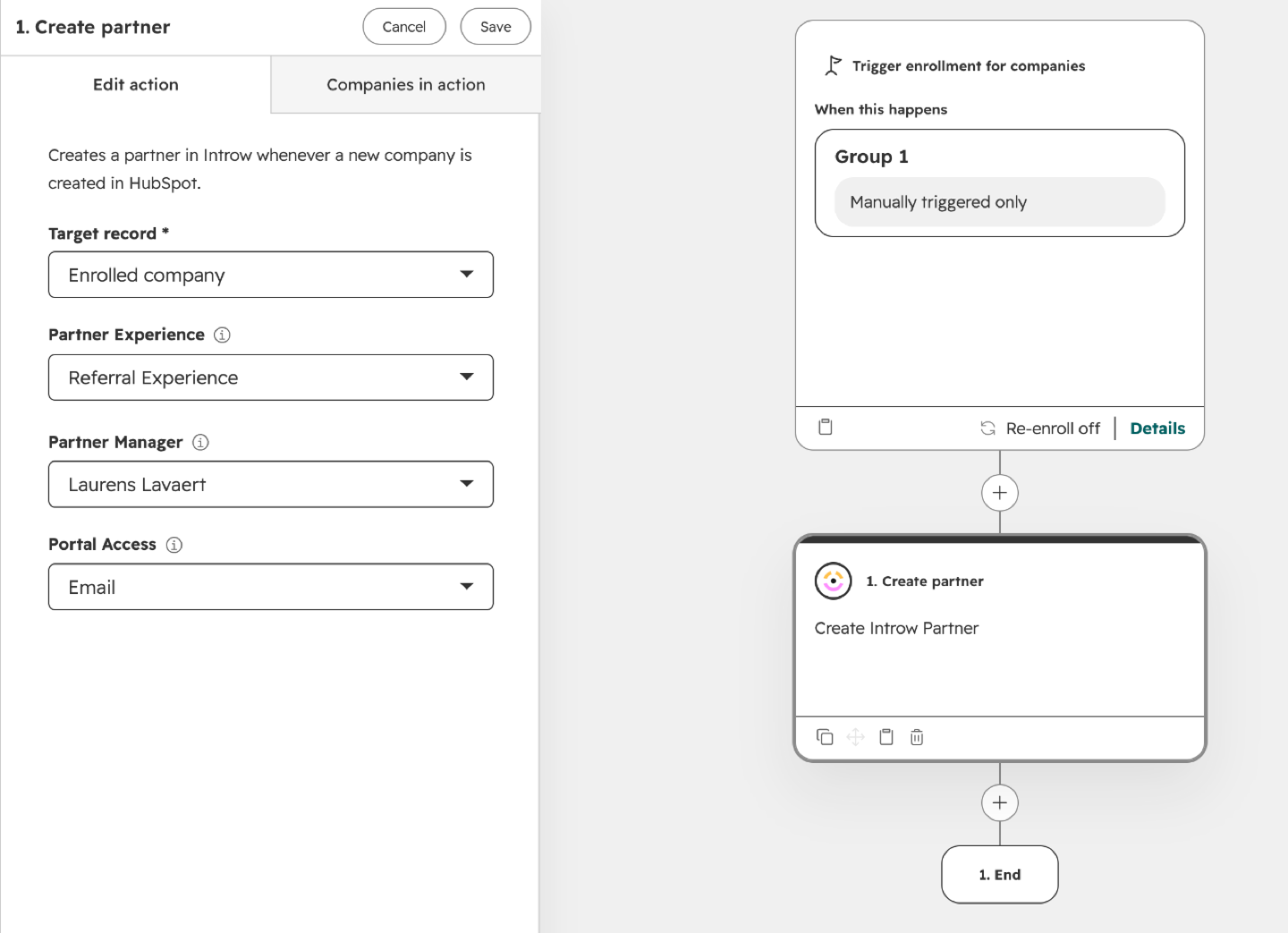
4
Turn the workflow on and test
Activate the workflow and let a record enroll, or test with a sample record, to confirm the Introw action runs and the result appears in Introw.
Introw also exposes a broader set of tools to HubSpot’s AI agent (Breeze), including adding comments and tasks, updating CRM objects, submitting partner forms, and searching partners, commissions, tasks, form submissions, marketing funds, goals, and tier information. Those run inside the AI agent rather than as workflow steps; the four actions above are the ones you drop into a classic HubSpot workflow.
Verify it worked
Let an enrolled record run the workflow and confirm the Introw result: the partner is created or updated, the journey starts, or the certificate is issued, exactly as the action specifies.Related
Trigger HubSpot workflows from partner engagement
The other half of the round trip: partner activity enrolling a HubSpot workflow.
Embed Introw in HubSpot
Authorize the app and add the cards.
Implementation reference
Full configuration options.