

What you’ll achieve
An Introw partner and portal for a HubSpot company, created automatically by a workflow or with one click from the company record, so partners get a portal without anyone switching tools.Before you start
1
Connect the Introw app in HubSpot
The workflow action and the Introw Partner card need the Introw app connected to HubSpot.
See Connect HubSpot.
2
Add the Introw Partner card (for the manual path)
To create partners from a record, the Introw Partner card must be on your company record layout.
See Embed Introw in HubSpot.
3
Have an experience to assign
A portal is created from a partner experience, so have one ready.
See Build and publish a portal experience.
Steps
1
Choose your path
Use the workflow action to create portals for every company that qualifies, and the Introw Partner card to create one for the company you are looking at.
Both run inside HubSpot.
2
Create portals automatically with the workflow action
In a company-based HubSpot workflow, add the Introw Create partner action.
Set the target record to the enrolled company, then pick the Partner Experience the portal is built from, the Partner Manager, and the Portal Access method.
Every company that enrolls gets a partner and portal without manual work.
See Use Introw workflow actions in HubSpot for building the workflow.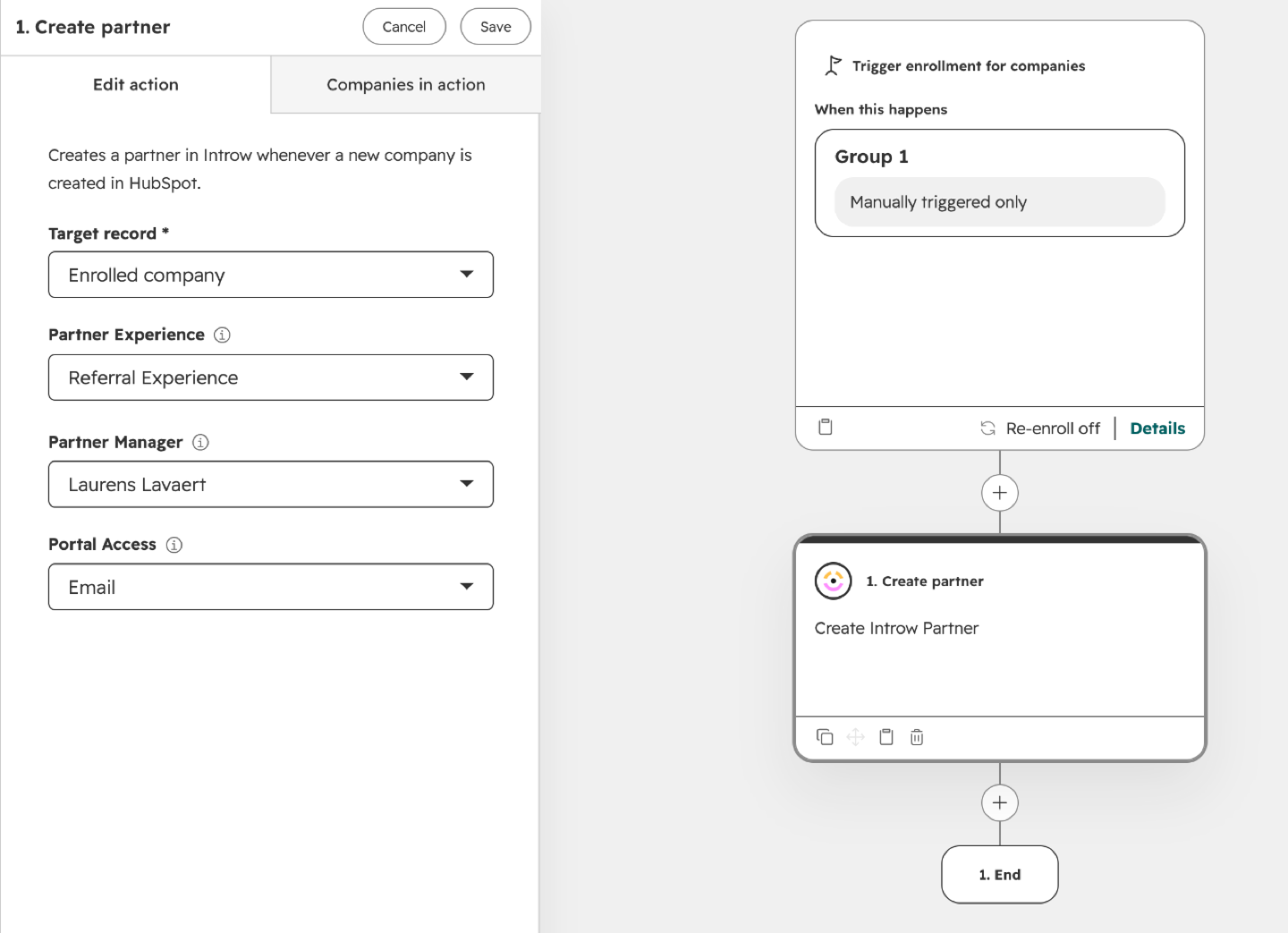
3
Create a portal on demand from the Introw Partner card
On a company that is not a partner yet, the Introw Partner card reads No partner yet.
Select Create partner and complete the form that opens, so you onboard a single partner while working the record.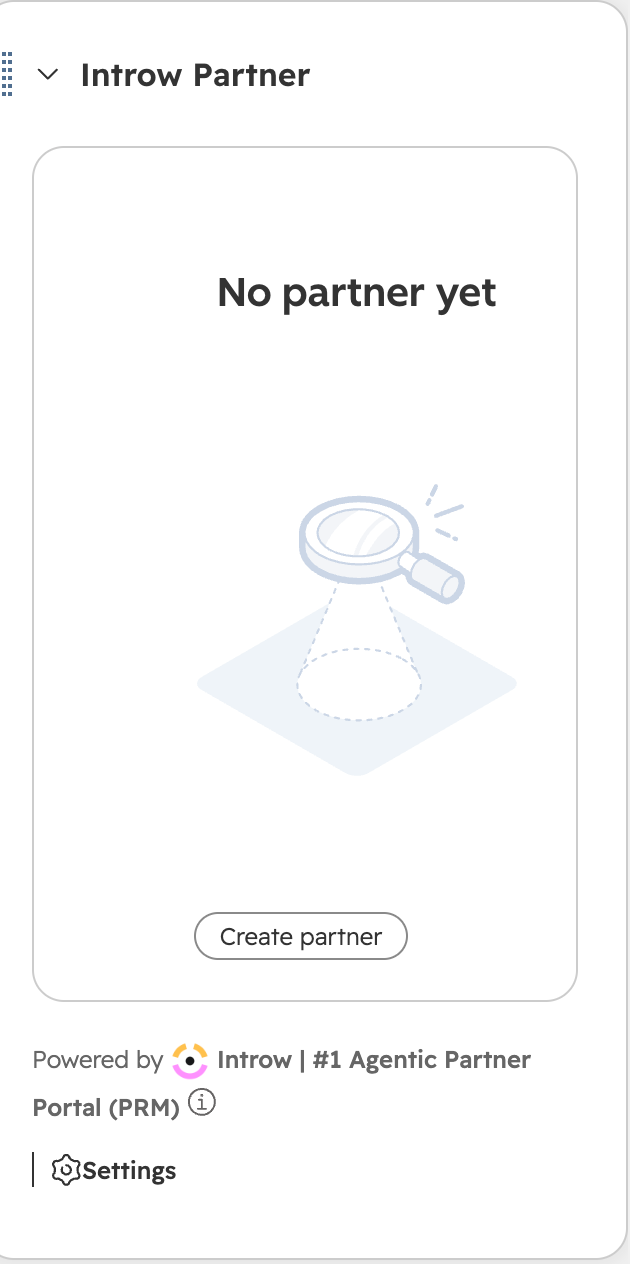
Verify it worked
The company now shows up as a partner in Introw. On the record, the Introw Partner card switches from No partner yet to the partner’s details, with Invite and Partner portal buttons. If the partner has no experience yet, the card offers Create portal instead, so you can assign one and then invite the partner.Related
Use Introw workflow actions in HubSpot
Automate partner and portal creation in a workflow.
Embed Introw in HubSpot
Add the Introw Partner card that offers Create partner.
Build and publish a portal experience
Build the experience each new portal is based on.