

What you’ll achieve
A HubSpot deal linked to the right partner, with attribution written to the deal, so it appears in the partner’s pipeline and counts toward partner-attached revenue and commissions.Before you start
1
Add the Introw card
The Introw Collaboration card must be on the deal record.
See Embed Introw in HubSpot.
2
Know the partner
Know which partner sourced or is involved in the deal so you can select them.
The partner needs a portal: if the partnership is not set up to receive deals yet, the card tells you what to configure first.
Steps
1
Open the deal and find the Introw card
In HubSpot, open the deal and find the Introw Collaboration card.
With no partner linked, it reads No partner involved yet and offers Share deal.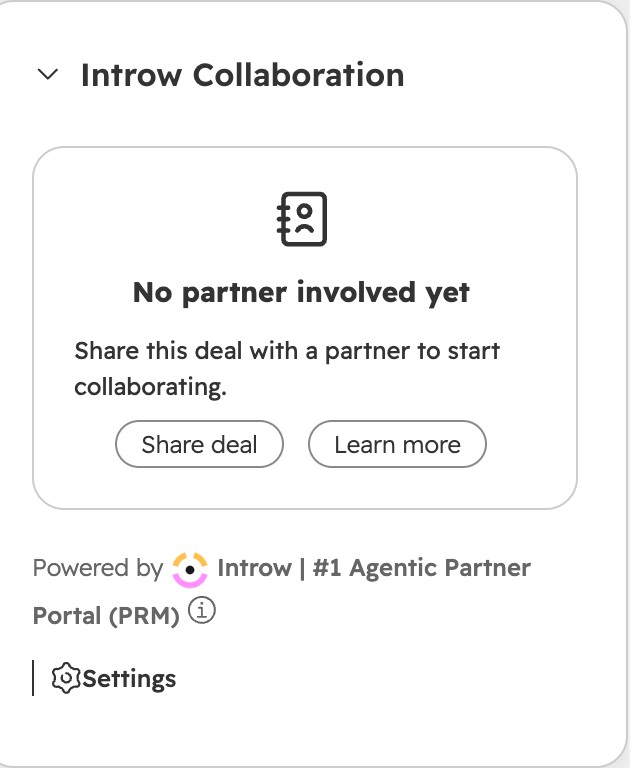
2
Pick the partner and the attribution
Select Share deal, then pick the partner under Select Partner.
The current deal is already selected.
If the partner has more than one attribution set up, choose which ones to apply, or keep All Attributions.
Add optional context for the partner, then select Continue.
3
Choose who hears about it and share
The confirmation step previews the email and lists the partner’s portal users, with the partnership manager selected by default.
Adjust the recipients and select Share.
Introw writes the partner and attribution properties to the deal, associates it with the partner record, and emails the people you selected with your context.
Verify it worked
The Introw Collaboration card now shows the partner on the deal, with Ask AI, Collaborate and View portal. The deal appears in that partner’s pipeline in Introw, so it counts toward partner-attached revenue and any commission that depends on it.Related
Link a partner deal
Two-way deal linking with partners who run their own CRM.
Collaborate from HubSpot deals and tickets
Share and comment with the partner on the record.
Implementation reference
Full configuration options.