

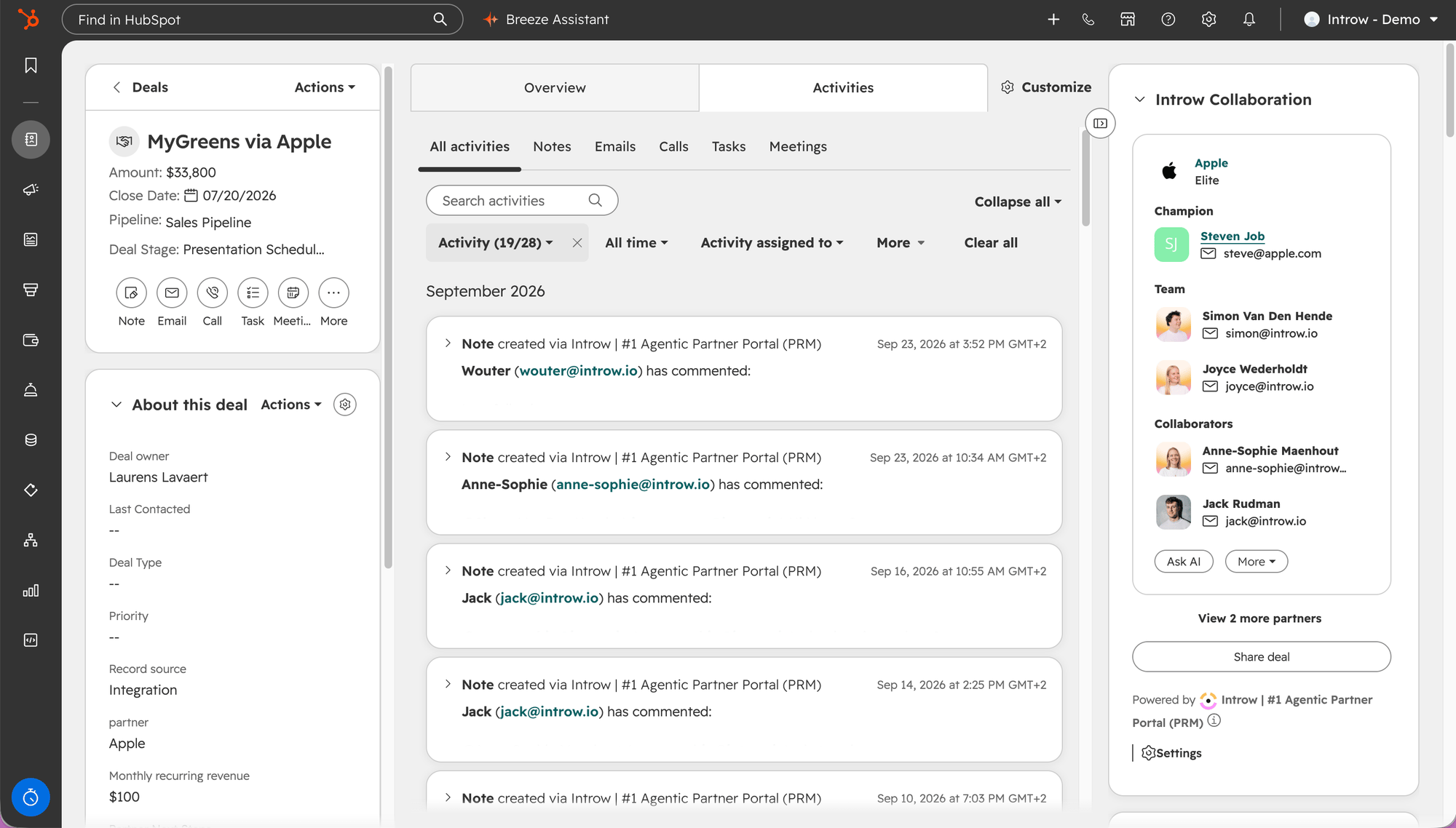
The card sits in the deal sidebar, so the partner is part of the deal rather than a tab somewhere else.
What you’ll achieve
A live collaboration thread between your rep and a partner, anchored to a HubSpot deal or ticket: the partner is a collaborator, comments flow both ways, and the partner can open the related portal, all without anyone leaving their own tool.Before you start
1
Add the Introw app card
The Introw Collaboration app card must be on the deal and ticket record layout. See Embed Introw in HubSpot.
2
Have a partner to share with
The partner you want to collaborate with should exist in Introw so you can select them.
Steps
1
Open the record and find the Introw card
In HubSpot, open the deal or ticket and find the Introw Collaboration card in the sidebar. If a partner is already linked, the card shows the partner, their tier, the champion, your own team on the account, and the collaborators. When more than one partner is on the record, each gets its own tile with its own actions, and View
<n> more partners lists the rest. If none is linked yet, the card offers to share the record so you can bring a partner in.2
Share the record with a partner
Select Share (the Share deal or Share ticket action) and choose the partner to collaborate with. Sharing is what gives the partner visibility of this record in their portal and adds them as a collaborator. Choose deliberately, since the partner will see the record you share.
3
Collaborate and comment
Select Collaborate to open the conversation in a window on top of the record, then post a comment. When the sidebar is narrow, Collaborate and View portal sit under More. The partner is notified and replies from their portal, and their replies appear back on the card, so the thread stays attached to the HubSpot record. Use Ask AI if you want a quick summary or draft, and View portal to jump to the partner’s portal for the record. On a deal with several partners, the window opens on the partner whose tile you used and lists every partner under Collaborators: Open conversation switches to another partner, and the picker next to Send sends one comment to several of them. See Collaborate with several partners on one deal.
Verify it worked
The partner appears as a collaborator on the Introw Collaboration card, your comment shows in the thread, and when the partner replies from their portal the reply appears on the HubSpot record without anyone leaving their own tool.Related
Register a deal from HubSpot
Register or link a partner deal from the card.
Collaborate from Salesforce
The same motion on the Salesforce collaboration panel.
Shared Pipelines
The full co-selling collaboration model.
Implementation reference
Full configuration options.