

Where it lives
Deal Coaching lives at Deal Coaching.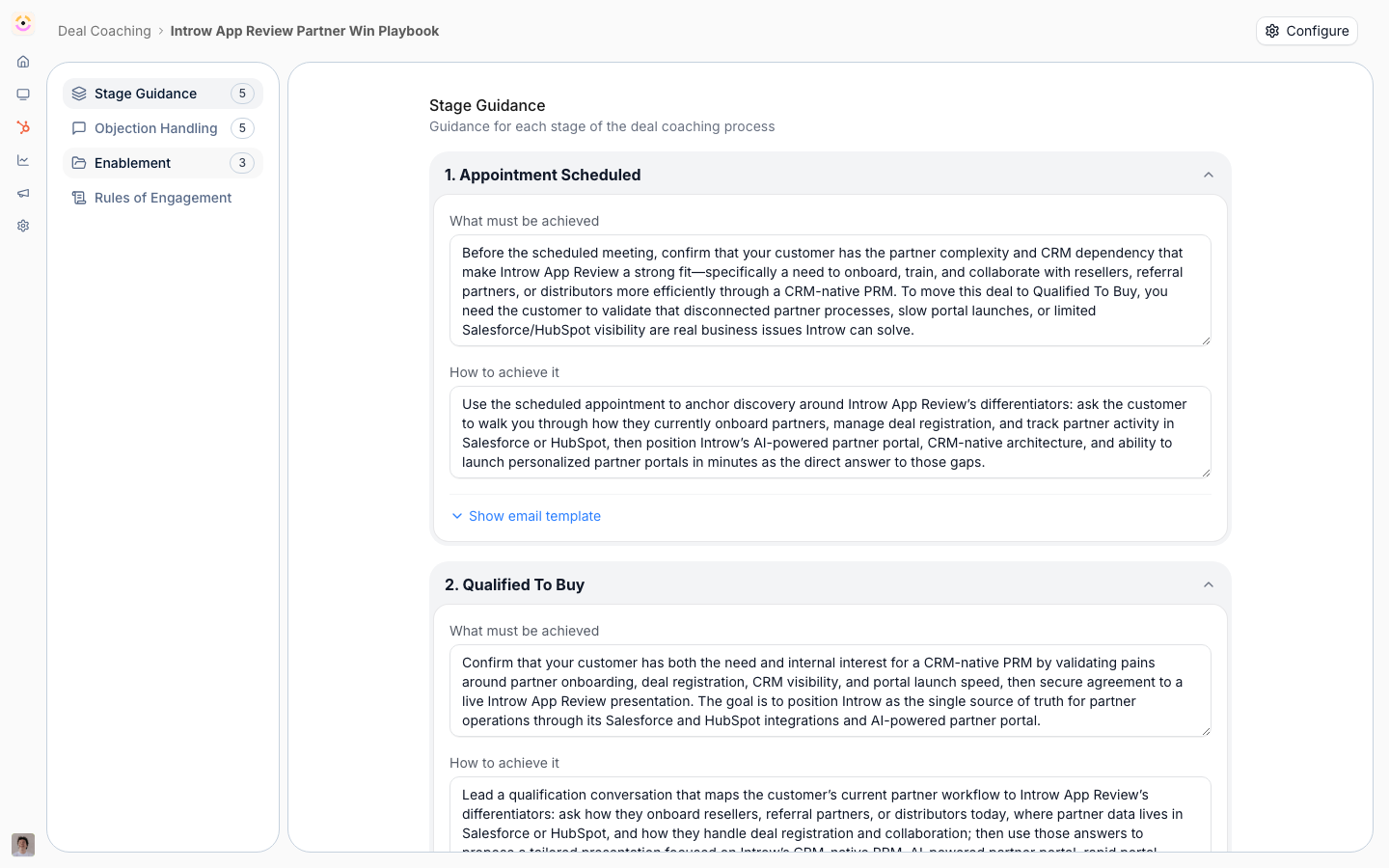
Before you start
How it works
Deal coaches live under Engage on the Deal Coaching page. You create a coach scoped to a pipeline and a motion template (Reselling, Co-Selling, or Referral). On creation, AI generates a first-draft playbook you then refine. The coach’s detail page has tabs for Stage Guidance, Objection Handling, Enablement, and Rules of Engagement, and a Configure dialog where you set the name, partner segments, and deal filters. When a partner works a deal that matches a coach, the coaching surfaces on the deal collaboration record as a coaching view, and the partner support agent can deliver the same guidance when asked. Coaching matches deals automatically based on the scope you set. Coaches can also check in proactively: workflow triggers reach out to the partner at set moments in a deal, rather than waiting for them to open it. See Workflow triggers below.Settings & configuration
Deal coaches are managed at Deal Coaching.Creating a coach
Use the Create Deal Coach dialog to set the Pipeline and the Start from template motion (Reselling Coach, Co-Selling Coach, or Referral Coach; default Reselling). Creating the coach starts AI generation of the initial playbook from your company details and the chosen motion.Configure (scope)
Open Configure on a coach to set its Name, Partner segment (which partner segments the coach applies to, empty means all partners), and Deal property segmentation (deal-property filters that limit which deals the coach matches). Finer partner-level targeting beyond segments is only available through the API, not this dialog.Stage Guidance
On the Stage Guidance tab, set What must be achieved (the stage objective), How to achieve it (the guidance), and an optional Email template for each pipeline stage.Objection Handling
On the Objection Handling tab, add common objections and the response partners should use.Enablement
On the Enablement tab, attach the assets partners should use during the deal.Rules of Engagement
On the Rules of Engagement tab, define the guardrails (what partners can promise, when to escalate, stakeholder rules) that keep partners within bounds.Workflow triggers (automatic check-ins)
On the Workflow Triggers tab, turn on automatic check-ins that reach the partner at key moments in a deal, instead of waiting for them to open it. Each trigger has its own on/off switch, a number of days, an optional stage scope, an Instructions for AI field (what the check-in should cover), and an optional Message Template to fix the exact wording. The trigger types are:- Days after deal created
- Days before close date
- Days after close date
- Days in stage
How-to guides
Troubleshooting
No coaching on a deal
No coaching on a deal
The deal does not match any coach’s pipeline, filters, or segments.
The Deal Coaching page is missing
The Deal Coaching page is missing
The module is not enabled on your plan.
The playbook is generic
The playbook is generic
Refine the AI-generated stages and objections for your motion.