

Where it lives
Partner Directory sits under Partners, at Partners.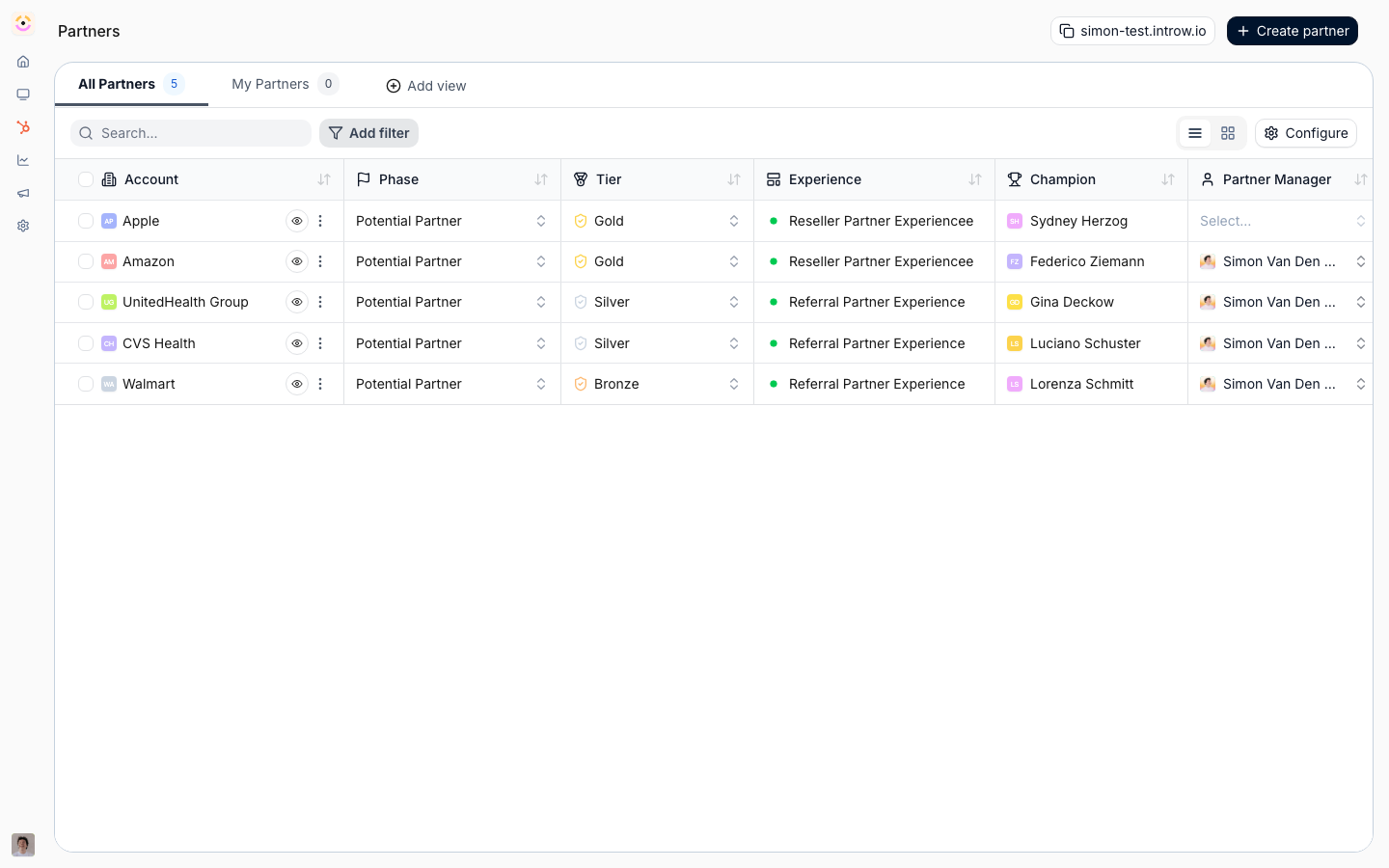
Before you start
How it works
A partner directory in Introw is not a single button - it is composed from building blocks you already have, so it stays as flexible as your program. The partner data lives in Introw (name, logo, description, location, specialization, tier, and categories), and you assemble a directory from it in whichever shape fits your audience. There are two common shapes, and you can run both:- In-portal directory (partner-maintained). A Partner profile smart section shows each logged-in partner their own listing, and a form lets them keep that data current themselves - optionally behind an approval gate or agentic review before changes publish. This keeps listings accurate without your team editing records by hand.
- Public / external directory (buyer-facing). The partners API (
GET /api/v1/partners) returns your partners and their categories, so you render a branded, searchable directory on your own website or marketing site. A dynamic form on that page captures a prospect’s request, auto-attributes the lead to the chosen partner, and kicks off the full suite of Introw automations (routing, notifications, CRM sync, deal or lead registration) behind the submission.
Settings & configuration
Who appears - scope listings with segments or tiers so only the partners you want to promote show up, and use partner categories as the facets buyers filter by. Partner-maintained data - a form mapped to partner fields lets partners submit and update their own listing; add an approval workflow (human or agentic) so changes are reviewed before they go live. In-portal display - the Partner profile section renders each partner’s own details inside an experience. Public directory + take-in - the partners API lists partners and categories for your own site, and a dynamic form captures buyer interest and auto-attributes it to the partner, triggering your automations.How-to guides
Troubleshooting
A partner is missing
A partner is missing
Check they match your segment/tier scope and have the display fields (and categories) filled in.
A listing looks empty
A listing looks empty
Confirm the displayed fields are populated on the partner record, or that the partner submitted the profile form.
Filters return nothing
Filters return nothing
Confirm the partner categories (or other filterable fields) you filter on are set on partner records.
A buyer request did not reach the partner
A buyer request did not reach the partner
Confirm the take-in form’s attribution mapping and that the triggered automation is enabled.