

What you’ll achieve
A payout sitting at Pending Partner Invoice with the partner notified and a statement generated, ready to continue to payment as soon as their invoice arrives, with finance holding the documentation it needs.Before you start
1
Confirm access
You need write access to payouts.
2
Have a payout in the cycle
The partner should have a payout in the current batch with approved commission to invoice against.
3
Set commission billing info
Your commission billing info should be set so the generated statement is complete and tells the partner what to put on their invoice.
Steps
1
Open the partner's payout
Go to Payouts, open the batch, and open the partner’s payout. You can also request invoices for several partners at once from the batch view.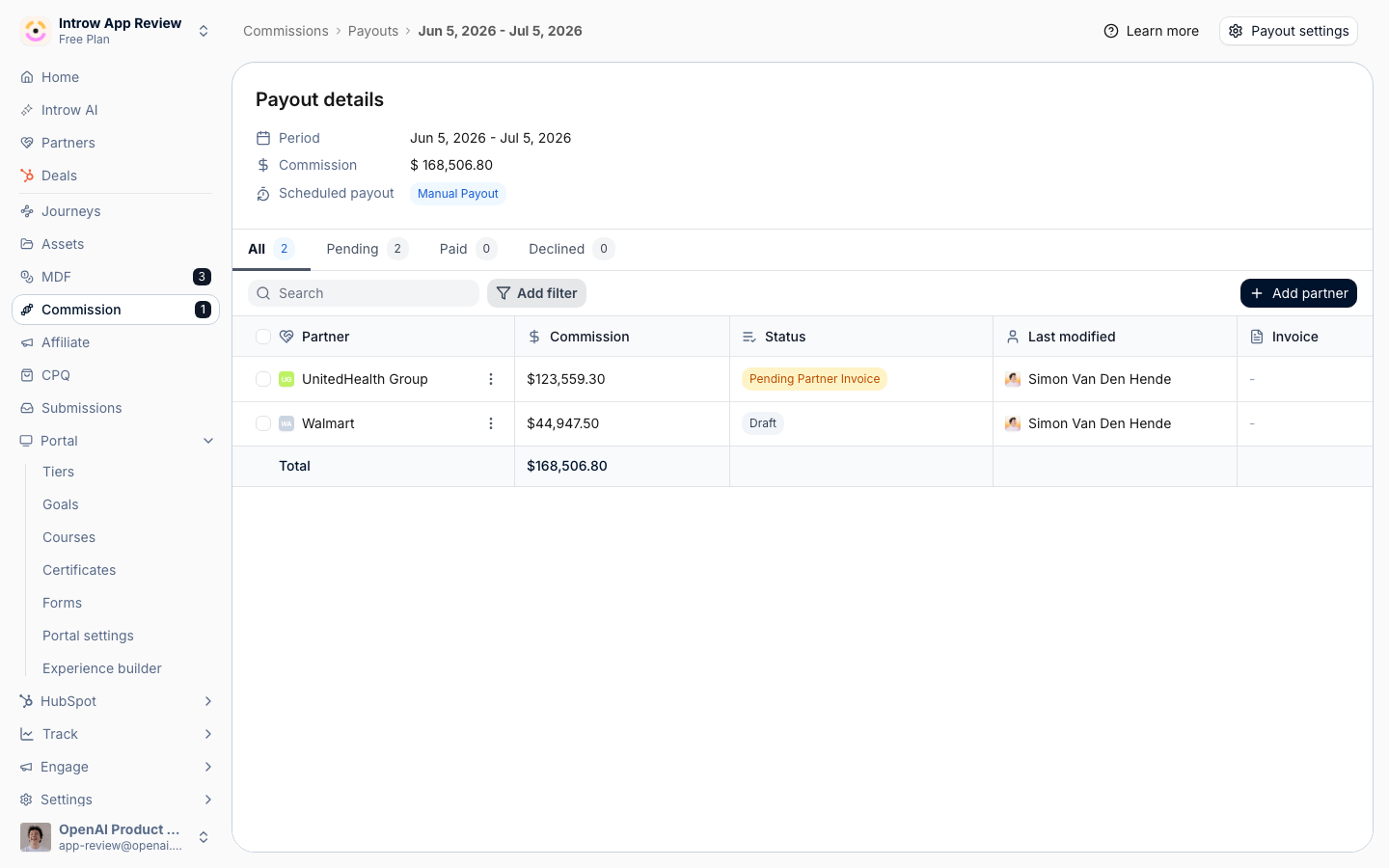
2
Request the invoice
Choose Request partner invoice, then confirm with Request invoice. This generates the commission statement, moves the payout to Pending Partner Invoice, and emails the partner asking them to upload their invoice. The statement reflects your commission billing info, so the partner knows exactly what amount and details to invoice for.
3
Confirm the stage and wait for upload
Check the payout now reads Pending Partner Invoice. The partner uploads their invoice from the portal (they see Upload invoice on their payout), or simply replies to the statement email with the invoice attached. Once it is attached the payout moves to Pending payment on its own and your team is emailed, so you can continue toward Paid.
Verify it worked
The payout shows Pending Partner Invoice, the partner has received the request email with the statement attached, and a statement is available on the payout. When the partner uploads or replies with their invoice, it appears on the payout at Pending payment, ready for you to pay and mark paid.Related
Run a payout cycle
Continue the payout through to paid once the invoice arrives.
Configure commission and payout settings
Set the billing info that appears on statements.
Implementation reference
Full configuration options.