

{ where a value belongs, pick it, and every run writes the real partner name, journey, amount or date in its place.
What you’ll achieve
A saved, rehearsed workflow whose steps write per partner: a commission line described with the partner and the journey they finished, a CRM note that records the amount the previous step booked and a follow-up date, and an email whose subject and body name the partner and the journey. You also know what happens when a step a variable depends on is removed, and how Introw stops that workflow from going live half-empty.Before you start
1
Have Workflows on your plan and a role that can build
Workflows are released per organization, and your role needs the Workflows permission to build and test.
A role that can only read opens the canvas but cannot type into a step.
See Create an internal role.
2
Know which event the message is about
The trigger decides which values a step can use.
A Journey completed workflow can name the journey, a Task assigned workflow the task and its assignee, a Certificate issued workflow the certificate and the contact who earned it.
Pick the trigger first, then write the text.
3
Build the steps before the ones that read them
A step can only use what earlier steps on its own path produced.
Put the commission step above the note that quotes its amount.
Watch it
- Video
- Click through
Steps
Pick the trigger that carries the values
1
Create the workflow and pick its trigger
Go to Workflows, select New workflow, select the trigger node, and choose the event the message is about.
This guide uses Journey completed, with Which journeys count set to the onboarding journey.Every trigger carries the partner.
Most carry one more thing, and that is the group you will see under From trigger later: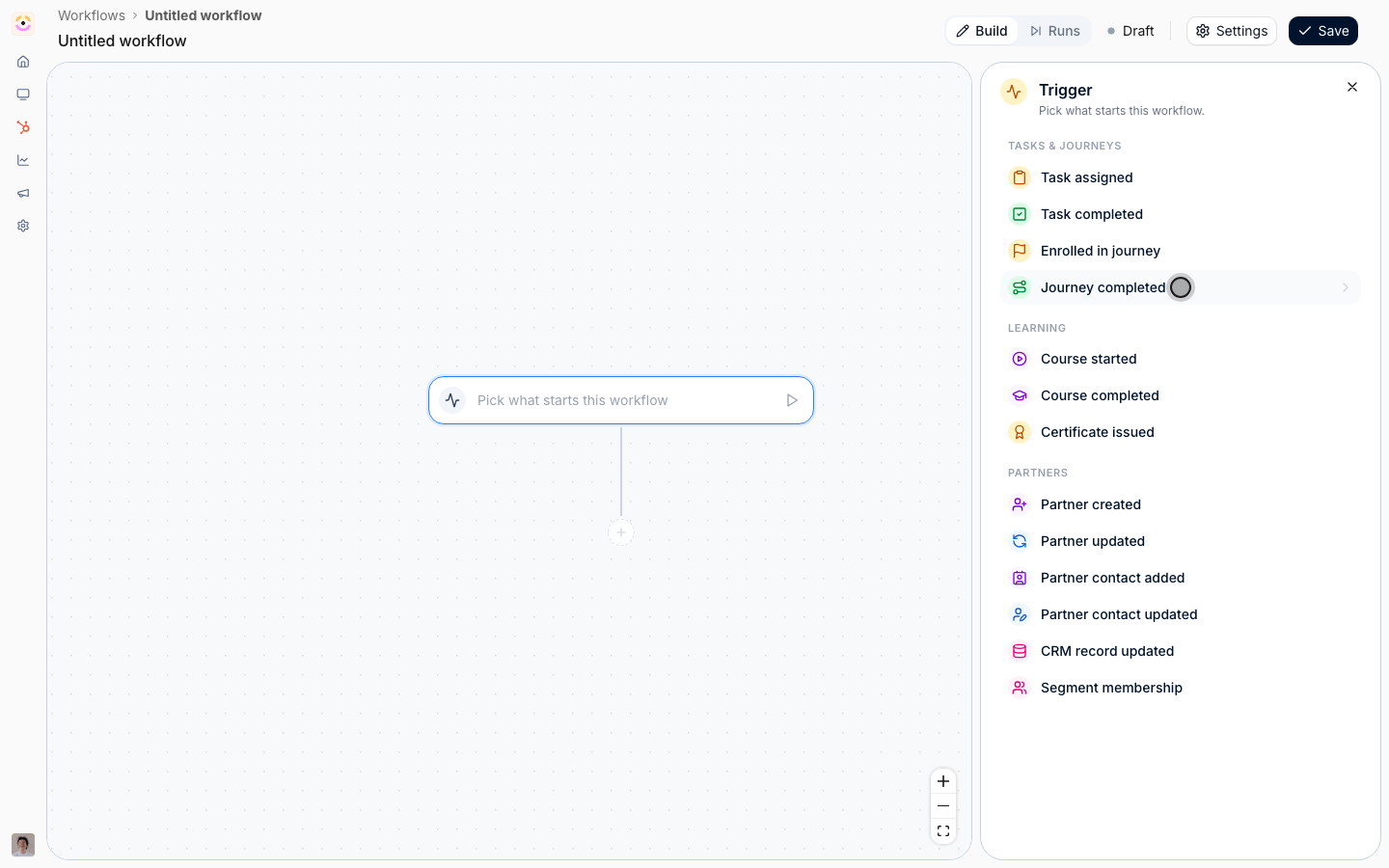
- Task assigned and Task completed carry the Task: its name, status, due date and assignee.
- Enrolled in journey and Journey completed carry the Journey name.
- Course started and Course completed carry the course, the enrollment’s due date and the learner.
- Certificate issued carries the certificate, when it was issued, its URL and the contact who earned it.
- Partner contact added and Partner contact updated carry the Contact: name, email, job title and when they were added.
- Segment membership carries the Segment name.
- CRM record updated carries the record: its ID, type and link, and every CRM property on it.
- Partner created and Partner updated carry the partner only.
Insert a variable
1
Open a step that writes text
Add an action that writes something a person will read.
Variables work in every text a step writes:
- Give a task: the task name and the description.
- Give commission: the description the partner sees on their commission tab and payout.
- Log a CRM note: the note.
- Send an email: the subject and the body.
- Send a chat message: the message.
2
Type { where the value belongs
Click into the field, write the fixed part, and type 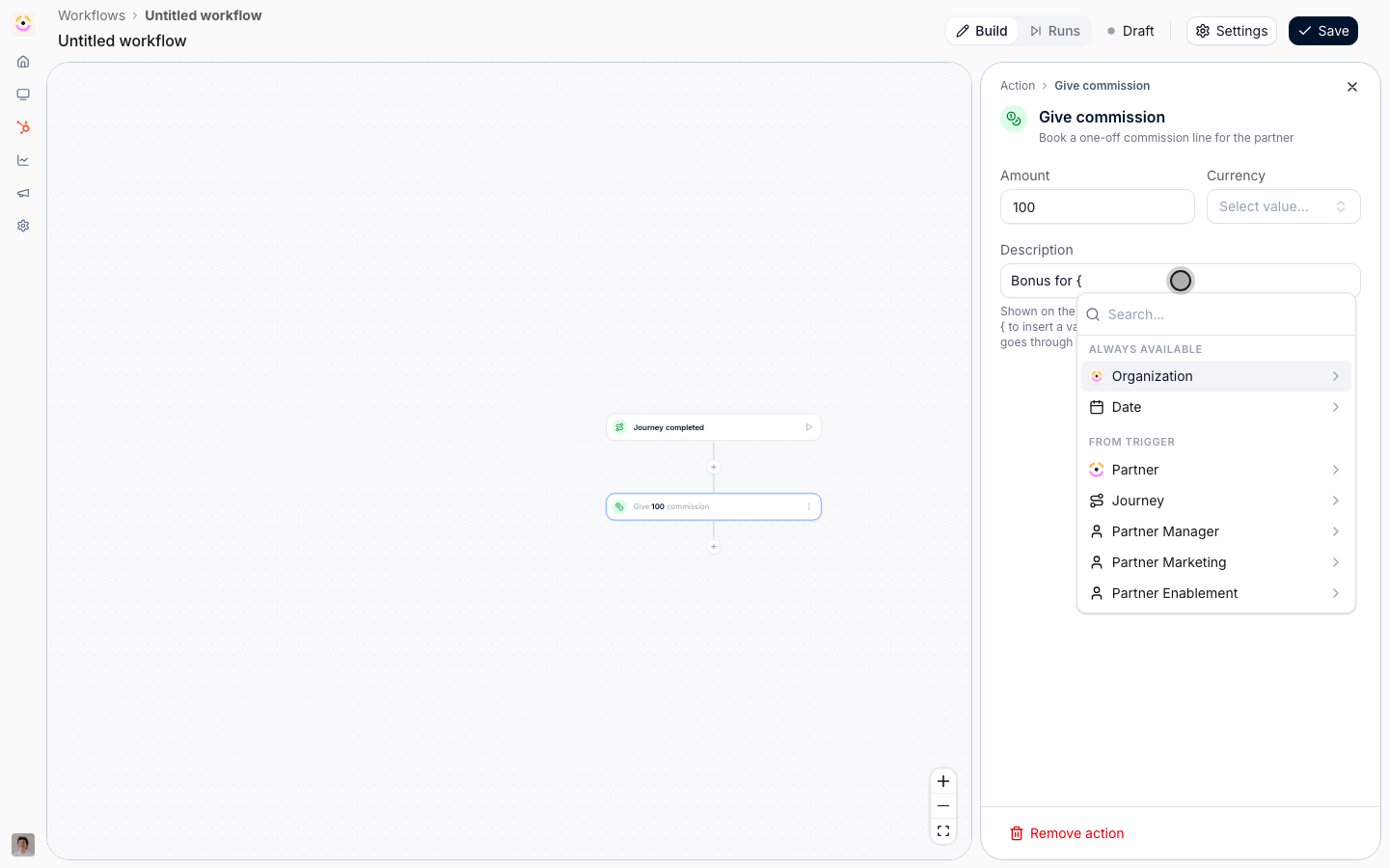
{ where the value goes.
A list opens in three sections:- Always available holds what every run has: Organization (your name, domain, logo, time zone, country, currency and creation date) and Date.
- From trigger holds what the event carries: Partner, the trigger’s own group, such as Journey, and one group for each partner team role you have set up.
- From actions holds what earlier steps on this path produced. It is empty on the first step.
3
Pick the value
Select a group to open it, then select the field.
Partner lists the Introw fields first, the partner name, domain, logo, manager email, phase, tier and categories, then every property on the partner’s company or custom partner object in your CRM.
A partner team role group, such as Partner Manager, gives the name, email, phone, job title and LinkedIn URL of whoever holds that role on this partner.
Type in Search to find a CRM property by name instead of scrolling.The value lands as a pill.
Everything around it stays fixed text, so you can read at a glance what is written once and what is filled in per run.
Add as many as the text needs: this description reads “Bonus for Partner name, Journey name”.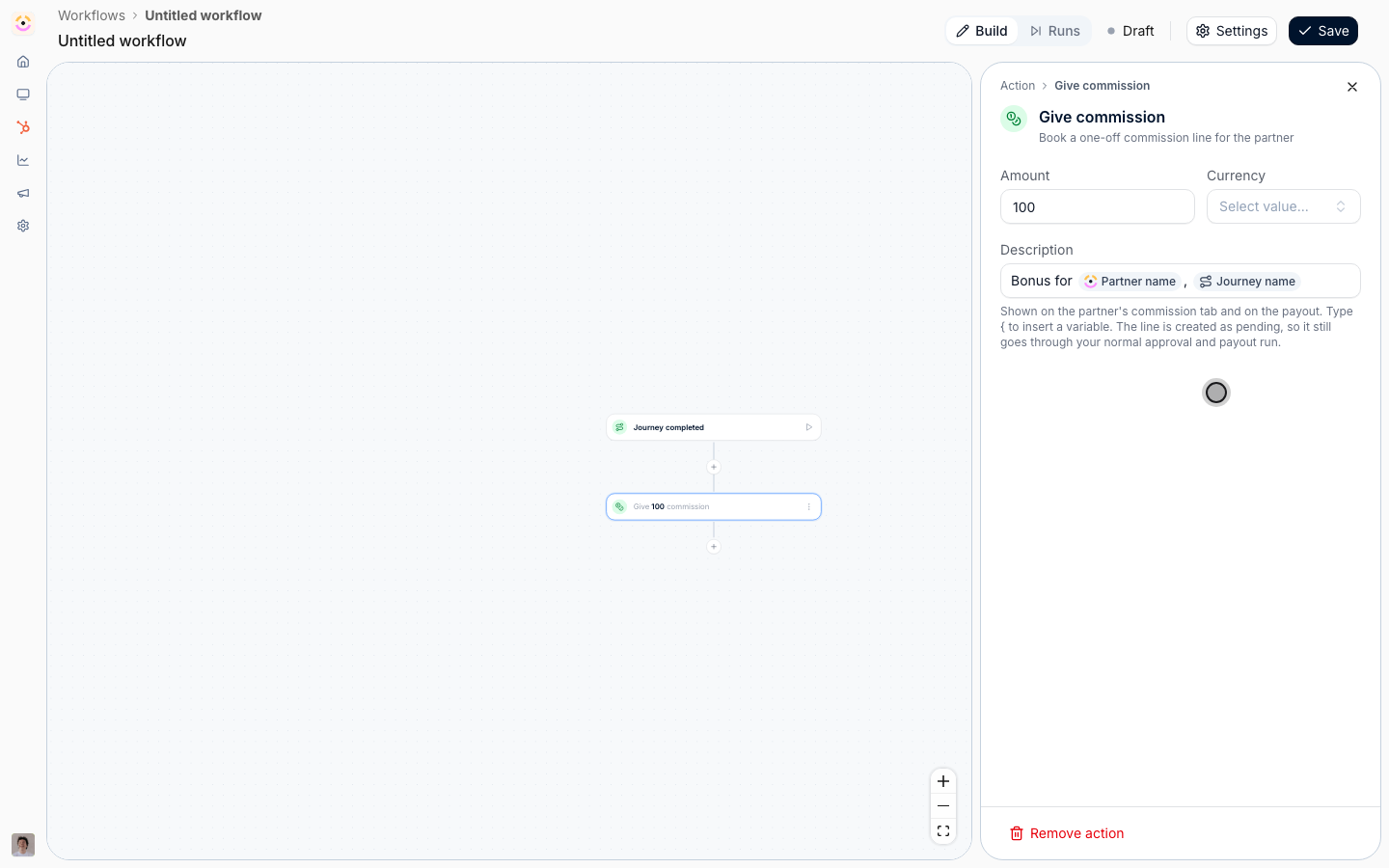
Use what an earlier step produced
1
Add the step that reads it
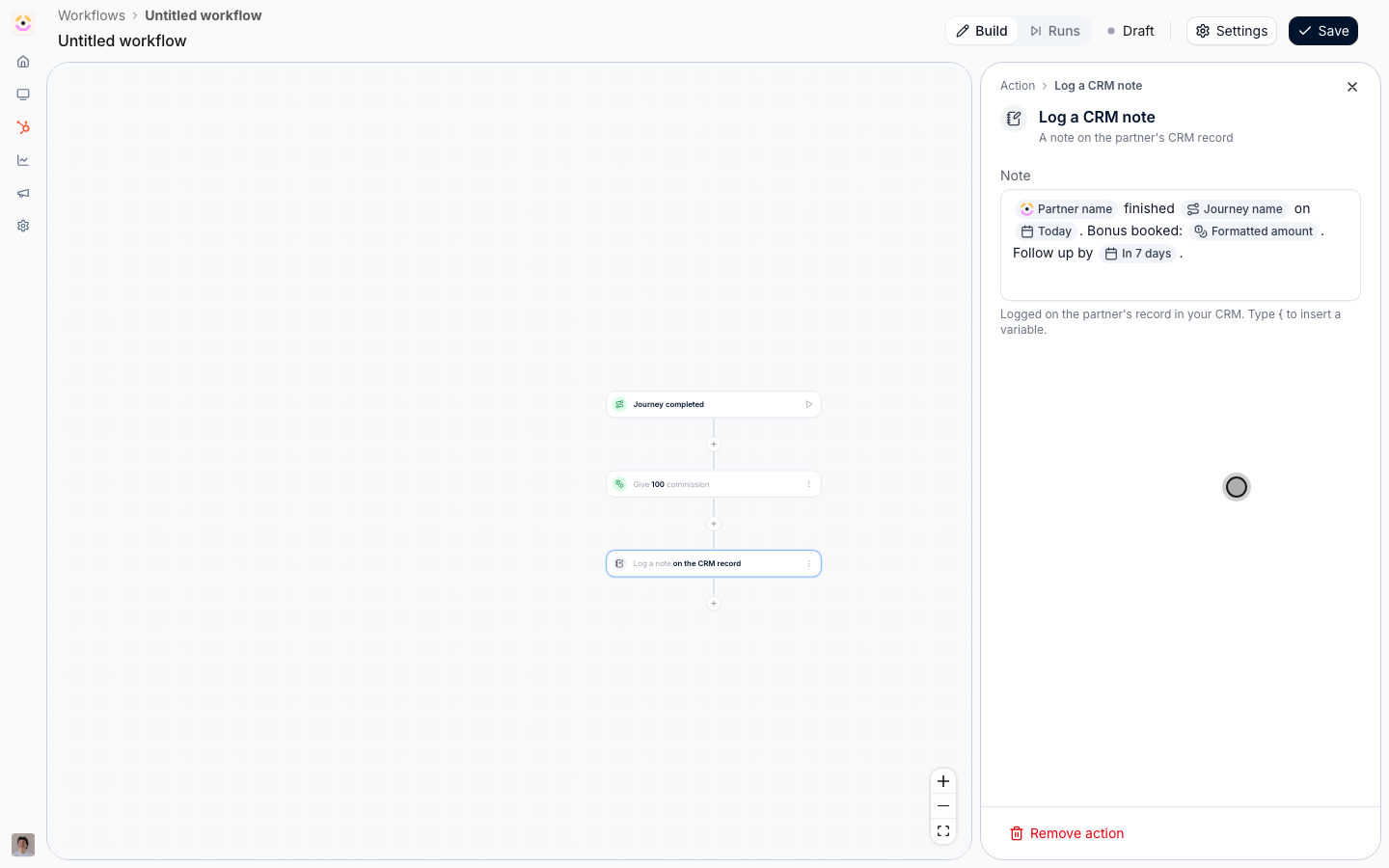
Add Log a CRM note below the commission step and start the note the same way, with the partner and the journey.
Then type
{ again and look at From actions.
It lists the steps that run before this one, on this path only: a step on the other side of a condition is not offered, because a run never passes through both.2
Hover to see where a value comes from
Hover a group in the list, or a pill you already placed, and the step it comes from is outlined on the canvas.
On a long chain with two emails and two tasks, this is how you tell Send email 1 from Send email 2 without counting.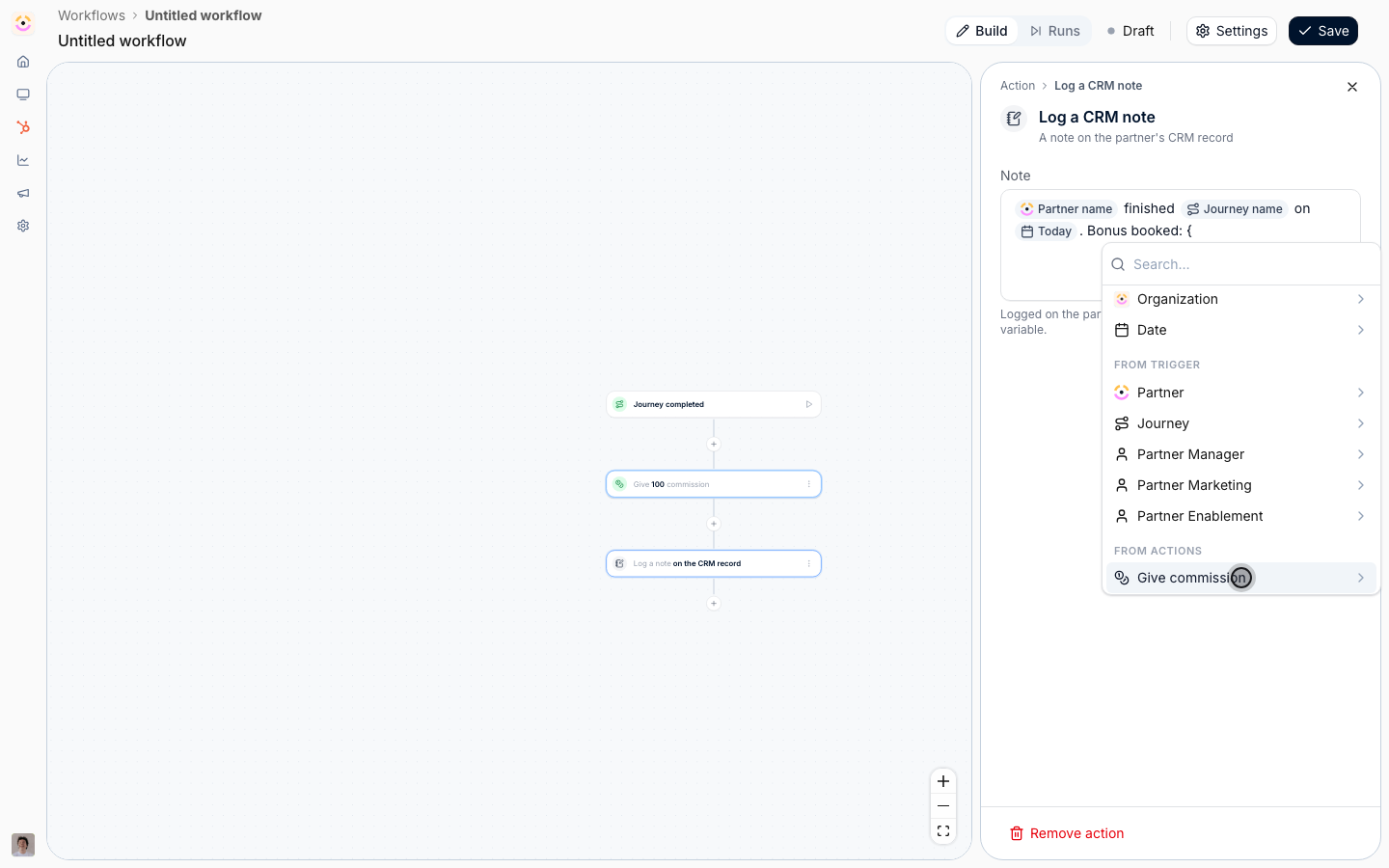
3
Pick the output
Open the step’s group and pick the field.
What each step hands on: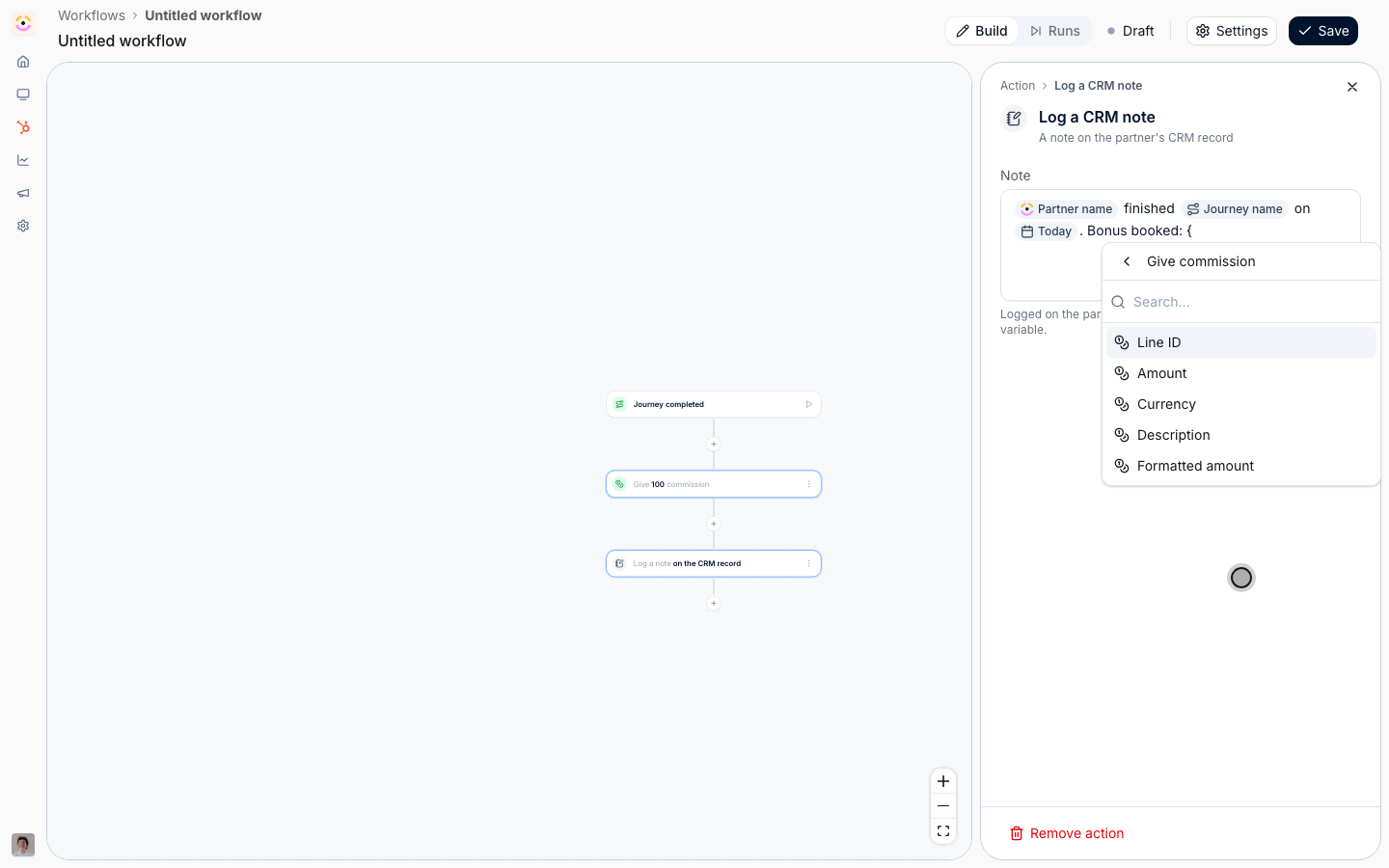
- Give commission: Line ID, Amount, Currency, Description and Formatted amount, which reads the amount in the line’s currency.
- Log a CRM note: the Note URL, so a later email or task can link straight to it.
- Give a task: Task ID, Name, Assignee name and Due date.
- Send an email: when it was queued and sent, and its Subject.
- Enroll in a journey: Journey name and how many tasks it created.
- Issue a certificate: the Certificate URL.
Add a date
1
Insert today's date
Under Always available, open Date and pick Today.
Choose a Format and select Insert.
The date is the day the step runs, not the day you wrote it.
2
Insert a date relative to the run
Pick Relative date instead for a deadline or a follow-up.
Set When to Days from now, Days ago, Hours from now, Hours ago, Minutes from now or Minutes ago, and the number.
Set Format to Date, Date with weekday, Date with time, Date with weekday and time, Numeric date or ISO timestamp.
The Example line shows what the reader will see, then select Insert.
The pill reads the offset, such as In 7 days.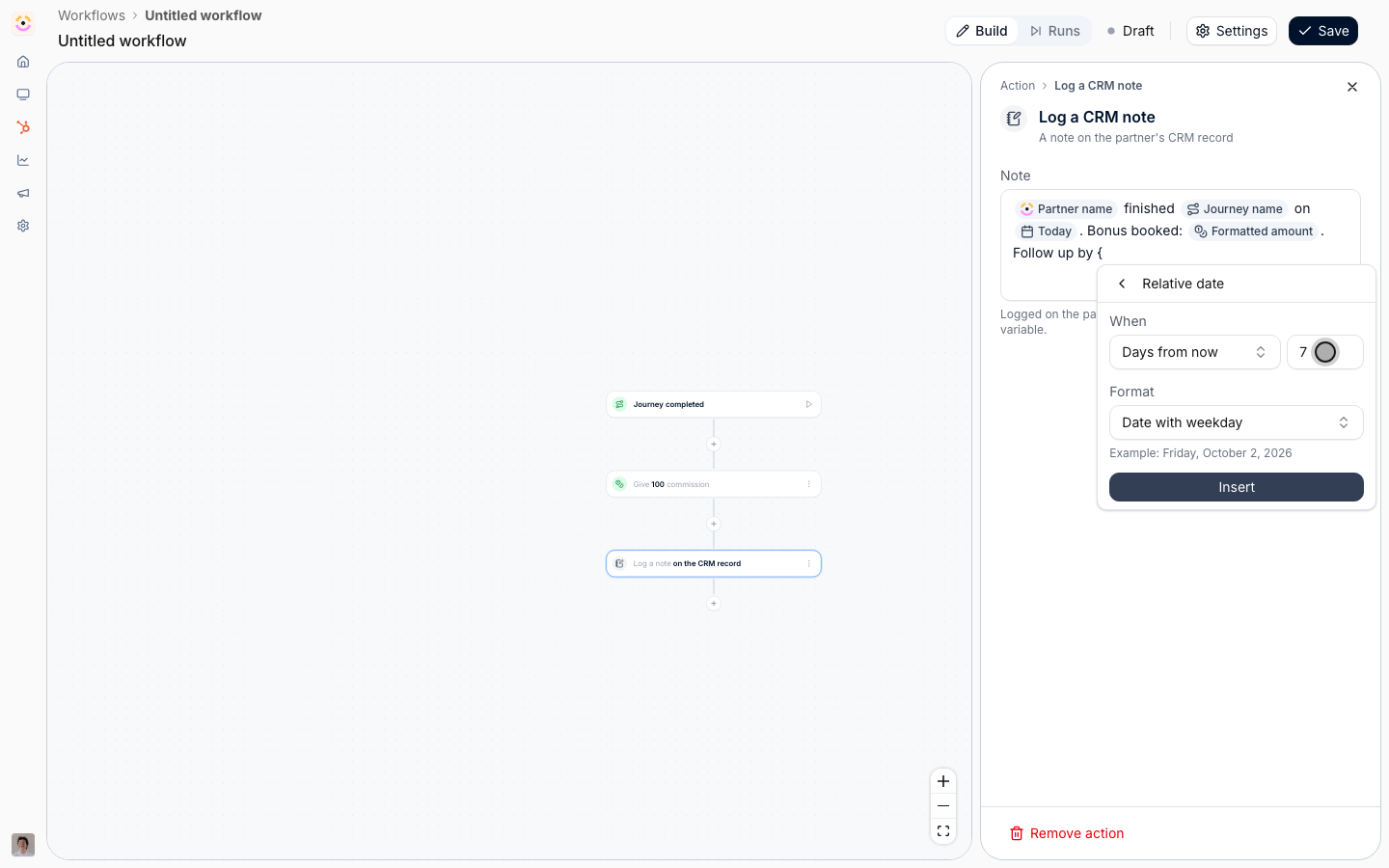
Personalize the email
1
Put a variable in the subject
Add Send an email, choose who it goes to, and open the email editor.
The Subject takes the same list: type 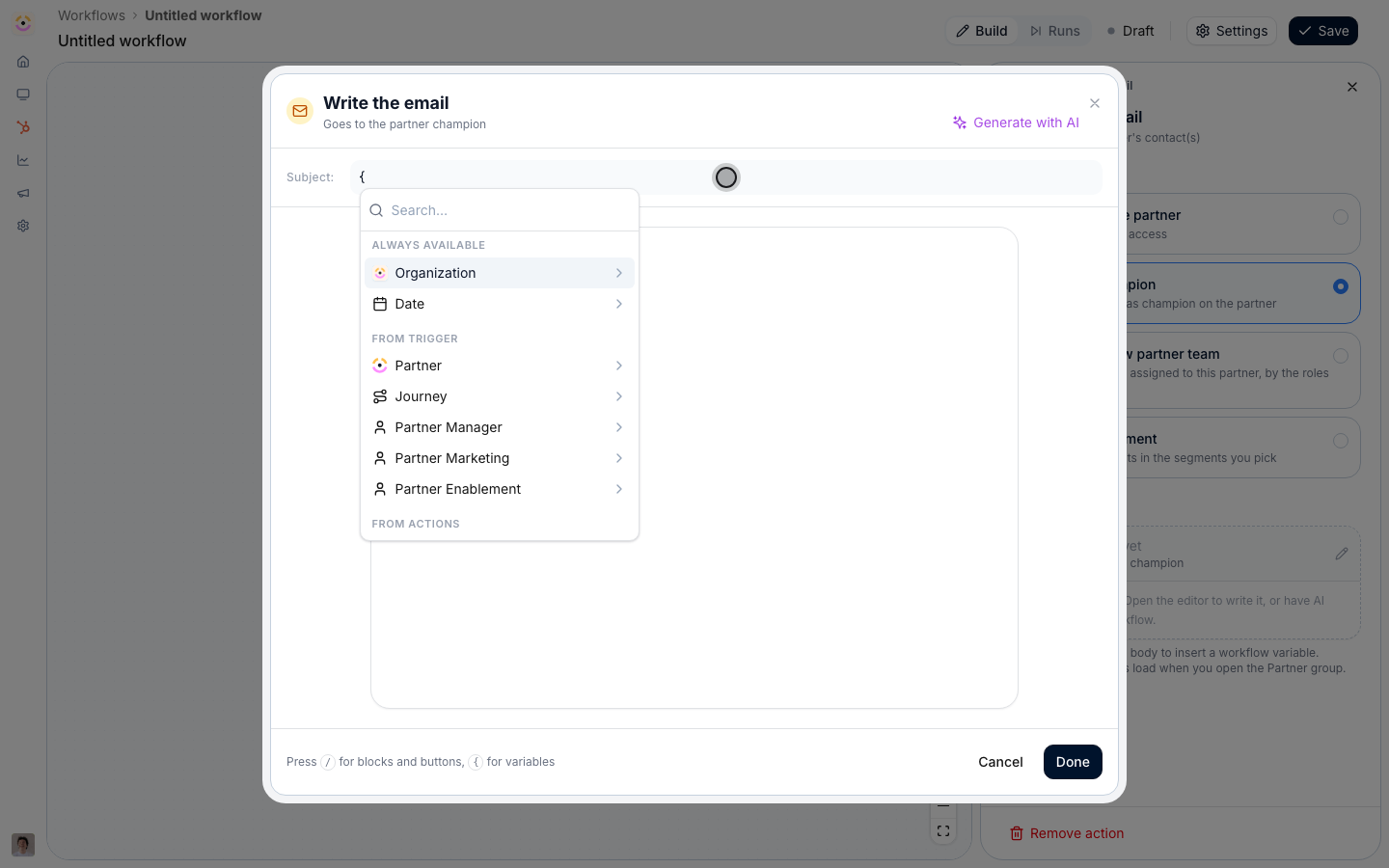
{ and pick Partner name, then finish the line.2
Write the body
The body is the announcement editor, so 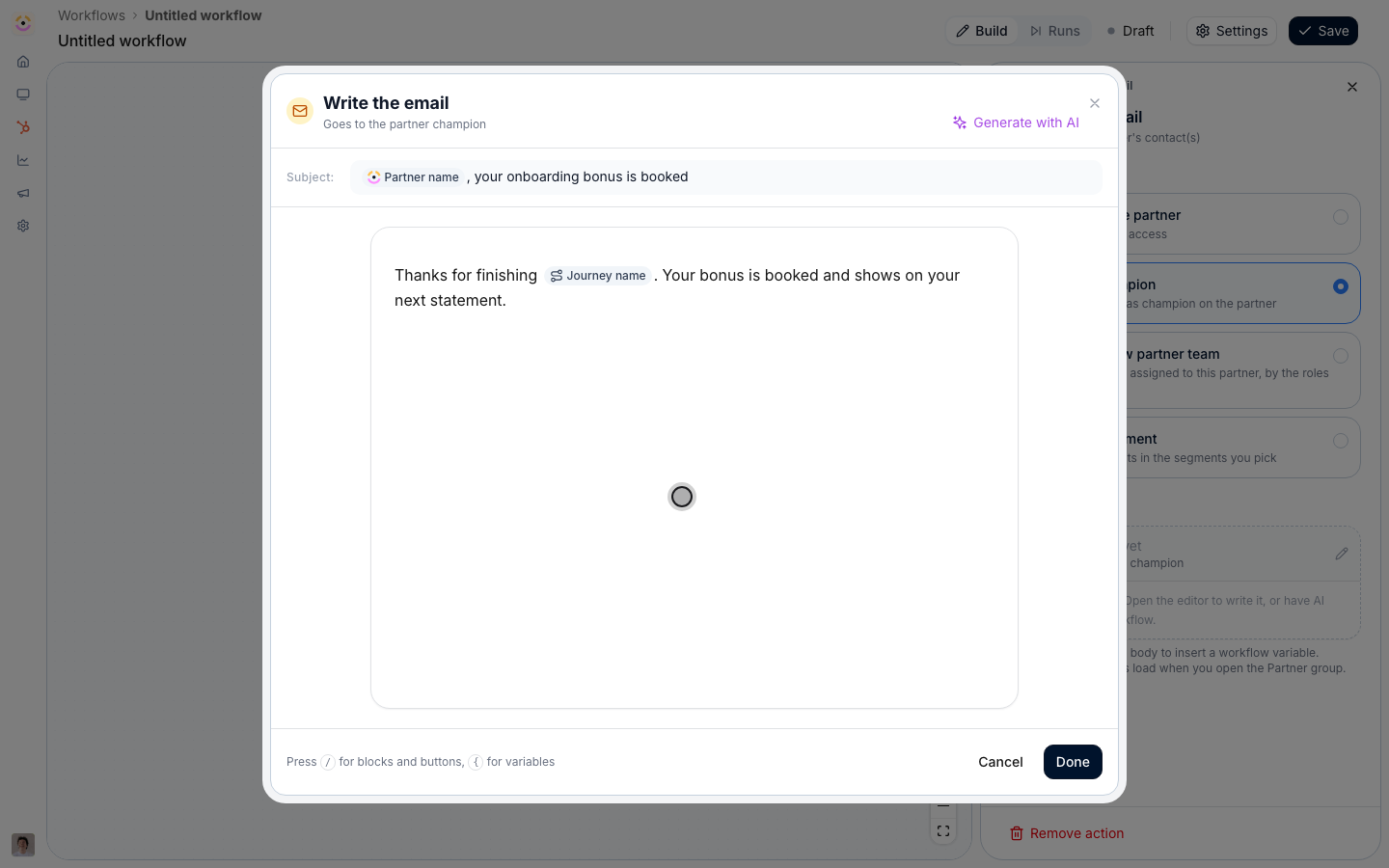
/ inserts blocks and buttons and { opens the variable list.
Name the journey the partner finished, and select Done.Save and rehearse
1
Name the workflow and save
Open Settings, give the workflow a name, and Save.
The canvas only commits on Save.
2
Test it against a partner
Select the play button on the trigger, pick a partner, and run the test.
A test is a dry run: nothing is booked, logged or sent, and each step the run reached is badged Simulated.
See Test a workflow and read its runs.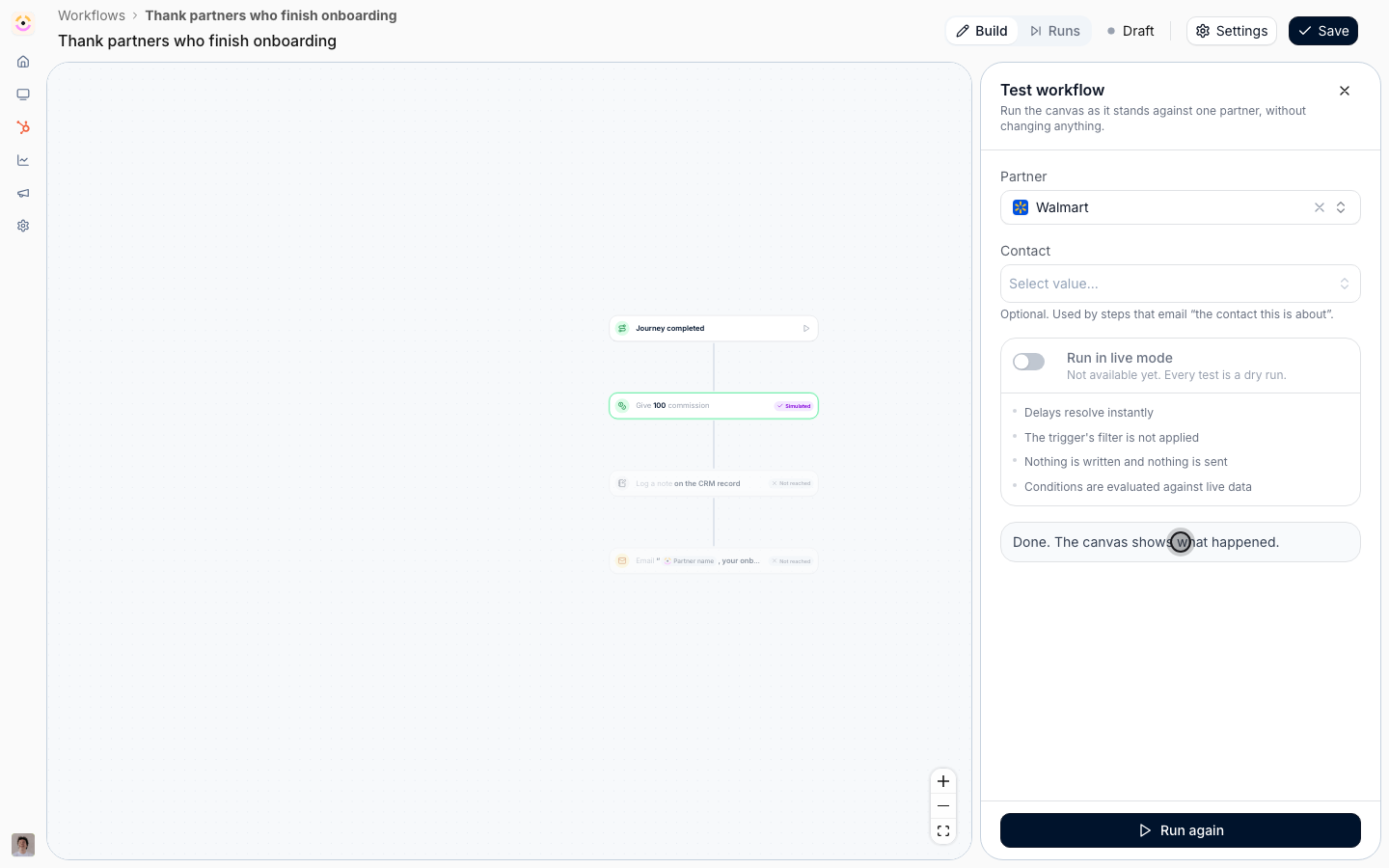
Keep every variable reachable
1
Know what breaks a variable
A pill points at a trigger or a step.
Remove that step, or change the trigger to one that does not carry the value, and the pill has nothing to read.
The step that holds it gets a warning badge that reads This step uses variables that are no longer available.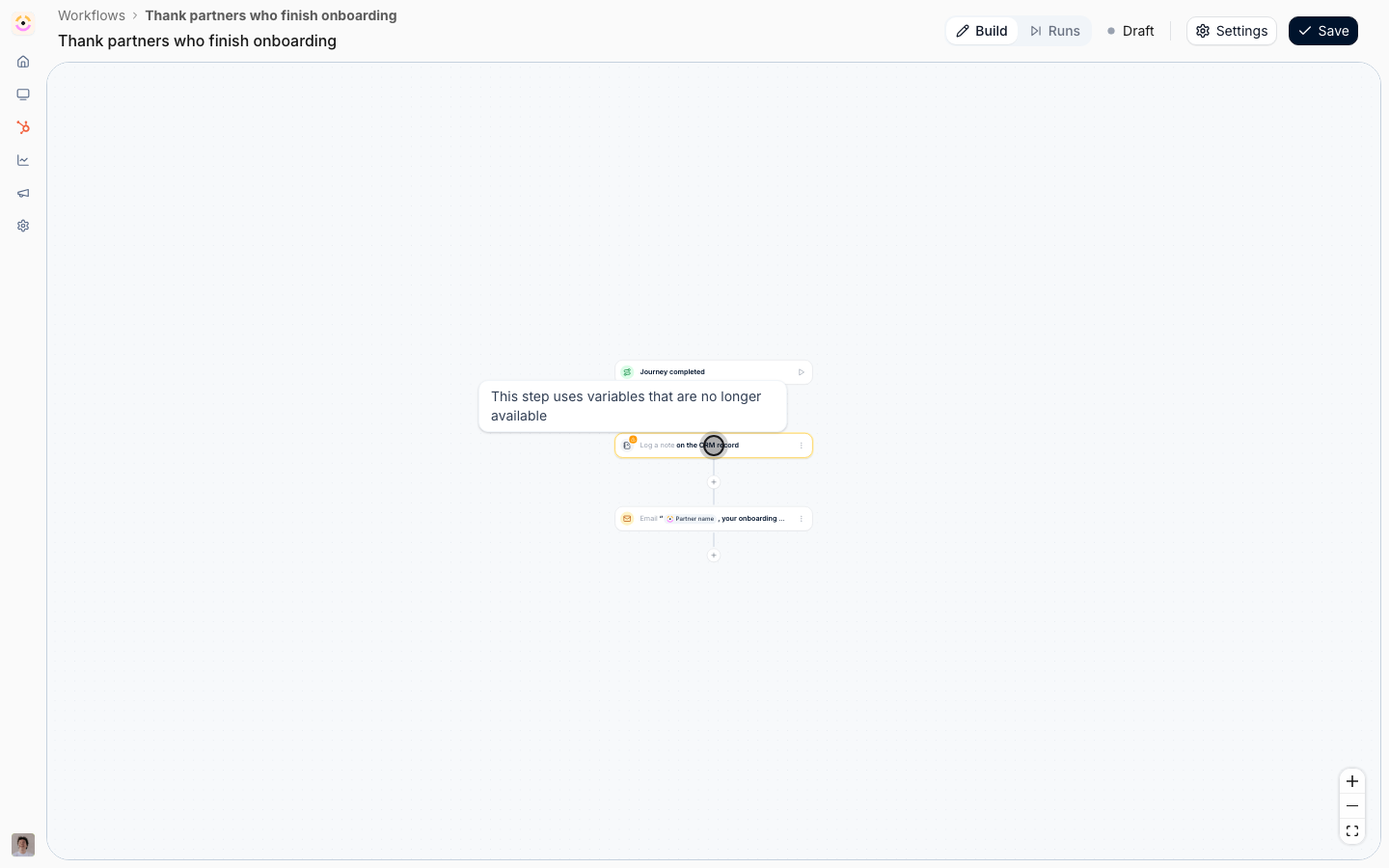
2
Fix it before you enable
A workflow in that state cannot be switched on, and an active one cannot be saved in it.
Settings lists it under Not ready to enable yet as Replace variables that are no longer available.
Open the flagged step and replace or remove the pill, or put the step back.
If you have not saved yet, reloading the page brings back the saved canvas.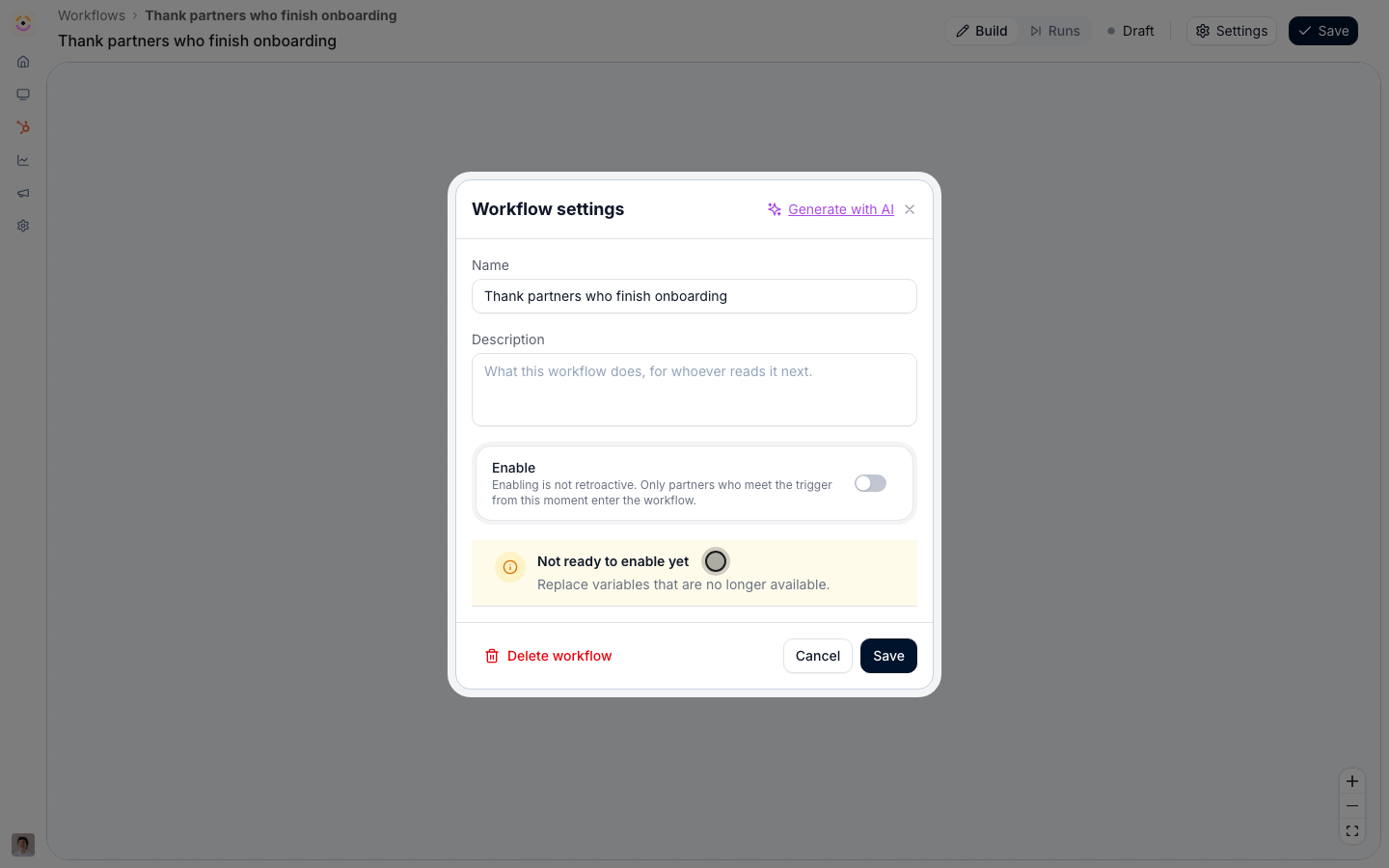
Verify it worked
The saved workflow shows each step’s text with its pills, and the test run badges every step Simulated. Once you enable it, the first real run writes the note on the partner’s CRM record with their name, the journey, the booked amount and the dates filled in, and the email arrives with the partner’s name in the subject. Open a run from Runs to see which path it took.Related
Build your first workflow
Build, test and enable a workflow from an empty canvas.
Reward a partner for finishing a journey
Book a bonus, issue a certificate and tell the partner.
Test a workflow and read its runs
Rehearse against a real partner and read every run.
Workflows setup reference
Every trigger, action and the variables each one offers.