

Where it lives
Deal Progress Updates is the partner-notification layer, so it lives in two places under Settings: Default settings, on its Notifications tab, is where you choose which deal events reach referrers, and Notification settings reports what actually went out.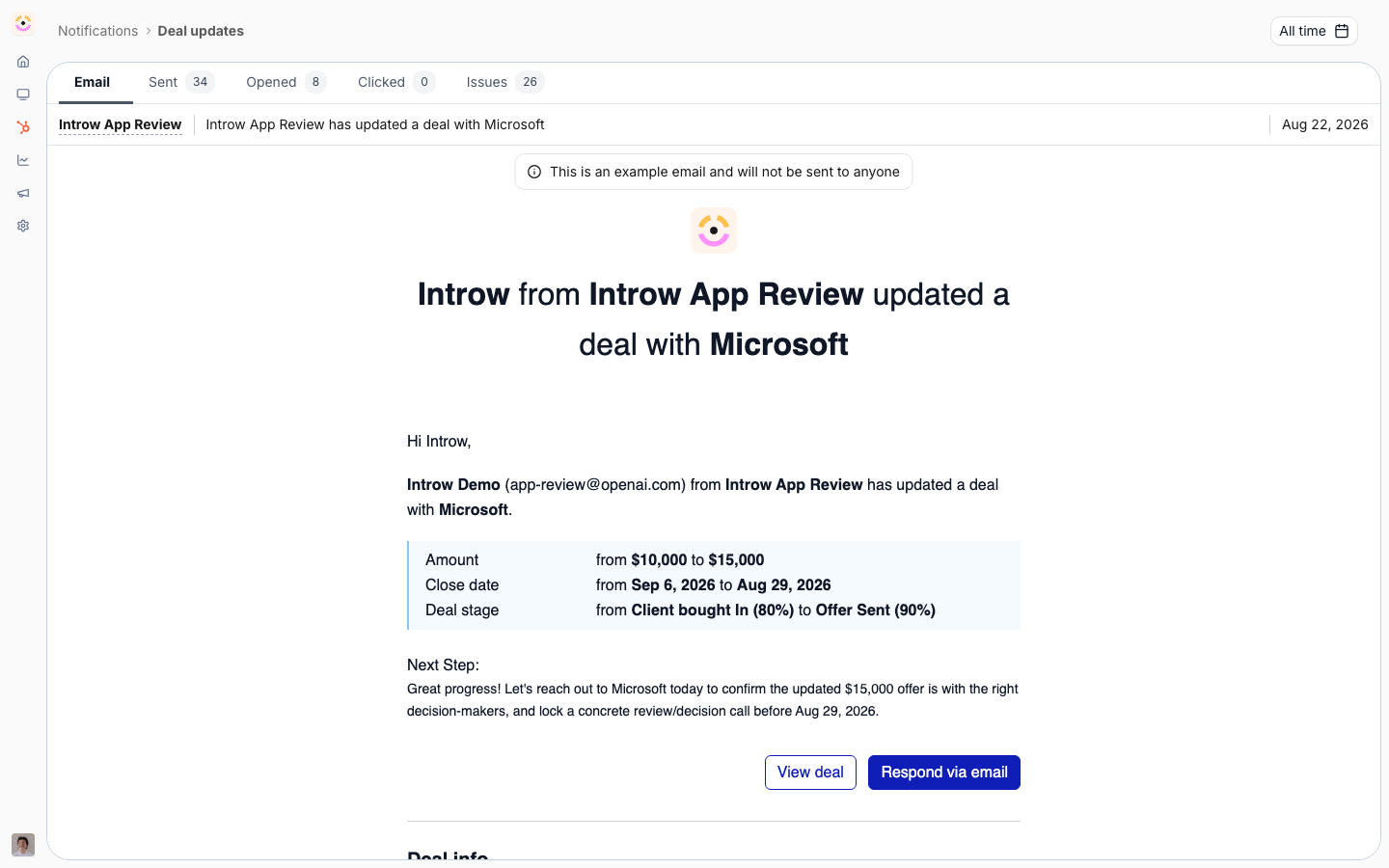
Before you start
How it works
Referrer updates are partner notifications driven by your CRM. When an object related to a partner is updated or reaches a winning stage, Introw can send that partner an email and a chat message. You set the defaults for which events notify partners org-wide, and you can override them per pipeline embed and per segment. There is no separate “referral autopilot” to configure. Instead you decide which CRM events count as progress worth telling a referrer about, and which properties to watch for changes, and Introw handles the delivery.Settings & configuration
Org defaults live on the Notifications tab of Default settings, and any audience can override them on its own segment; per-deal behavior is set on the CRM embed in the Experience builder. Each event takes one recipients value - All partners, Collaborating only, or Disabled - rather than an on/off switch.Object updates
Object updates notifies a partner when an object related to them is updated in your CRM. This is the workhorse for progress: a stage change on a referred deal counts as an update, so referrers hear about advancement. Keep it on for the partner audience to drive ongoing updates.Deal closed won
Deal closed won notifies a partner when a related deal is won. Use it to celebrate the outcome with the referrer and reinforce that referring pays off. It is on by default for the partner audience.Watched properties
On a deal pipeline embed, the Notifications section controls which changes notify partners and lets you mark individual properties with Notify change to partners or Don’t notify change to partners. Use this to watch the fields that represent real progress, like stage, and to silence noisy fields referrers do not care about.Delivery channels
Each notification can be delivered by email and, where connected, by Slack or Teams. Choose the channel mix that fits how your referrers prefer to hear from you.How-to guides
Troubleshooting
A referrer gets no updates
A referrer gets no updates
Confirm the deal is attributed to that partner and that partner notifications are on.
Stage changes do not notify
Stage changes do not notify
Add the stage field to the embed’s watched properties.
Chat messages do not arrive
Chat messages do not arrive
Check that Slack or Teams is connected and selected as a channel.