

What you’ll achieve
A fund that shows its return continuously: partners report outcomes within a defined window, and a real-time figure updates from CRM data as deals tied to the funded activity progress, so every fund has a number you can put in front of finance.Before you start
Have a fund in place
Create the fund first. See Set up an MDF program.
Watch it
- Video
- Click through
Steps
Enable partner ROI reporting
Go to Marketing Funds, open the fund, and use Configure to open the ROI tab. Make sure the step is switched on and the ROI reporting window is enabled so partners can submit the ROI form within the deadline you set. This is the qualitative side of ROI: partners report the outcomes they saw, measured from the activity date.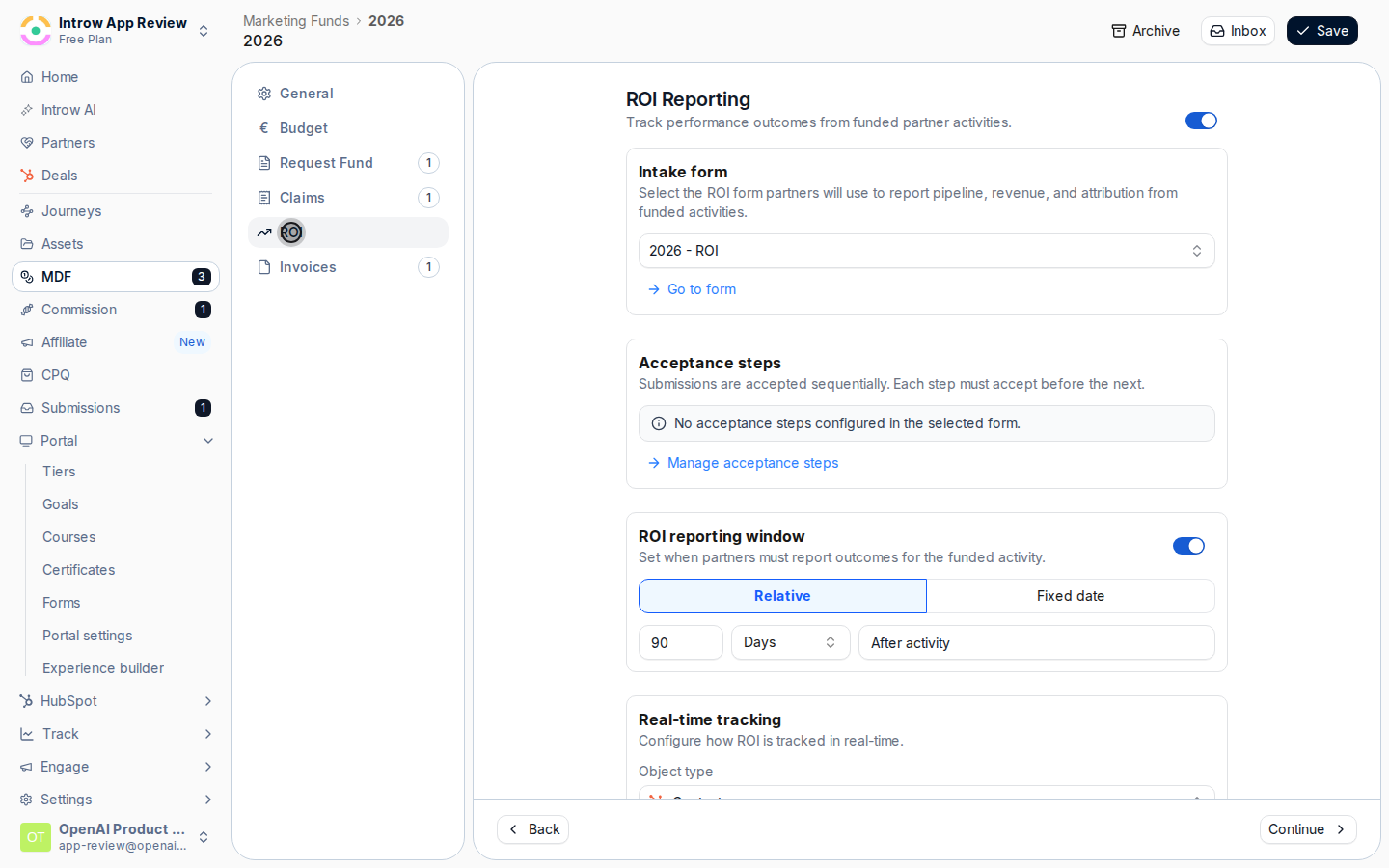
Configure real-time tracking
In the Real-time tracking section on the ROI tab, set how Introw derives ROI from CRM data automatically: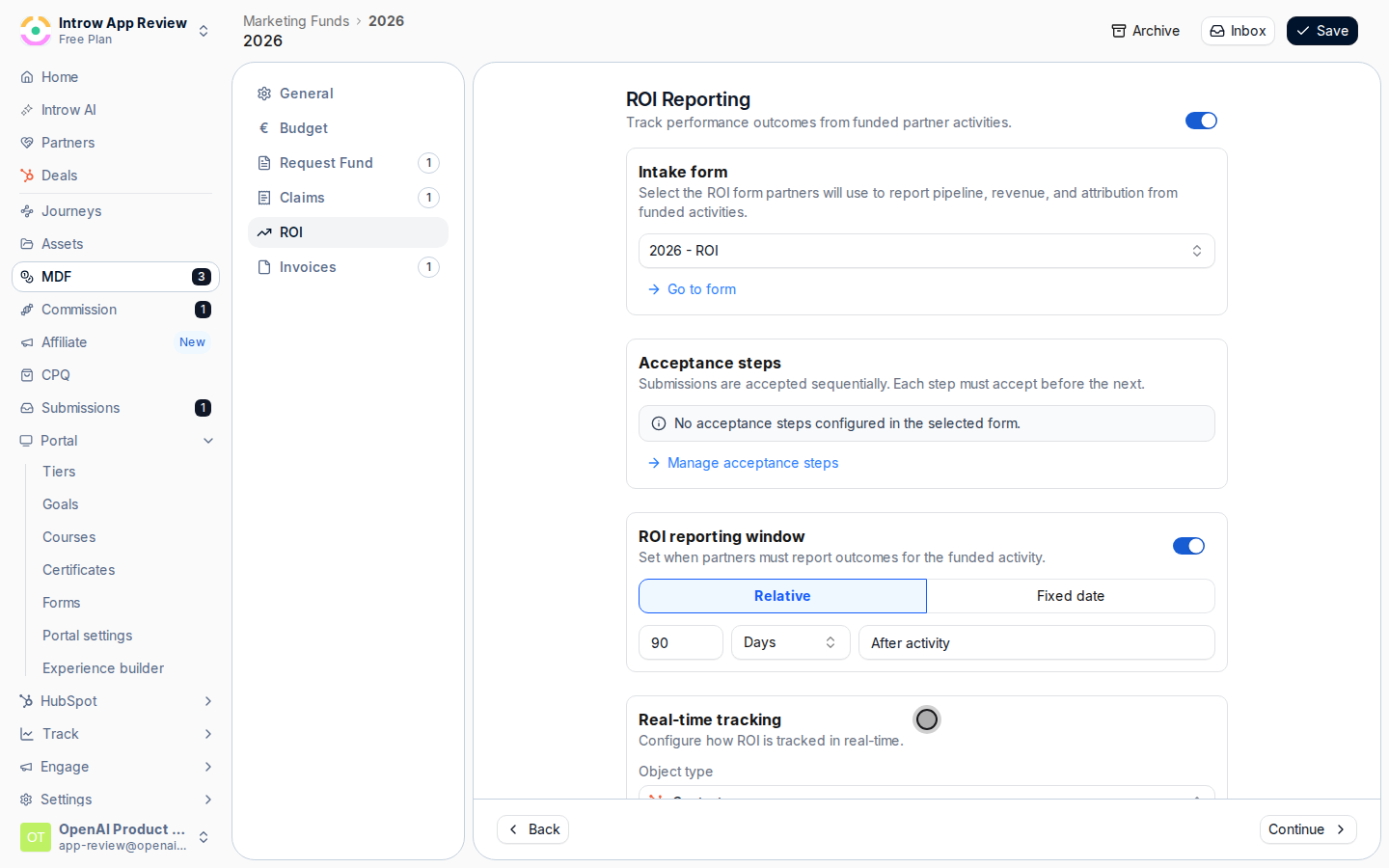
- Object type - the CRM record the return is read from, such as the deal record. It must be a record the ROI form’s automation creates, or the fund flags a configuration error and you can fix it from the form’s automations.
- Filters - optional conditions that limit which records count, for example only closed-won records or a specific pipeline, so only genuine results are credited to the fund.
- Aggregation - choose Count to count matching records, or Sum of property to total a numeric field on them. Count is the default and suits activities measured in deals or leads generated.
- Monetary amount per object - shown when you choose Count: the value each counted record contributes, turning a count into a monetary return.
- Field to sum - shown when you choose Sum of property: the numeric or currency field to total, such as deal amount, for a revenue-based return.
Verify it worked
The fund shows ROI from both sources: partner-submitted ROI entries within the reporting window, and a real-time value that moves as CRM records tied to the funded activity match your object type, filters, and aggregation. You can now state a fund’s return without exporting data by hand.Related
Run the MDF request-to-payout flow
Review, claim, and reimburse the spend you measure here.
Build a report
Report on MDF results across funds.
Implementation reference
Full ROI and lifecycle configuration options.