

What you’ll achieve
A campaign record per partner campaign in your CRM, created by the partner’s registration and linked to the partner. Partners see their campaigns in the portal and update the fields you allow, such as status, end date or audience size.Before you start
1
Have a campaign object in your CRM
On Salesforce, use the standard Campaign object.
On HubSpot, create a custom object for partner campaigns with the properties you want to track.
2
Link the object to partners
Partners only see records linked to them.
Add the campaign object on the Object Linking screen of your CRM connection and give it an attribution method.
See Configure deal attribution.
3
Check your plan for custom-object collaboration
Partners editing a custom-object record need custom-object collaboration on your plan.
See introw.io/pricing.
Watch it
- Video
- Click through
Steps
Build the registration form
1
Create the form
Go to Forms and create a form named after the motion, such as “Register a campaign”.
2
Add the campaign fields
Add the fields that tell you what is live:
- Campaign name - what the partner calls it.
- Campaign kit - which of your kits it comes from, as a dropdown.
- Channel - email, LinkedIn, webinar or event.
- Start date and End date - how long it runs.
- Audience size - how many contacts it goes to.
3
Create the campaign record on submit
Open the Automation tab, use Add automation and pick your campaign object.
Keep Match or create on, so a partner who registers the same campaign twice updates it rather than creating a duplicate.
On a custom object, pick the campaign name under Match on these fields, so Introw recognizes the same campaign.
Under Default values, set a starting status, such as “Planned” or “Live”.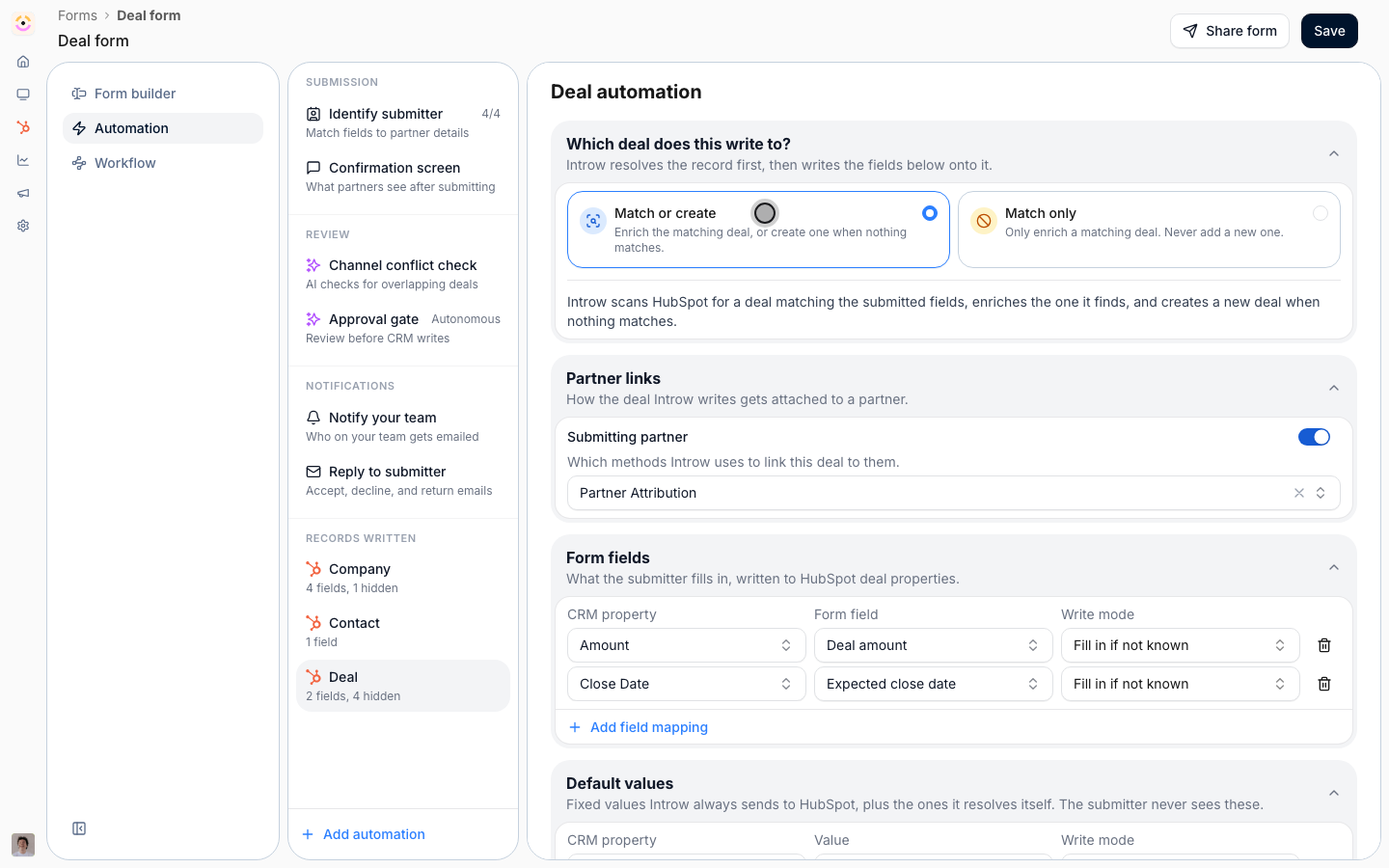
4
Link it to the partner
In the automation’s Partner links block, keep Submitting partner on.
This is what puts the campaign in the partner’s portal.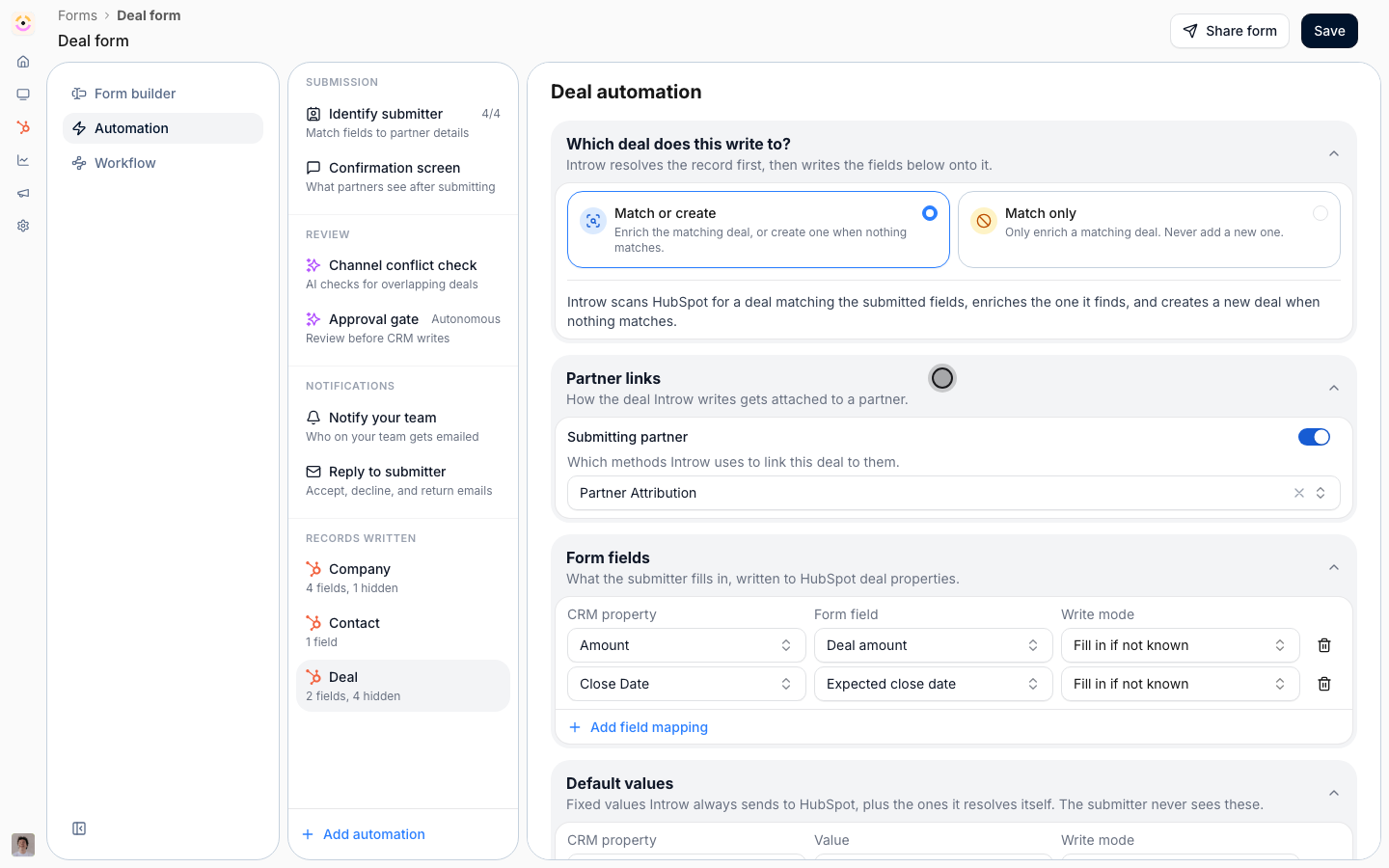
Show partners their campaigns
1
Add the campaign list to the portal
Go to the Experience builder, open the tab that holds your campaign kits, and open the section picker.
Under your CRM, choose a list of your campaign object.
2
Choose what partners see and edit
In the list configuration, add the properties partners should see: name, channel, start date, end date, audience size and status.
Mark status, end date and audience size as editable, so partners keep them current.
Leave the rest read-only.
3
Add the registration button
Add a call-to-action button next to the list that opens the “Register a campaign” form.
4
Publish the experience
Publish to the partners who run your campaigns.
Verify it worked
Register a test campaign from the portal as a partner. The record appears in your CRM, linked to the partner, and in the partner’s campaign list. Change its status from the portal and confirm the change reaches the CRM.What your partners experience
The partner registers a campaign in one form when it goes out, and updates it from the portal as it runs. They never send you a status email.A form cannot yet link a later deal to one of these campaign records.
When deals must count toward a campaign, register campaigns on a marketing fund and log the deals with the campaign’s ROI form.
See Log the deals a campaign produces.
Otherwise, add a campaign property to your deal registration form so the partner names the campaign on each deal.
Related
Register partner campaigns on a marketing fund
The fund route, with approval and ROI.
Connect a form to your CRM
Every automation setting, in depth.
Implementation reference
Campaign registration and ROI settings.