

What you’ll achieve
A fund partners use to register their campaigns from the portal. Each registration lands as a request you approve, shows in the partner’s portal with its status, and is ready to collect the deals the campaign produces.Before you start
1
Confirm the MDF module is enabled
Funds are part of MDF. Check your plan at introw.io/pricing.
2
Decide whether the fund pays anything back
A campaign fund can reimburse spend, or only register campaigns. Decide now: it sets which steps you switch off below.
3
Have the segments you fund ready
A fund allocates budget to segments. Use the segment of partners who run the campaign kit, for example your reseller tier.
Watch it
- Video
- Click through
Steps
Create the campaign fund
1
Create the fund
Go to Marketing Funds and use Create fund.
Introw creates the request, claim, ROI and invoice forms and opens the fund on the General tab.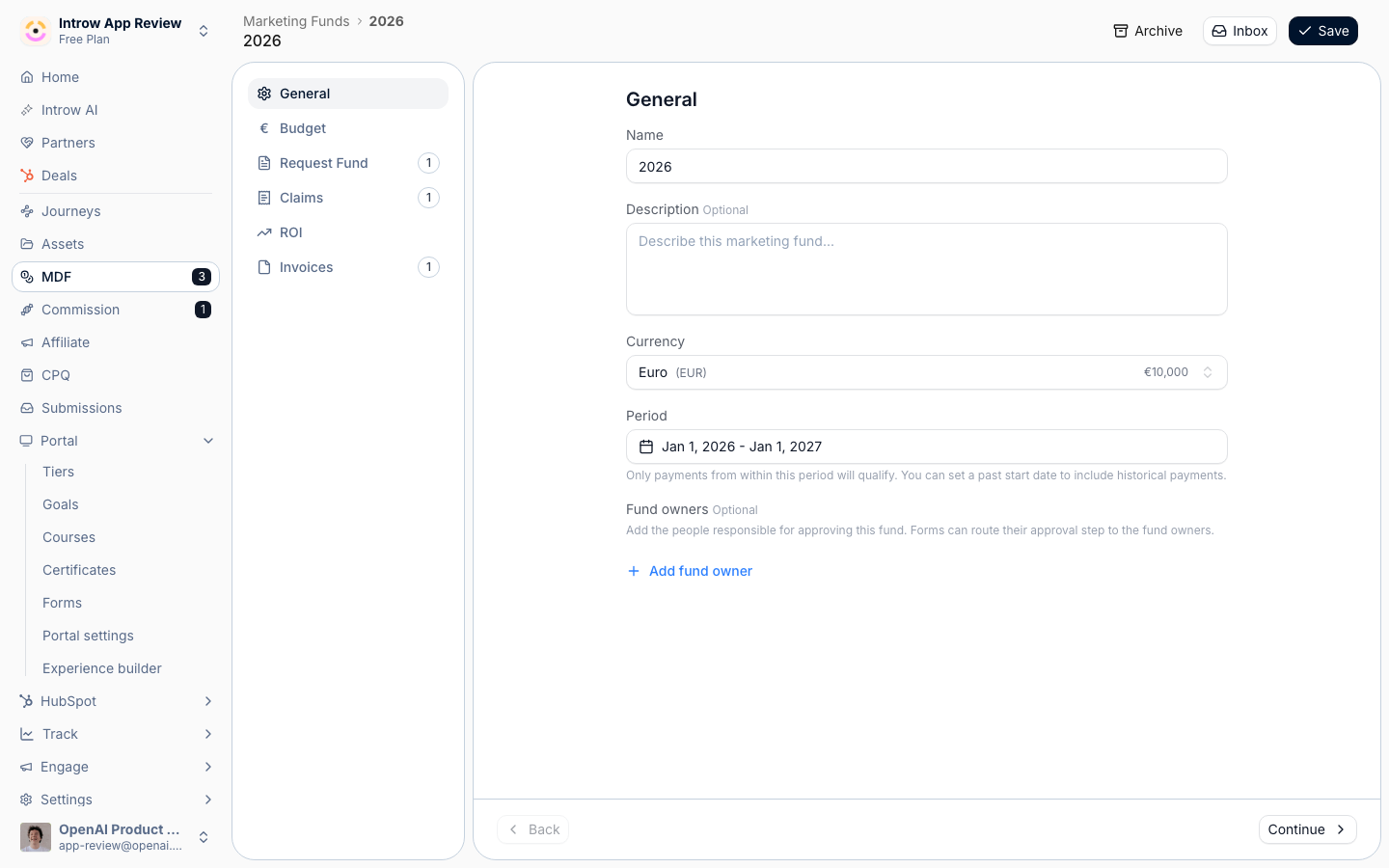
2
Name it after the campaign program
On the General tab, set:
- Name - what partners see on the portal, such as “Q4 2026 partner campaigns”. It also names the four forms.
- Currency - the currency budgets and ROI are counted in. Keep your organization currency unless the program runs in another one.
- Period - the dates campaigns can run in. Match it to the campaign window, for example the quarter.
3
Set the budget
On the Budget tab, choose Fixed allocation to give each partner the same budget, or Pooled to let a segment share one pool.
Add the segment with Add segment and enter the amount.
For a fund that only registers campaigns, enter a small or zero amount: the budget then works as an approval limit, not a payment.
Shape the registration form
1
Open the request form
On the Request Fund tab, the Intake form is the form partners fill in to register a campaign.
Use Go to form to open it in the form builder.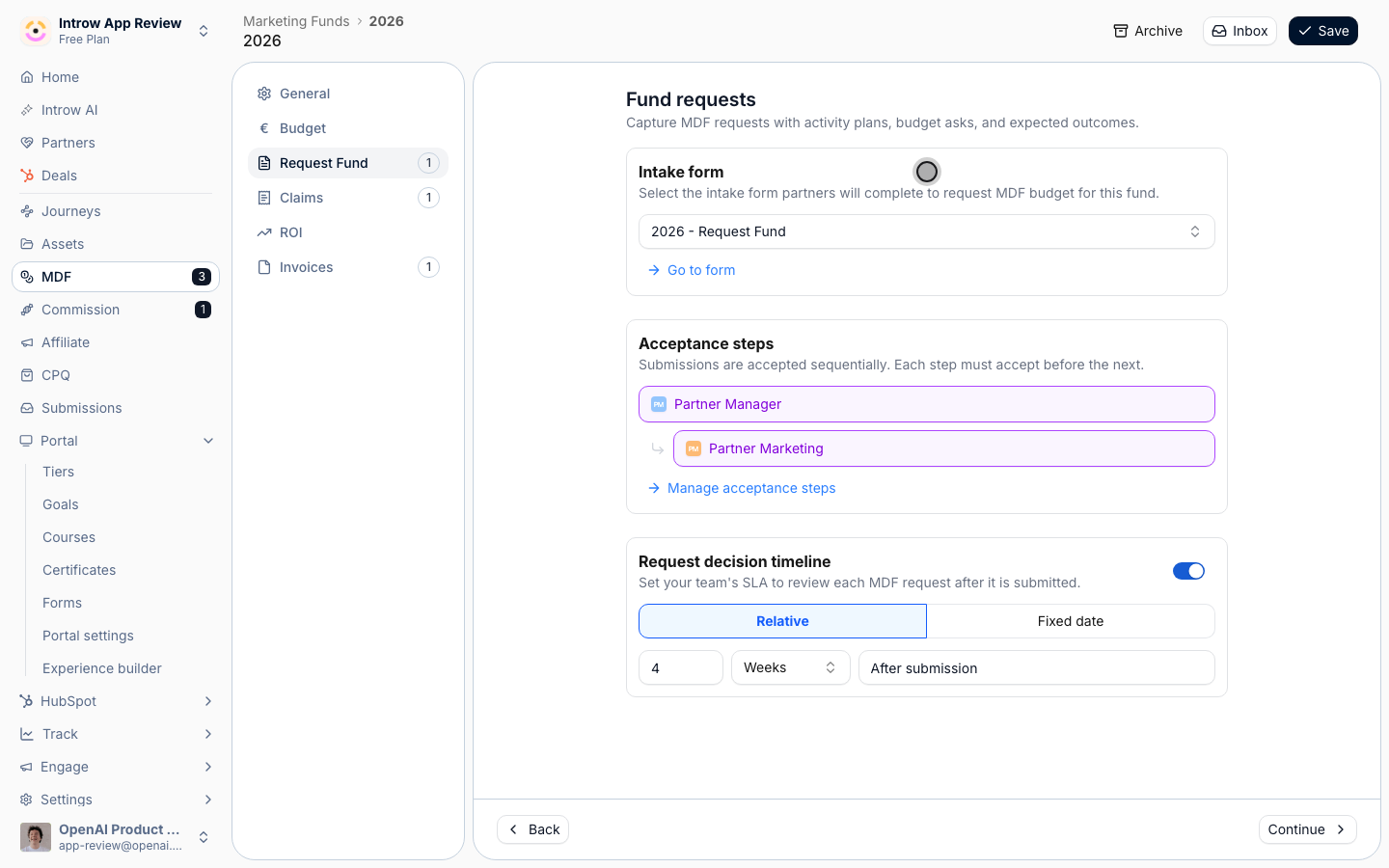
2
Ask for what you need to know about the campaign
Add the fields that tell you what is live. A useful set:
- Campaign name and Campaign kit - which kit it comes from, as a dropdown of your kits.
- Channel - email, LinkedIn, webinar, event.
- Start date and End date - how long it runs.
- Audience size - how many contacts it goes to.
- Requested amount - only when the fund pays.
3
Set who approves
Back on the fund, the Acceptance steps section shows who approves a registration.
Use Manage acceptance steps to change approvers, and set the Request decision timeline to how fast your team answers.
Switch off what the campaign does not need
1
Turn off Claims and Invoices for unpaid campaigns
Open the Claims tab and use the switch at the top right of the tab to turn the step off.
Do the same on the Invoices tab.
Partners then register and report on campaigns without ever filing proof of spend.
Leave both on when the fund reimburses spend.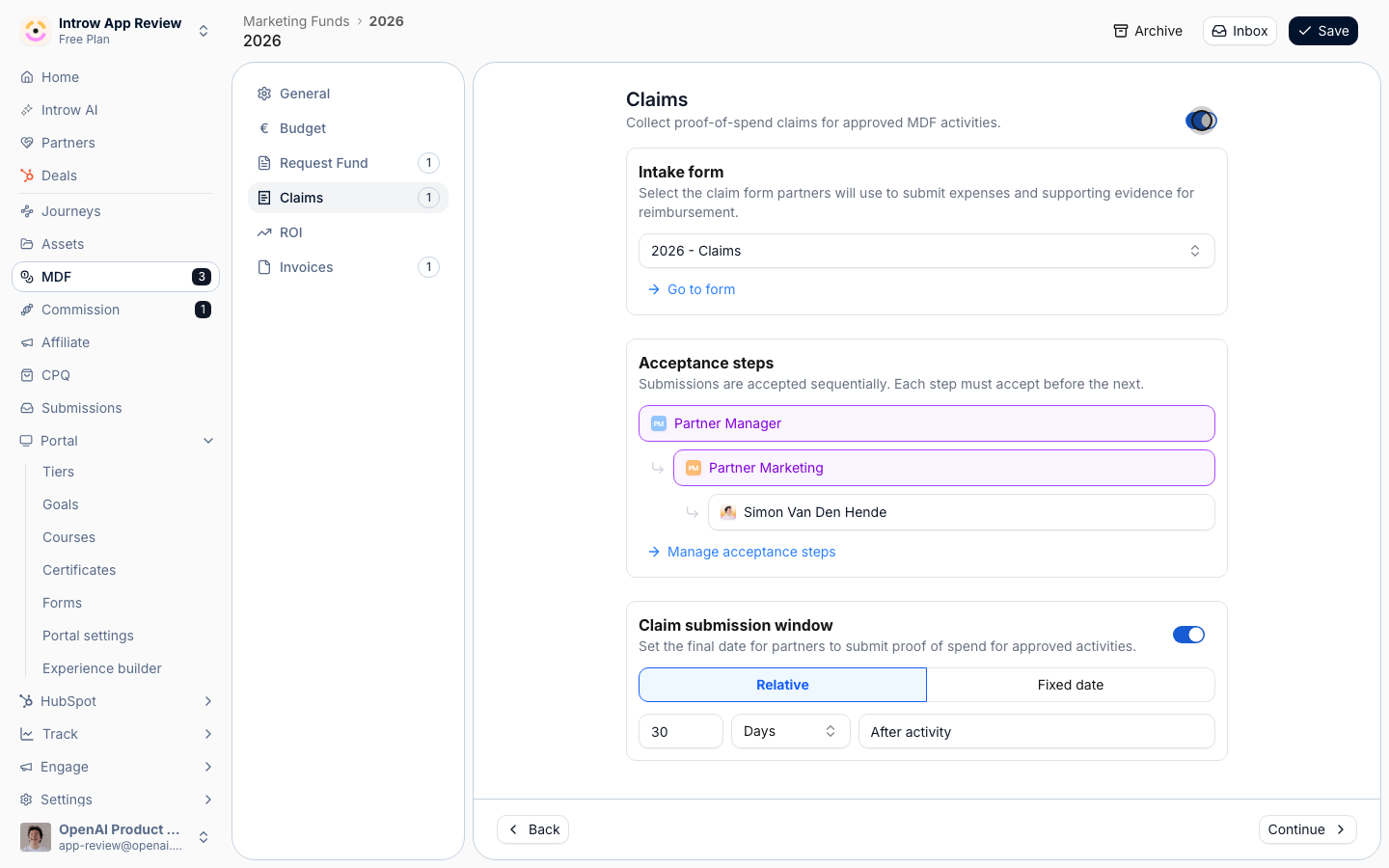
2
Keep ROI on
The ROI step is where partners log the deals each campaign produces.
Leave it on, and set it up with Log the deals a campaign produces.
3
Save the fund
Use Save.
Put registration in the portal
1
Add the Marketing Funds section
Go to the Experience builder, open the experience your campaign partners use, and open the tab that holds your campaign kits.
Open the section picker, choose Marketing Funds, and pick the fund.
Put it under the kit, so registering is the next thing a partner sees after picking up the material.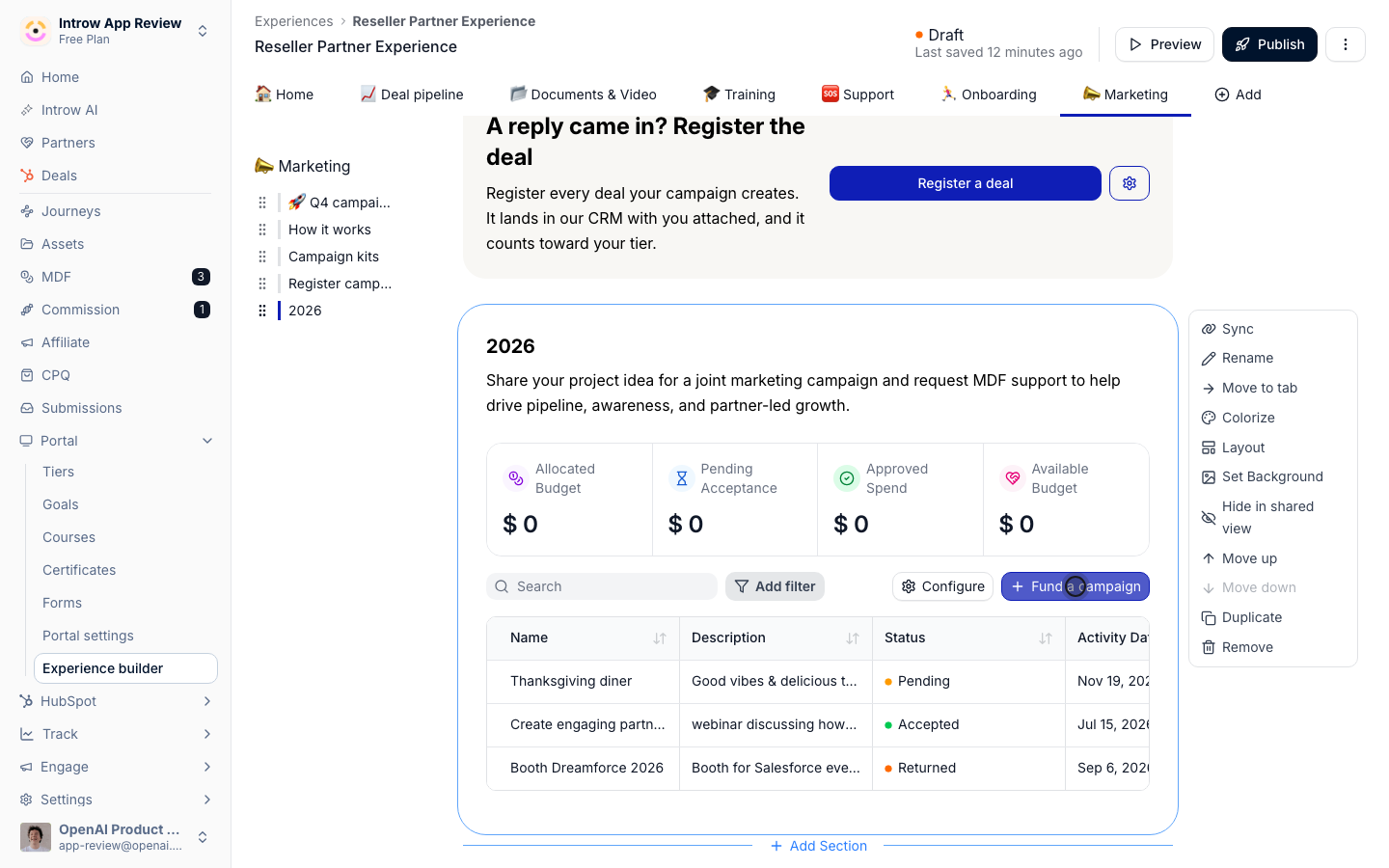
2
Rename the button
In the section’s configuration, rename the button to what the partner is doing, such as “Register a campaign” or “Fund a campaign”.
Choose the columns partners see in their request list, such as status, activity date and approved amount.
3
Publish the experience
Publish to the partners who run the campaign. They see their budget, the button and their own requests.
Verify it worked
Open the portal as a partner in the funded segment and register a test campaign. It shows in the partner’s list as Pending, and in the fund’s inbox in Introw. Approve it, and the partner sees it move to Accepted with the approved amount.What your partners experience
The partner launches the campaign from your kit in their own tool, then opens the portal and registers it in one form. They see their budget before they commit, follow the approval, and come back to the same request to log the deals it produces.Related
Log the deals a campaign produces
Count the deals each registered campaign creates.
Set up an MDF program
Every fund setting, in depth.
Implementation reference
Campaign registration and ROI settings.