

The proposal step is where a partner asks for budget - and how you configure it decides what they’re asked, how it lands in your CRM, and who signs off. This guide sets up the whole step: the form, its CRM automation, the approval gates, and the deadline.A proposal is the entry point of an MDF project. Configuring the step well means the request form captures the right plan, the submission lands as an attributed CRM record with no duplicates, the right people approve it (with AI clearing the routine ones), and nothing sits past its deadline. You do all of it no-code from the fund’s edit mode.
What you’ll achieve
A proposal step where partners submit a branded intake form, the submission creates an attributed project record in your CRM, an AI review plus your named approvers decide it in sequence, and a decision deadline keeps it moving.Before you start
1
Have a fund with an allocation
Create the fund and allocate budget first. See Set up an MDF program.
2
Confirm your CRM is connected
Attribution and field mapping need a connected CRM. See Attribute deals to partners for the method the form reuses.
Watch it
- Video
- Click through
Steps
Open the proposal step
1
Open the fund in edit mode
Go to Marketing Funds, open the fund, and use Configure. In the left navigation, open the Request Fund step - the proposal step, where a partner asks for budget.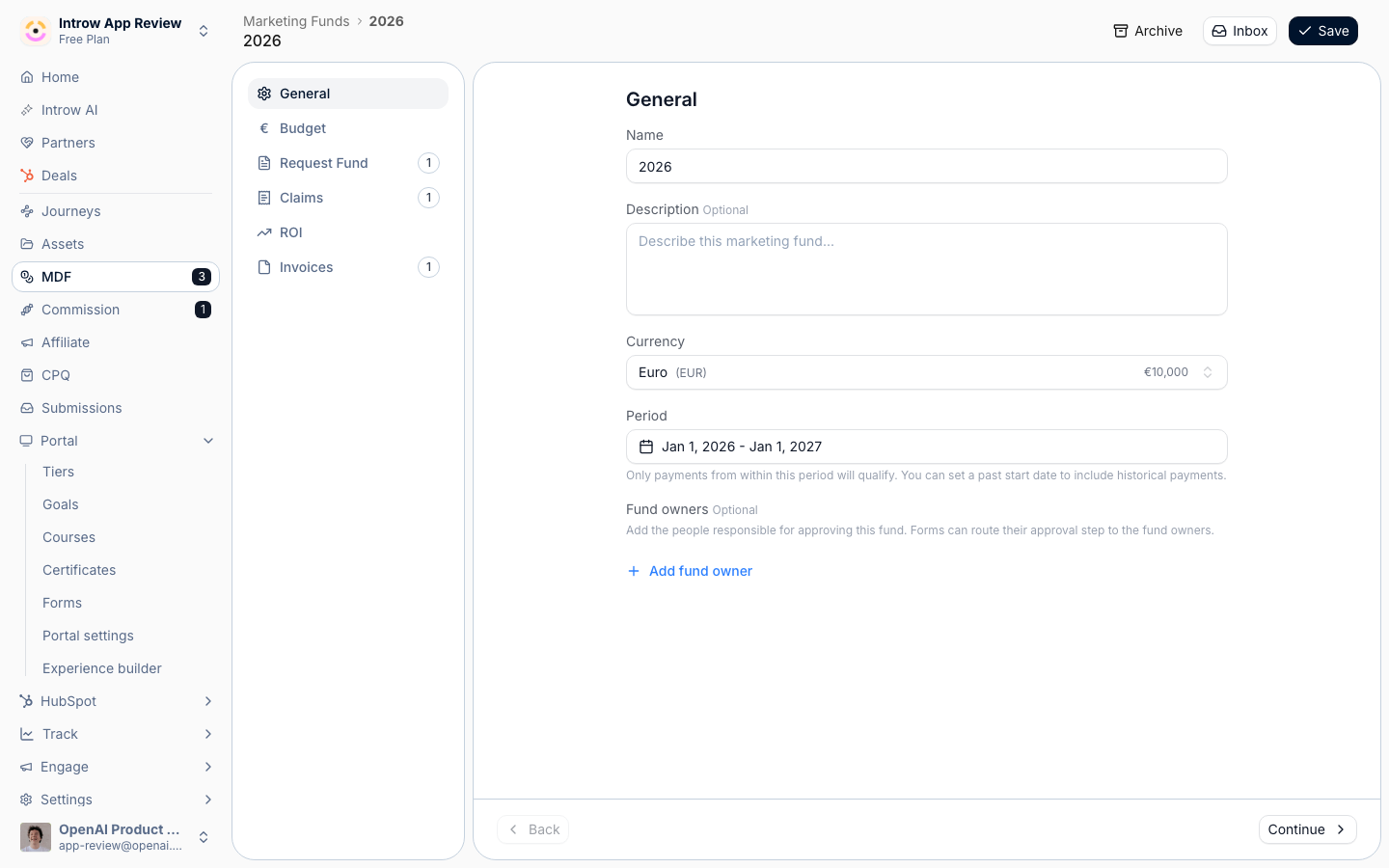
Build the proposal form
1
Confirm the intake form
The Intake form section shows the form bound to this step, provisioned with the fund. Select Go to form to open it in the no-code builder, where you shape what partners fill in.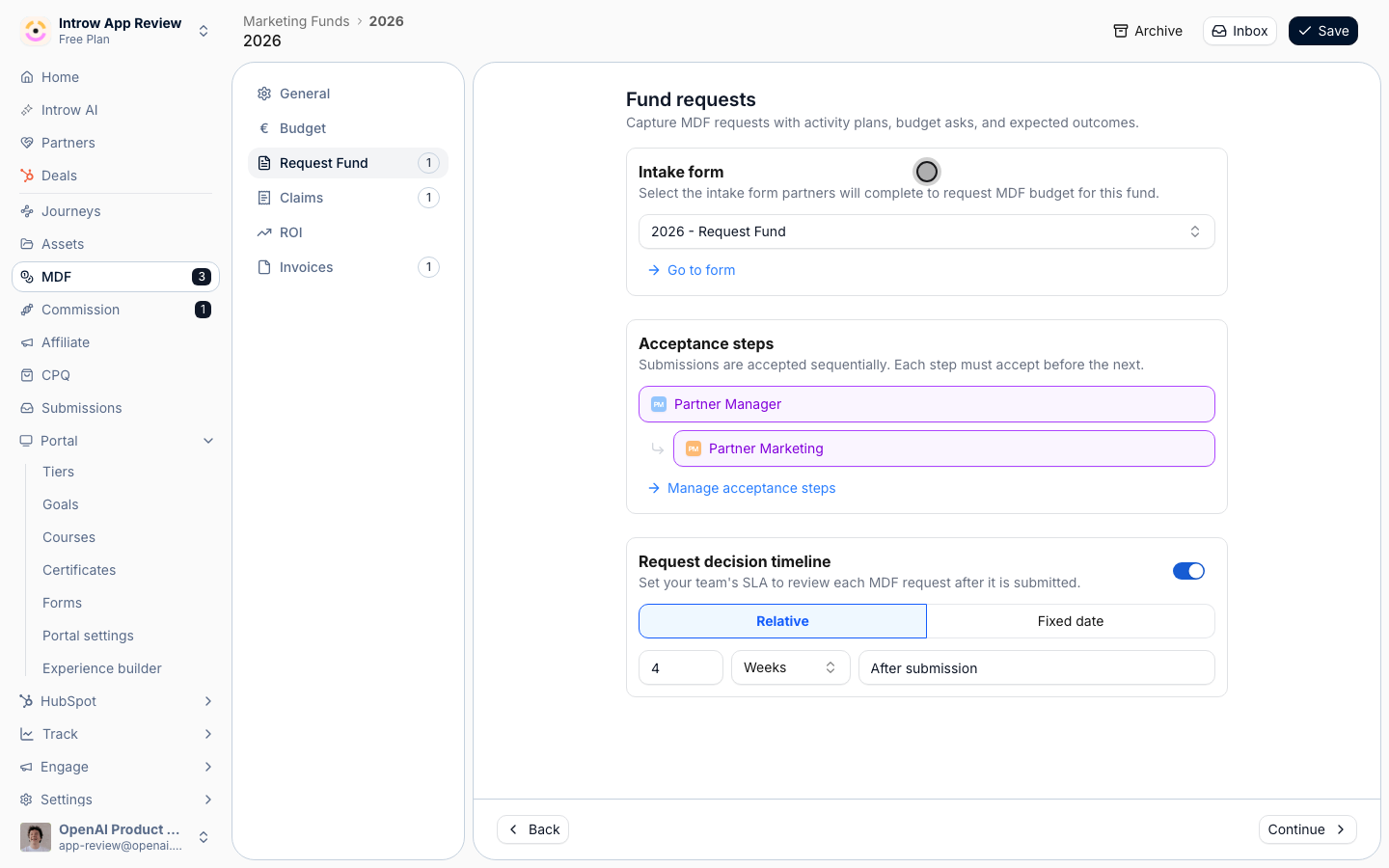
2
Shape the fields
On the Form builder tab, add and arrange the fields the proposal needs - activity type, requested amount, activity date, and expected outcomes are the essentials; add your own for anything your program tracks. Fields are drag-in, no code.
3
Map fields to the CRM and attribute the partner
On the Automation tab, the form’s CRM automation maps each field to a CRM property, matches an existing record instead of duplicating it, and attributes the created project to the submitting partner using your defined method. This is the same engine every Introw form runs on. See CRM Automations for the full behavior.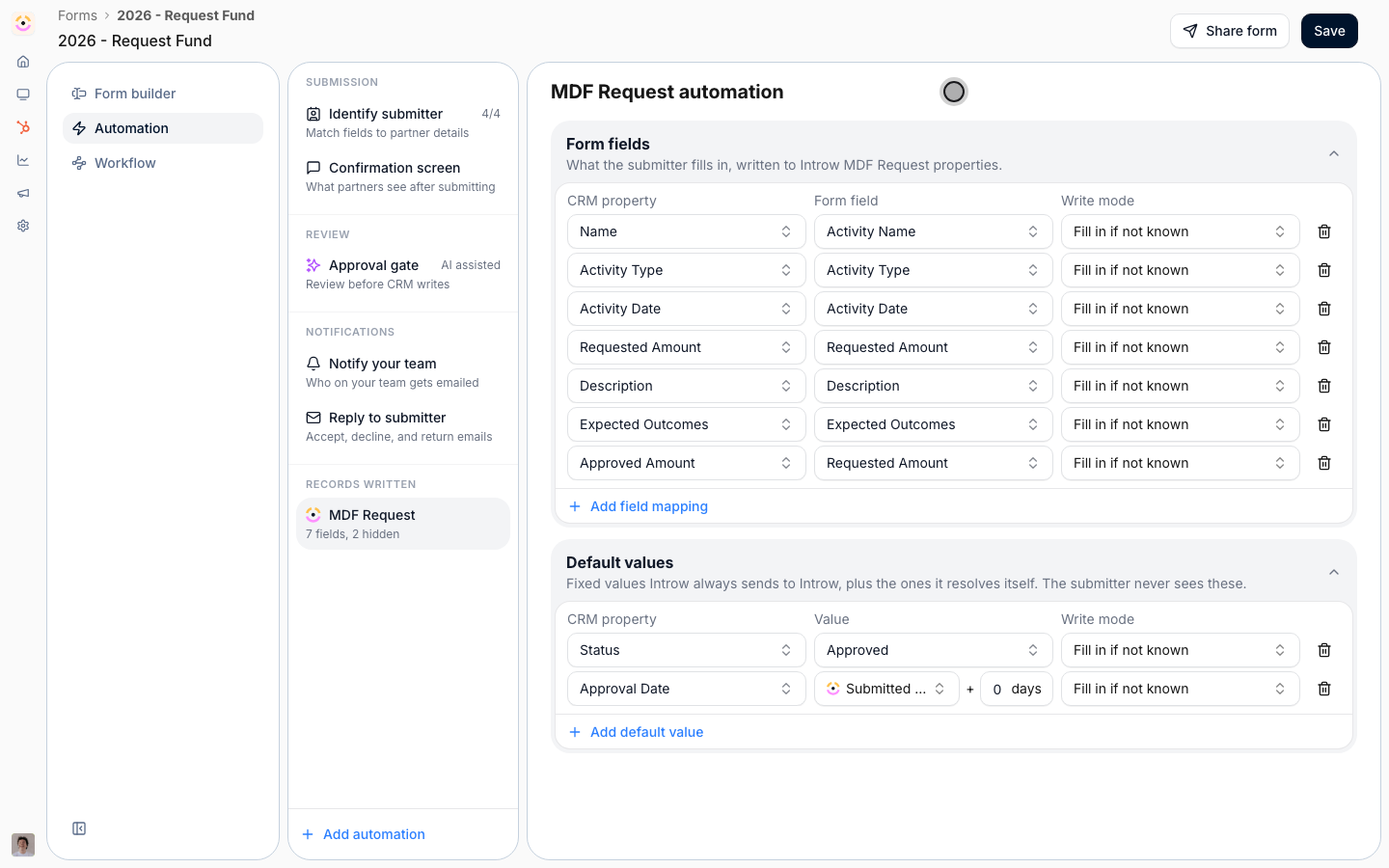
Set the approval gates
1
Turn on the AI review
In the form’s automation, enable the agentic review so it can auto-approve straightforward proposals above a certainty threshold and escalate the rest. This clears the routine asks without a human waiting on them.
2
Add sequential human acceptance steps
Back on the step, under Acceptance steps, use Manage acceptance steps to set who signs off, in order - for example Partner Manager, then Partner Marketing. Each step must accept before the next, and an approver can be a specific person, a partner-team role, or anyone. Decline at any step stops the proposal.
Set the decision timeline
1
Set the decision deadline
Set the Request decision timeline - your team’s SLA to decide, measured from submission. Choose Relative (a number of days, weeks, or months) or a Fixed date, then Save. Overdue proposals are flagged so none sit unanswered.
Verify it worked
Open the Request Fund step and confirm its intake form, acceptance steps, and decision timeline are set. Submit a test proposal through a partner link: it lands as an attributed CRM project record, the AI review runs, and it routes to your named approvers in order.Related
Run the MDF lifecycle
Operate the whole flow, from proposal through reimbursement.
CRM Automations
How the form maps, attributes, dedupes, and enriches on submit.
Submit a proposal
Every channel partners can propose from - link, embed, email, Slack, Teams, or AI.
Run a submission approval workflow
The agentic and human approval mechanics in depth.