

Where it lives
Projects sits under MDF, at Marketing Funds.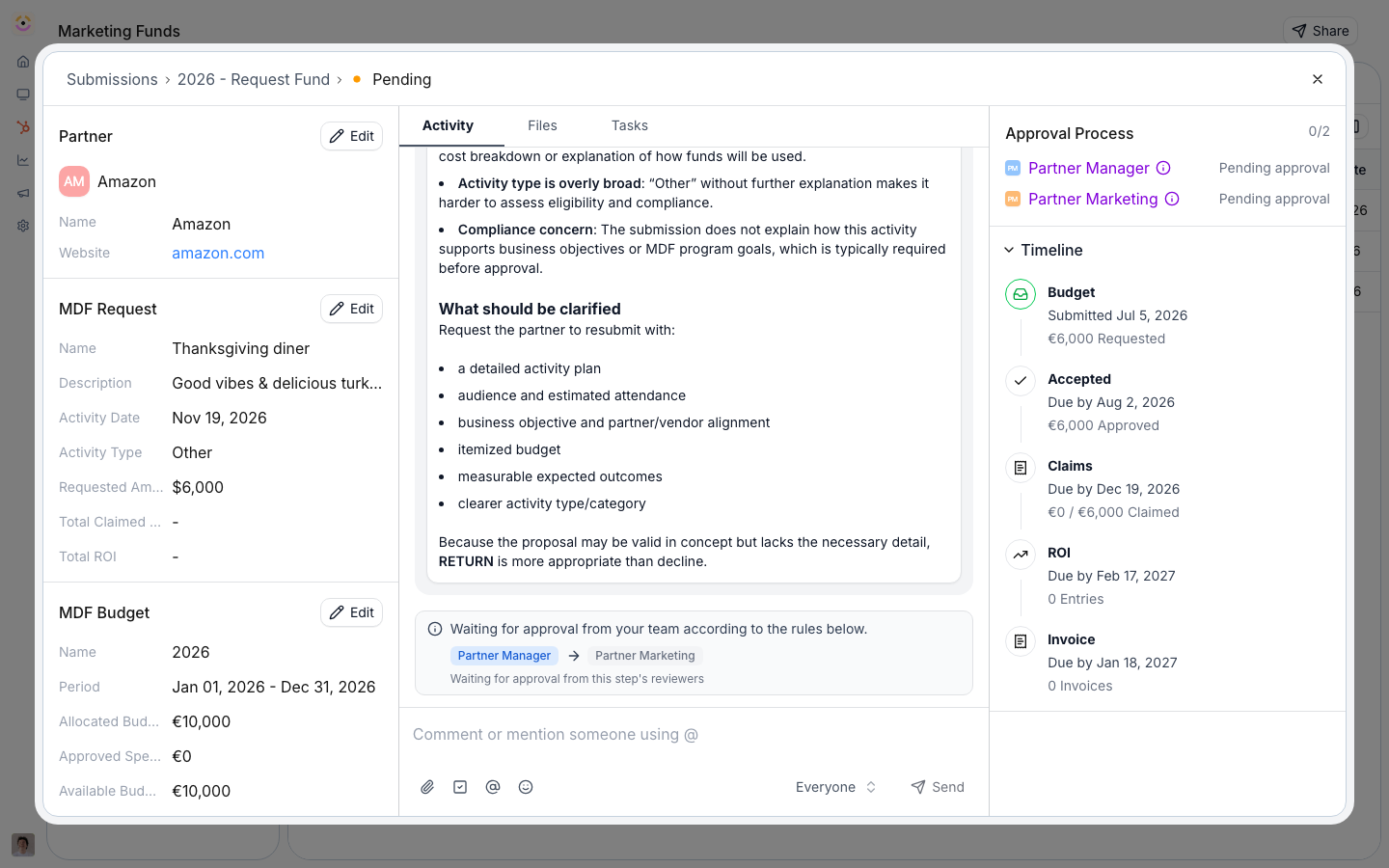
Before you start
How it works
A fund binds a proposal form (provisioned from a template, then yours to edit). When a partner submits it, Introw creates the project record - activity type, requested amount, activity date, expected outcomes - and attributes it to the submitting partner using your existing attribution method. The proposal opens as a collaborative project with a decision deadline, and once you set an approved amount it moves into the claim stage. You can also run a generic intake that isn’t bound to any fund. Such a proposal arrives in the MDF requests inbox with no fund; a room admin picks the marketing fund on it, which is what lets you accept it (acceptance then creates the approved, fund-linked project through the same automation). See Generic intake and fund selection below. You configure four things on the proposal form, all no-code:Settings & configuration
The proposal form is edited from the fund’s lifecycle tabs (Go to form opens the form builder).The form and its fields
Add and arrange fields no-code. The template already captures the essentials (activity type, requested amount, activity date, expected outcomes); add your own for the data your program needs.CRM automations and attribution
On the form’s automation, map each field to a CRM property (write a submitted value or a fixed value), and Introw attributes the created project to the partner using the method you configured on Object Linking - property, association, lookup, or relation table. No extra setup: the proposal is born attributed. The project record itself is an IntrowMDF_REQUEST object by default. If your team already tracks funding on a CRM object of its own, you can back MDF_REQUEST with that object so proposals land there instead - it then owns the schema, the properties, and the label Introw shows. See Store MDF requests and claims in your CRM.
Approval
Give the proposal its own approval flow: an agentic (AI) review that can auto-approve above a certainty threshold, and sequential human approval steps (each step a named approver, a partner-team role, or anyone) that must accept in order. Configure both on the form’s approval settings.Decision timeline
Set the decision deadline on the fund’s timeline (relative to the submission or activity date, or a fixed date), so a proposal never sits unanswered. Overdue proposals are flagged.Where partners propose
The proposal form is shareable by link, embeddable, submittable by email, and available to the partner’s own AI assistant over MCP - each route lands the same attributed record.Generic intake and fund selection
When you have more than one fund, use a generic intake so partners never choose a budget:- The generic intake form - enabling MDF provisions a fund-agnostic
MDF_REQUESTform tagged Generic. It keeps typeMDF_REQUEST(so submissions land in the MDF requests inbox and lifecycle) but is not any fund’s proposal form, so its submissions carry no fund. - The experience-builder block - in the portal/room editor’s section picker, the Marketing Funds category offers a fund-agnostic Request marketing funds block alongside the per-fund blocks. It surfaces a Generic-tagged intake form and submits with no fund.
- Pick the fund at review - a generic request appears as a normal proposal in Marketing Funds → Requests. Opening it, a room admin picks the marketing fund from a dropdown. Accept is disabled until a fund is picked (Return, Decline, and collaboration stay available). Accepting then creates the approved, fund-linked project.
- Change the fund from Edit - a room admin can change the marketing fund from the request’s Edit dialog, on the pending submission (updates the submission’s fund) or on the accepted MDF request CRM object (cascades the new fund to its claims, ROI, and invoices). Room visitors never see this control.
- Routed requests show on their fund - once a room admin picks the fund, the request appears in that fund’s request list and counts in its lifecycle figures, even while it is pending.
- Approved amount waits for the decision - a pending or declined request shows no approved amount on its inbox row, the MDF report or its decision timeline. The amount appears when the request is accepted.
How-to guides
Troubleshooting
A proposal is not attributed
A proposal is not attributed
Confirm the org’s attribution method is configured on Object Linking.
A proposal will not move to claims
A proposal will not move to claims
It needs an approved amount set first.
A partner cannot propose
A partner cannot propose
Confirm their segment has an allocation and portal access.
Accept is disabled on a generic proposal
Accept is disabled on a generic proposal
It has no fund yet. Pick a marketing fund on the request (the fund dropdown in the request view, or the Edit dialog) and Accept enables.
A generic request isn't in the requests inbox
A generic request isn't in the requests inbox
Its form must be type
MDF_REQUEST; that’s what routes submissions into the MDF requests inbox.The Request marketing funds block is empty
The Request marketing funds block is empty
It needs a Generic-tagged
MDF_REQUEST form. Enabling MDF provisions one automatically; you can tag another MDF_REQUEST form as Generic to offer more.A room visitor can't change the fund
A room visitor can't change the fund
That’s intentional. Only room admins can pick or change the marketing fund.