

What you’ll achieve
Every registered campaign carries its own ROI. Partners log a deal from the campaign in the portal, the deal lands in your CRM, and Introw totals the campaign’s deals against its approved budget. You can also report on deals per fund across all campaigns.Before you start
1
Have a campaign fund
Partners register campaigns on a fund. See Register partner campaigns on a marketing fund.
2
Know how a deal should look in your CRM
Decide the pipeline, stage and owner a campaign deal starts in, the same way you would for a deal registration.
Watch it
- Video
- Click through
Steps
Make the ROI form create a deal
1
Open the fund's ROI step
Go to Marketing Funds, open the campaign fund, use Configure and open the ROI tab.
Make sure the switch at the top right of the tab is on.
2
Open the ROI form
In the Intake form section, use Go to form.
This is the form partners use to log results against a campaign.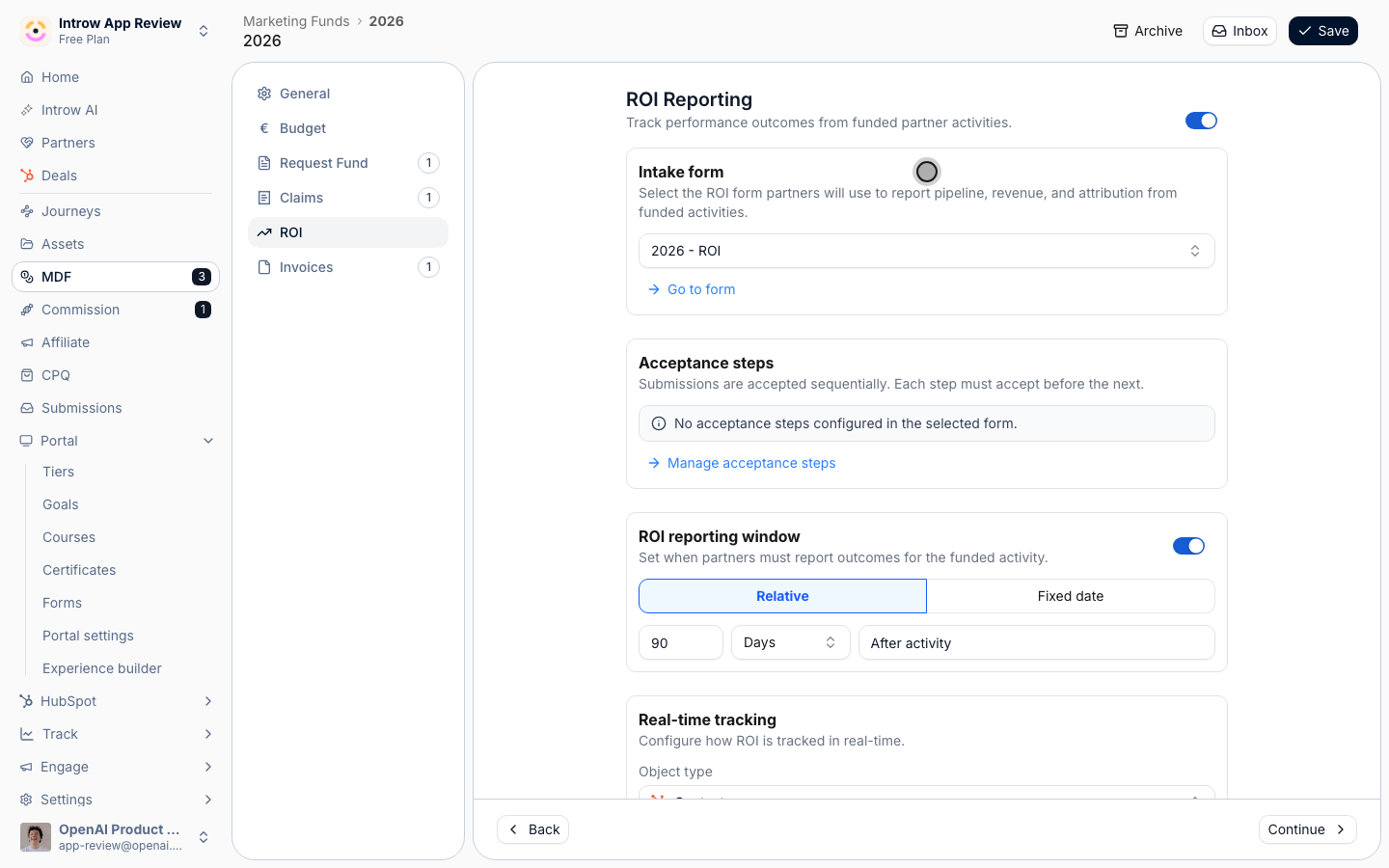
3
Add the deal fields
Add the fields a partner fills in for a deal: the customer company, the contact, the deal name and the expected amount.
Map each one to its property in your CRM in the field’s CRM Mapping section.
4
Create the deal on submit
Open the Automation tab and use Add automation to add a Deal automation.
Set:
- Default values - the pipeline, the stage and the owner a campaign deal starts in. Add a deal property such as lead source set to “Partner campaign” if your team reports on it.
- Partner links - keep Submitting partner on, so the deal is linked to the partner like any deal registration.
Count the deals toward the campaign
1
Turn on real-time tracking
Back on the fund’s ROI tab, in Real-time tracking, set: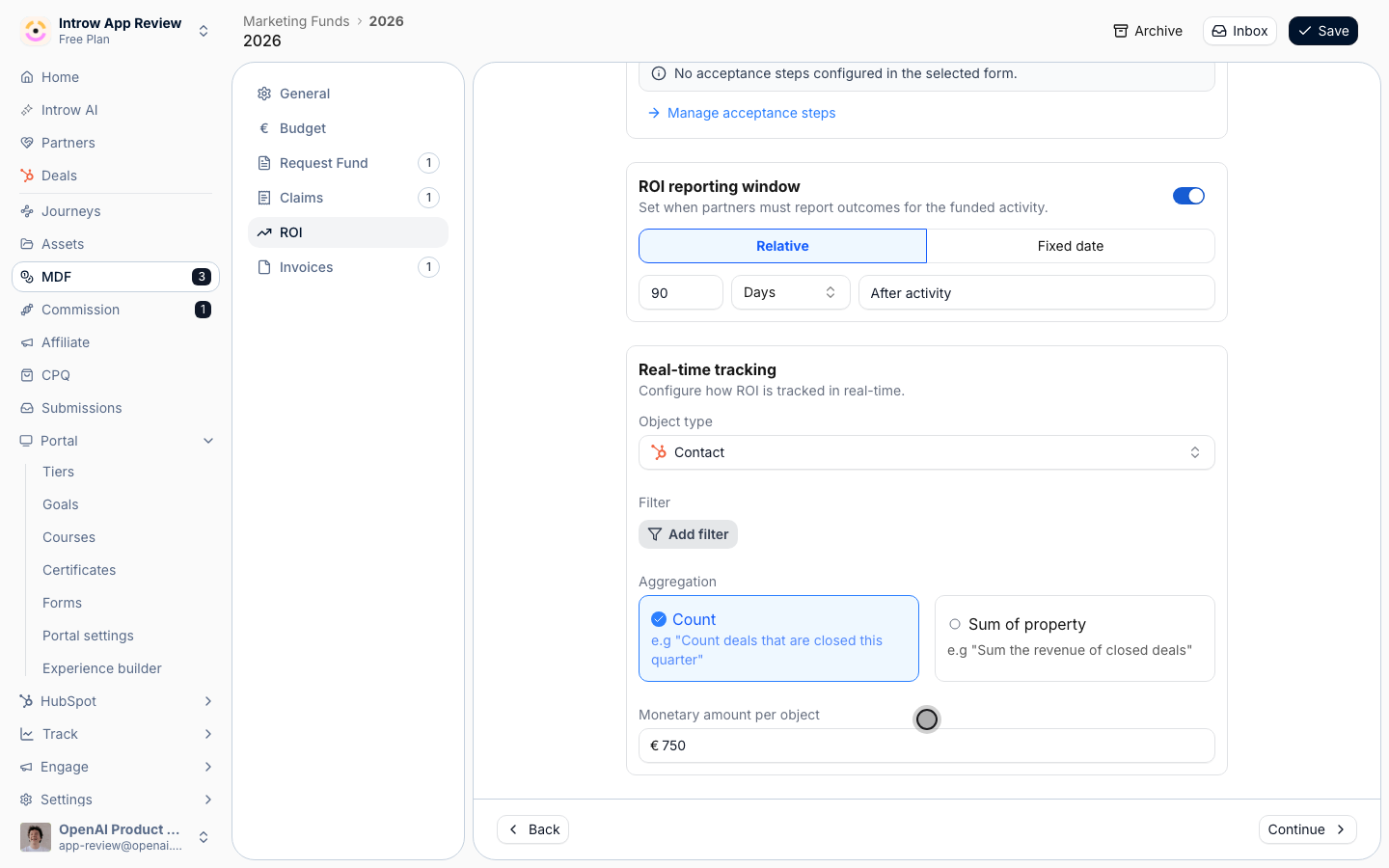
- Object type - Deal, the object the ROI form creates. If the form does not create it, the fund flags a configuration error.
- Filters - optional. Count only open and won deals, or only closed-won, depending on what you call a result.
- Aggregation - Sum of property with Field to sum set to the deal amount, for revenue. Or Count with a Monetary amount per object, when every deal is worth a fixed value to you.
2
Set the reporting window
Toggle the ROI reporting window on and set how long after the campaign’s activity date partners can log deals, for example 90 days.
3
Save the fund
Use Save.
Log a deal on a campaign
1
Partner opens the campaign
In the portal, the partner opens their approved campaign from the Marketing Funds section.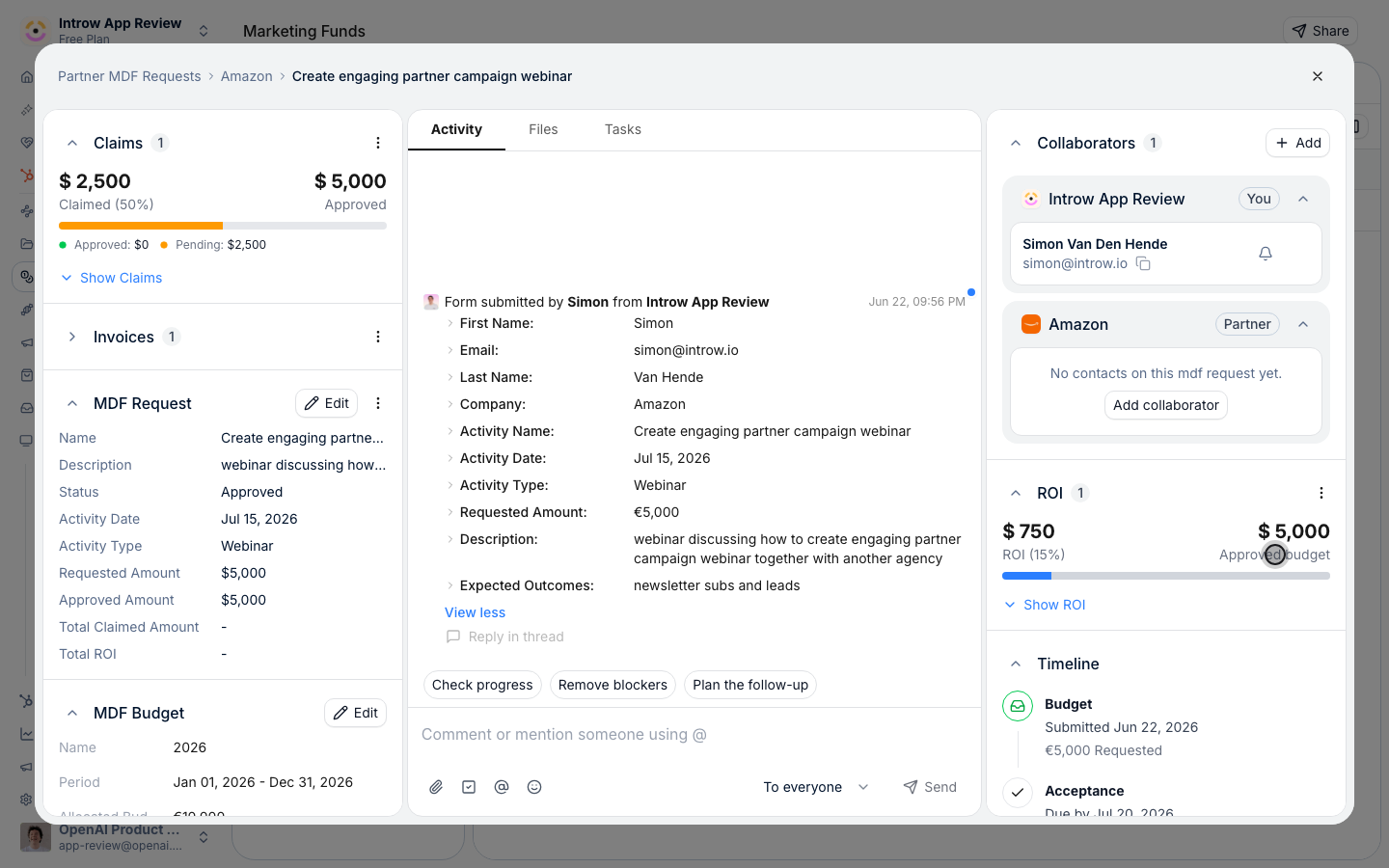
2
Partner adds the deal
In the ROI section, the partner uses Add and fills in the deal.
The form already knows which campaign it belongs to.
3
Or your team logs it for them
On the same request, your team uses Add ROI to log a deal on the partner’s behalf, or Request ROI to ask the partner for it.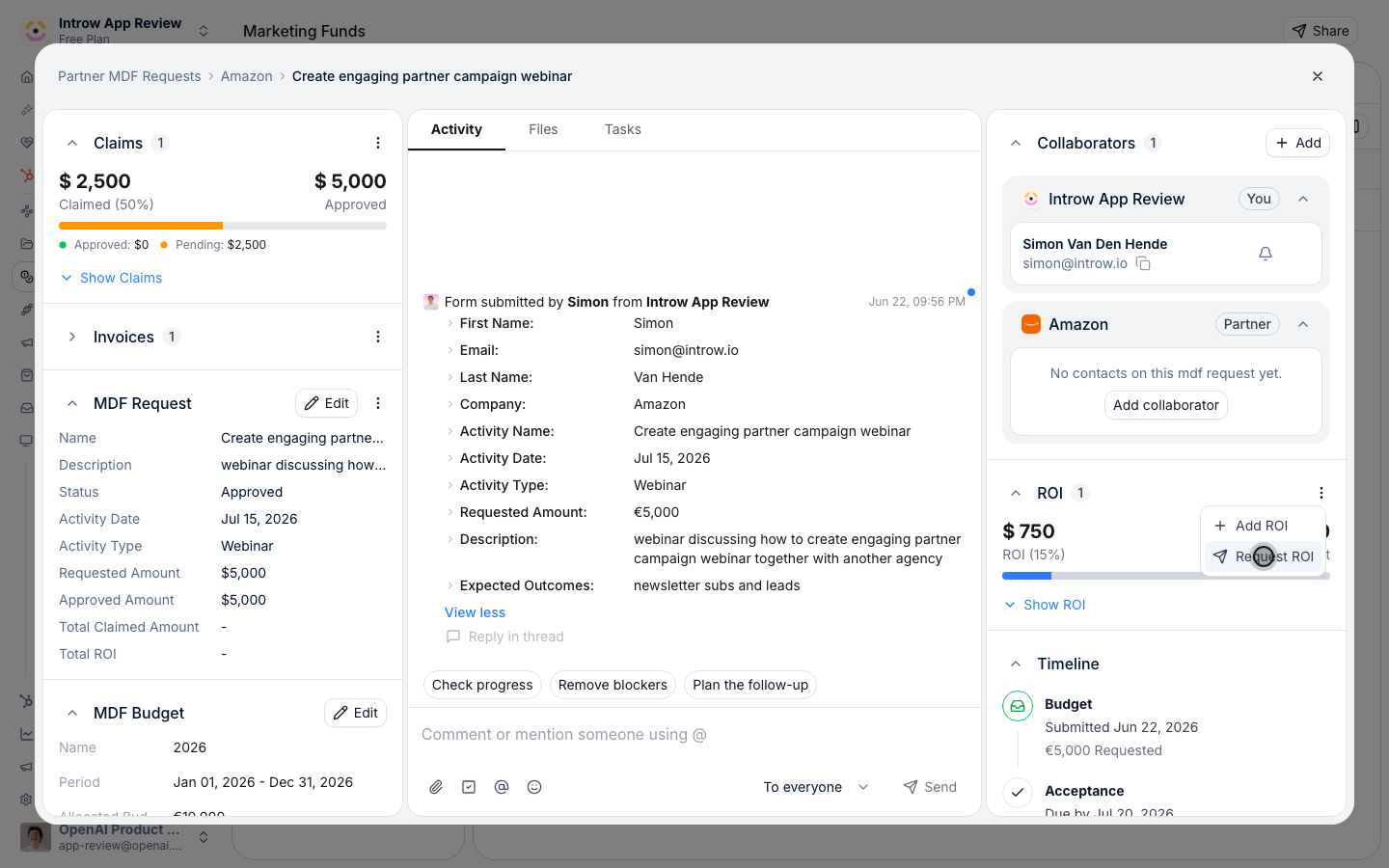
Verify it worked
Log a test deal on an approved campaign. The deal appears in your CRM with the partner linked. On the request, your team sees the ROI total and, when the campaign has an approved amount, its percentage of Approved budget. In the report builder, group deals by Introw MDF to see the same deals per fund.What your partners experience
The partner never re-enters a deal. The deal they log on the campaign is created in your CRM with them on it, so it counts for them like any registered deal and for the campaign at the same time.Only deals logged through the ROI form on a campaign count toward it.
A deal a partner registers through your regular deal form is linked to the partner, not to the campaign.
Point partners at the campaign’s Add button for anything the campaign produced.
Related
Register partner campaigns on a marketing fund
Set up the fund partners register campaigns on.
Track ROI on a fund
Real-time tracking settings, in depth.
Implementation reference
Campaign registration and ROI settings.