

What you’ll achieve
The ability to review the full change history of a partner portal experience and restore any earlier version instantly, with the restore logged so your audit trail stays intact and you can roll forward again if needed.Before you start
1
Have an experience with history
History accrues as you edit an experience. See Build and publish a portal experience if you are still building.
2
Understand what restoring changes
Restoring reverts the experience’s tabs and sections to the selected version. Republish afterward so the restored layout reaches the partners the experience is assigned to.
Steps
1
Open the experience
Go to Experiences and open the experience you want to review in the builder.
2
Open Version History
Open the … menu in the experience header and choose Version History. The panel
opens beside the builder with a chronological log of every change made to the experience
since it was created, so you can find the version you want to return to.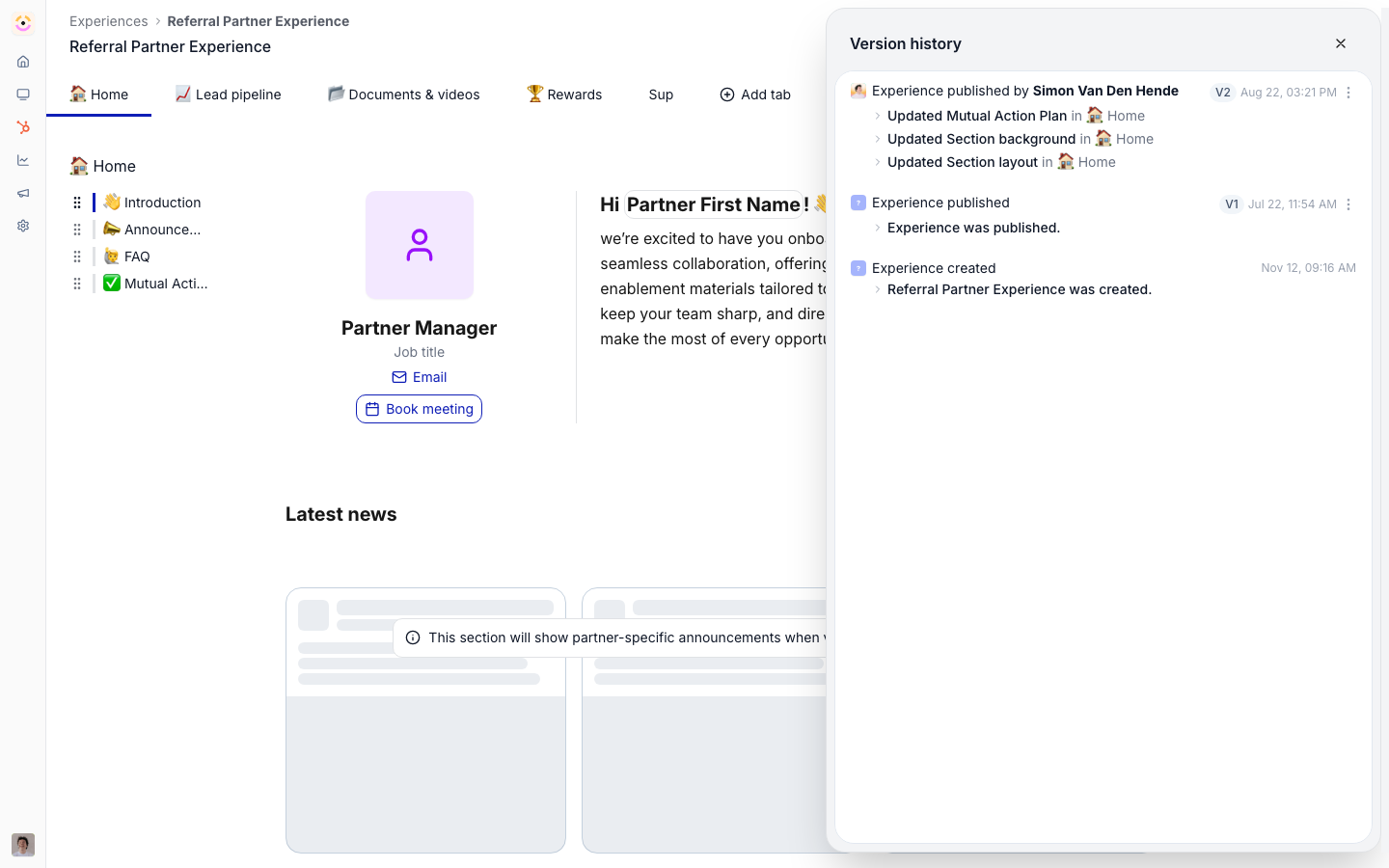
3
Restore a previous version
Find the entry you want and select Restore next to it. The experience reverts to that version immediately, and the restore is recorded as a new history entry, so earlier and later entries are preserved and you can roll forward again.
4
Publish the restored version
Publish the experience so the restored layout reaches every partner it is assigned to. Until you publish, partners keep seeing the version last published to them.
Verify it worked
The builder shows the restored tabs and sections, the History tab includes a new entry for the restore with all earlier entries intact, and after publishing, an assigned partner’s live portal reflects the restored layout.Related
Track and restore asset versions
The same one-click rollback for library assets.
Build and publish a portal experience
Build the experience that versioning protects.
Implementation reference
Full configuration options.