

Where it lives
Tasks sits under Partners, at Partners.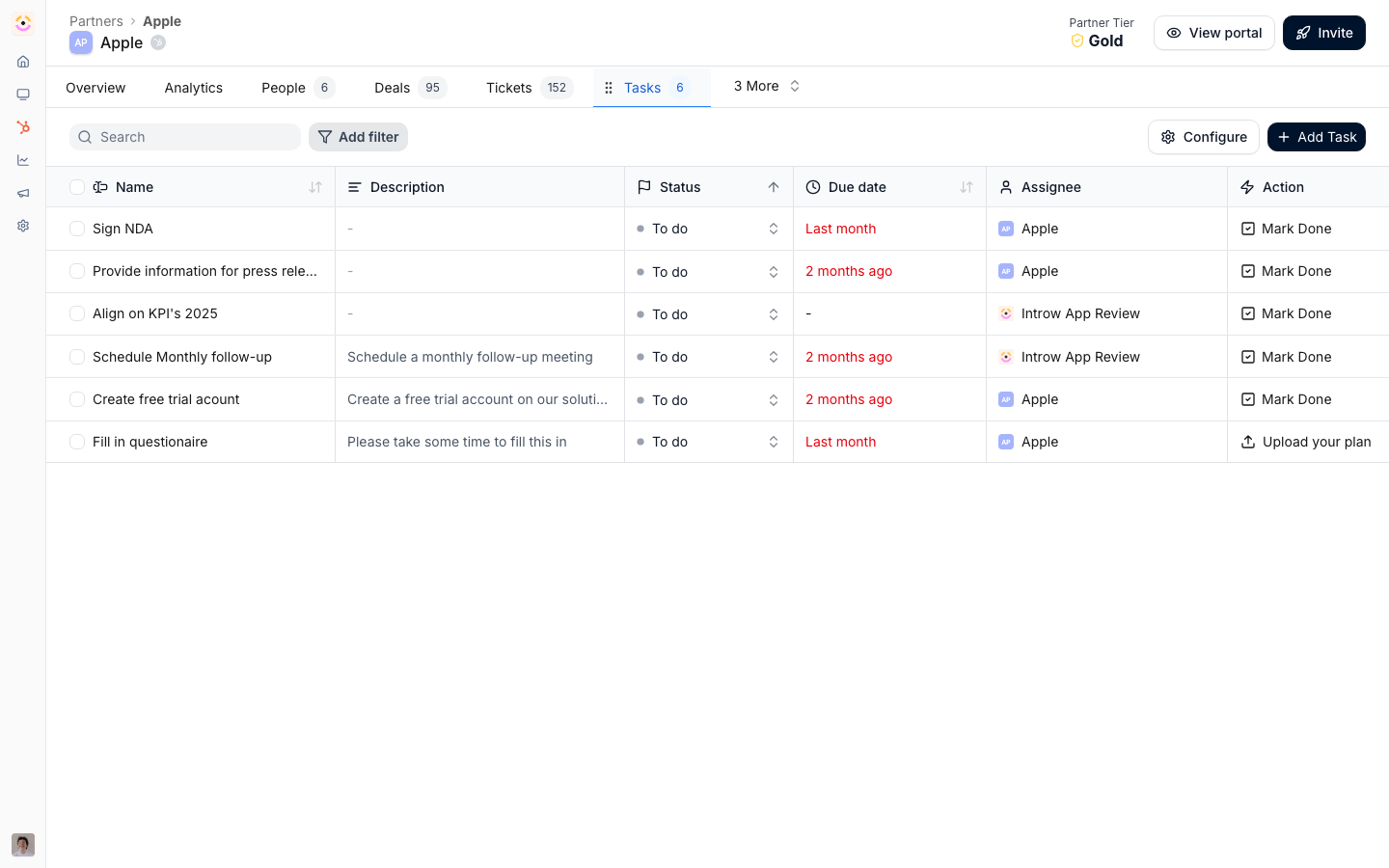
Before you start
How it works
A task is a single to-do assigned to a partner or to your own team, with an owner, a due date, and a status. You create tasks directly on a partner, or they appear when you Apply a journey, a reusable checklist built under Journeys. Partners see their tasks in the portal and complete them there. Journeys own the repeatable playbook (onboarding, activation, certification). Tasks are the individual steps inside it. See Journeys to build and apply a journey; use this feature for one-off tasks, automation, and showing tasks in the portal.Settings & configuration
Tasks are managed from the partner area and the experience builder. Tasks are created with an owner, due date, and description, and assigned to a partner or a team member from the partner’s Tasks tab. Portal display shows a partner their tasks inside an experience by adding a tasks block.Automate it with a workflow
A task is both something a workflow can start from and something a workflow can create. Task assigned runs when a partner acquires a task, Task completed when it is marked done, so “when this task is finished, move the partner’s phase and book the bonus” becomes a rule rather than a habit. Task assigned is also the only trigger that offers a wait anchored to the task’s own due date, which is what makes a reminder chain expressible at all: nudge three days before it is due, nudge again two days after it slips, then escalate to the partner manager on day five. Each fork can re-read Task status right now, the current status rather than the one the trigger recorded, so nobody is chased about work they have since done. See Chase a task to its due date and escalate. The other direction is the Give a task action: any other event can create a task, for the partner or for one of your own team, with Visibility set to Internal when the partner should not see it. That is how an escalation lands on a person’s list instead of in an inbox.How-to guides
Troubleshooting
A partner sees no tasks in the portal
A partner sees no tasks in the portal
Confirm tasks are assigned and a tasks block is on a published experience they can access.
An automated task did not appear
An automated task did not appear
Check the automation trigger fired.