

What you’ll achieve
A connected Slack workspace with partners mapped to shared channels, so partners get scoped AI answers in Slack without opening the portal.Before you start
1
Connect Slack
The Slack integration must be connected first. See the Slack integration.
2
Enable the partner support agent
The agent must be on. See Launch the partner support agent.
Steps
1
Open Integrations
Go to Settings - Integrations and open your connected Slack integration.
2
Map partners to shared channels
In the channel mapping, connect each partner to the shared Slack channel you use with them. Mapping is what ties a channel to a specific partner, which is how the agent knows whose data it may use when it answers there, so map every partner who should get Slack support.
3
Tell partners how to reach the agent
In a mapped shared channel, partners get partner support without a separate switch to flip. Let them know they can ask their questions in that channel and the agent will respond, scoped to their account.
Introw does not currently expose a separate on/off toggle for the Slack agent in Settings. Once Slack is connected and a partner is mapped to a shared channel, the agent is available in that channel by default, there is no extra control to enable.
In Slack, partners reach the agent by mentioning the Introw app. The name and logo you configured apply to the portal chat; the mention in a Slack channel stays the Introw app, and aliasing it to your own brand is not possible today. Say so when you tell partners how to reach it.
Verify it worked
In a shared channel mapped to a partner, ask the agent a question as that partner would. It responds with a correct answer scoped to that partner’s data, and the exchange shows up under the agent’s Conversation History with Slack as the source.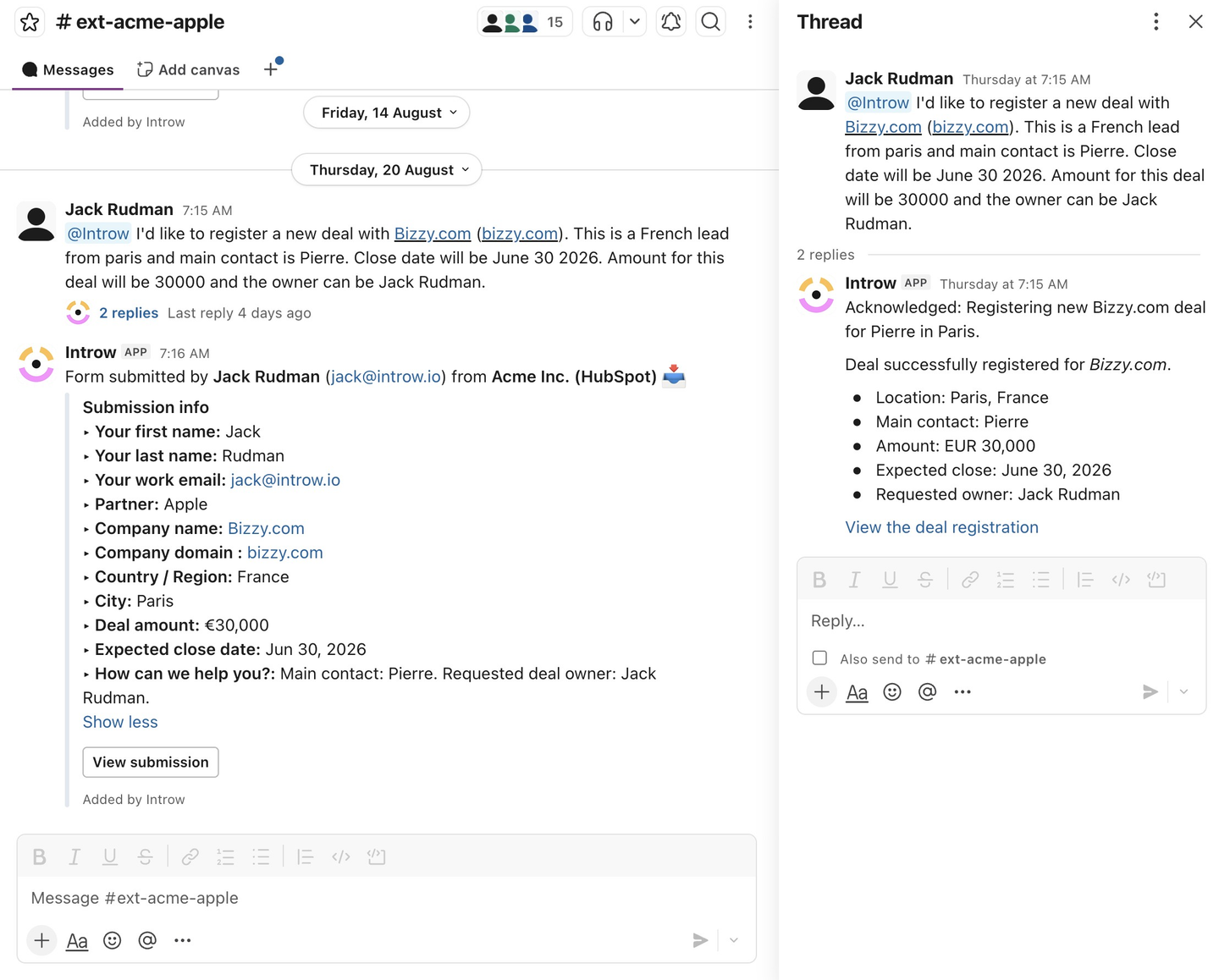
Related
Launch the partner support agent
Enable, configure, and test the agent.
Train and improve the agent
Keep its answers correct across every channel.
Slack integration
Connect and manage Slack.
Implementation reference
Channels, scoping, and limits.