

What you’ll achieve
A whole cohort of partners updated in one pass: their tier, commission plan, currency, or a team role changed through the bulk edit dialog, or their published experience created or swapped through the bulk actions bar. What would have been dozens of identical edits becomes a single action.Before you start
1
Confirm access
You need write access to Partners. Tiers, commission plans, team roles, and experiences must already exist for the values you want to apply.
Watch it
- Video
- Click through
Steps
1
Select partners
On Partners, use the row checkboxes to select every partner you want to change. The header shows how many are selected and opens the bulk actions bar. Filter the list first so you select exactly the cohort you mean.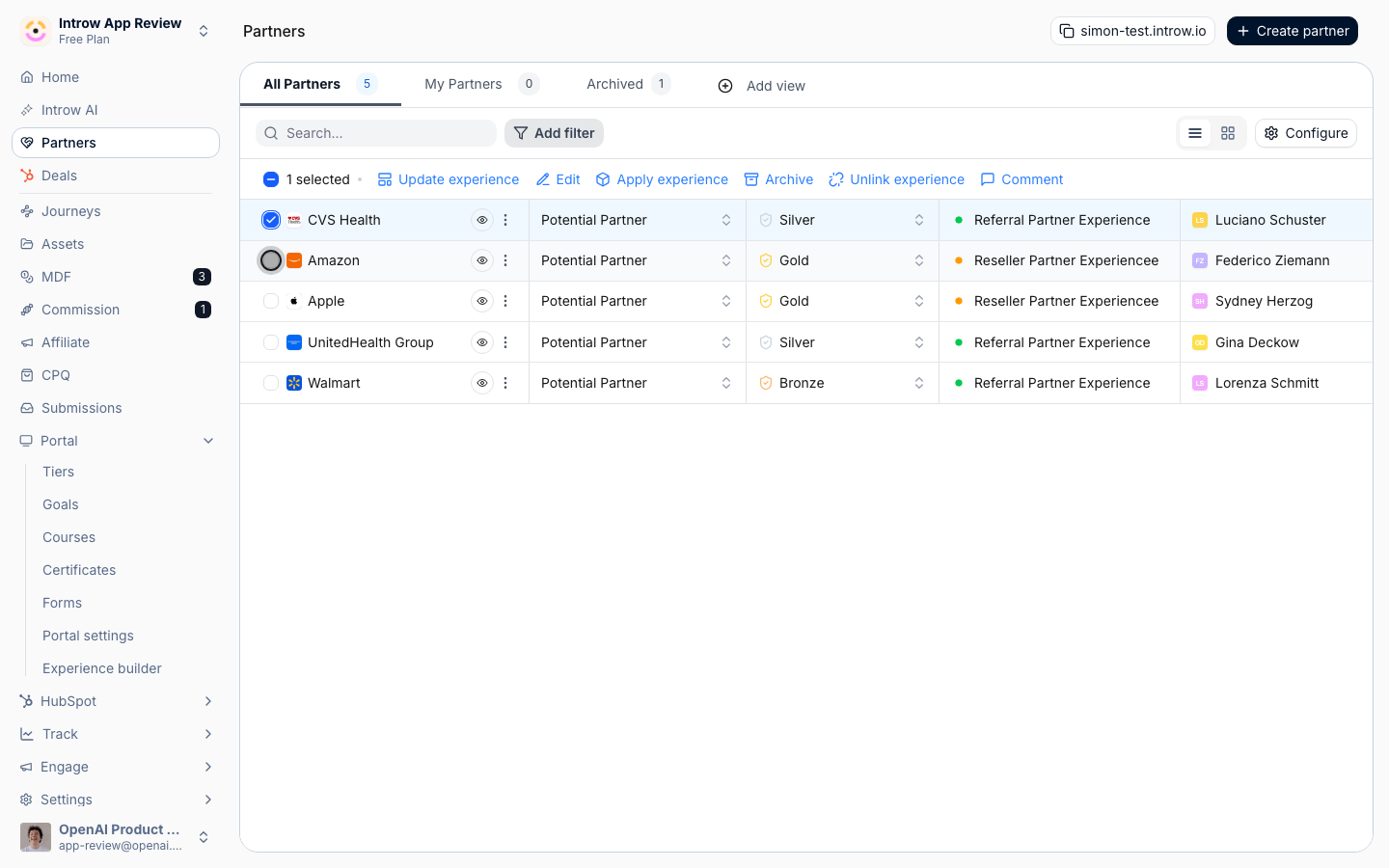
2
Open bulk edit
Click Edit in the bulk actions bar to open the bulk edit dialog for your selection.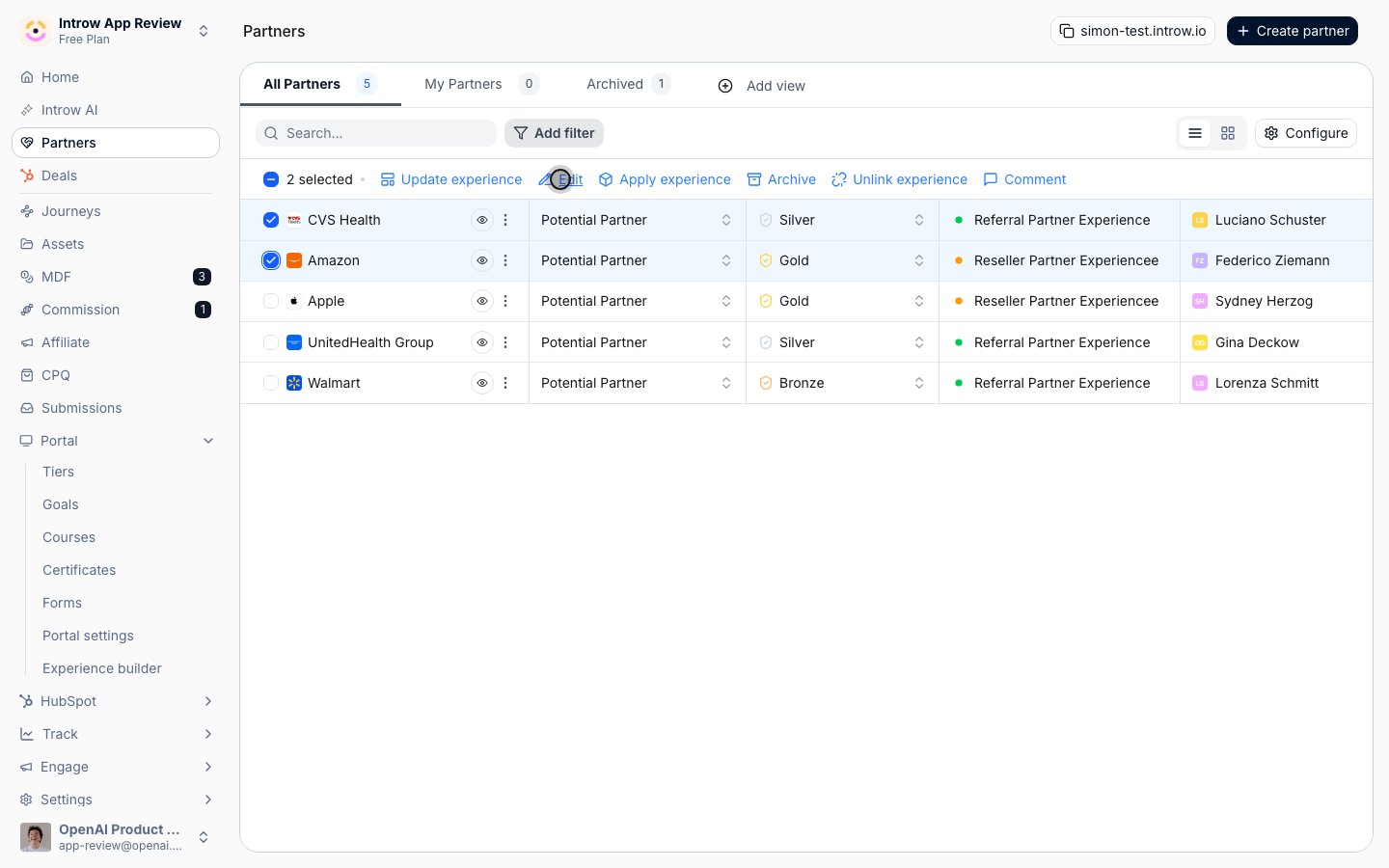
3
Choose the property to update
Under Property to update, pick what you are changing. One bulk edit changes one property across the whole selection: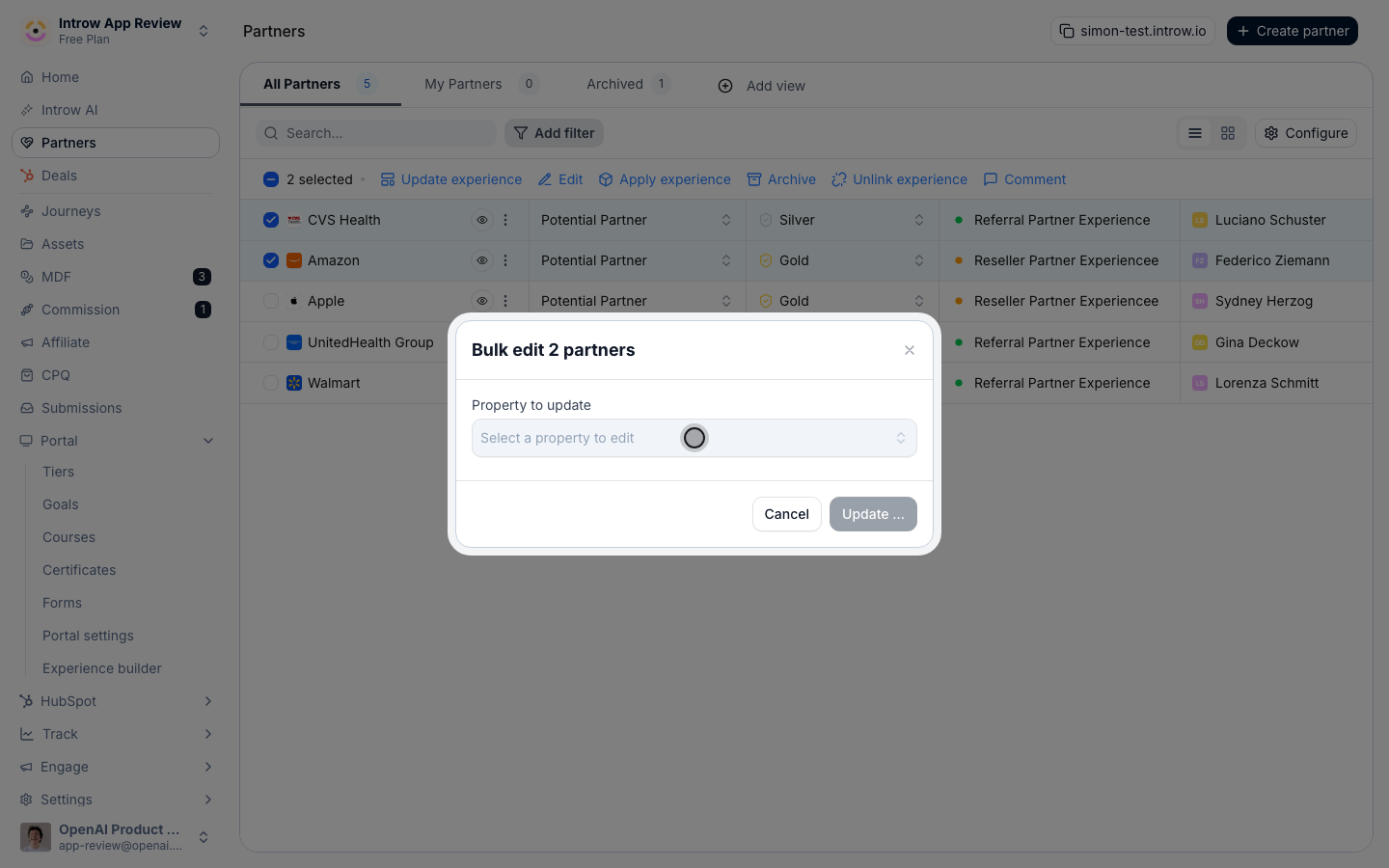
- Tier - move every selected partner to the chosen tier. Use it after a tier review to promote or demote a cohort at once.
- Commission Plan - set the commission plan(s) for the selection, so their conversions calculate against the right plan.
- Currency - set the currency the selected partners transact in. Available when multi-currency is enabled.
- A team role (listed by its name, such as Partner manager) - assign a team member to that role across the selection. The dialog then asks for the User to assign.
4
Set the new value
Choose the tier, commission plan, currency, or team member that should apply to all selected partners. When assigning a team role to partners that already have someone in that role, Introw asks whether to replace the existing assignment.
5
Apply the update
Click Update to save. Introw updates every selected partner and clears the selection when it finishes.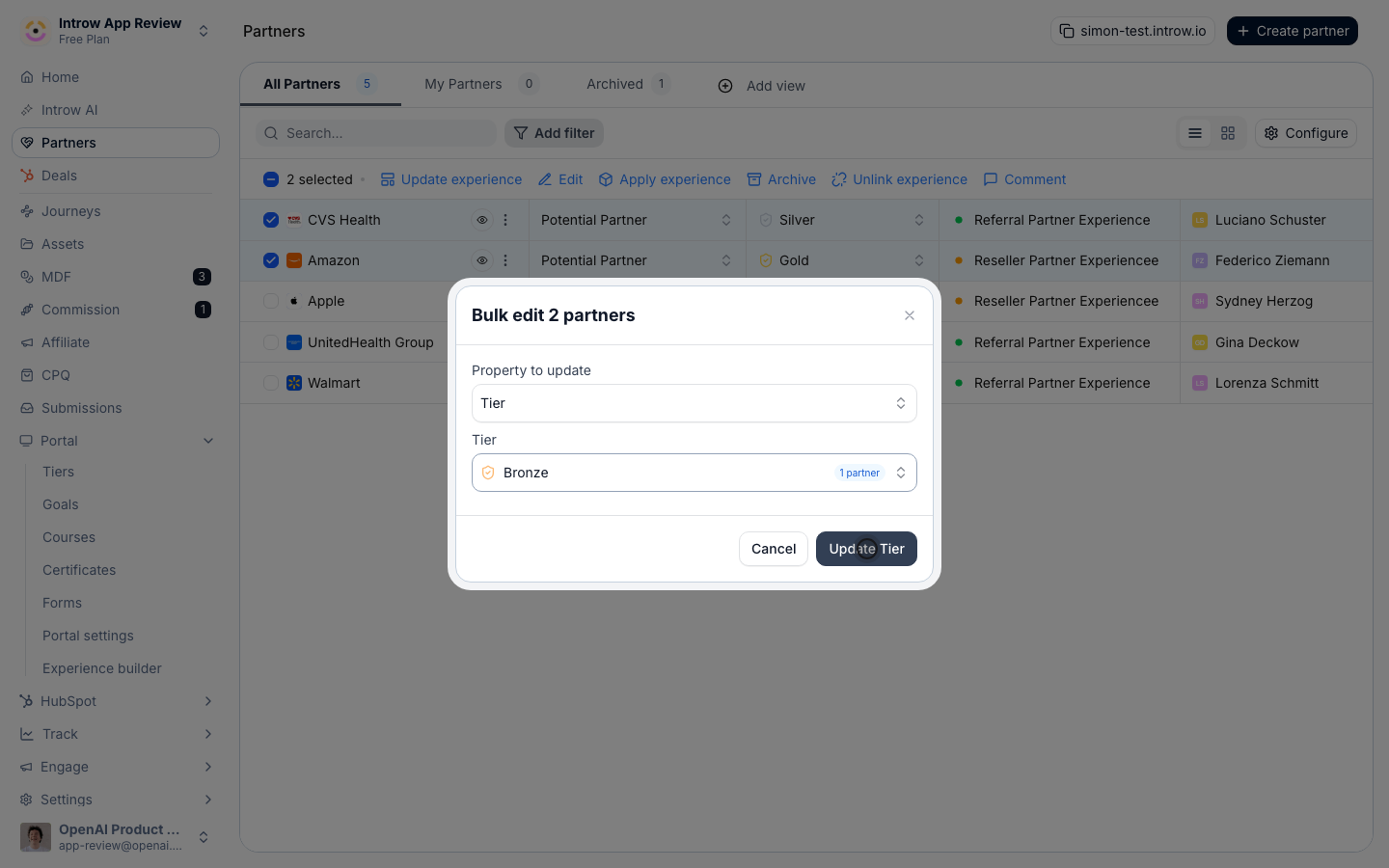
6
Roll out an experience in bulk (optional)
To change which experience a cohort is published with, keep the partners selected and use the bulk actions bar instead of the Edit dialog:
- Apply experience - publish the selected partners with an experience, creating their partner portals in one pass. Use it to launch portals for a new cohort.
- Update experience - swap the experience the selected partners already use, updating their existing portals. Use it to move a cohort onto a refreshed or rebranded experience.
7
Delete partners in bulk (optional)
To remove a cohort, keep them selected and click Delete in the bulk actions bar. Because this is permanent, Introw asks you to type delete in the confirmation box before Yes, Delete turns on, so a bulk delete is always deliberate. Deleting a single partner from its row menu works the same way, except you confirm by typing that partner’s name.
Verify it worked
The partners you selected show the new value in the list, and the bulk actions bar is gone because the selection cleared. If you applied an experience, the selected partners now have portals on that experience.Related
Organize the partners list
Filter and view the list before you select a cohort.
Wire partner ownership
Define team roles and assign owners on a single partner.
Implementation reference
Full configuration options for the partners list.