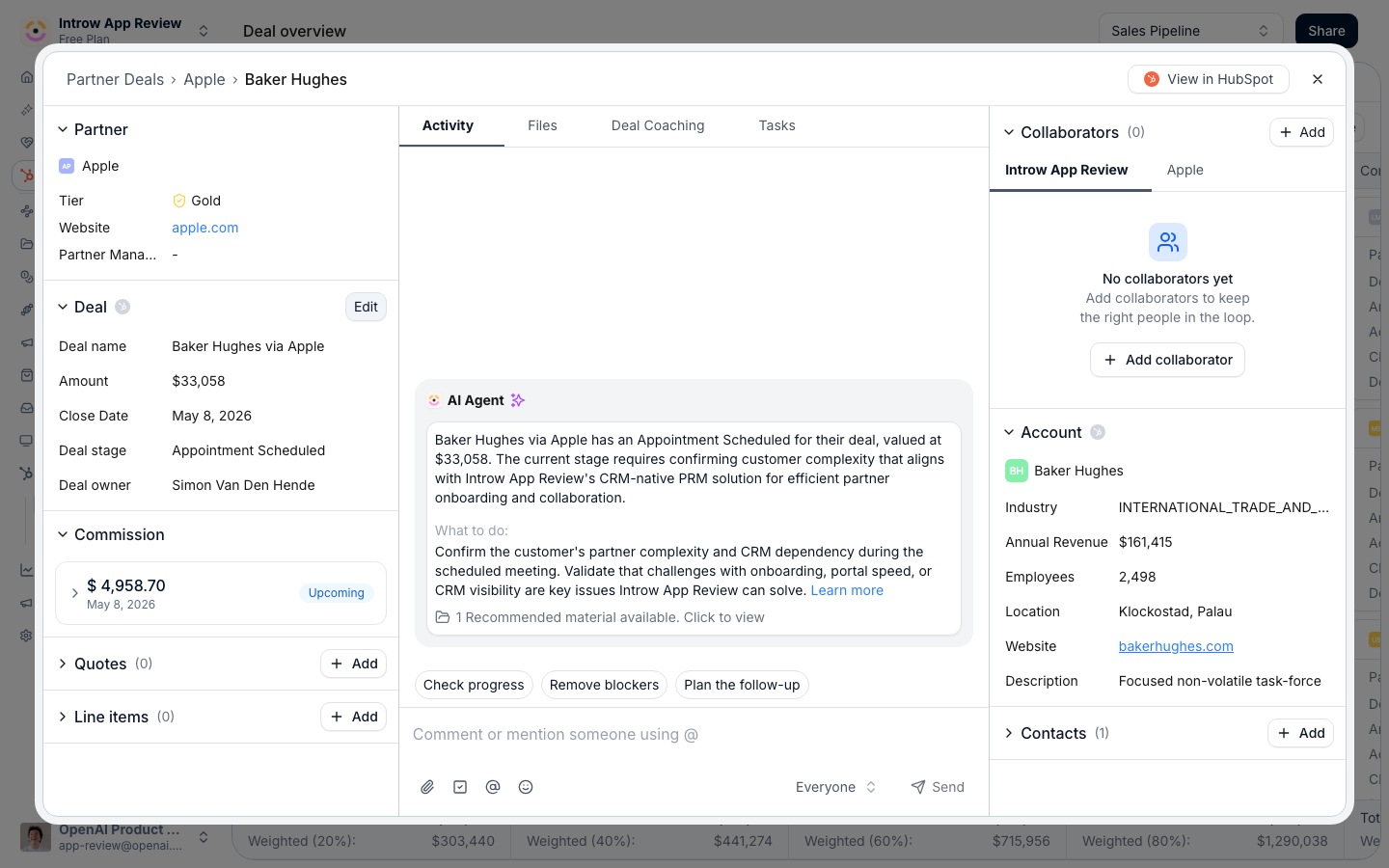
Open in Introw: Deal overview

How it works

A reseller’s shared pipeline is built from two pieces: a pipeline view of the deals attributed to them, and a CRM deal embed on each deal that controls what they can see and do. You configure both in the Experience builder. The pipeline view shows resellers the deals attributed to them and lets them open each one. On the deal embed, every property has a visibility and an edit setting: you choose which fields the reseller can view and, among those, which they can edit. Editable fields write the reseller’s changes back to your CRM; everything else stays read-only. For deals, the embed adds commercial controls - show and allow editing of line items and, where supported, let resellers create and publish quotes. None of this requires a CRM seat for the partner. Because this is the reseller-applied version of co-selling’s shared pipelines, the underlying attribution, visibility, and collaboration mechanics are the same - here they are framed for a reseller working a deal they own.

Prerequisites

  • An experience with a CRM deal pipeline shared with the reseller.
  • Deals attributed to the reseller so they appear in the pipeline view.
  • Line item and quote editing depend on your CRM and the relevant module on your plan.

Settings & configuration

These settings live on the CRM embed in the Experience builder, on the embed’s Properties configuration, plus the pipeline view in the reseller experience.

Pipeline view

Add a deal pipeline to the reseller experience so resellers see the deals attributed to them. Filters narrow the view to the right records, and attribution decides which deals belong to which reseller.

Visible properties

Choose which properties appear to the reseller on the deal. Add the fields they need for context and remove anything internal or sensitive - a field must be visible before it can be made editable.

Editable properties

Each visible property has a control to Allow partner to edit or Don’t allow partner to edit. Mark the fields a reseller owns - next steps, close date, partner-specific fields - as editable and leave the rest view-only.

Line items

For deal embeds, Show line items displays the deal’s products and Allow line item editing lets resellers change them. Use this when resellers build their own deal economics.

Quotes

Where supported, Show quotes, Allow quote creation, and Allow quote publishing let resellers produce quotes on the deal. Turn these on for resellers who quote their own customers.

Read-only by default

Anything you do not explicitly make visible and editable stays hidden or read-only, so resellers can never see or change fields you have not opened up. This is the safety net behind the shared pipeline.

Setup walkthrough

1

Add the deal pipeline

In the Experience builder, add a CRM deal pipeline to the reseller experience so they see the deals attributed to them.
2

Set visible properties

On the deal embed’s Properties configuration, choose the fields resellers should see and remove anything internal.
3

Mark editable fields

Among the visible fields, choose Allow partner to edit for the ones the reseller owns.
4

Enable line items and quotes

If resellers handle commercial detail, turn on line item and quote editing.
5

Publish the experience

Publish so resellers see their pipeline and the configured fields in the portal.

How-to guides

Quote on a reseller deal

Let resellers build their own deal economics: turn on line item editing and quote creation on the shared deal so resellers assemble products and publish quotes from the portal.

Set up a reseller pipeline

Give resellers a CRM-drawn pipeline of the deals they own, then control which deal fields they can see and which they can edit, all from the portal with no CRM seat.

Limits & gotchas

Only properties you mark visible appear to resellers, and only those you mark editable can be changed; everything else is hidden or read-only. Line item and quote editing depend on your CRM and the relevant module on your plan. Property and pipeline settings are configured per embed in the Experience builder, so a field made editable in one experience is not automatically editable everywhere.

Troubleshooting

  • A reseller cannot see their deals - the deals are not attributed to them, or the pipeline view is not added to their experience.
  • A reseller cannot edit a field - it is not marked Allow partner to edit on that embed, or it is not visible.
  • Line item editing is missing - the relevant module is not enabled, or your CRM does not support it on this embed.
  • An edit did not reach the CRM - confirm the field is editable and the embed is connected to the right CRM object.