

What you’ll achieve
A shared deal where the reseller can add and edit line items and create and publish quotes from the portal, with everything written back to the CRM record, no CRM seat required.Before you start
1
Set up the reseller pipeline first
The reseller must already see and work the deal. Set that up in Set up a reseller pipeline.
2
Confirm CRM and module support
Line item and quote editing depend on your CRM and the relevant module on your plan. They are available on HubSpot deals where the product and quote tools are in use; without that, the line item and quote controls will not apply.
Watch it
- Video
- Click through
Steps
1
Open the deal embed properties
Go to Experience builder, open the reseller experience, then open the CRM deal embed and go to its Properties configuration. The line item and quote controls live here, alongside the field visibility settings.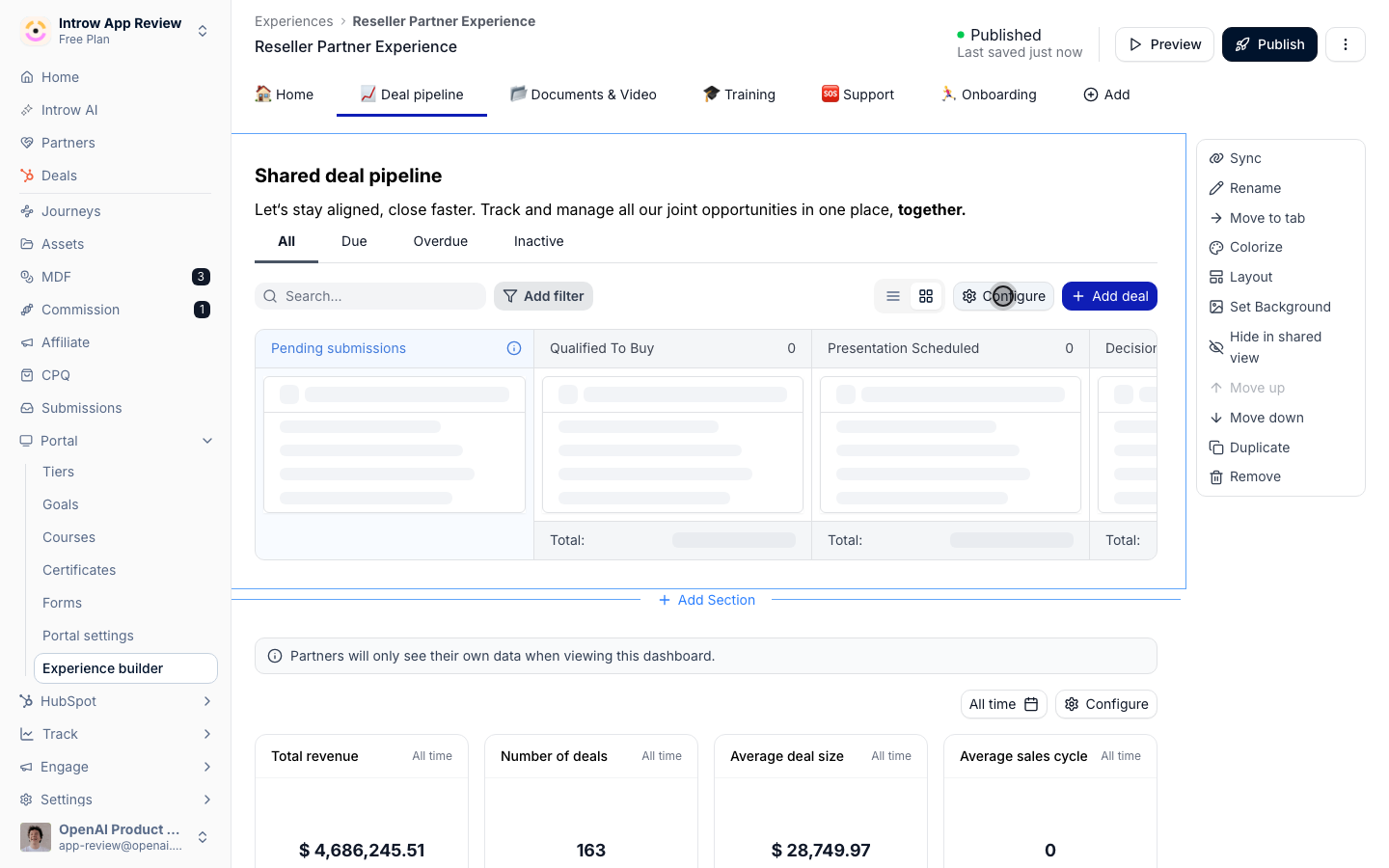
2
Turn on line items
Enable the line item controls so resellers can build the deal’s products: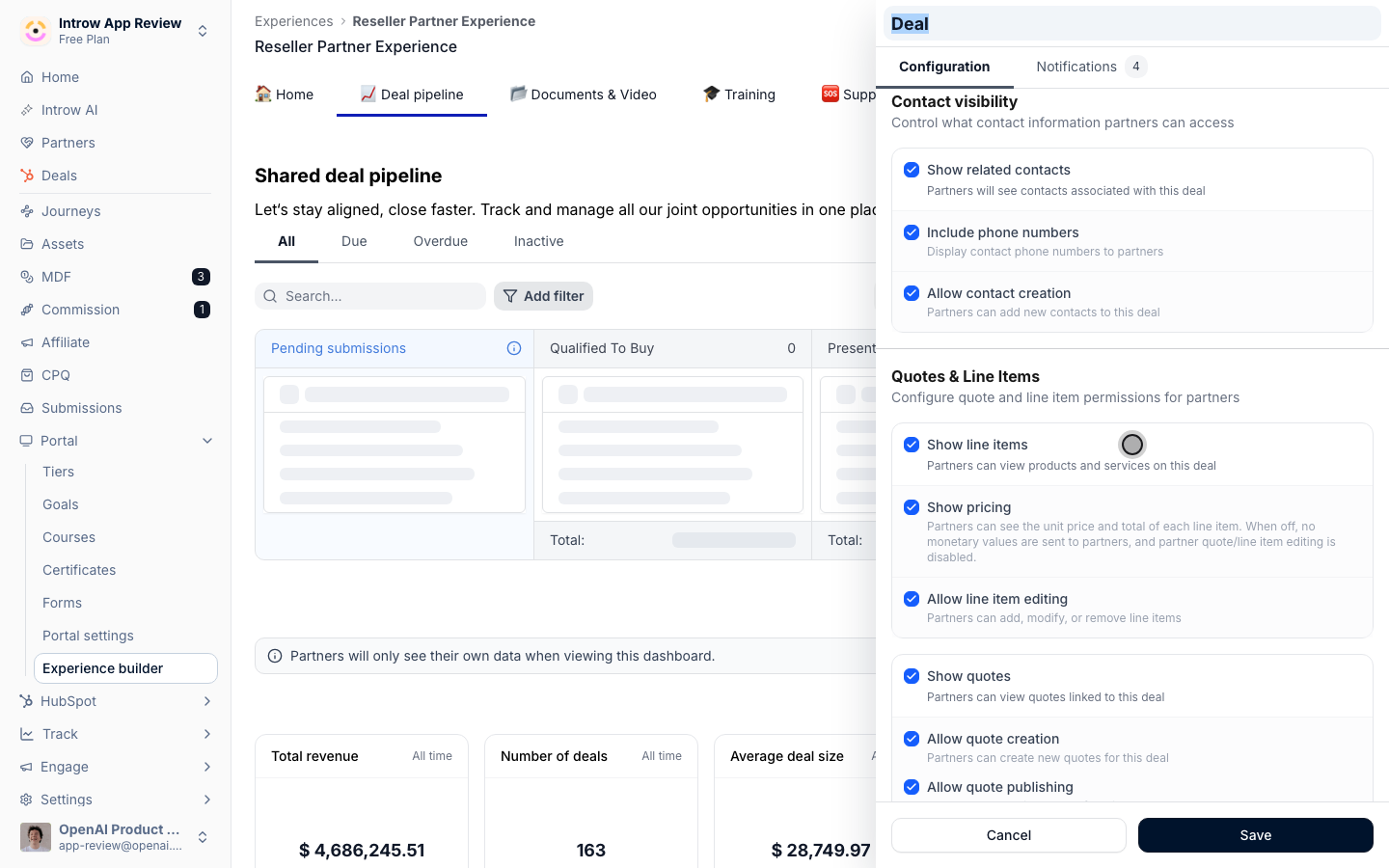
- Show line items - displays the deal’s products to the reseller. Turn it on so they can see what is on the deal.
- Allow line item editing - lets the reseller add, change, and remove products. Turn it on for resellers who assemble their own deal economics; leave it off to keep line items view-only.
3
Turn on quotes
Where supported, enable the quote controls so resellers can produce a quote from the deal: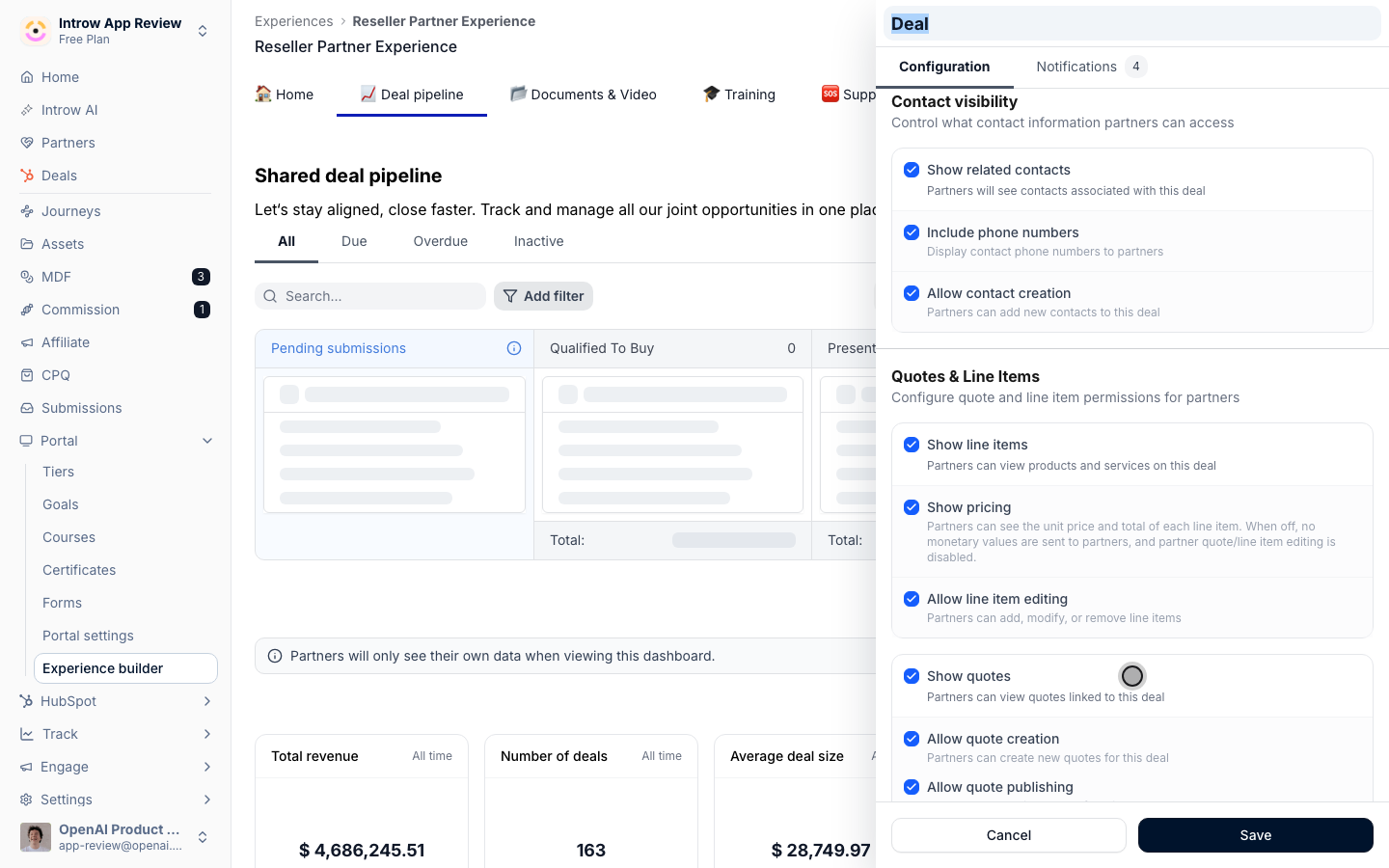
- Show quotes - surfaces quotes on the deal.
- Allow quote creation - lets the reseller build a quote from the deal’s line items.
- Allow quote publishing - lets the reseller publish the finished quote to their customer.
4
Publish the experience
Publish so resellers can manage line items and build quotes on the deal in the portal.
Verify it worked
Sign in as the reseller, open a shared deal, and confirm they can add or change a line item and create a quote from it, and that the changes appear on the deal in your CRM. If you enabled publishing, publish a test quote and confirm it reaches the expected output.Related
Set up a reseller pipeline
Give resellers the pipeline and field access first.
Enable quote creation on a deal
The canonical quote setup and internals.
Quotes
The full quoting capability.
Implementation reference
Full configuration options.