Open in Introw: Courses

How it works

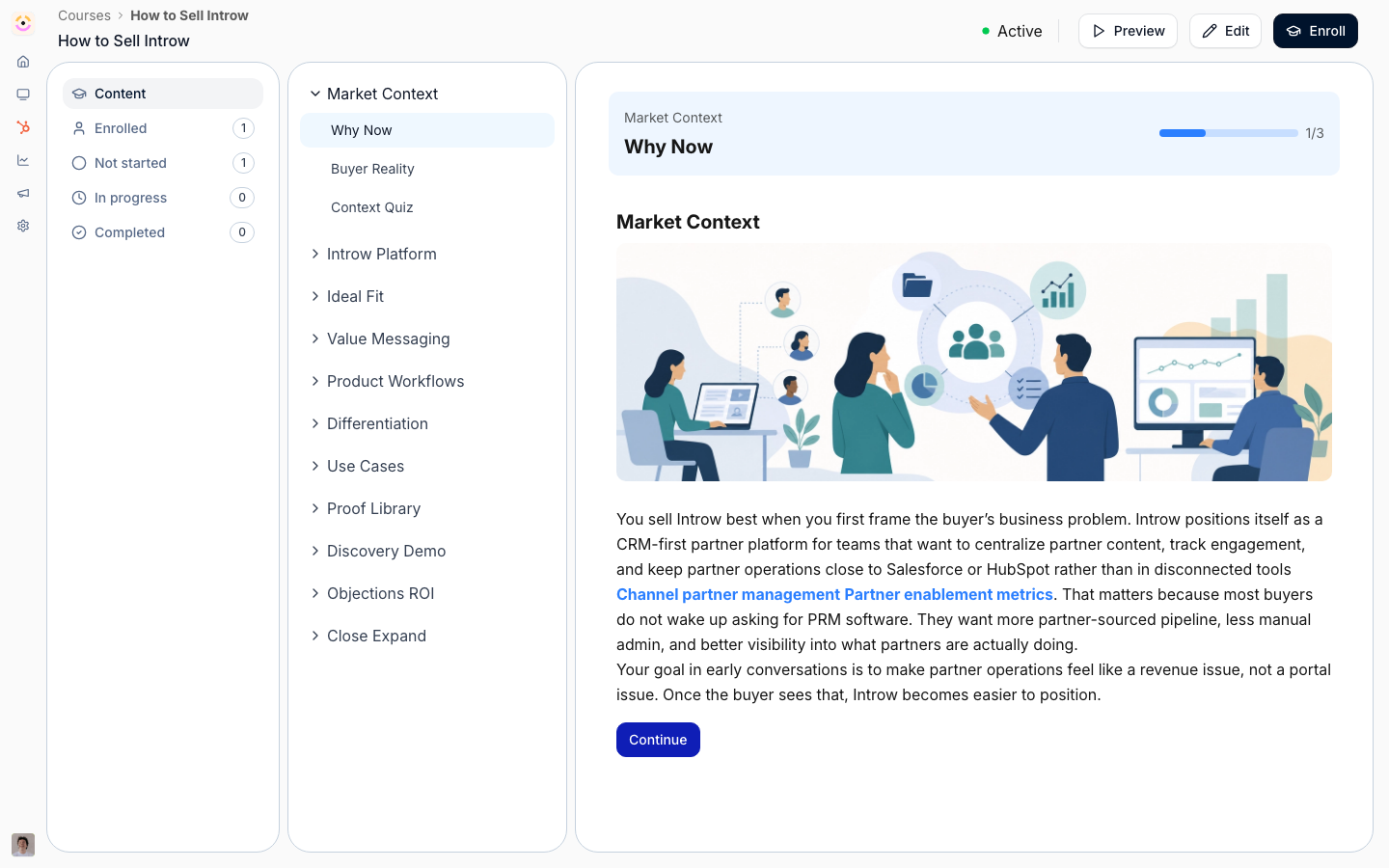
Every course has a tracking view that lists its learners and where each one stands. You filter by status tab:
  • Enrolled - everyone placed in the course.
  • Not started - enrolled but hasn’t begun.
  • In progress - started but not finished.
  • Completed - passed and finished.
Open any learner to see their per-module detail and timestamps. At the catalog level, a metrics summary shows activity over a date range you choose, so you can report on completion across all courses. Progress also flows to your CRM automatically. When a CRM is connected and a partner’s contact/company are linked, each learner’s course enrollment and completion appear on the partner’s records - so sales and partner managers see training status without leaving HubSpot or Salesforce. The exact objects and fields are covered in the API reference.

Prerequisites

  • Access to the course tracking views.
  • A connected HubSpot or Salesforce integration for CRM sync.
  • The partner’s contact and company linked to the CRM so their progress has somewhere to land.

Settings & configuration

Tracking is mostly a reporting surface, so there’s little to switch on per course - the controls are about how you read and where progress lands. Status tab is the filter at the top of a course’s tracking view; switch between Enrolled, Not started, In progress, and Completed to focus on the learners you care about. Date range sits on the catalog-level metrics and sets the period completion is summarized over, so you can report on a month, a quarter, or any window you pick. CRM connection lives in Settings → Integrations. Connecting HubSpot or Salesforce is what turns on progress sync - there’s no per-course sync toggle, so once a CRM is connected and a partner is linked, their progress flows automatically.

Setup walkthrough

1

Open course tracking

From a course, open its tracking view and switch between status tabs.
2

Review metrics

Use the date range picker to see completion over a period.
3

Confirm CRM sync

Make sure your CRM is connected and the partner’s contact/company are linked so progress appears on their records.

How-to guides

Monitor course progress and sync it to your CRM

Read completion status in the tracking view, drill into individual learners, and surface progress on CRM records.

Limits & gotchas

Progress only reaches the CRM when the partner’s contact and company are linked. Sync runs on a schedule and is eventually consistent, so the CRM can lag the tracking view in Introw by a short while. Unreviewed upload answers can hold a learner just short of “Completed” even when every module is done.

Troubleshooting

  • Progress missing in the CRM - the partner’s contact/company isn’t linked, or the CRM isn’t connected.
  • Completion looks stuck - there may be unreviewed upload answers holding the learner below complete.
  • Counts don’t match - confirm you’re on the intended status tab and date range.