

What you’ll achieve
Confidence that any change to an asset can be reviewed and reversed: you can open an asset’s history, see who changed what and when, and restore a previous version instantly, with the restore itself logged so the audit trail stays intact.Before you start
1
Have an asset with history
Version history builds up as an asset changes. See Build the asset library if you are still setting content up.
2
Know what is tracked
History captures name changes, file replacements, access changes (Public, Portal, Restricted, including audience filters), category moves, thumbnail updates, and archiving or restoring. Any of these becomes a restore point.
Steps
1
Open the asset
Go to Asset library and open the asset you want to review. The detail view opens with tabs for its access, engagement, and history.
2
Open the History tab
Select the History tab. You see a chronological log of every change since the asset was created, so you can trace exactly what happened and when, and identify the version you want back.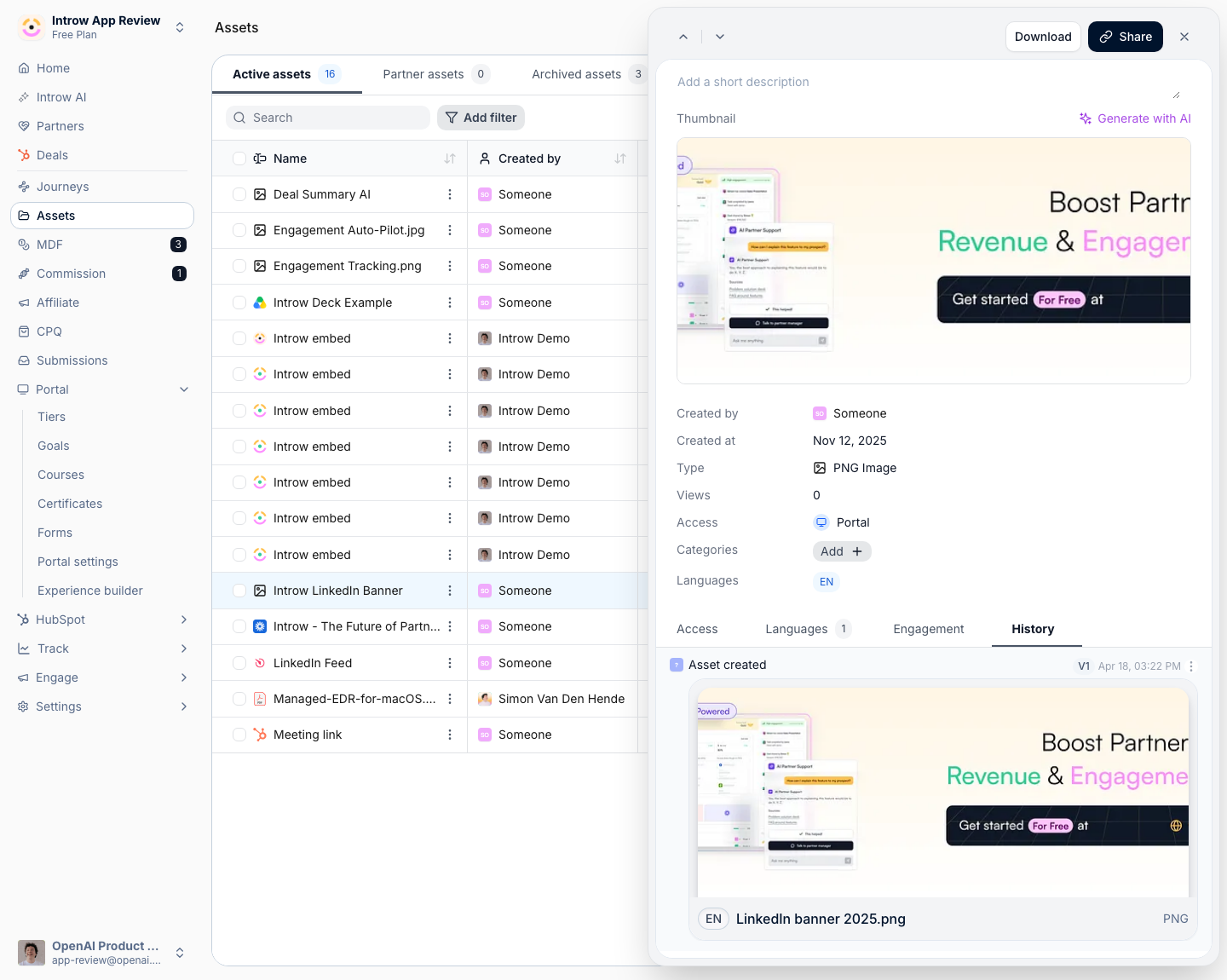
3
Restore a previous version
Find the entry you want to return to and select Restore next to it. The asset reverts to that version immediately. The restore is logged as a new entry, so nothing before or after it is deleted and you can always roll forward again. Because the log is preserved, you can safely restore without losing the record of what changed.
Verify it worked
After restoring, the asset shows the previous version’s file, name, access, or thumbnail as expected, and the History tab now includes a new entry recording the restore, with all earlier entries still present. Partners immediately reach the restored version wherever the asset is shared.Related
Restore a previous experience version
The same one-click rollback for a partner portal experience.
Build the asset library
Organize and manage the content that versioning protects.
Review asset engagement
See how partners interact with your assets.