

Where it lives
Fraud Protection sits under Affiliate, at Affiliate campaigns.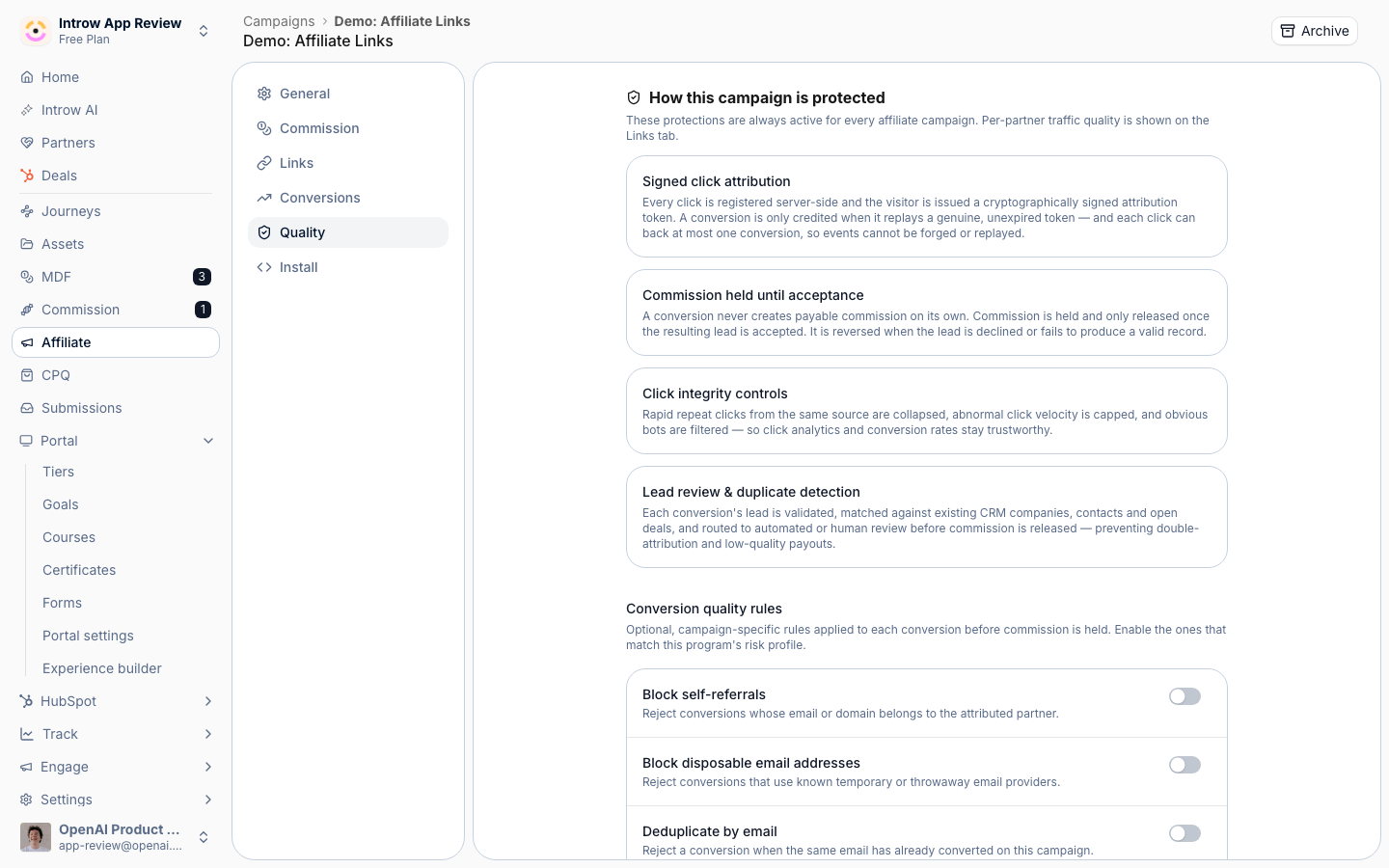
Before you start
How it works
Fraud controls are configured per campaign. Click attribution is always signed, so referrals cannot be forged. On top of that you can enable self-referral blocking, disposable-email blocking, deduplication, and new-customer gating, all configured on the campaign’s Quality tab. The campaign’s Links tab then surfaces traffic patterns per link so you can spot abuse and revoke links if needed. These controls run automatically as conversions arrive, filtering or flagging suspect activity before it accrues commission.Settings & configuration
Fraud controls live on the campaign at Affiliate campaigns.Self-referral blocking
Block conversions where the converter matches the referring partner, so partners cannot game their own links.Disposable-email blocking
Reject conversions whose email uses a known disposable domain, filtering out throwaway signups.Deduplication
Count a customer only once so repeated conversions from the same person do not over-reward a partner.New-customer gating
Reward only conversions from genuinely new customers, checked against existing records.Traffic quality
Configure the protections on the campaign’s Quality tab, then monitor traffic on the Links tab, which surfaces click and conversion patterns per link (accepted, declined, and failed counts) and flags links to Review so you can spot anomalies and revoke abusers.How-to guides
Troubleshooting
A legitimate conversion was blocked
A legitimate conversion was blocked
Check whether the email matched a disposable domain or the customer already existed.
A self-referral got through
A self-referral got through
Confirm self-referral blocking is enabled on the campaign.
Quality looks suspicious
Quality looks suspicious
Review the link on the Links tab and revoke it if needed.