

What you’ll achieve
Affiliate tracking installed on your destination site, browser conversions restricted to your own origins, a verified test conversion attributed to the correct partner, and a clear view of conversions as they arrive with their partner, value, and status. This is the baseline every affiliate campaign needs before partners start driving traffic.Before you start
1
Create a campaign and enroll partners
Conversions attribute to a partner’s tracked link, so the campaign must already exist with partners enrolled (links generated).
2
Get access to your destination site
You need to add a small script to the
<head> of your destination site, or to your tag manager.Watch it
- Video
- Click through
Steps
1
Open the Install tab
Go to Affiliate campaigns, open your campaign, and select the Install tab. Everything needed to record conversions lives here: the snippet, the tracking methods, and the allowed origins.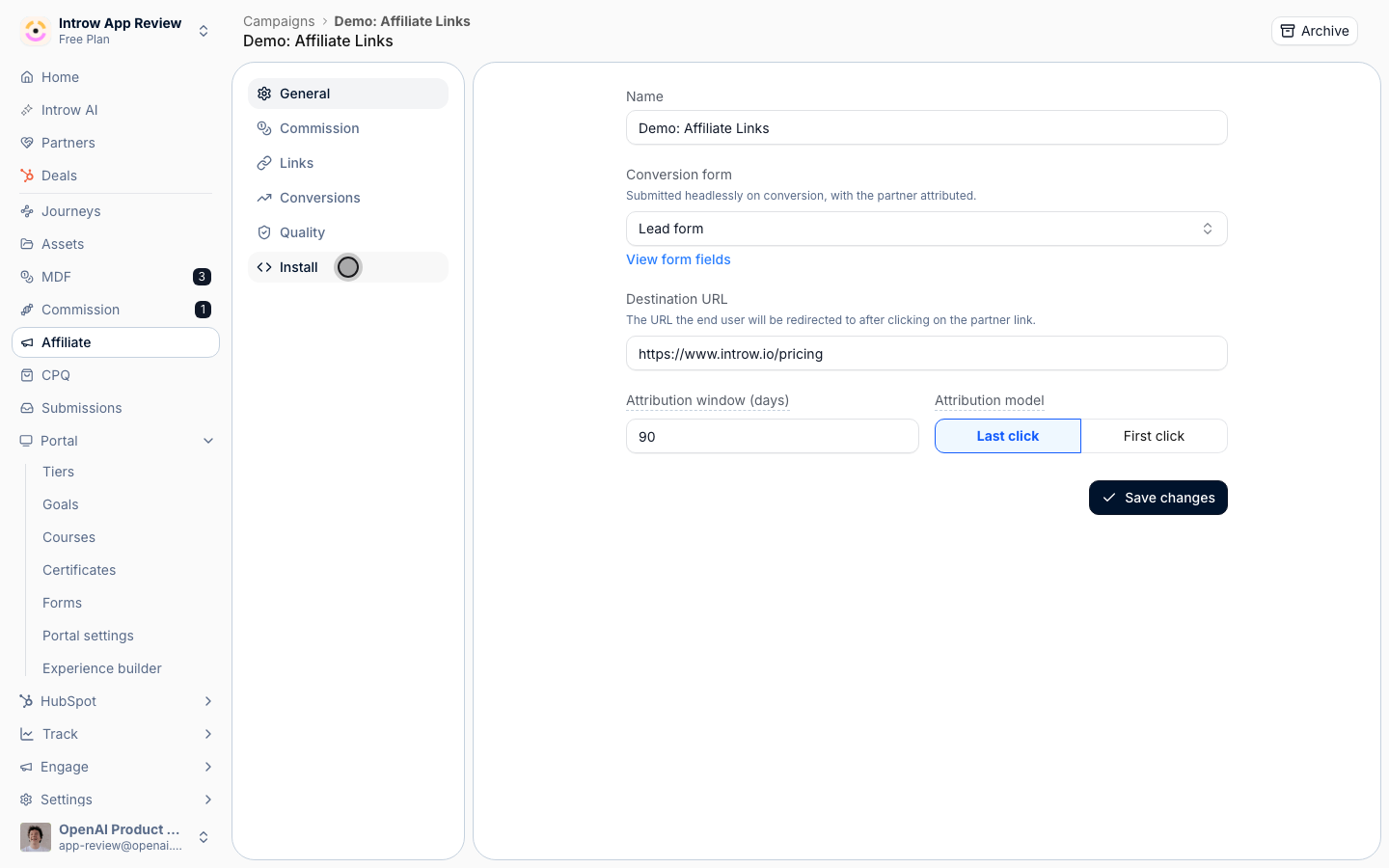
2
Add the tracking snippet
Under Add the tracking snippet, copy the snippet and paste it once into the After you deploy, the status pill on this step shows Installed when Introw detects the snippet on your destination URL. If it shows Not installed or Couldn’t verify, confirm the snippet is in the page 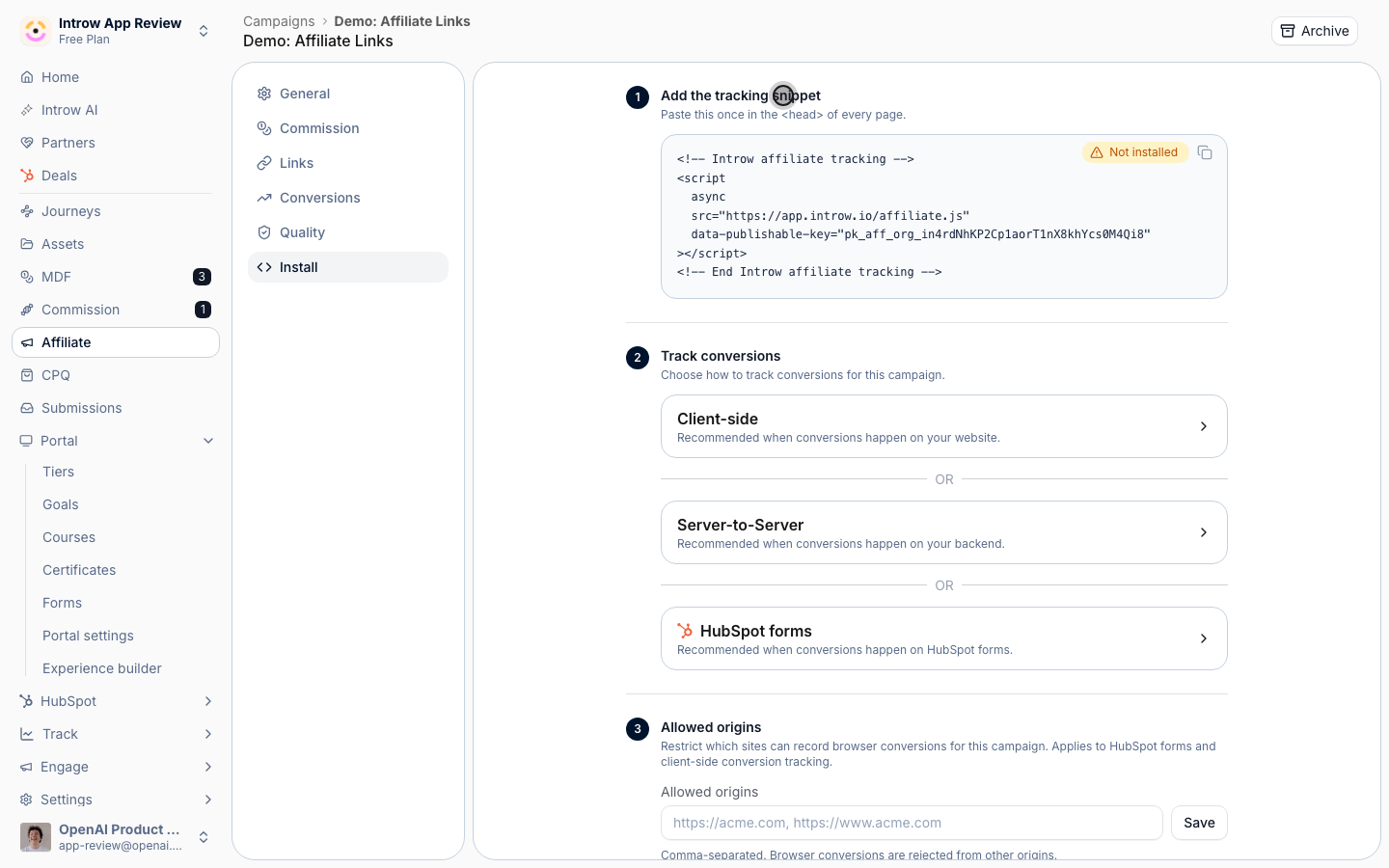
<head> of every page on your destination site. One snippet covers every campaign in your organization, because the visitor’s click cookie, not the snippet, decides which campaign and partner a conversion belongs to. It carries your organization’s publishable key:<head> and the destination URL is correct in the General tab, then select Re-check.3
Choose how conversions are tracked
Under Track conversions, expand the method that matches where your conversion happens. The snippet enables all three; you only act on the one you need: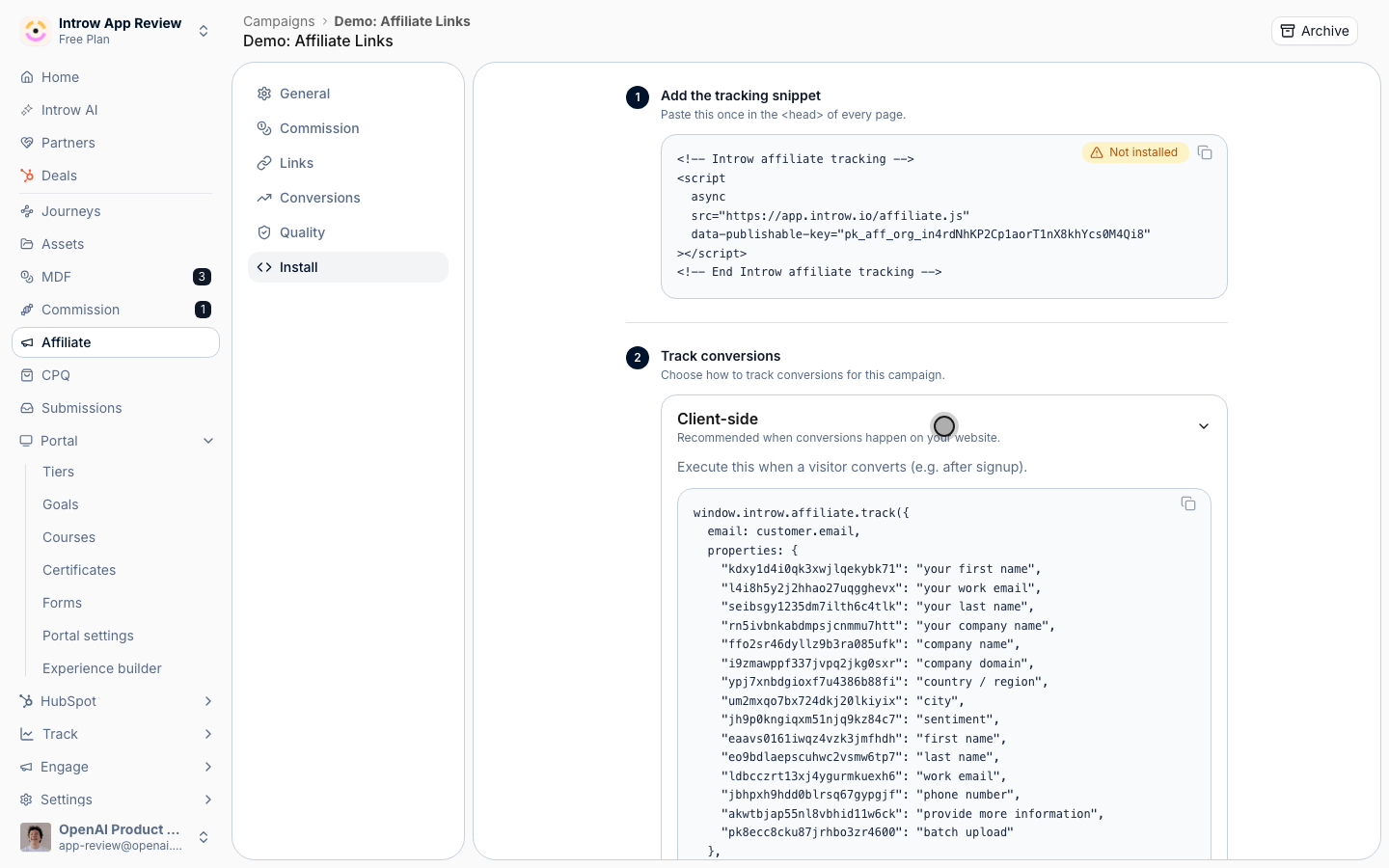
- Client-side - recommended when the conversion happens on your own website. Call the browser tracking function the snippet exposes at the moment a visitor converts (for example, right after signup), passing the converter’s email. The org key in the snippet is used automatically.
- Server-to-Server - recommended when the conversion happens on your backend. Post to the conversions API with a secret API key that has the affiliate:write scope. This is the most reliable method because it does not depend on the browser. See Record conversions via the API for the full request.
- HubSpot forms - recommended when the conversion is a HubSpot form submission. There is nothing else to configure: once the snippet is installed, every HubSpot form submission on an allowed origin is attributed automatically. See Track HubSpot form conversions for details.
4
Restrict allowed origins
Under Allowed origins, enter the sites permitted to record browser conversions for this campaign, comma-separated (for example, 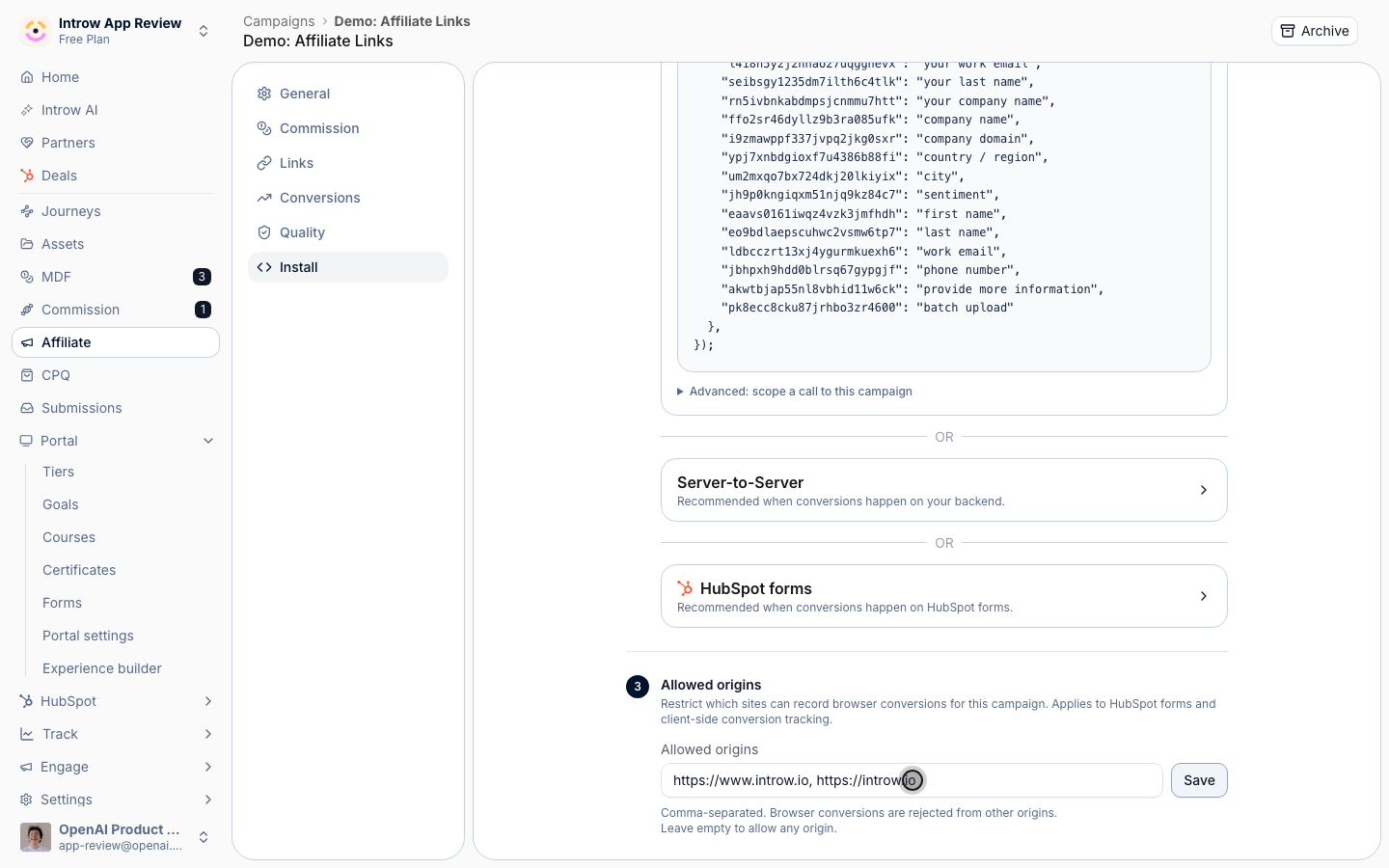
https://acme.com, https://www.acme.com). This guards against spoofed conversions and applies to both HubSpot forms and client-side tracking. Browser conversions from any other origin are rejected. Leaving it empty allows any origin, so setting it is strongly recommended. Select Save.5
Drive a test conversion
Click a partner’s referral link to land on the destination (this sets the click cookie), then complete the conversion action you are tracking. A conversion only attributes if it falls inside the campaign’s attribution window after a tracked click, so do the test in one sitting.
6
Review conversions
Open the Conversions tab. The cards at the top show Clicks, Conversions, Conversion rate, and Commission (when commission is configured). The table below lists each conversion with its Partner, Email, Status (Submitted, Pending, or Failed), and Converted at time. Confirm your test appears against the right partner. Check this tab regularly to confirm attribution is working and rewards are accruing to the correct partners.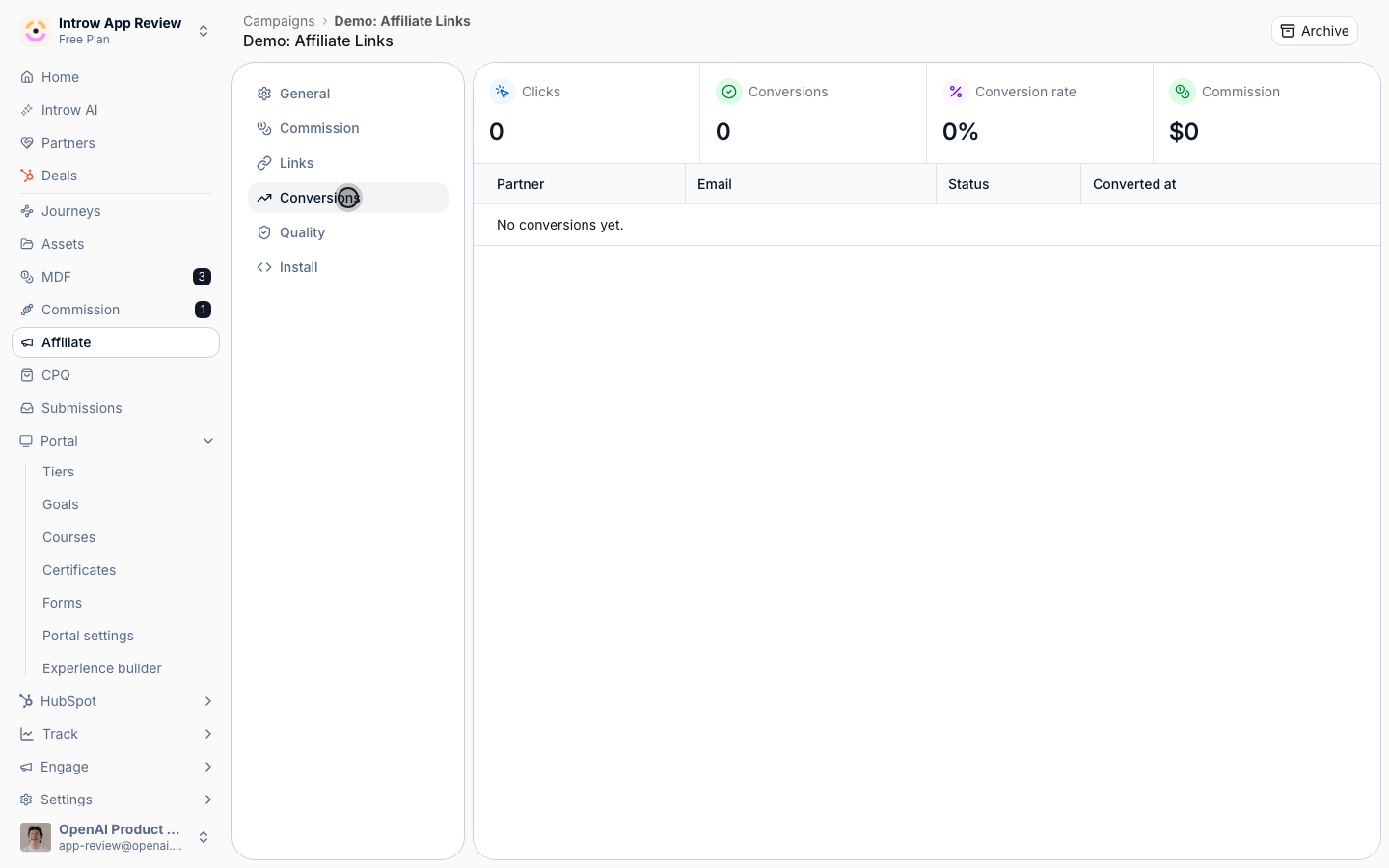
Verify it worked
Your test conversion shows on the Conversions tab attributed to the partner whose link you clicked, with a status of Submitted, and the Conversions card increments. The install status pill reads Installed. From here, real partner traffic records and attributes the same way, with no manual reconciliation.Related
Record conversions via the API
Track conversions server to server.
Track HubSpot form conversions
Capture conversions from HubSpot forms.
Protect affiliate revenue from fraud
Filter out abuse before it accrues commission.
Implementation reference
Full configuration options.