

What you’ll build
A clear read on a single partner’s performance.Before you start
1
Confirm CRM and pipeline
Deal metrics need a connected CRM and a selected pipeline.
Watch it
- Video
- Click through
Steps
1
Open the partner
Go to Partners and open the partner.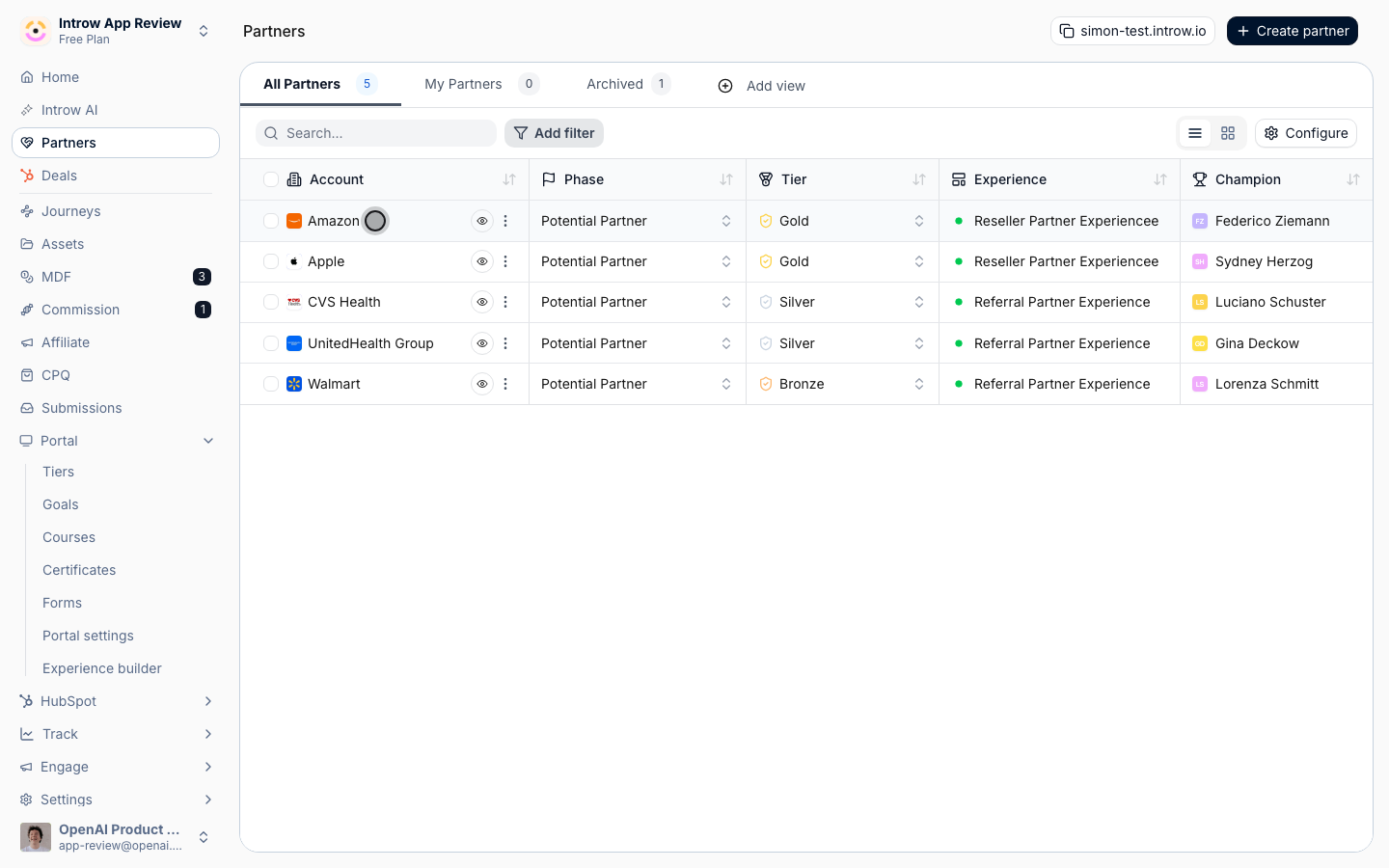
2
Review the Overview
Read revenue, engagement, top deals, and goals on the Overview tab.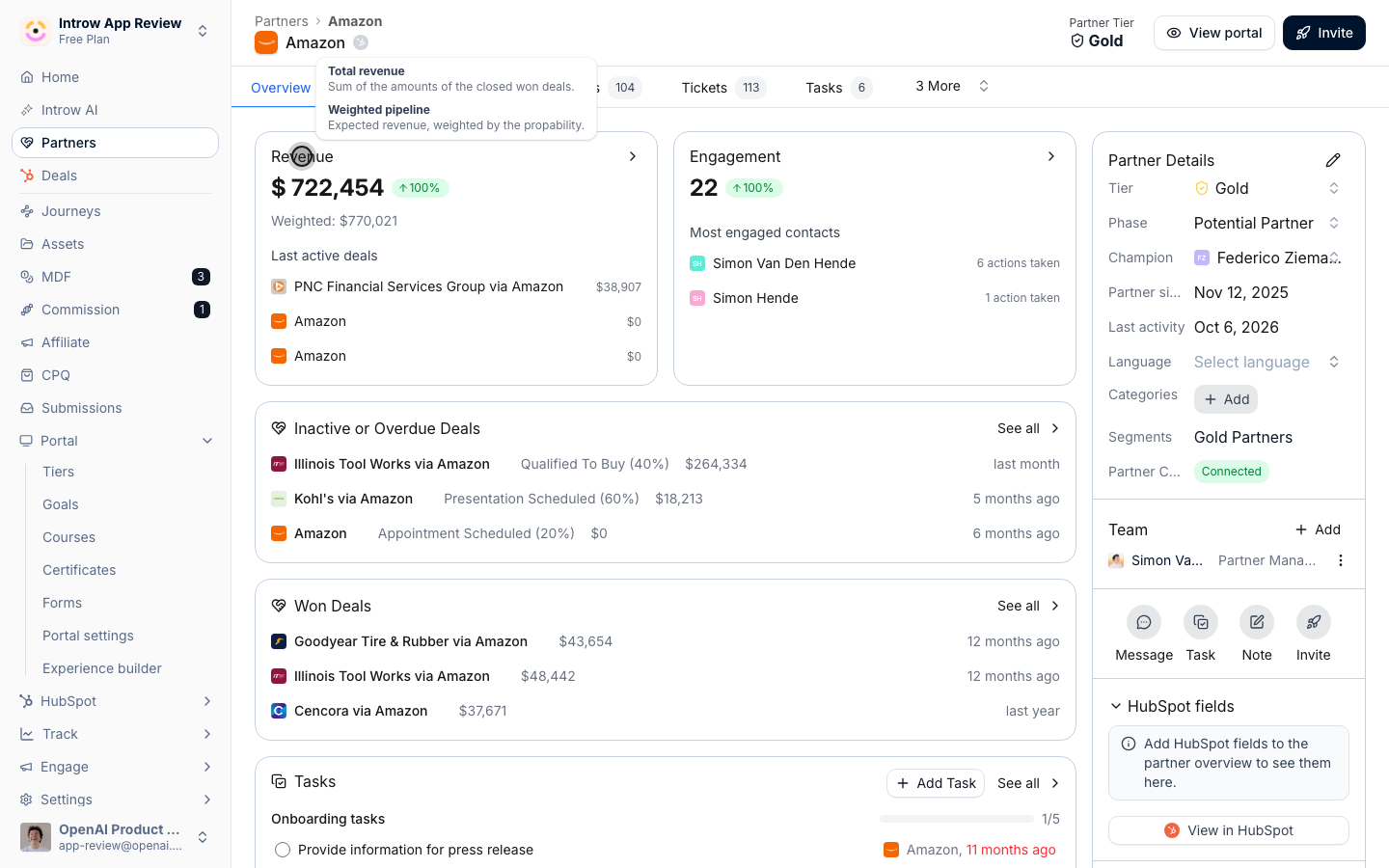
3
Open the Analytics tab
Switch to the Analytics tab for the partner-scoped dashboard.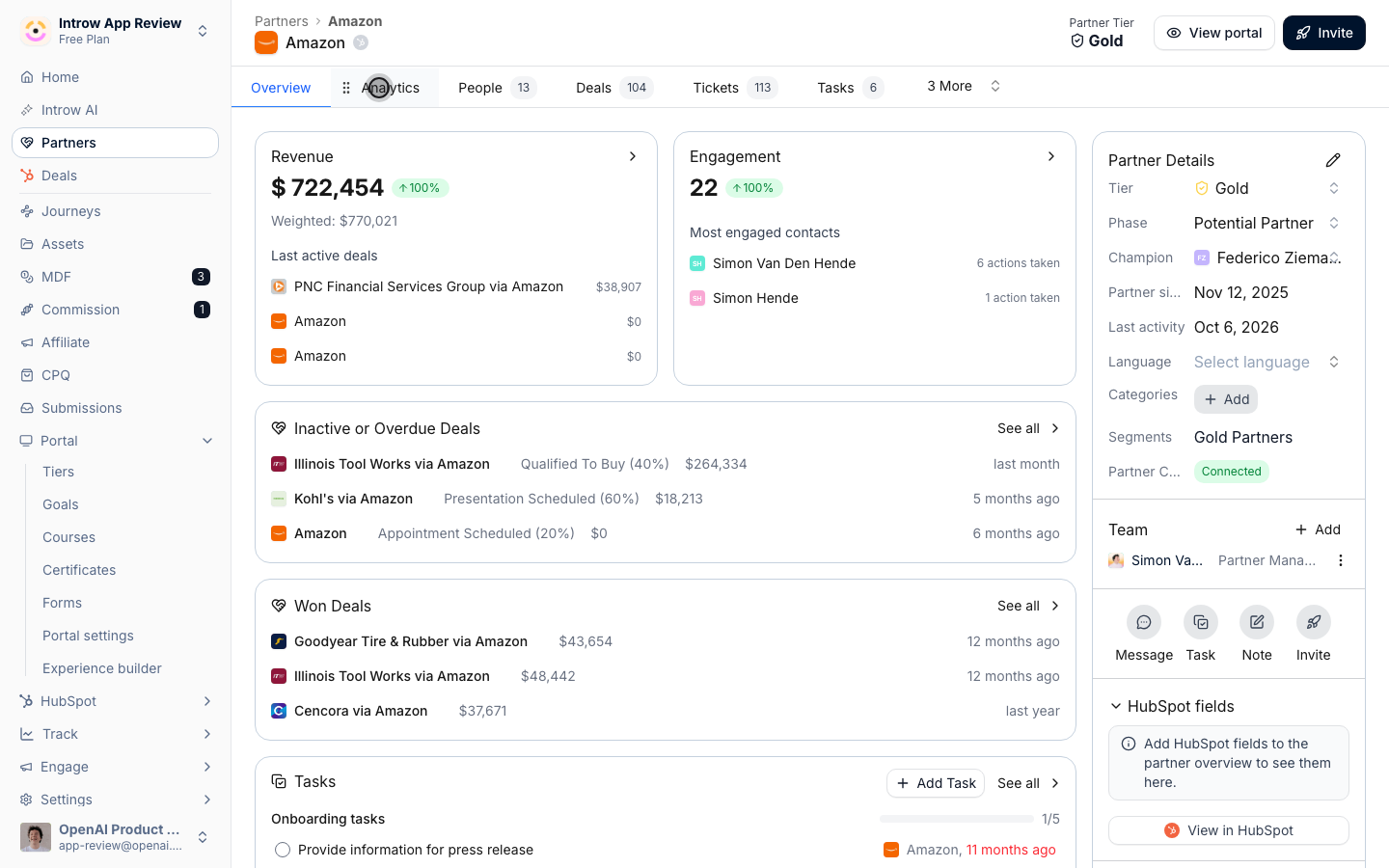
Verify it worked
You can see the partner’s revenue, engagement, and goal progress.Related
Show a partner dashboard in the portal
Give the partner the same view.
Launch a partner goal
Set targets to track.
Implementation reference
Full configuration options.