An email domain sends every partner notification from your own authenticated address, like [email protected], instead of a generic third-party one, so messages are trusted, reach the inbox, and look like they came from you.

What it does

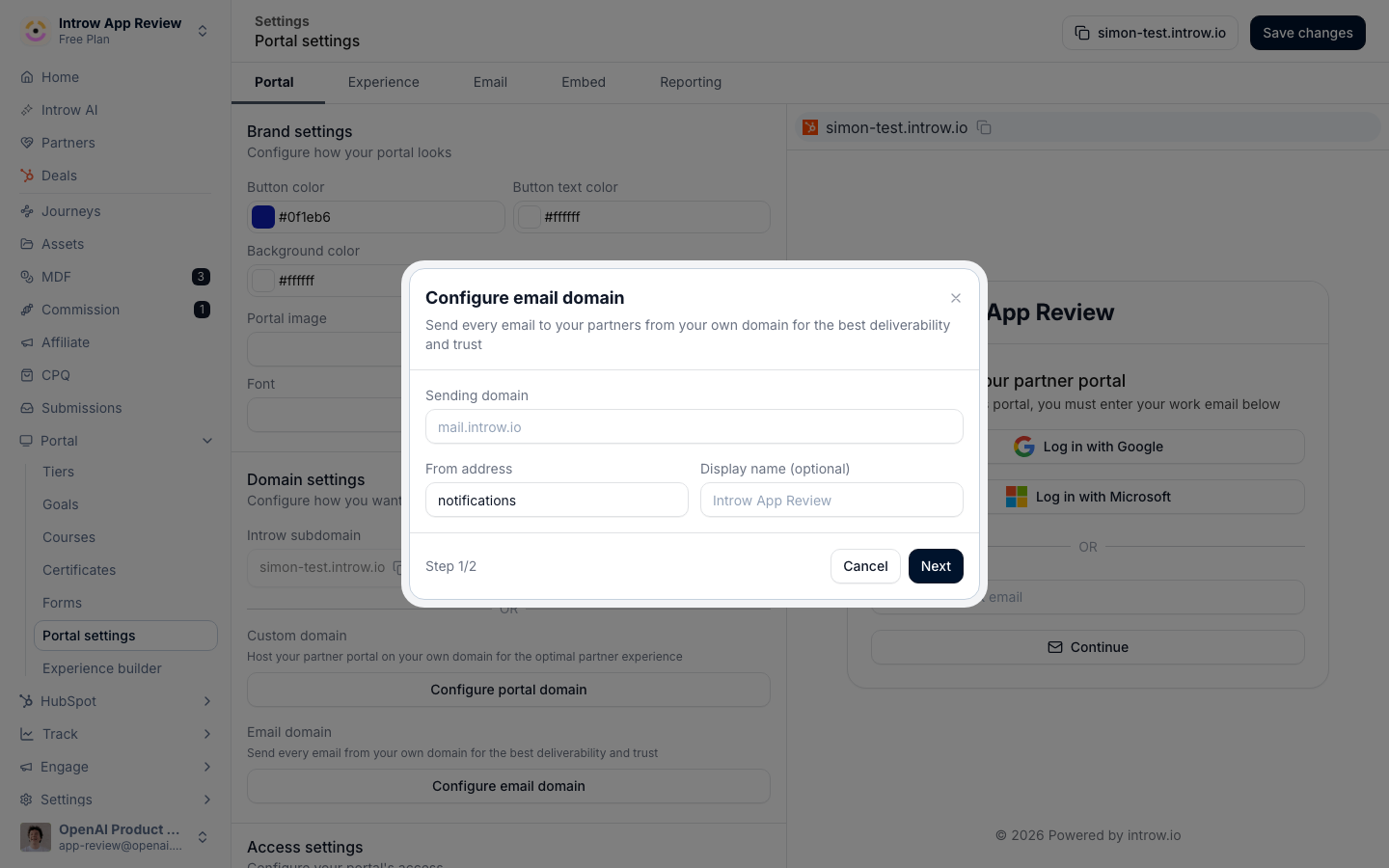
Partner notifications, portal invites, announcements, comments, and deal and CRM updates, normally send from a shared Introw address. An email domain sends them from your own domain instead, so a partner sees [email protected] rather than an address they do not recognize. Your domain is authenticated with the DNS records Introw provides, so mailbox providers trust the mail and far fewer messages land in spam. Paired with a custom portal domain, it completes the white-label: the portal lives on your URL and the emails come from your domain, with no third-party name anywhere a partner looks.
The problem it solves

  • Partners say they never got the invite or notification → An authenticated domain is trusted by mailbox providers, so far fewer messages are filtered to spam and partners actually receive them.
  • Emails come from an address partners do not recognize → Mail arrives from your own domain, a sender partners trust, which gets opened instead of ignored.
  • Low open rates drag down portal engagement → Recognizable senders get opened more, so announcements and nudges drive the portal activity the team is measured on.
  • Branded emails still carry a generic sender → The address now matches the brand on the email, removing the last off-brand seam partners see.

From problem to solution

Instead of partner managers chasing partners who never saw an email, notifications send from an address partners trust and recognize. Setup is a few minutes of DNS records, not an engineering project, and there is no migration: existing notification settings stay exactly as they are, so nothing has to be reconfigured. The result is mail that reaches the inbox, gets opened, and keeps partners engaged with the program.

Use cases

Stop landing in spam

Authenticate your domain so partner notifications reach the inbox instead of the junk folder.

Complete the white-label

Pair with a custom portal domain so the portal and the emails are both yours.

Lift open rates

Send from a recognizable address partners are far more likely to open.

Switch with no migration

Verify a domain and keep every existing notification setting untouched.

Impact

  • Work where you already are - partners are reached and trusted in the inbox, the channel most of them live in.
  • Low total cost of ownership - ops adds DNS records and verifies, no engineering project.
  • Time to value - the new sender goes live as soon as DNS verifies, in minutes.

Who it’s for

Partner Operations

Configures the domain and DNS so notifications send from your address.

Partner Marketing & Enablement

Wants every partner email trusted, on-brand, and opened.

Partner - Sales & Marketing

Receives notifications from a sender they recognize and trust.

Works with

Custom Domains

Portal on your URL, emails from your domain: the full white-label.

Partner Notifications

The same partner notifications, now sent from your domain.

Branding & White-label

Branded emails from a sender partners recognize.

Going deeper

How to

Setup, configuration, and all how-to guides.

API reference

Endpoints and code.