

Where it lives
AI Campaign Remix has no screen of its own. On your side it runs on the campaign kits you publish in Assets and show on an Asset Hub in the portal. On the partner’s side it runs in their own AI assistant, connected to Introw from Settings, Integrations, MCP in their account at partners.introw.io.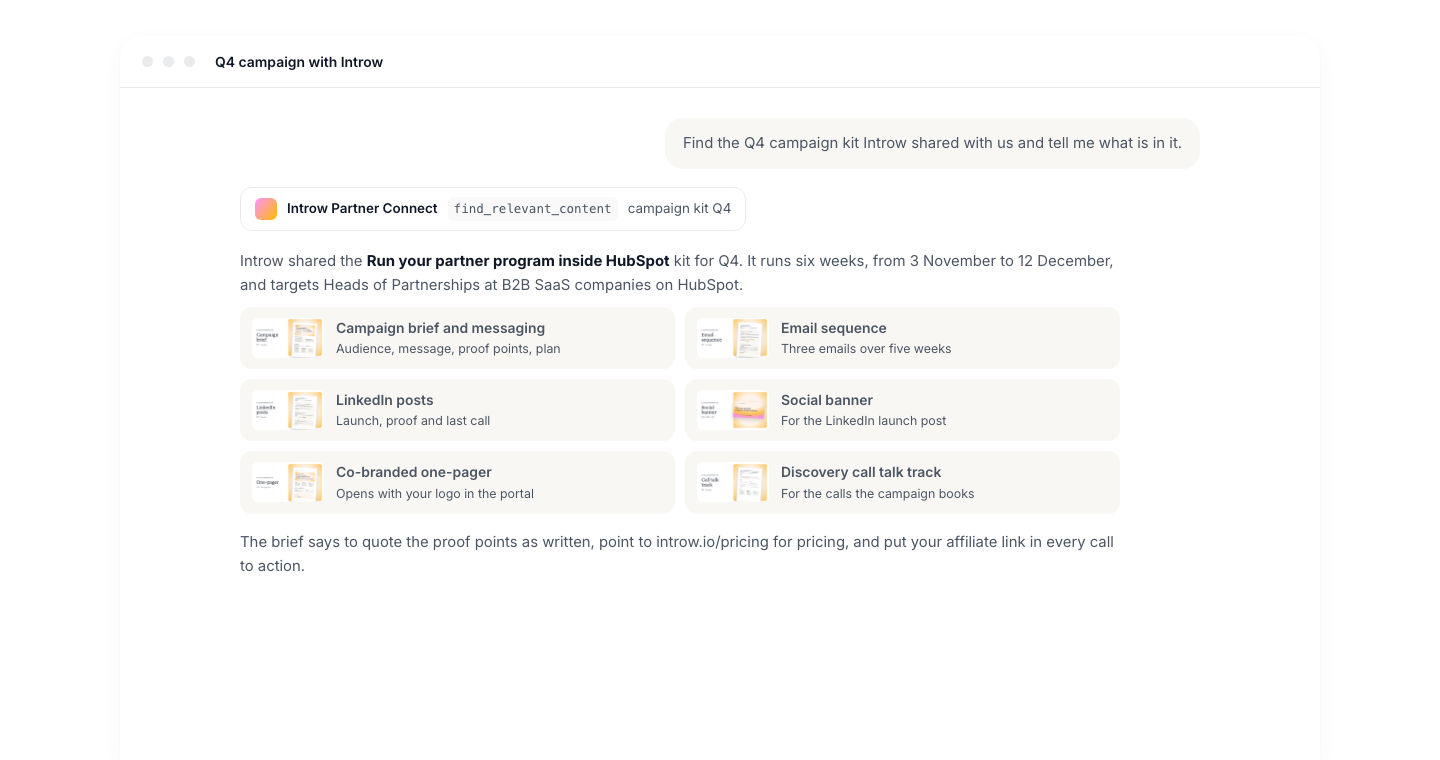
Before you start
The partner connector needs no toggle and no module on your plan.
Any user on the partner side can connect their own assistant.
How it works
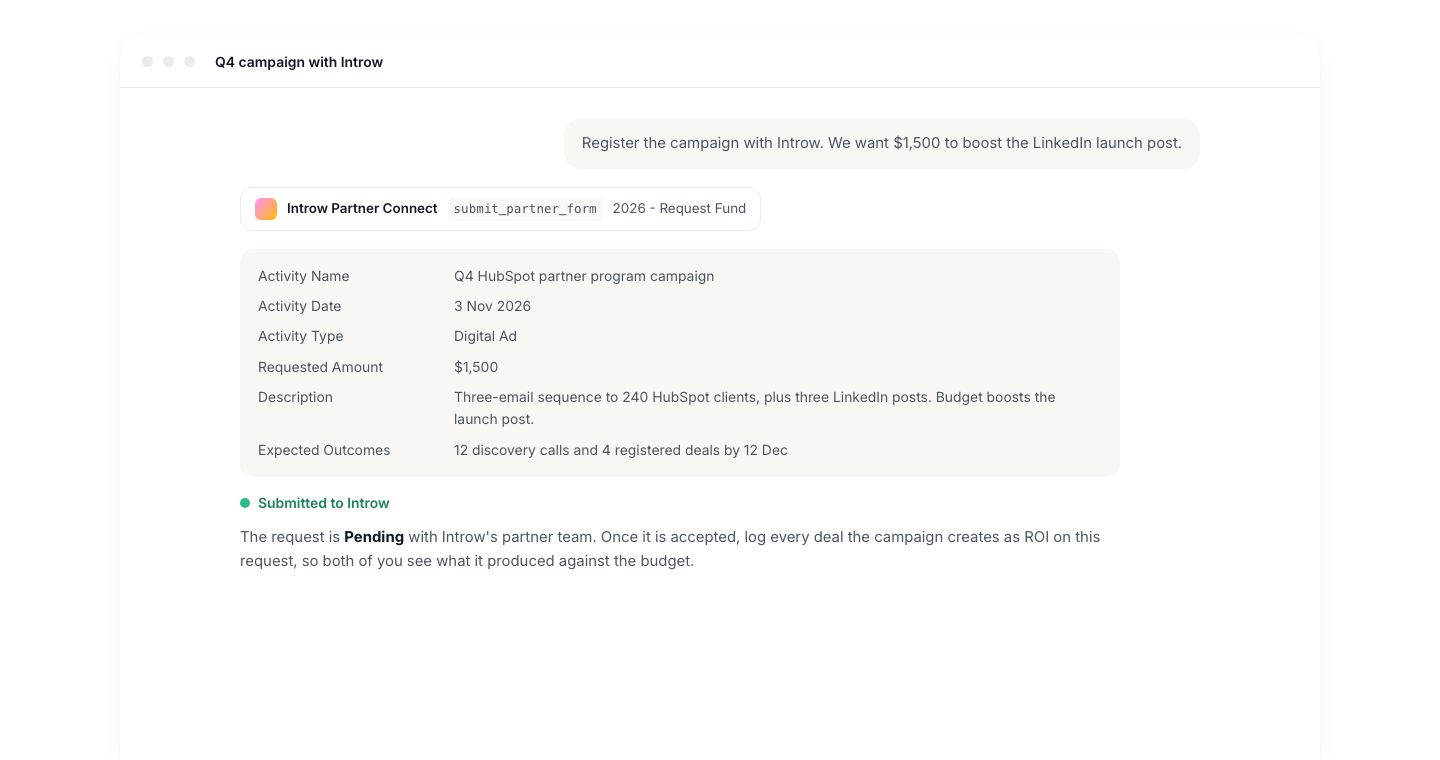
A partner connects their assistant once, and the connection covers every vendor portal their account can reach. From then on the assistant uses the same tools for your program as for any other: it searches portal content, reads marketing fund details, and opens and submits portal forms, all scoped to that partner’s access. Content search is the part that makes a kit remixable. When the partner asks for a campaign, the assistant searches the text of the assets their portal shows, ranks the best matches, and gets back the relevant passages with a link to each asset. Long passages are condensed around the question first, so a focused ask (“the full text of email 2”) gets the closest answer. The assistant writes the partner’s version in the conversation. Introw does not store the rewrite: the partner copies it into their own email tool, social scheduler or CRM.What the assistant can and cannot do
Settings & configuration
AI Campaign Remix has no settings of its own. What the assistant can reach is controlled by settings you already use. Asset Hub visibility decides what is searchable. An asset is only in the partner’s search if it is visible on an Asset Hub in that partner’s experience, so switch on the eye next to the campaign folder in the hub’s Configure asset visibility list. Asset access narrows it further. An asset on Restricted access is only found for the partners, segments or contacts allowed to see it, the same rule the portal applies. Tab access applies too. If a tab is hidden from a partner contact, the assets on that tab are not searched for that contact. Forms decide what the assistant can submit. Any partner form the partner can open in the portal, including an MDF request, can be discovered and submitted from the assistant.How-to guides
Troubleshooting
The assistant cannot find the campaign kit
The assistant cannot find the campaign kit
Open the experience the partner is on and check that the kit sits on an Asset Hub with the folder’s eye switched on in Configure asset visibility.
Then check the asset’s access: on Restricted access, the partner must be in the allowed list.
New uploads take a short while before their text is searchable.
The assistant returns a summary instead of the full email
The assistant returns a summary instead of the full email
Long documents are condensed around the question.
Ask for one item at a time, for example “the full text of email 2 in the Q4 email sequence”.
The one-pager the partner downloaded has no logo
The one-pager the partner downloaded has no logo
Co-branding happens when the PDF is opened in the portal, not from the assistant.
Ask the partner to open the link the assistant returned, and check that a logo is set on the partner.
The assistant says it cannot register the campaign
The assistant says it cannot register the campaign
The partner needs access to the form, for example the MDF request form on their portal.
Check that the form is published in their experience and that the fund is open to their segment.