> ## Documentation Index
> Fetch the complete documentation index at: https://docs.introw.io/llms.txt
> Use this file to discover all available pages before exploring further.
# Pipeline rules
> Conditional form fields plus conditional action buttons let you express a real rule on a shared pipeline: which stages a partner may set, what they must explain, and when the button is offered at all.
> Two small August changes combine into something bigger than either of them.
> Conditional fields on forms and conditions on a shared deal's action buttons let you write your program's actual rules onto the pipeline partners work in, without code and without opening the deal record up.
*Shipped in the August 2026 release.*
Letting partners maintain their own pipeline has always been a trade you did not want to make.
Keep the deal read-only and your partner manager chases updates by email.
Open the fields up and a partner can close a deal won, or close one lost with no reason your team can report on.
Neither is a policy, they are just two ways of losing.
What was missing was the ability to say *when*.
A rule like "partners may move a deal forward, and may close it lost as long as they say why, but never close it won" is one sentence to a partner manager and, until now, three feature requests to a PRM.
Both August changes are the same idea applied in two places, and together they close it.
Building this yourself is configuration rather than a project, which is the [low total cost of ownership](/why/low-tco) bet applied to governance: the person who owns the rule is the person who ships it, the same afternoon.
## Three things partners meet, and what each one buys you
### Limit which values a partner can pick
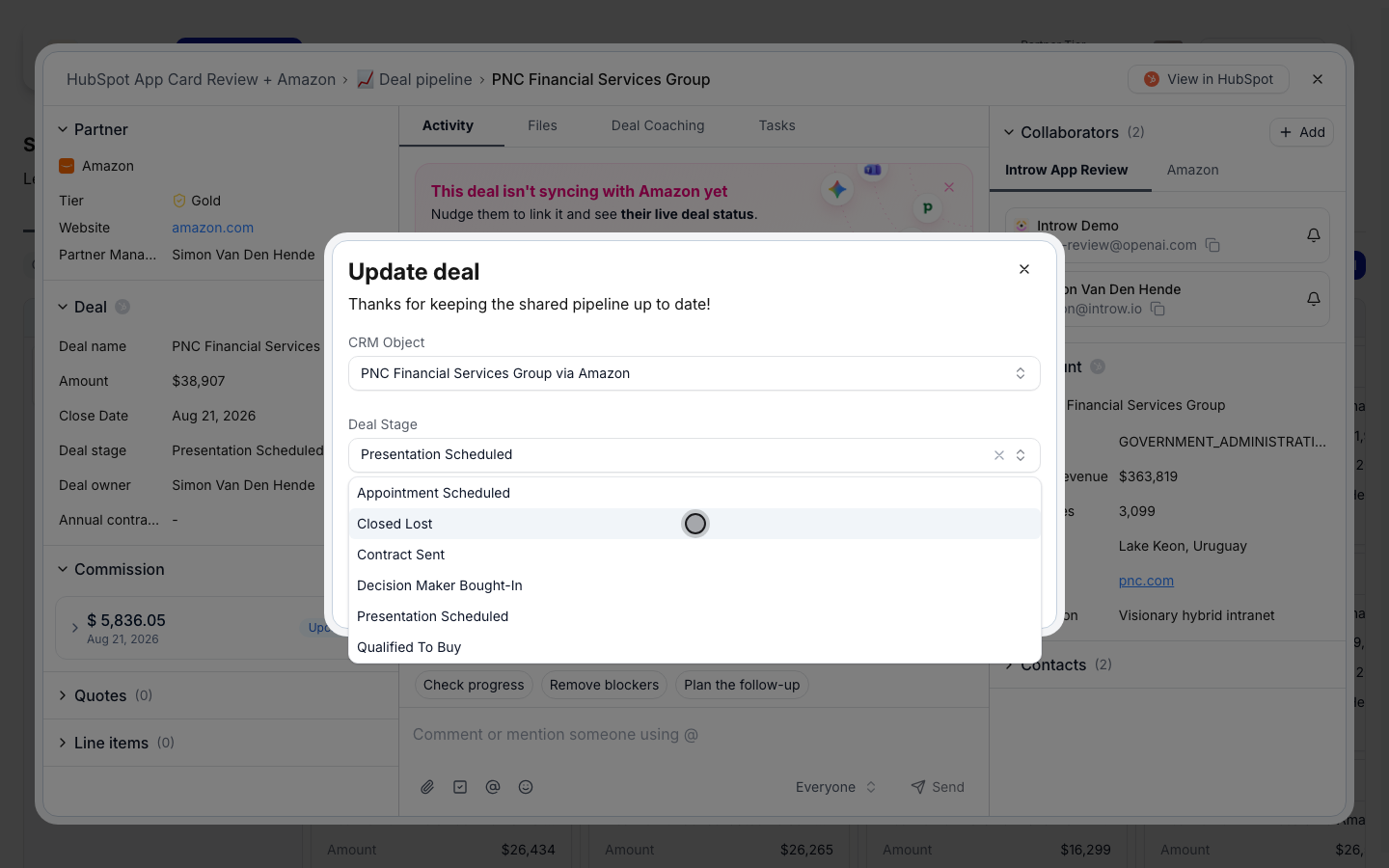
A dropdown mapped to a CRM property takes its options live from HubSpot or Salesforce, and you can uncheck the ones a given form should not offer.
That is how "partners never close a deal won" stops being a policy you enforce by reading reports and becomes a stage that is simply not on their list.
The list is exclusion-based, so a stage your team adds in the CRM next quarter shows up on its own instead of silently going missing.
You keep your CRM as the source of the list, and partners see only the subset that makes sense for them, which is the [CRM-native](/why/crm-native) bet holding even inside a guardrail.
 ### Let the form ask only what this moment needs
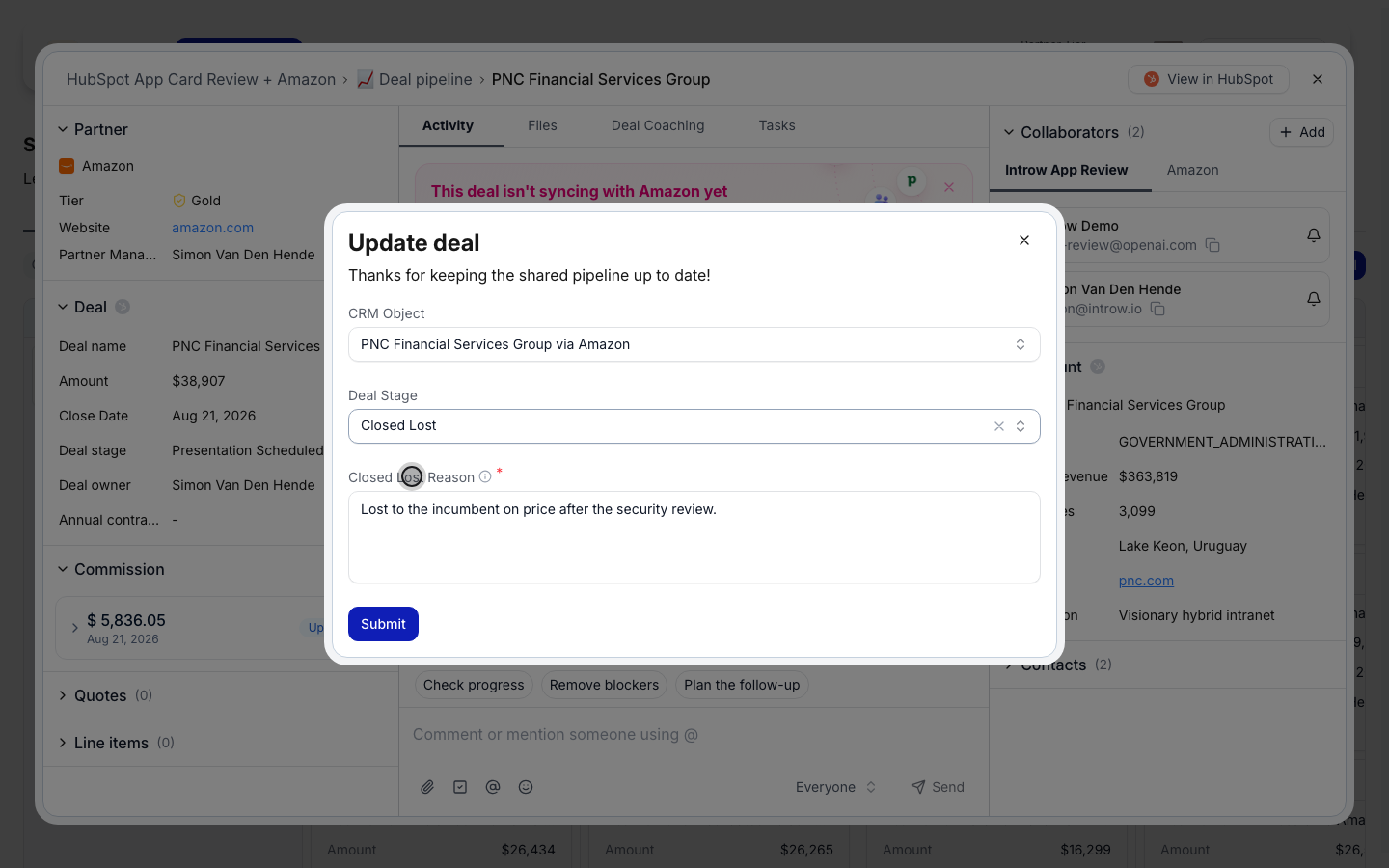
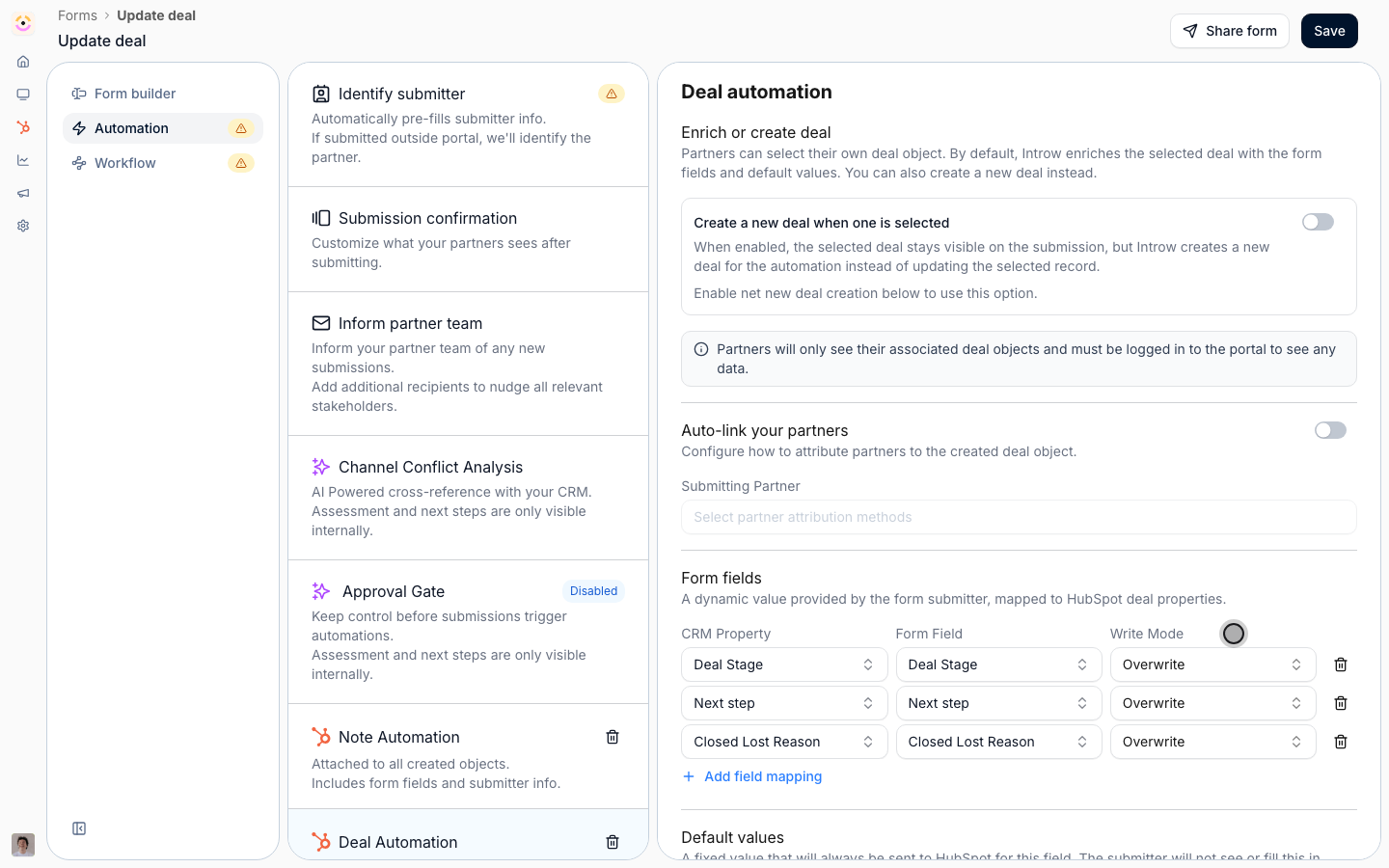
Any field can now appear only when other answers on the same form match a rule, so one form covers every case instead of asking everyone everything.
It works in both directions, which is what makes it feel considered rather than clever:
* Moving a deal to the next stage shows **Next step**, because that is the useful follow-up question.
* Moving it to Closed Lost hides **Next step** and shows **Closed Lost Reason** instead. A lost deal has no next step, so asking for one is noise.
And because a required field is only enforced while it is visible, the reason is **mandatory exactly there** and irrelevant everywhere else.
There is no conditionally-required setting to find: it falls out of marking the field required and giving it a condition.
The payoff is a partner who is asked three questions rather than twelve, and a funnel where every lost deal carries a reason your team can group and act on.
### Let the form ask only what this moment needs
Any field can now appear only when other answers on the same form match a rule, so one form covers every case instead of asking everyone everything.
It works in both directions, which is what makes it feel considered rather than clever:
* Moving a deal to the next stage shows **Next step**, because that is the useful follow-up question.
* Moving it to Closed Lost hides **Next step** and shows **Closed Lost Reason** instead. A lost deal has no next step, so asking for one is noise.
And because a required field is only enforced while it is visible, the reason is **mandatory exactly there** and irrelevant everywhere else.
There is no conditionally-required setting to find: it falls out of marking the field required and giving it a condition.
The payoff is a partner who is asked three questions rather than twelve, and a funnel where every lost deal carries a reason your team can group and act on.
 ### Put the right next action on the deal, and nothing when there is none
Each button on a shared deal can carry conditions on that deal's own properties, so the record only ever offers what makes sense for the state it is in.
### Put the right next action on the deal, and nothing when there is none
Each button on a shared deal can carry conditions on that deal's own properties, so the record only ever offers what makes sense for the state it is in.
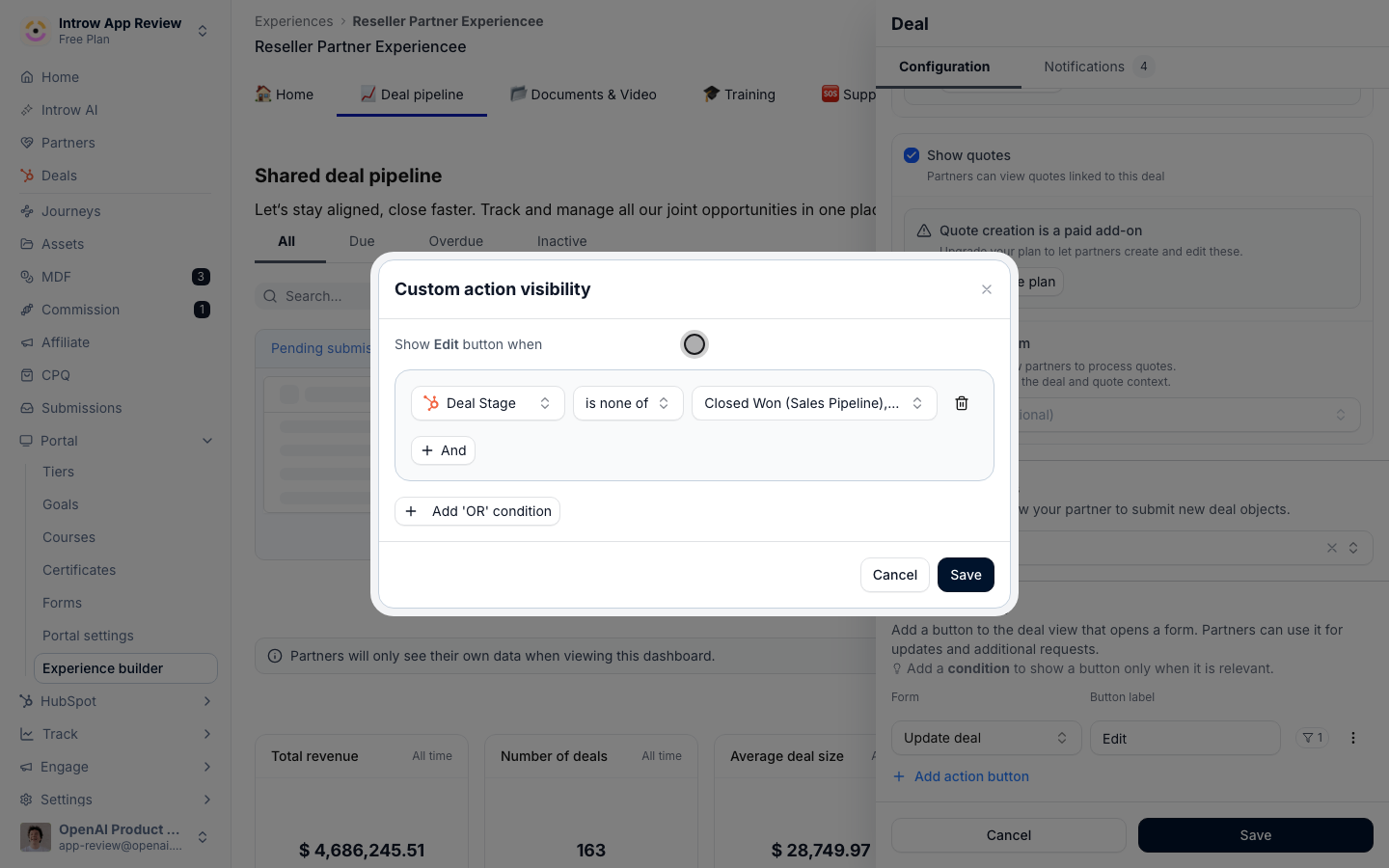 * **Not closed** shows **Edit**, so partners keep live deals current.
* **Closed Lost** shows nothing. The decision is made, and offering to reopen it just invites noise.
* **Closed Won** shows **Request a quote** or **Submit purchase order**, so the next thing you need arrives without anyone chasing it.
A deal whose actions are all hidden shows no empty action bar, so the record reads as settled rather than broken.
The result is a pipeline that tells partners what to do next, which is a different thing from a pipeline that lets them do anything.
* **Not closed** shows **Edit**, so partners keep live deals current.
* **Closed Lost** shows nothing. The decision is made, and offering to reopen it just invites noise.
* **Closed Won** shows **Request a quote** or **Submit purchase order**, so the next thing you need arrives without anyone chasing it.
A deal whose actions are all hidden shows no empty action bar, so the record reads as settled rather than broken.
The result is a pipeline that tells partners what to do next, which is a different thing from a pipeline that lets them do anything.
 ## See it end to end
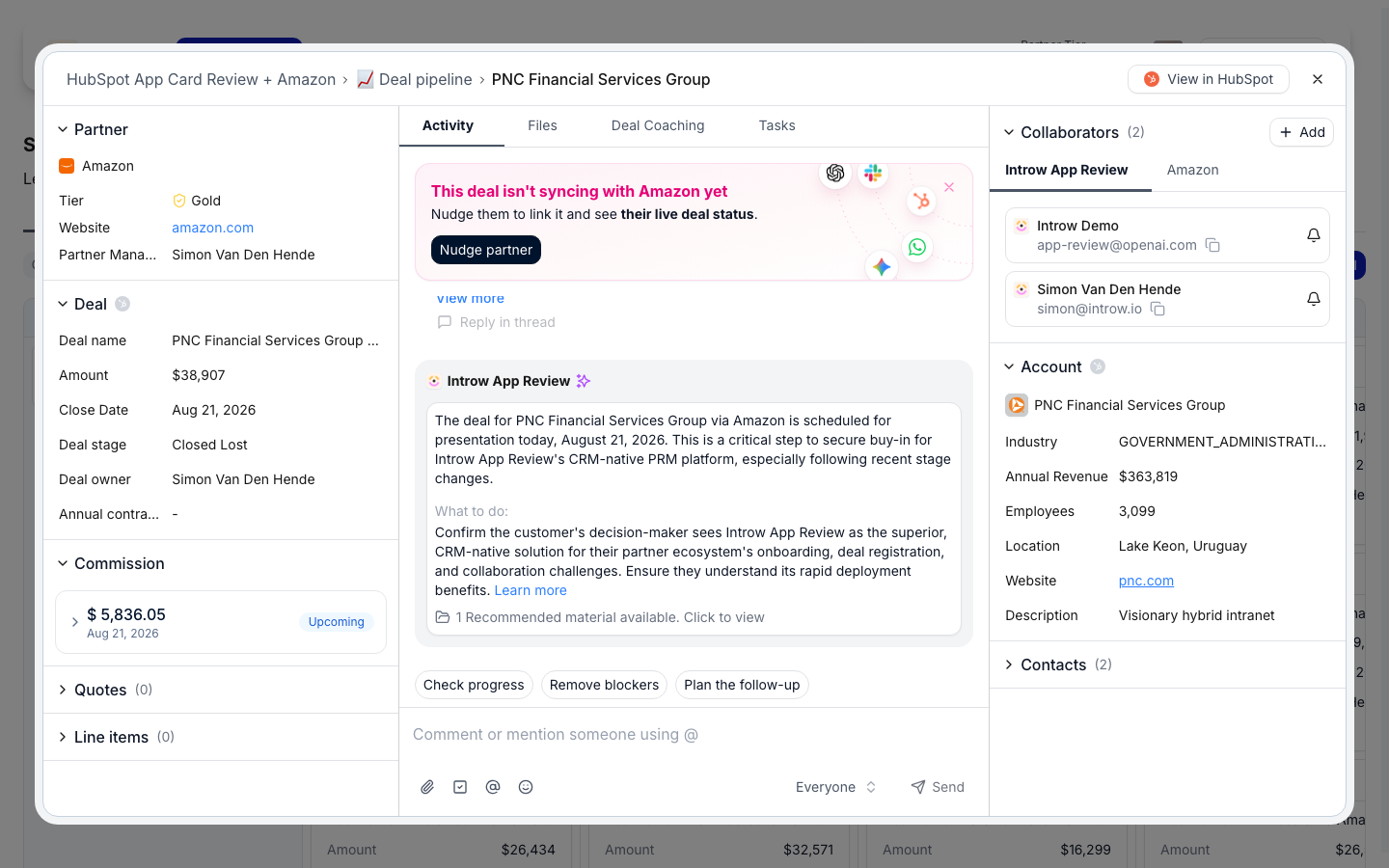
The clickthrough below runs the whole thing twice over: first as the partner meets it, then through the two places it is configured.
Step through it, or read the build in the [full guide](/features/co-selling/shared-pipelines/guides/let-partners-update-a-deal-with-guardrails).
## More rules you can express
* **Request an order only from the right stage.** A button that appears at Proposal and nowhere else, so the request arrives when it is actionable.
* **Ask for a competitor name only on a competitive loss.** One conditional field turns a reason dropdown into something your product team can act on.
* **Route the closing path through a human.** Two buttons on the same deal: an ungated one for ordinary stage moves, and a gated one for closing, so instant stays instant and irreversible gets reviewed.
* **Collect a document only when the answer demands it.** A file upload that appears for the one case that needs evidence, instead of an upload field everyone scrolls past.
* **Keep a support button on every deal.** Not every action needs conditions. Leave one always visible so partners are never stuck without a way to ask.
## The boundary, stated plainly
Conditions decide **relevance**, not permission.
This holds on both halves, and it is worth being direct about, because it is easy to reach for the wrong tool.
A hidden form field is not a secret: it decides which questions are worth asking, not what a partner is allowed to see.
A hidden action button does not lock the deal, its stage, or its properties, and the form behind it stays reachable by its own link.
What actually constrains a partner is what the form can write and what the record leaves open.
The move that makes this recipe hold is counterintuitive: leave the deal's stage **non-editable** on the pipeline view.
A property marked editable can be changed inline, by dragging a card between columns, and in the built-in edit dialog, and none of those paths can ask a follow-up question.
Leaving it read-only takes those paths away, and a form still writes it, so the button becomes the only way in and every rule above actually applies.
## See it end to end
The clickthrough below runs the whole thing twice over: first as the partner meets it, then through the two places it is configured.
Step through it, or read the build in the [full guide](/features/co-selling/shared-pipelines/guides/let-partners-update-a-deal-with-guardrails).
## More rules you can express
* **Request an order only from the right stage.** A button that appears at Proposal and nowhere else, so the request arrives when it is actionable.
* **Ask for a competitor name only on a competitive loss.** One conditional field turns a reason dropdown into something your product team can act on.
* **Route the closing path through a human.** Two buttons on the same deal: an ungated one for ordinary stage moves, and a gated one for closing, so instant stays instant and irreversible gets reviewed.
* **Collect a document only when the answer demands it.** A file upload that appears for the one case that needs evidence, instead of an upload field everyone scrolls past.
* **Keep a support button on every deal.** Not every action needs conditions. Leave one always visible so partners are never stuck without a way to ask.
## The boundary, stated plainly
Conditions decide **relevance**, not permission.
This holds on both halves, and it is worth being direct about, because it is easy to reach for the wrong tool.
A hidden form field is not a secret: it decides which questions are worth asking, not what a partner is allowed to see.
A hidden action button does not lock the deal, its stage, or its properties, and the form behind it stays reachable by its own link.
What actually constrains a partner is what the form can write and what the record leaves open.
The move that makes this recipe hold is counterintuitive: leave the deal's stage **non-editable** on the pipeline view.
A property marked editable can be changed inline, by dragging a card between columns, and in the built-in edit dialog, and none of those paths can ask a follow-up question.
Leaving it read-only takes those paths away, and a form still writes it, so the button becomes the only way in and every rule above actually applies.
 Set that first, then use conditions to keep the record clean.
Built in that order, the two layers reinforce each other.
Built in the wrong order, the second one is decoration.
## Learn more
The whole recipe, end to end, in the order you should build it.
The conditional-field rules in full, including required-follows-visibility.
Stages, editable properties, and custom actions on the pipeline view.
Everything else that shipped this month.
Set that first, then use conditions to keep the record clean.
Built in that order, the two layers reinforce each other.
Built in the wrong order, the second one is decoration.
## Learn more
The whole recipe, end to end, in the order you should build it.
The conditional-field rules in full, including required-follows-visibility.
Stages, editable properties, and custom actions on the pipeline view.
Everything else that shipped this month.