> ## Documentation Index
> Fetch the complete documentation index at: https://docs.introw.io/llms.txt
> Use this file to discover all available pages before exploring further.
# Campaign Kits
> Package a campaign's brief, emails, social posts and co-branded collateral into one kit partners pick up in their portal and launch from their own tools.
export const Headless = ({children, intro = true}) => {
const [copied, setCopied] = useState(null);
const copy = event => {
const row = event.target.closest("li");
if (!row) return;
const text = row.textContent.trim();
try {
navigator.clipboard?.writeText(text);
} catch {}
setCopied(text);
setTimeout(() => setCopied(null), 1600);
};
return <>
{intro ?
Introw is headless by design: run everything here in plain language from Claude, ChatGPT,
Slack, Teams, or your own CRM through Introw's MCP server, with every
action written straight back to your CRM source of truth. The portal is one surface, never the only one.
:
The agentic motion - lifecycle deep dives and a Claude Code skill library that run your partner program from
Claude, ChatGPT, Slack, and your CRM.
}
;
};
export const Tour = ({children}) => {
const [active, setActive] = useState(0);
const wrappers = (Array.isArray(children) ? children : [children]).filter(c => c && c.props);
const frames = wrappers.length === 1 && Array.isArray(wrappers[0].props.children) ? wrappers[0].props.children.filter(c => c && c.props) : [];
if (frames.length < 2) {
return
;
> A campaign kit is one folder holding everything a partner needs to run your campaign: the brief, the emails, the social posts and a one-pager that carries their logo. Partners pick it up in their portal and send it from their own tools.
## The problem it solves
| Without Introw | With Introw |
| - | - |
| Assets sit in a shared drive | One kit per campaign, in the portal |
| Partners ask for the latest version | The portal always has the latest |
| Every partner wants their own logo | They open it with their logo on it |
| You cannot tell who used what | You see who viewed each asset |
## Impact
Partners that drive real revenue already run their own marketing. Handing them a finished campaign, branded for them, is what gets your message in front of their customers instead of sitting in a folder.
for your business
* **No new tool**
Partners send the campaign from HubSpot, Mailchimp or LinkedIn, whatever they already use, and the kit lives in the portal they already open
* **Cost to run**
You build the kit once and publish it to every partner, so 10 partners or 500 is the same work for your marketing team
* **AI, not admin**
Every asset carries a short description, so a partner's AI assistant finds the right piece of the kit when they ask for it
for your partners
* **Self-serve**
They open the Marketing tab, pick up the kit and start, without a request to your team
* **Enabled**
The positioning, the emails, the posts and the proof points are already written for them
* **Efficient**
One kit per campaign, instead of rebuilding your message from a deck and a few old emails
[A day in the life of a reseller](/days-in-the-life/reseller)
* **Partner Marketing** - one kit, every partner, same message
* **Partner Operations** - access and visibility per segment
* **Partner marketers** - a finished kit, the one-pager already in their name
## See it work
* 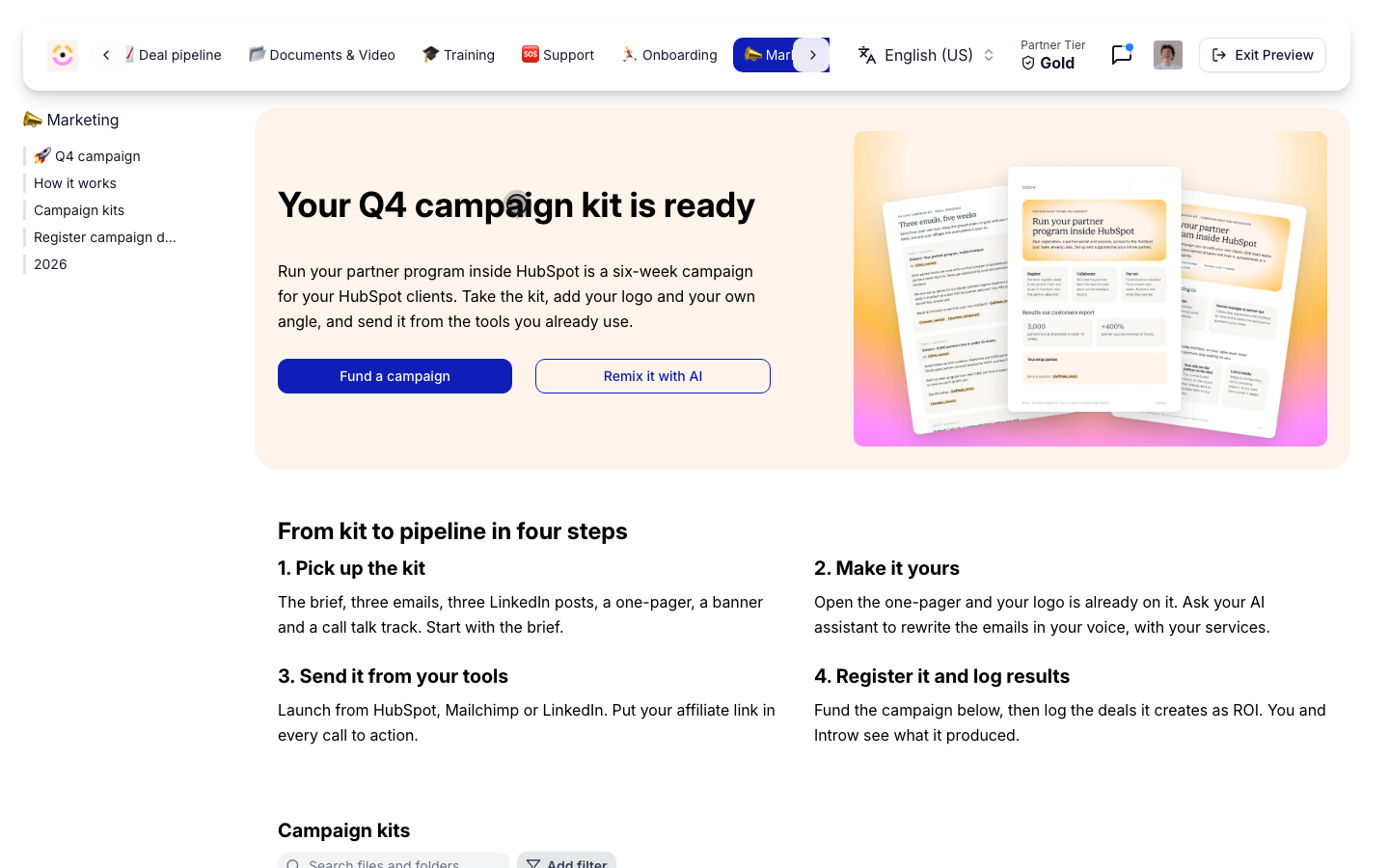
**The campaign tab**
Partners land on the campaign, with one button to fund it and one to remix it.
* 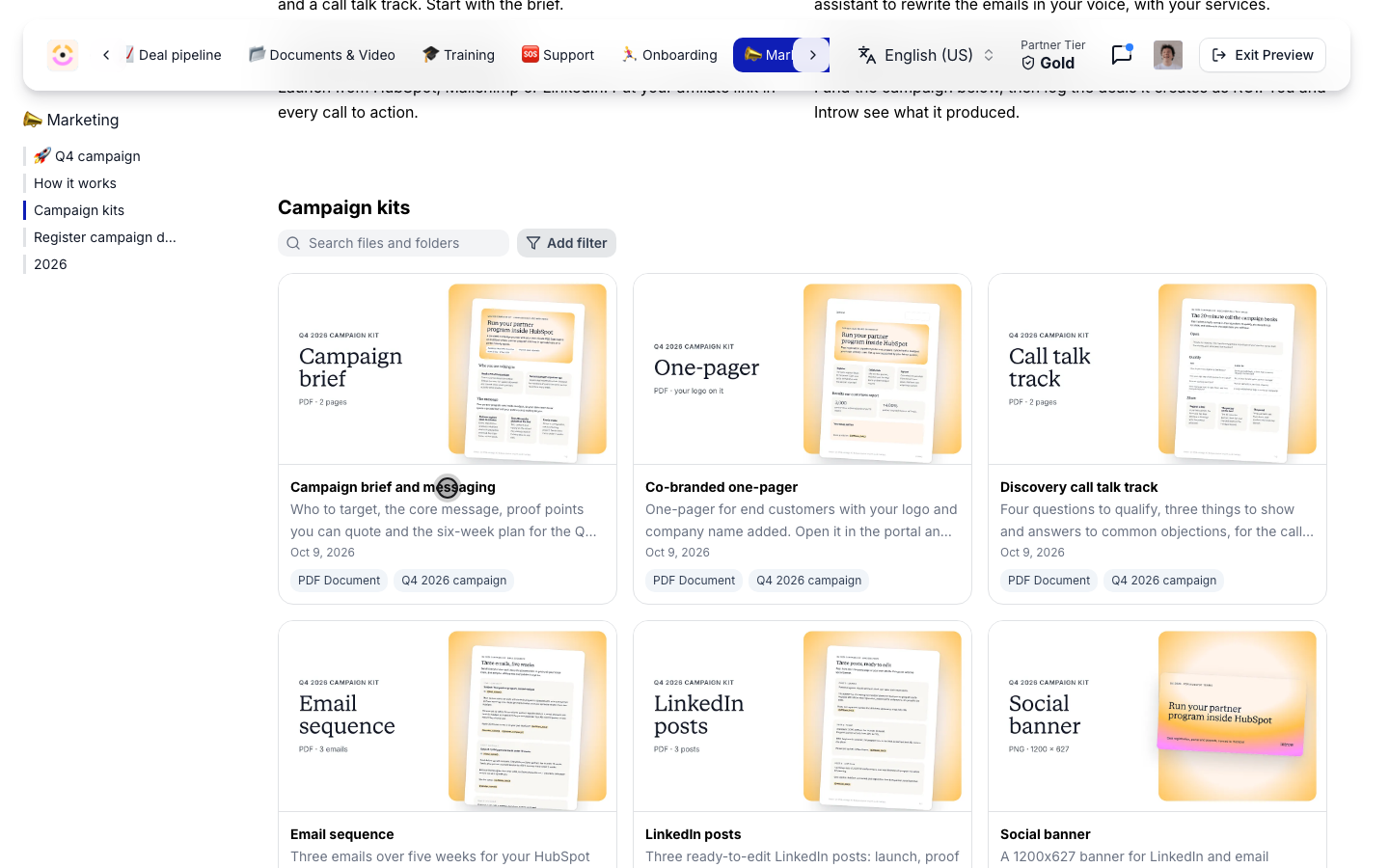
**The kit**
Six assets with matching thumbnails and a line on what each one is for.
* 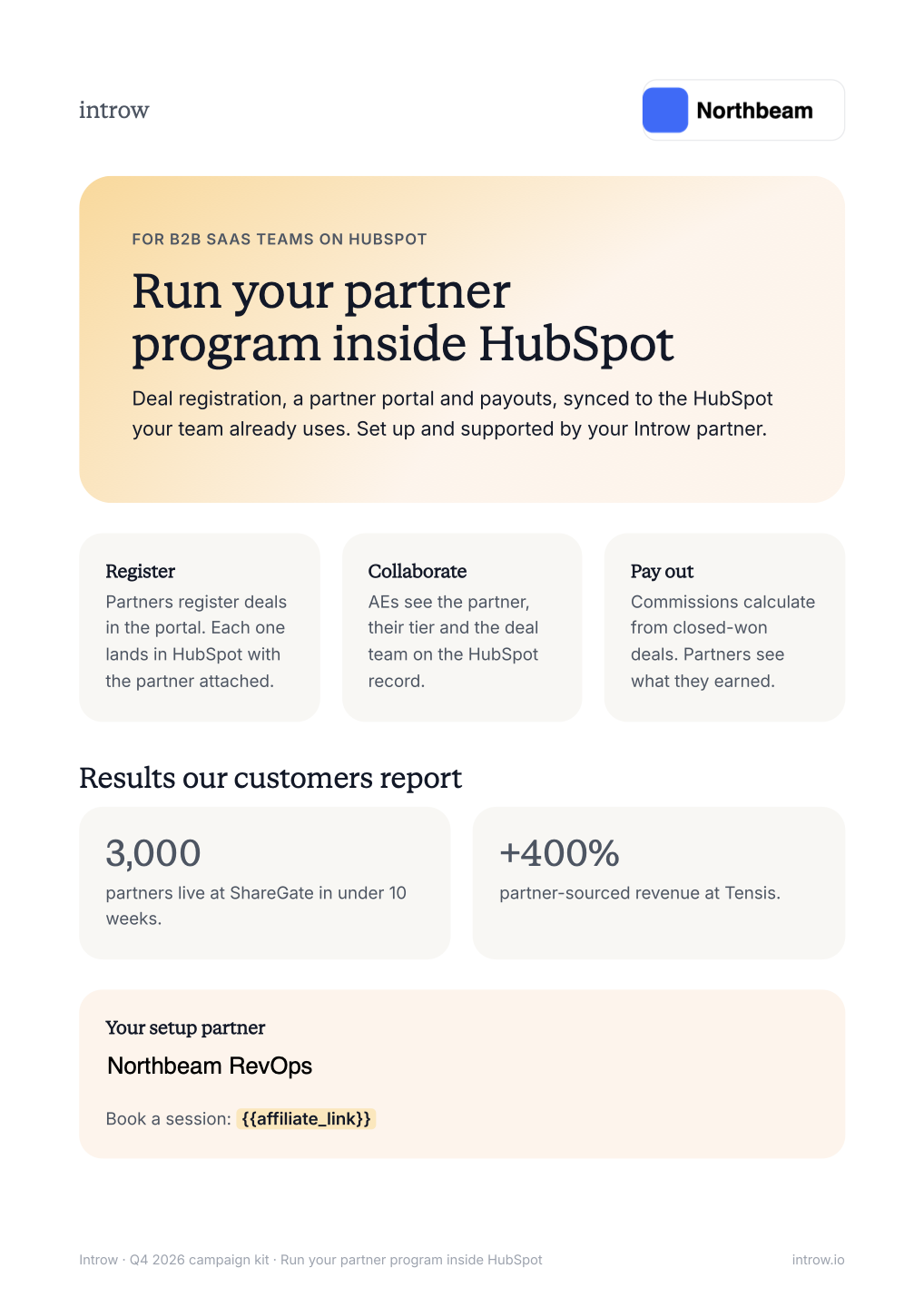
**Their logo on it**
Each partner opens the one-pager with their own name and logo.
* 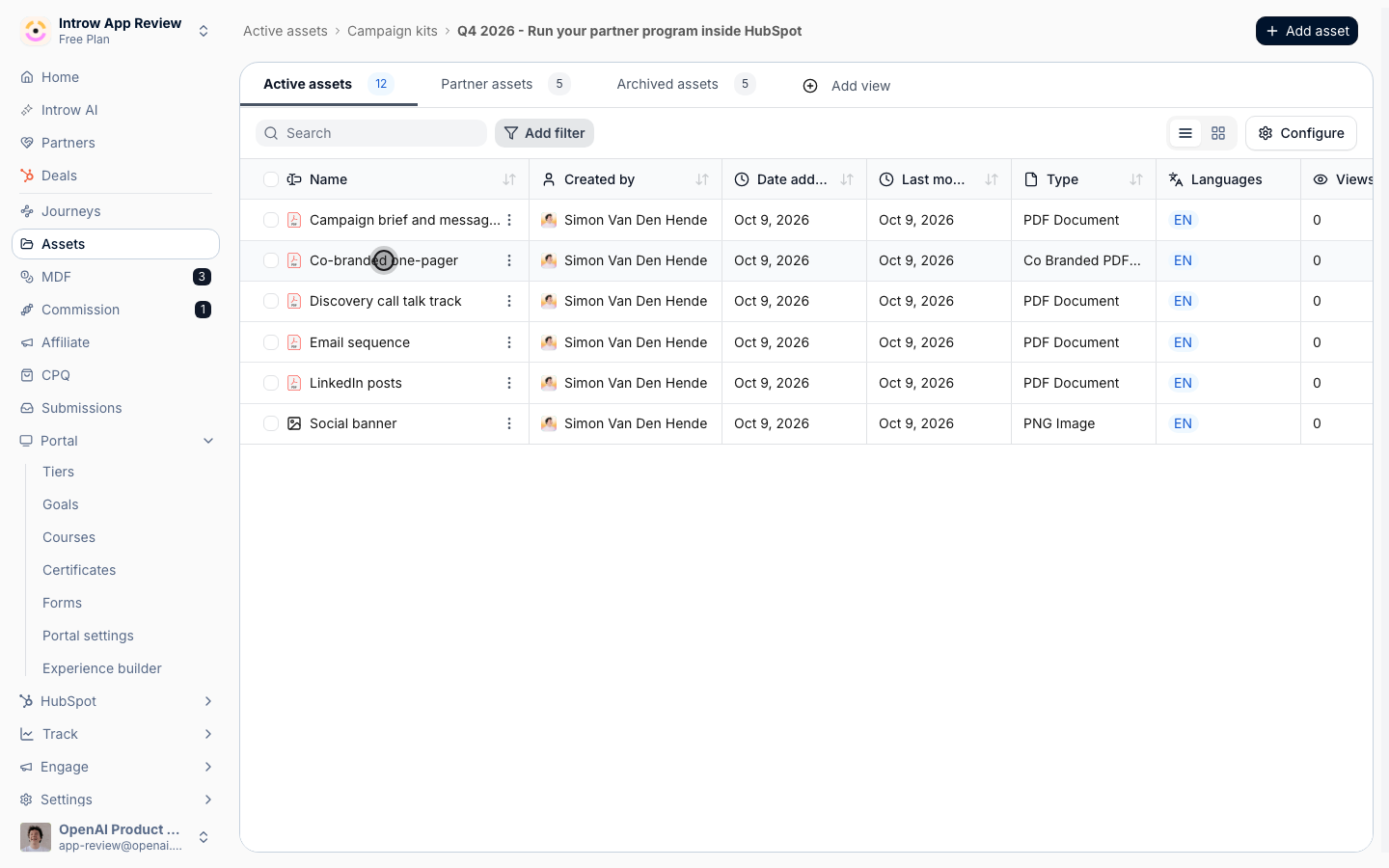
**One folder per campaign**
You keep the kit in one folder in your asset library.
## How it works
A campaign kit is a folder in your asset library.
You keep a **Campaign kits** folder with one subfolder per campaign, and each subfolder holds the campaign brief, the email sequence, the social posts, a banner, a call talk track and a one-pager.
Every asset gets a short description that says what it is and when to use it.
Partners read those descriptions in the portal, and their AI assistant reads them when it searches your content.
The one-pager is a co-branded template.
You upload it once, and each partner who opens it gets their own copy with their company name and logo filled in.
Co-branding works on PDF documents, and it fills two things: the partner's name and the partner's logo.
The kit reaches partners through a tab in their portal experience.
You add an Asset Hub to the tab and point it at the Campaign kits folder, so every new campaign you add to that folder shows up without touching the portal again.
A hero banner at the top of the tab gives the campaign a headline and buttons that open a form, such as a request for marketing funds or a deal registration.
Access follows the library.
A kit can be visible to every partner with portal access, or restricted to the segments you pick, such as your Gold partners for a tier-only campaign.
Once the kit is live, the asset's **Engagement** tab shows which partners and which people viewed it, and how often.
```mermaid theme={"theme":{"light":"github-light","dark":"github-dark"}}
flowchart LR
folder["Campaign kit folder"] --> describe["Describe each asset"]
describe --> cobrand["Co-branded one-pager"]
cobrand --> hub["Asset Hub on the Marketing tab"]
hub --> partner["Partner picks it up"]
partner --> launch["Sent from their own tools"]
```
## Run it from your AI assistant
* Which campaign kits do we have, and what is in each folder?
* Create a folder for the Q1 campaign under Campaign kits.
* Add this one-pager to the Q4 campaign kit with a short description.
* Find our positioning and email templates for the HubSpot campaign.
## Going deeper
Setup, configuration, and all how-to guides.
Endpoints and code.
**Works with**
Partners remix the kit with their own AI assistant.
Partners register the campaign they launch from the kit.
Each partner opens the one-pager with their own logo on it.
The kit renders in the portal through an Asset Hub.
Announce the kit the day it goes live.
This documentation is built and hosted on [Mintlify](https://mintlify.com), a developer documentation platform.