> ## Documentation Index
> Fetch the complete documentation index at: https://docs.introw.io/llms.txt
> Use this file to discover all available pages before exploring further.
# Remix a campaign kit with your AI assistant
> As a partner, have your own AI assistant pull a vendor's campaign kit, rewrite it with your services and voice, and register the campaign, then send it from your own tools.
Your vendor gives you a campaign kit, but your clients expect to hear from you, about your services, in your voice.
This guide uses the AI assistant you already work in to do that rewrite: it finds the kit in your portal, reads the brief and the emails, and drafts your version.
You then send it from your own tools and register the campaign, so the deals it creates are credited to you.
## What you'll achieve
A campaign that is yours: emails and posts rewritten for your clients and services, the co-branded one-pager with your logo, your affiliate link in every call to action, and the campaign registered with your vendor.
## Before you start
Connect Claude, ChatGPT or another MCP client to Introw from [partners.introw.io](https://partners.introw.io), under **Settings**, **Integrations**, **MCP**.
It takes a few minutes and covers every vendor you work with.
See [Connect Claude](/features/partner-connect/partner-ai/guides/connect-claude), [Connect ChatGPT](/features/partner-connect/partner-ai/guides/connect-chatgpt) or [Connect an MCP client](/features/partner-connect/partner-ai/guides/connect-an-mcp-client).
Have two or three lines ready on what you sell alongside the vendor, who your clients are, and the tone you write in.
This is what turns the vendor's campaign into yours.
If your vendor runs an affiliate program, copy your link from the vendor's portal.
The assistant cannot fetch it for you.
## Steps
### Find the kit and read the brief
Open your assistant with the Introw connector switched on, and ask for the campaign by name or topic.
The assistant searches what your vendor's portal shows you and lists the kit's assets with a link to each.
If you work with several vendors, name the vendor in the question.
```text theme={"theme":{"light":"github-light","dark":"github-dark"}}
Find the Q4 campaign kit from my vendor and list every asset in it with a link.
```
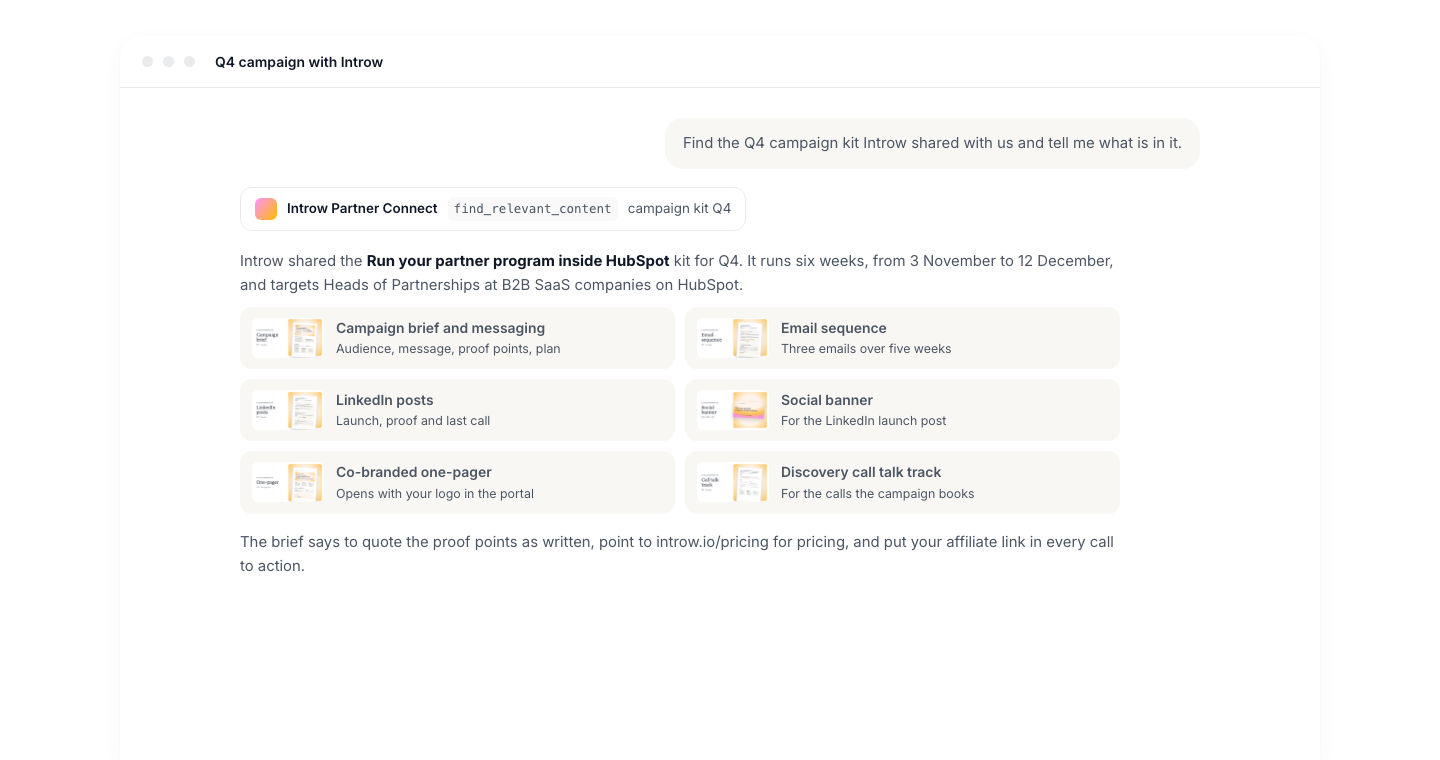 Ask for the brief's audience, core message, proof points and rules.
The rules matter: a vendor brief usually says which numbers you can quote as-is and what you must not promise, such as pricing.
```text theme={"theme":{"light":"github-light","dark":"github-dark"}}
Summarize the campaign brief: who it targets, the core message, the proof points I can quote, the campaign plan and the do and don't list.
```
### Make it yours
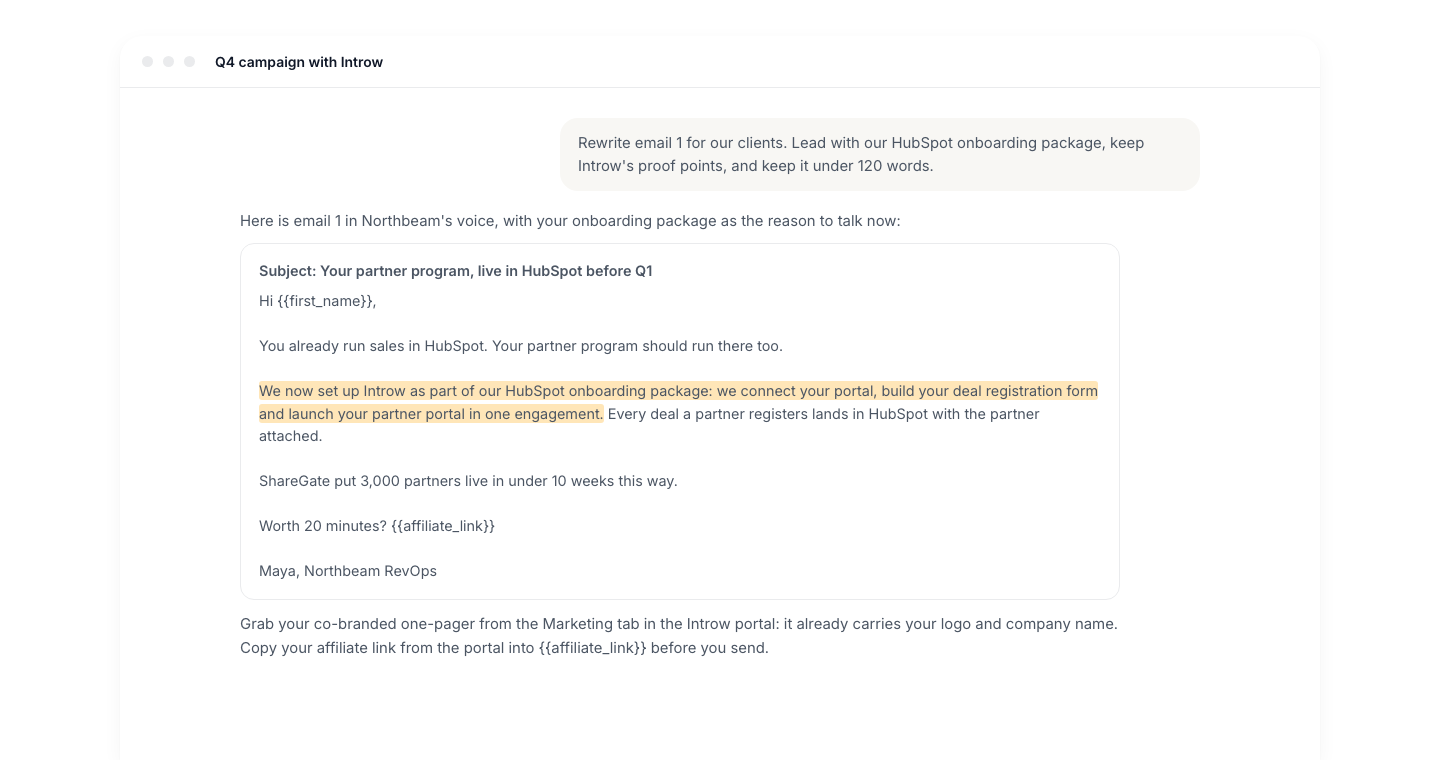
Ask for one email at a time, so the assistant works from the full text rather than a summary.
Tell it what to add: your services, your clients' situation, your sign-off.
Keep the vendor's proof points exactly as written.
```text theme={"theme":{"light":"github-light","dark":"github-dark"}}
Take email 1 of the Q4 email sequence and rewrite it for my clients.
We are a HubSpot agency for B2B SaaS teams and we set up and run the partner portal for them.
Keep the proof points word for word, keep it under 120 words, and leave {{affiliate_link}} where the link goes.
```
Repeat for each email and for the social posts.
Ask for the brief's audience, core message, proof points and rules.
The rules matter: a vendor brief usually says which numbers you can quote as-is and what you must not promise, such as pricing.
```text theme={"theme":{"light":"github-light","dark":"github-dark"}}
Summarize the campaign brief: who it targets, the core message, the proof points I can quote, the campaign plan and the do and don't list.
```
### Make it yours
Ask for one email at a time, so the assistant works from the full text rather than a summary.
Tell it what to add: your services, your clients' situation, your sign-off.
Keep the vendor's proof points exactly as written.
```text theme={"theme":{"light":"github-light","dark":"github-dark"}}
Take email 1 of the Q4 email sequence and rewrite it for my clients.
We are a HubSpot agency for B2B SaaS teams and we set up and run the partner portal for them.
Keep the proof points word for word, keep it under 120 words, and leave {{affiliate_link}} where the link goes.
```
Repeat for each email and for the social posts.
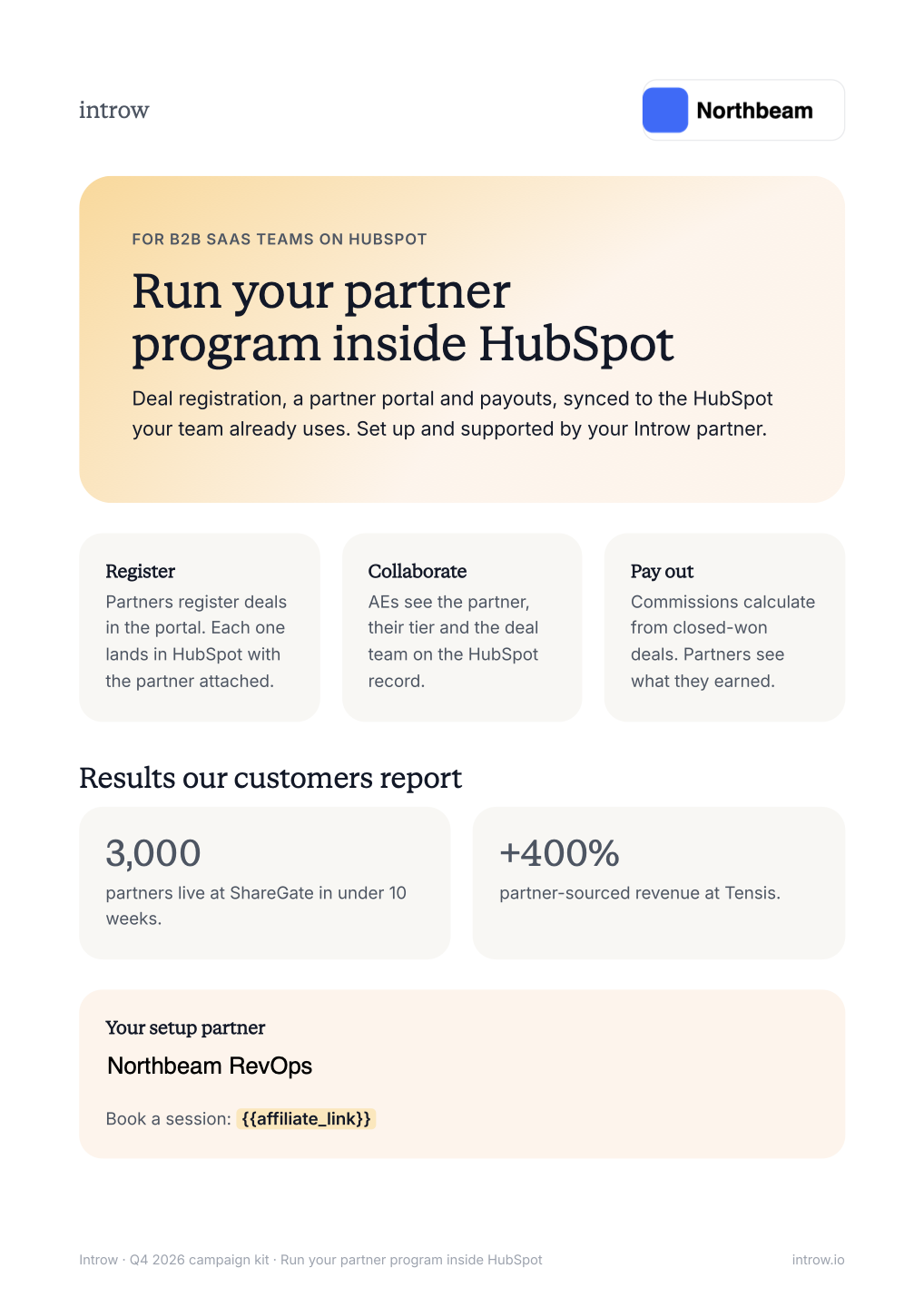
 Open the one-pager link the assistant returned.
When you open it in the portal, your copy is generated with your logo and company name already on it, so download it from there.
The assistant cannot produce this file for you.
Open the one-pager link the assistant returned.
When you open it in the portal, your copy is generated with your logo and company name already on it, so download it from there.
The assistant cannot produce this file for you.
 Replace every placeholder link in your drafts with your own affiliate link.
That link is how your vendor credits the clicks and signups your campaign sends.
### Launch and register
Paste the drafts into the tool you already send from: a HubSpot or Mailchimp email, a sequence in your CRM, or a scheduled LinkedIn post.
Attach the co-branded one-pager where the plan calls for it.
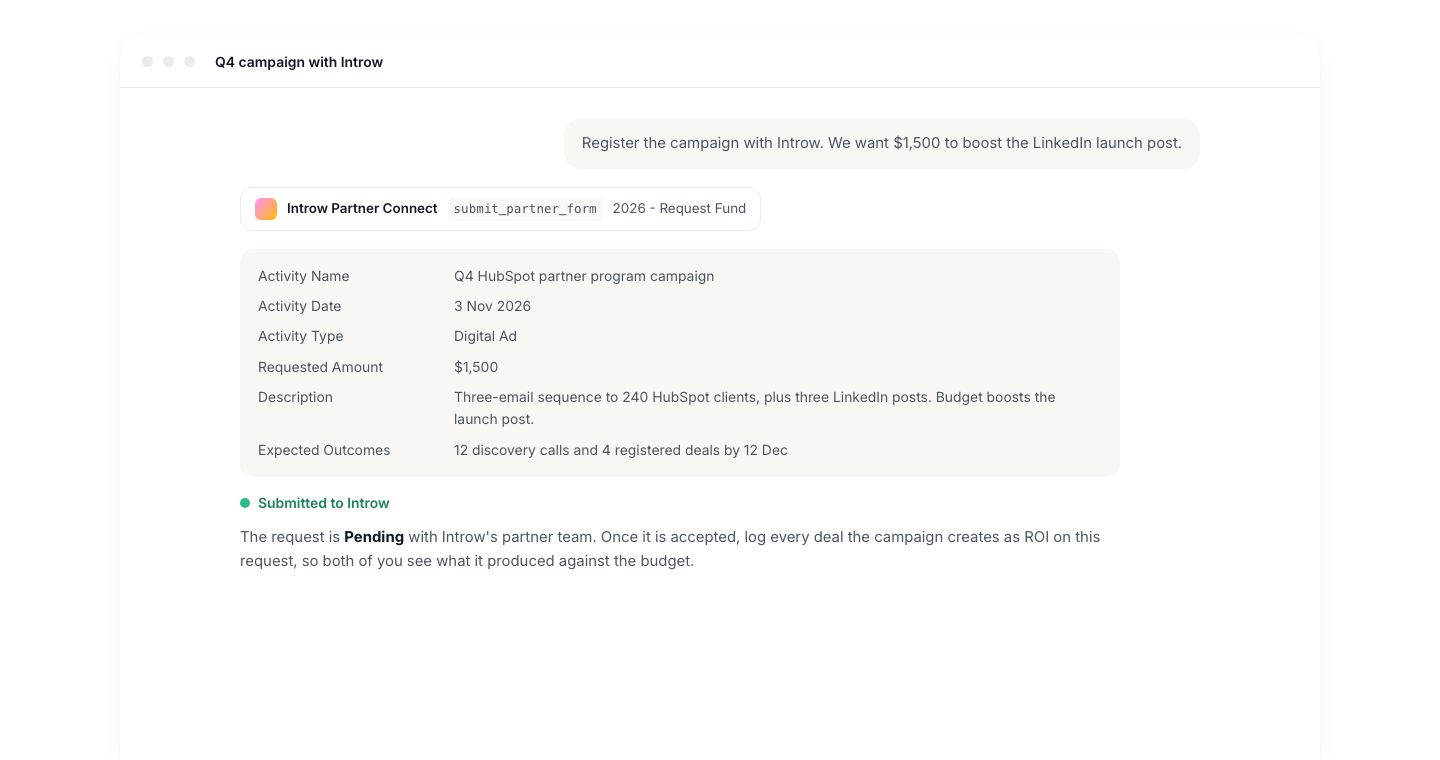
Ask the assistant to register the campaign through your vendor's campaign or marketing fund form.
It opens the form, tells you which fields it needs, and submits it once you confirm.
If your vendor funds campaigns, ask how much budget is left first.
```text theme={"theme":{"light":"github-light","dark":"github-dark"}}
How much marketing fund budget do I have left with this vendor?
Then register the Q4 campaign through the campaign funding form: name it "Q4 HubSpot partner program campaign", starting 3 November, three emails to 240 HubSpot clients plus three LinkedIn posts.
```
Registering is what lets your vendor see the campaign, and later the deals it produces, against your name.
Replace every placeholder link in your drafts with your own affiliate link.
That link is how your vendor credits the clicks and signups your campaign sends.
### Launch and register
Paste the drafts into the tool you already send from: a HubSpot or Mailchimp email, a sequence in your CRM, or a scheduled LinkedIn post.
Attach the co-branded one-pager where the plan calls for it.
Ask the assistant to register the campaign through your vendor's campaign or marketing fund form.
It opens the form, tells you which fields it needs, and submits it once you confirm.
If your vendor funds campaigns, ask how much budget is left first.
```text theme={"theme":{"light":"github-light","dark":"github-dark"}}
How much marketing fund budget do I have left with this vendor?
Then register the Q4 campaign through the campaign funding form: name it "Q4 HubSpot partner program campaign", starting 3 November, three emails to 240 HubSpot clients plus three LinkedIn posts.
```
Registering is what lets your vendor see the campaign, and later the deals it produces, against your name.
 ## Verify it worked
Ask the assistant for your open form submissions: the campaign you registered is listed with its status.
Your drafts carry your services, your voice and your affiliate link, and the one-pager you attached shows your logo.
## What your vendor sees
Your vendor sees the campaign you registered as a record they can approve, and its status updates come back to you in the portal and in your assistant.
Clicks and signups through your affiliate link, and deals you register against the campaign, are credited to you.
## Related
Connect your assistant to your partner account first.
For vendors: build a kit an assistant can work with.
What the assistant can and cannot do.
This documentation is built and hosted on [Mintlify](https://mintlify.com), a developer documentation platform.
## Verify it worked
Ask the assistant for your open form submissions: the campaign you registered is listed with its status.
Your drafts carry your services, your voice and your affiliate link, and the one-pager you attached shows your logo.
## What your vendor sees
Your vendor sees the campaign you registered as a record they can approve, and its status updates come back to you in the portal and in your assistant.
Clicks and signups through your affiliate link, and deals you register against the campaign, are credited to you.
## Related
Connect your assistant to your partner account first.
For vendors: build a kit an assistant can work with.
What the assistant can and cannot do.
This documentation is built and hosted on [Mintlify](https://mintlify.com), a developer documentation platform.