> ## Documentation Index
> Fetch the complete documentation index at: https://docs.introw.io/llms.txt
> Use this file to discover all available pages before exploring further.

# Read a partner's analytics

> See revenue and engagement.

> For partner ops checking on partner health.

Before a check-in or a QBR, you want the full picture of how a partner is doing. Reading their
analytics, revenue, engagement, top deals, and goal progress, gives you that in one place, so you
walk into the conversation prepared and can spot anyone going quiet.

## What you'll build

A clear read on a single partner's performance.

## Before you start

<Steps>
  <Step title="Confirm CRM and pipeline">
    Deal metrics need a connected CRM and a selected pipeline.
  </Step>
</Steps>

## Watch it

<Tabs>
  <Tab title="Video">
    <video controls playsInline preload="none" poster="https://assets.introw.io/docs/features/reporting/partner-analytics/guides/read-a-partners-analytics/steps/01.png?v=1783330796" className="w-full rounded-xl" src="https://assets.introw.io/docs/features/reporting/partner-analytics/guides/read-a-partners-analytics/video.webm?v=1783330796#t=2.5" />
  </Tab>

  <Tab title="Click through">
    <iframe className="w-full rounded-xl" style={{ width: "100%", aspectRatio: "16 / 11", border: 0, backgroundColor: "#FAFAFA" }} src="https://assets.introw.io/docs/features/reporting/partner-analytics/guides/read-a-partners-analytics/walkthrough.html?v=1783330796" />
  </Tab>
</Tabs>

## Steps

<Steps>
  <Step title="Open the partner">
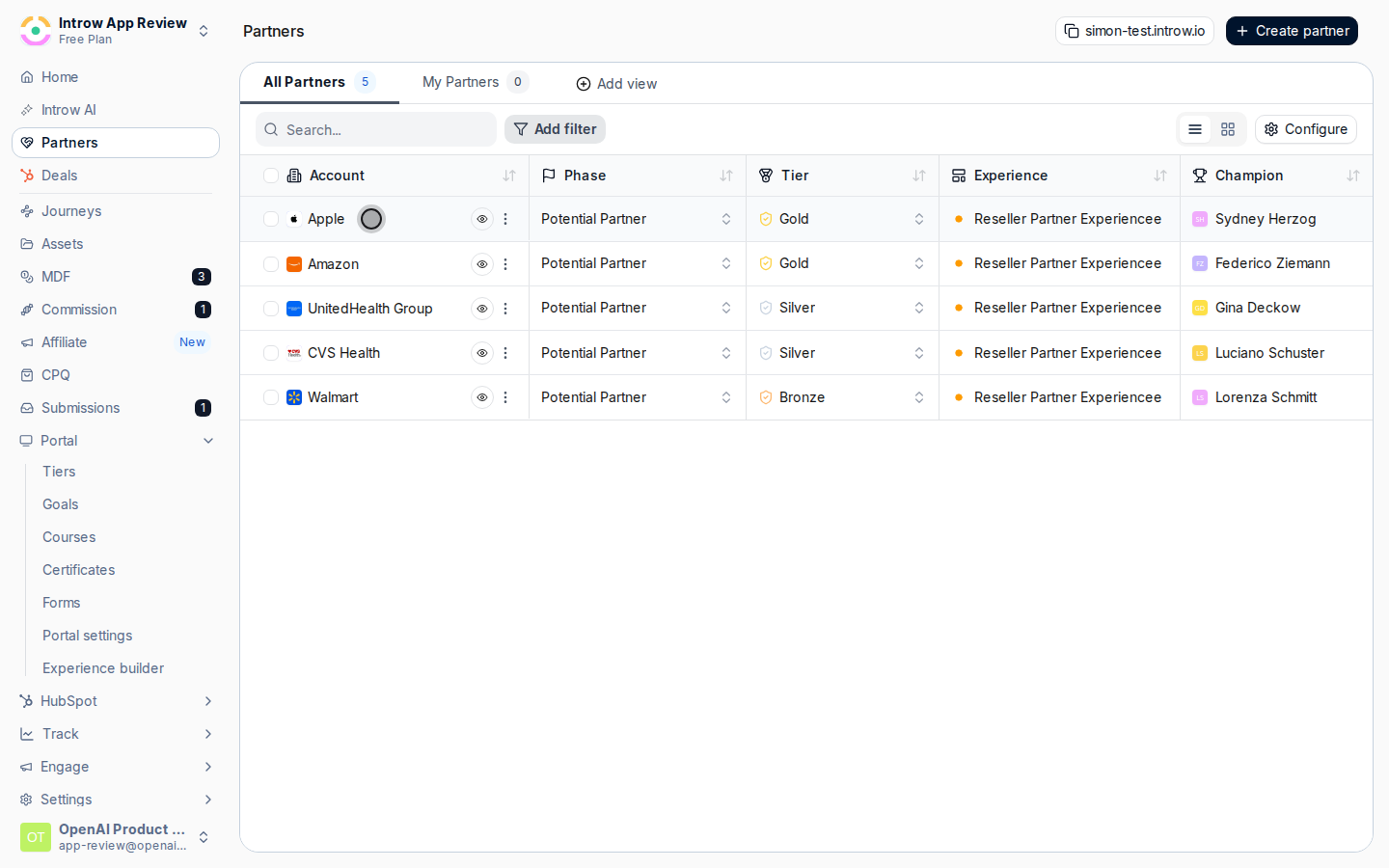
    Go to [Partners](https://app.introw.io/partners) and open the partner.
    <Frame>
      <img src="https://assets.introw.io/docs/features/reporting/partner-analytics/guides/read-a-partners-analytics/steps/02.png?v=1783330796" alt="Open the partner" />
    </Frame>
  </Step>

  <Step title="Review the Overview">
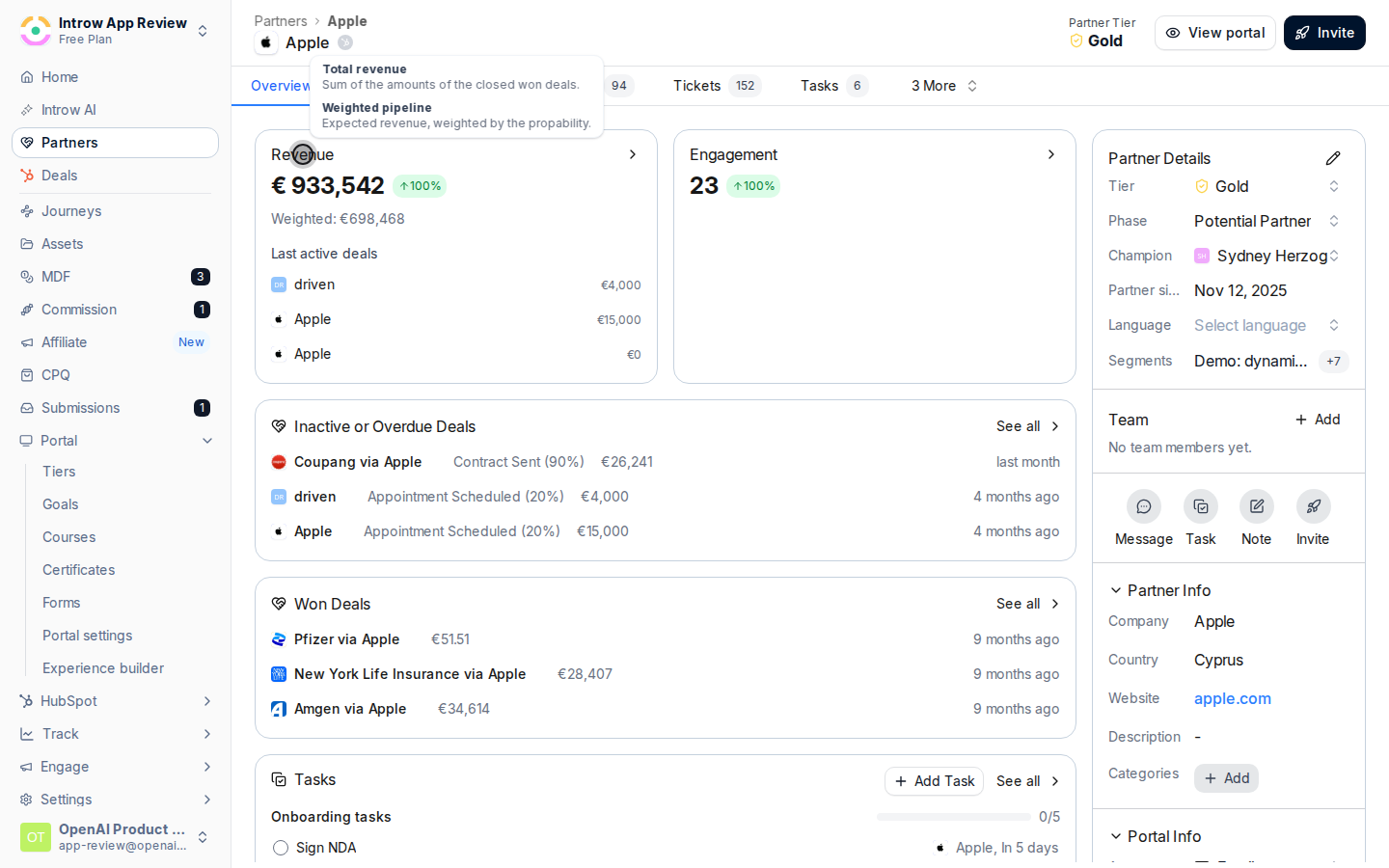
    Read revenue, engagement, top deals, and goals on the Overview tab.
    <Frame>
      <img src="https://assets.introw.io/docs/features/reporting/partner-analytics/guides/read-a-partners-analytics/steps/03.png?v=1783330796" alt="Review the Overview" />
    </Frame>
  </Step>

  <Step title="Open the Analytics tab">
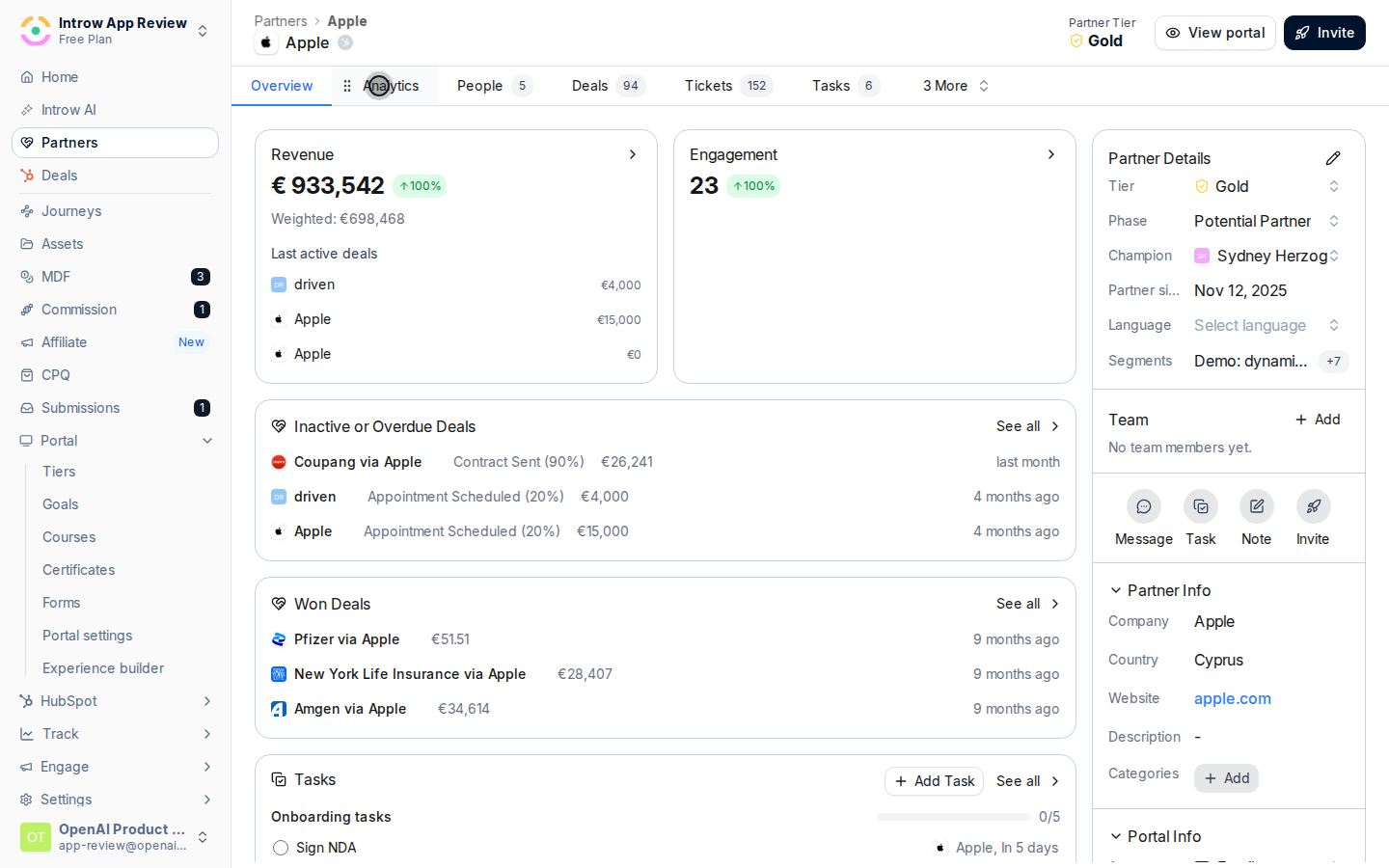
    Switch to the Analytics tab for the partner-scoped dashboard.
    <Frame>
      <img src="https://assets.introw.io/docs/features/reporting/partner-analytics/guides/read-a-partners-analytics/steps/06.png?v=1783330796" alt="Open the Analytics tab" />
    </Frame>
  </Step>
</Steps>

## Verify it worked

You can see the partner's revenue, engagement, and goal progress.

## Related

<CardGroup cols={2}>
  <Card title="Show a partner dashboard in the portal" icon="book-open" href="./show-a-partner-dashboard-in-the-portal">
    Give the partner the same view.
  </Card>

  <Card title="Launch a partner goal" icon="book-open" href="/features/reporting/goals/guides/launch-a-partner-goal">
    Set targets to track.
  </Card>

  <Card title="Implementation reference" icon="screwdriver-wrench" href="../technical">
    Full configuration options.
  </Card>
</CardGroup>
