> ## Documentation Index
> Fetch the complete documentation index at: https://docs.introw.io/llms.txt
> Use this file to discover all available pages before exploring further.

# Set the home pipeline and date range

> Tune your program overview.

> For partner ops who want a useful daily landing view.

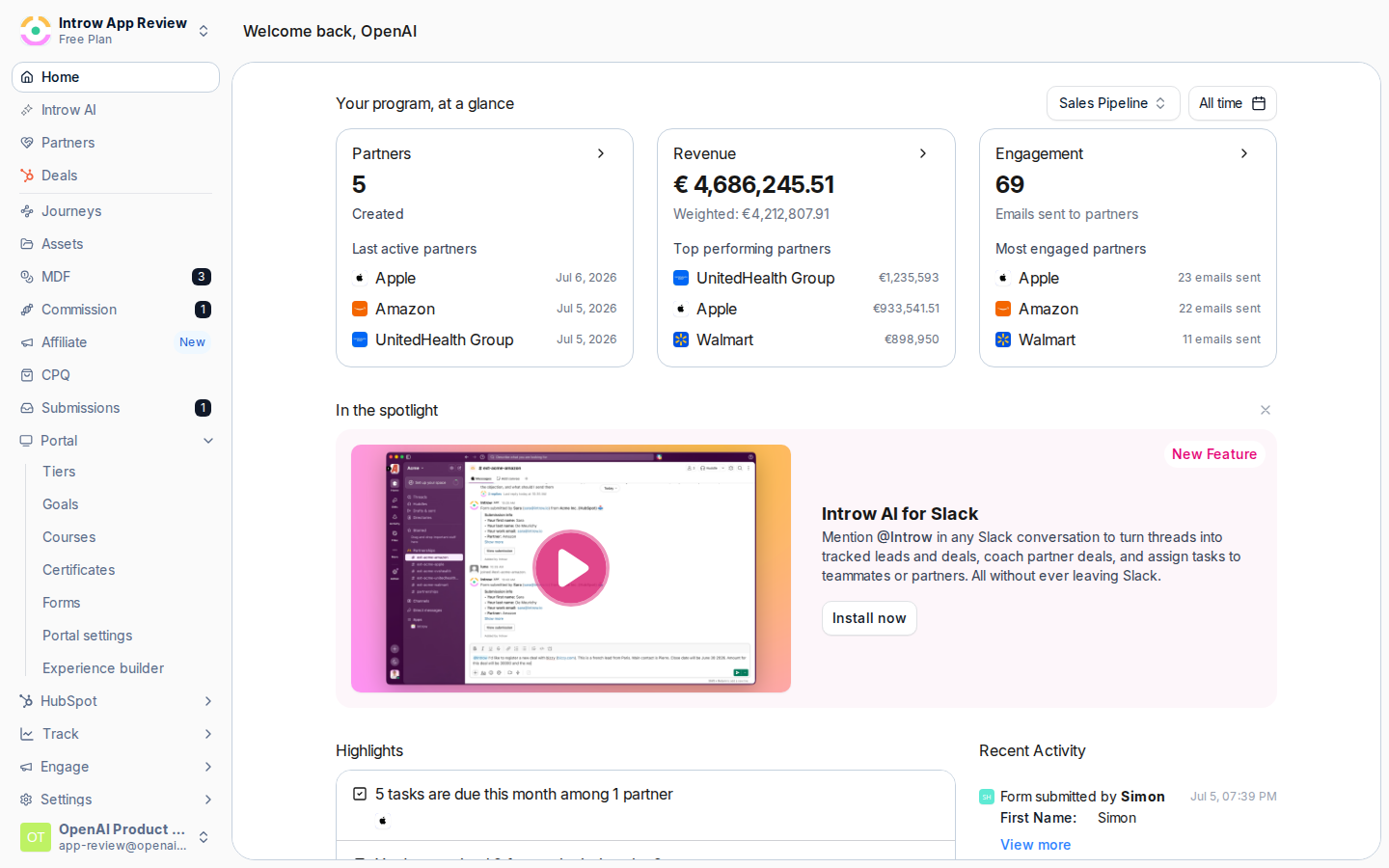
The home page is the first thing you see, so it should reflect the program you actually run. Choosing
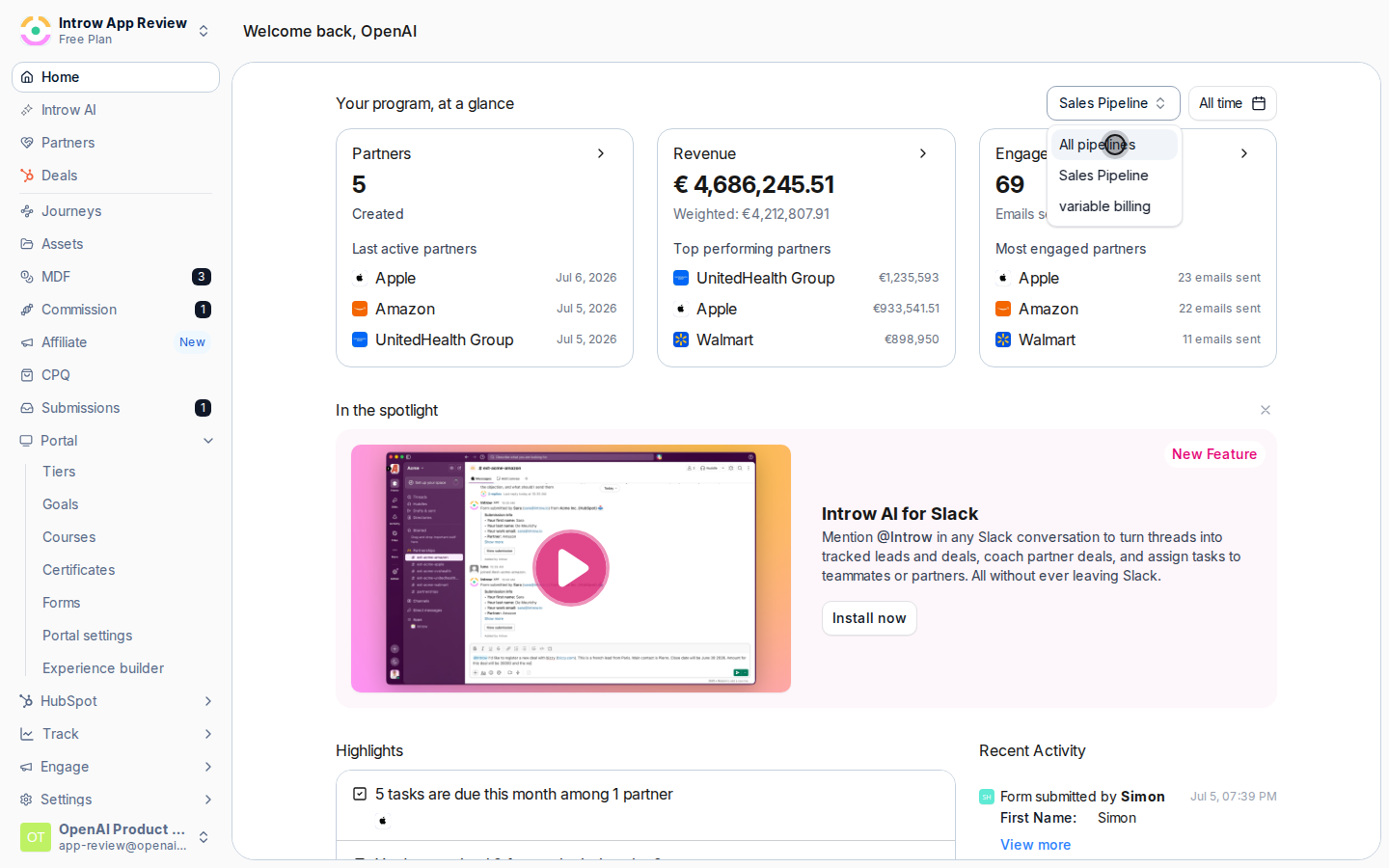
the deal pipeline for the program overview and a date range tailors the widgets, like top revenue
partners and closed-won deals, to the numbers you care about.

## What you'll build

A home page program overview tuned to your pipeline and timeframe.

## Before you start

<Steps>
  <Step title="Confirm CRM connection">
    Revenue and pipeline widgets need a connected CRM.
  </Step>
</Steps>

## Watch it

<Tabs>
  <Tab title="Video">
    <video controls playsInline preload="none" poster="https://assets.introw.io/docs/features/reporting/dashboards/guides/set-the-home-pipeline-and-date-range/steps/01.png?v=1783354606" className="w-full rounded-xl" src="https://assets.introw.io/docs/features/reporting/dashboards/guides/set-the-home-pipeline-and-date-range/video.webm?v=1783354606#t=2.5" />
  </Tab>

  <Tab title="Click through">
    <iframe className="w-full rounded-xl" style={{ width: "100%", aspectRatio: "16 / 11", border: 0, backgroundColor: "#FAFAFA" }} src="https://assets.introw.io/docs/features/reporting/dashboards/guides/set-the-home-pipeline-and-date-range/walkthrough.html?v=1783354606" />
  </Tab>
</Tabs>

## Steps

<Steps>
  <Step title="Open Home">
    Go to [Home](https://app.introw.io/).

    <Frame>
      <img src="https://assets.introw.io/docs/features/reporting/dashboards/guides/set-the-home-pipeline-and-date-range/steps/01.png?v=1783354606" alt="Open Home" />
    </Frame>
  </Step>

  <Step title="Pick the pipeline">
    In the program overview, select the deal pipeline to base metrics on.
    <Frame>
      <img src="https://assets.introw.io/docs/features/reporting/dashboards/guides/set-the-home-pipeline-and-date-range/steps/03.png?v=1783354606" alt="Pick the pipeline" />
    </Frame>
  </Step>

  <Step title="Set the date range">
    Choose the date range for the overview.
  </Step>
</Steps>

## Verify it worked

The program overview reflects the selected pipeline, and your pipeline choice persists next time.

## Related

<CardGroup cols={2}>
  <Card title="Build a dashboard" icon="book-open" href="./build-a-dashboard">
    Create deeper custom views.
  </Card>

  <Card title="Read a partner's analytics" icon="book-open" href="/features/reporting/partner-analytics/guides/read-a-partners-analytics">
    Drill into one partner.
  </Card>

  <Card title="Implementation reference" icon="screwdriver-wrench" href="../technical">
    Full configuration options.
  </Card>
</CardGroup>