> ## Documentation Index
> Fetch the complete documentation index at: https://docs.introw.io/llms.txt
> Use this file to discover all available pages before exploring further.
# Share a referral link
> Hand partners an attributed link to refer a deal in seconds, and confirm credit lands on the right partner.
export const noun_0 = "referral"
export const verb_0 = "refer"
The lowest-friction way for a partner to refer is a link they can open and fill in anywhere. A partner-specific link goes one step further: it attributes every submission to that referrer automatically, so credit is never in question and you do not have to reconcile who sent what. This guide shares the link and confirms attribution actually lands.
## What you'll achieve
A referral link in your partners' hands, attributed to the right partner, with the first submission confirmed as credited in your CRM so you know the channel works before you scale it.
## Before you start
A referral form that creates a deal or lead must exist. See [Build and share a referral form](./build-and-share-a-referral-form).
## Watch it
## Steps
### Share the link
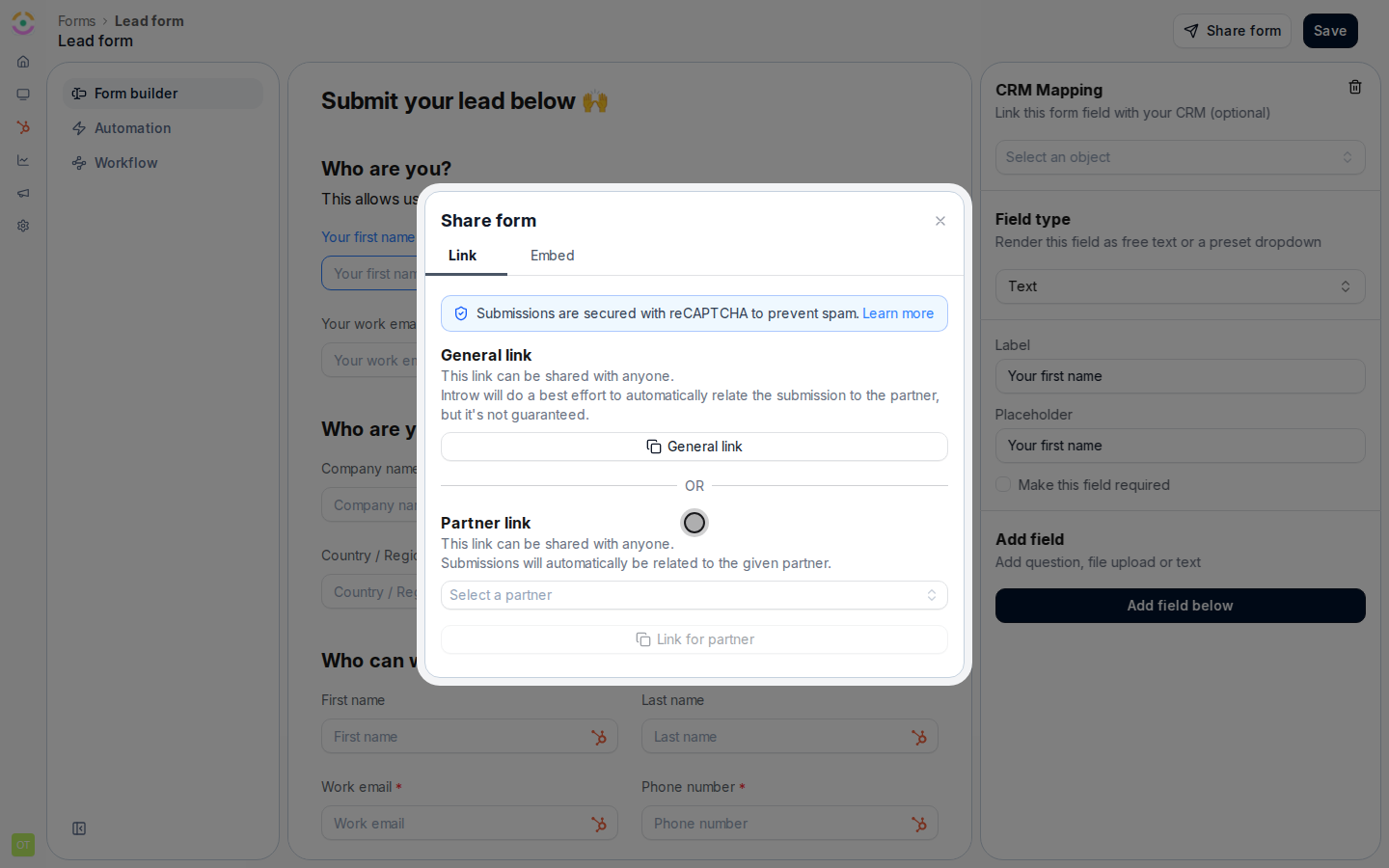
In [Forms](https://app.introw.io/forms), open your {noun_0} form and open its **Share form** dialog.
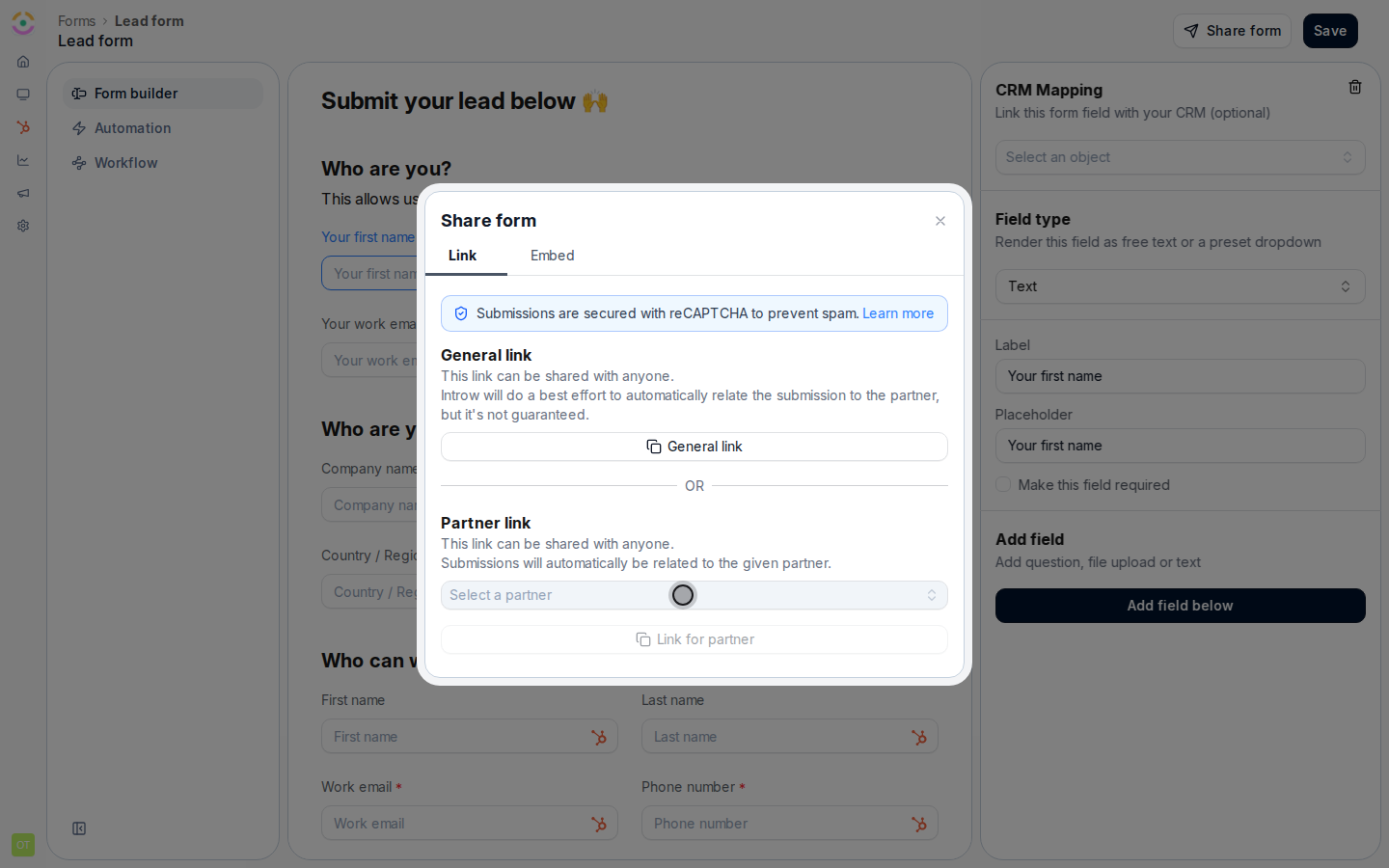
On the **Link** tab, copy the general link to share with anyone, or the partner link to attribute every submission to a specific partner.
Drop the link into an email, a portal message, a Slack channel, or anywhere your partners already are. A partner link credits that partner every time they {verb_0} a deal.
### Confirm attribution
When you send the form to a specific partner, always use their **Partner link** rather than the **General link**. The partner link tags every submission with that referrer, so credit is automatic; the general link only makes a best-effort guess and can arrive unattributed.
 Open the partner link yourself, submit a test referral, and open [Submissions](https://app.introw.io/submissions). Confirm the submission shows under **Form submissions** attributed to the expected partner. If it arrives unattributed, re-share the partner link rather than the general link.
 ## Verify it worked
The test referral appears in [Submissions](https://app.introw.io/submissions) attributed to the right partner, and a matching deal is created in your CRM. From here, the partner can be kept updated and rewarded automatically.
## Related
Set up the form and attribution behind the link.
Capture referrals on your own site instead.
## Verify it worked
The test referral appears in [Submissions](https://app.introw.io/submissions) attributed to the right partner, and a matching deal is created in your CRM. From here, the partner can be kept updated and rewarded automatically.
## Related
Set up the form and attribution behind the link.
Capture referrals on your own site instead.