> ## Documentation Index
> Fetch the complete documentation index at: https://docs.introw.io/llms.txt
> Use this file to discover all available pages before exploring further.
# Invite partners and their teams
> Invite specific partner contacts into a portal, then let trusted partners bring in their own teammates.
> For partner ops getting partner contacts active in the portal with minimal back-and-forth.
A portal only delivers value once partners are actually in it. This guide covers getting them there end to end: invite the specific contacts you want, with a personal note so the first touch feels human, then let trusted partners invite their own teammates so you are not the bottleneck as their team grows.
## What you'll achieve
The partner contacts you want are invited and can sign in, and the partners you trust can add their own colleagues, so portal membership grows without every invite routing through you.
## Before you start
A partner needs an experience assigned before an invite gives them a usable portal. See [Build and publish a portal experience](/features/portal/experiences/guides/build-and-publish-a-portal-experience).
Partners can only sign in once the portal is on a subdomain or a verified custom domain.
## Watch it
## Steps
### Invite partner contacts
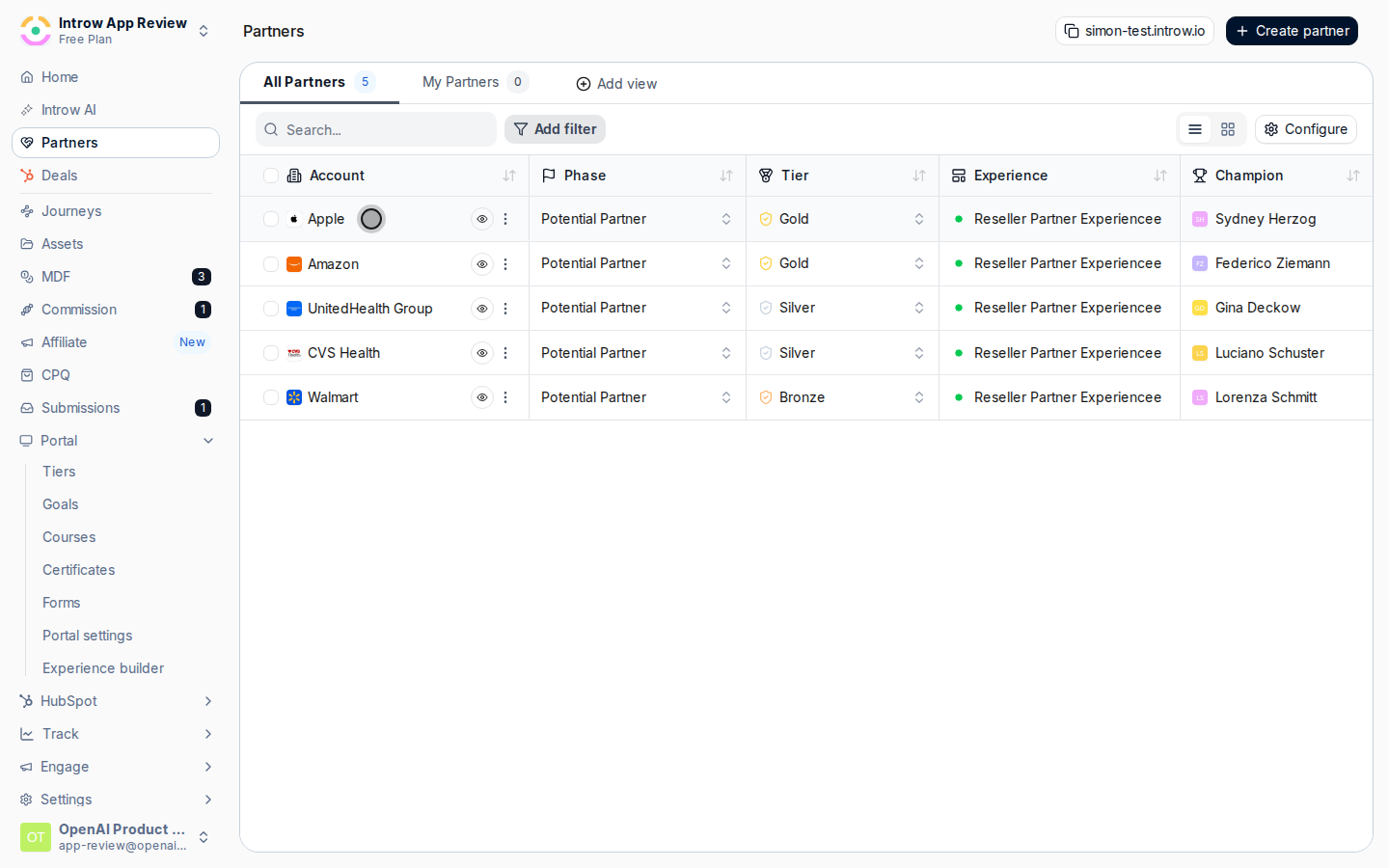
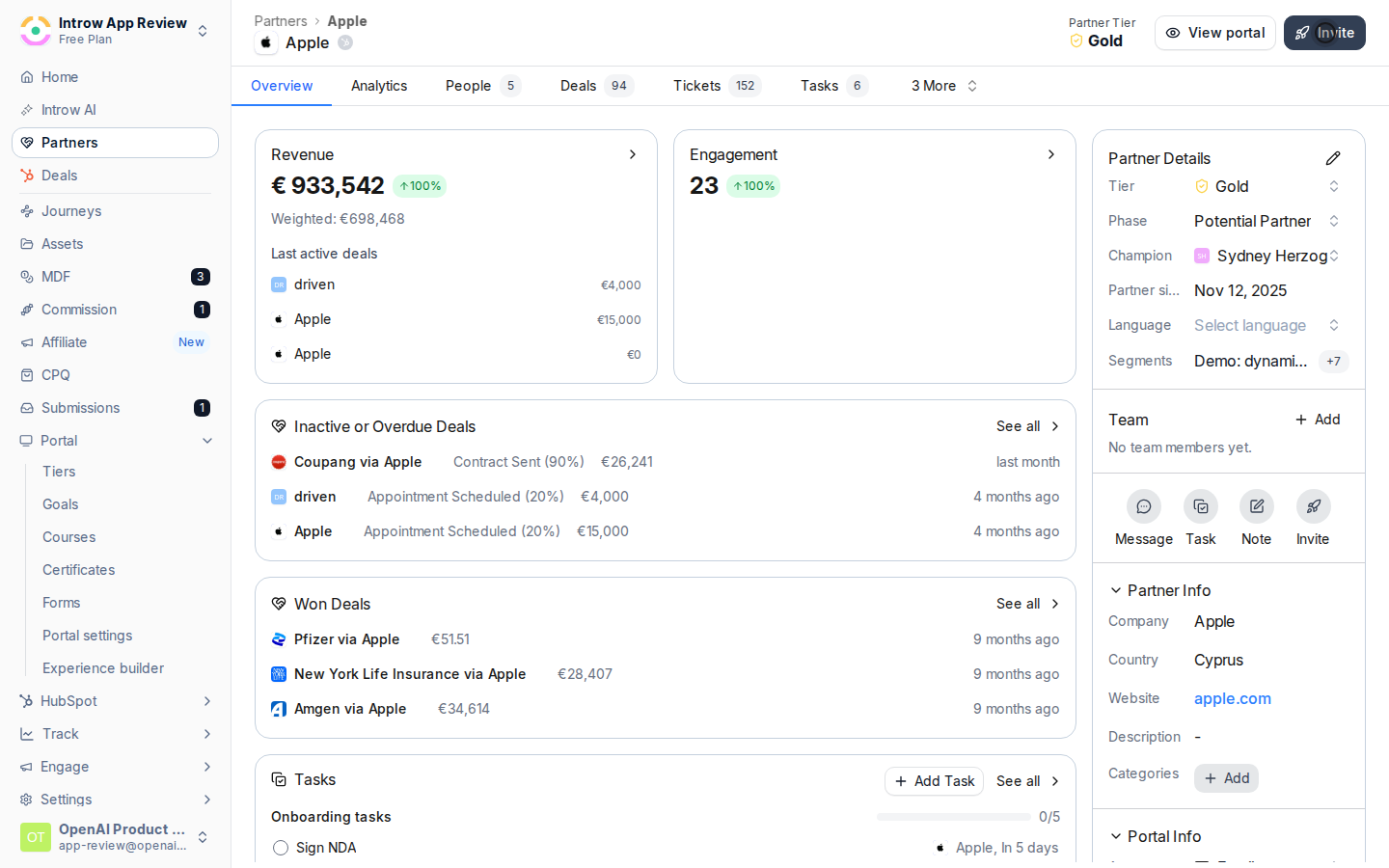
Go to [Partners](https://app.introw.io/partners) and open the partner whose contacts you want to invite. The partner's people are listed with their current portal access status.
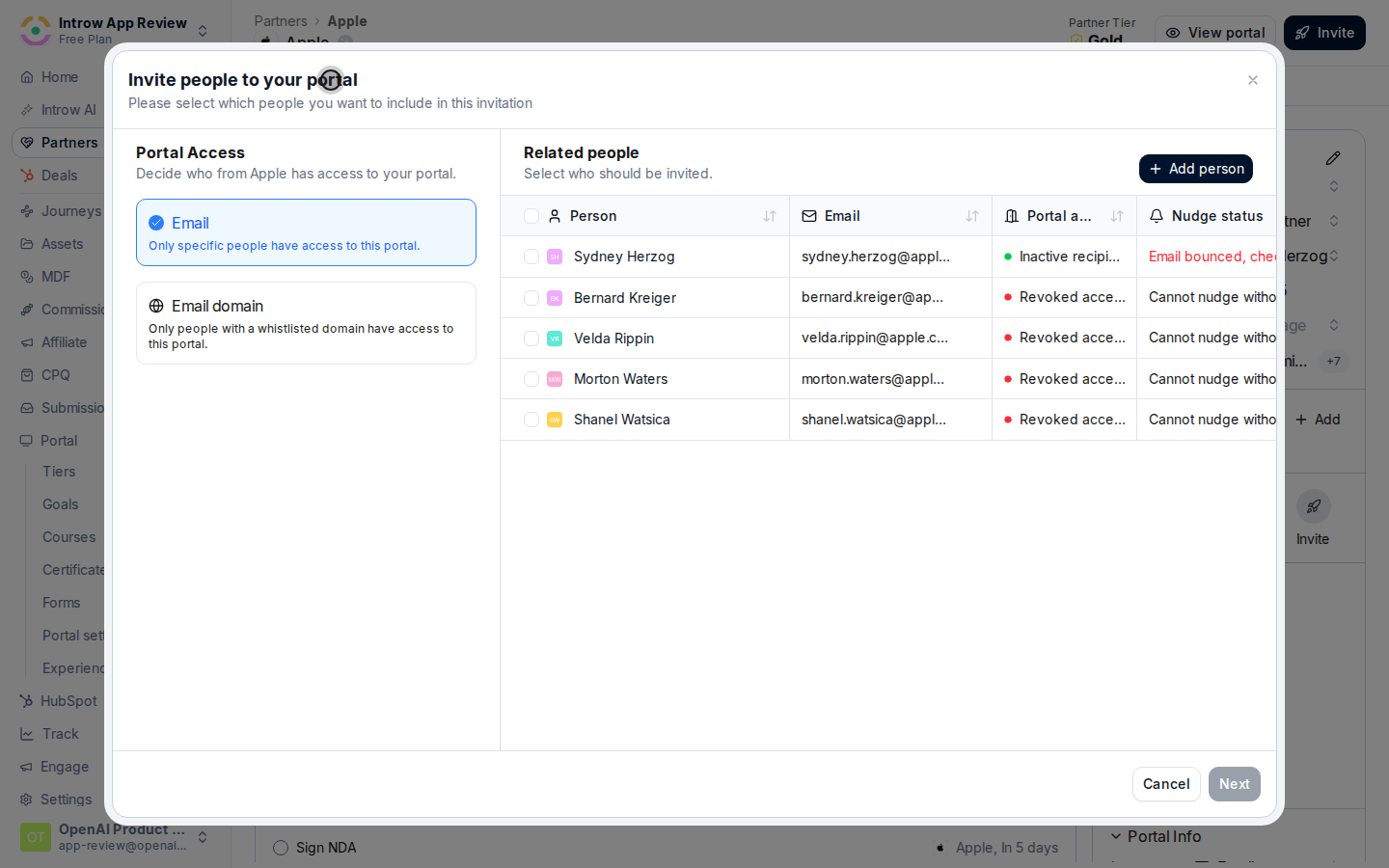
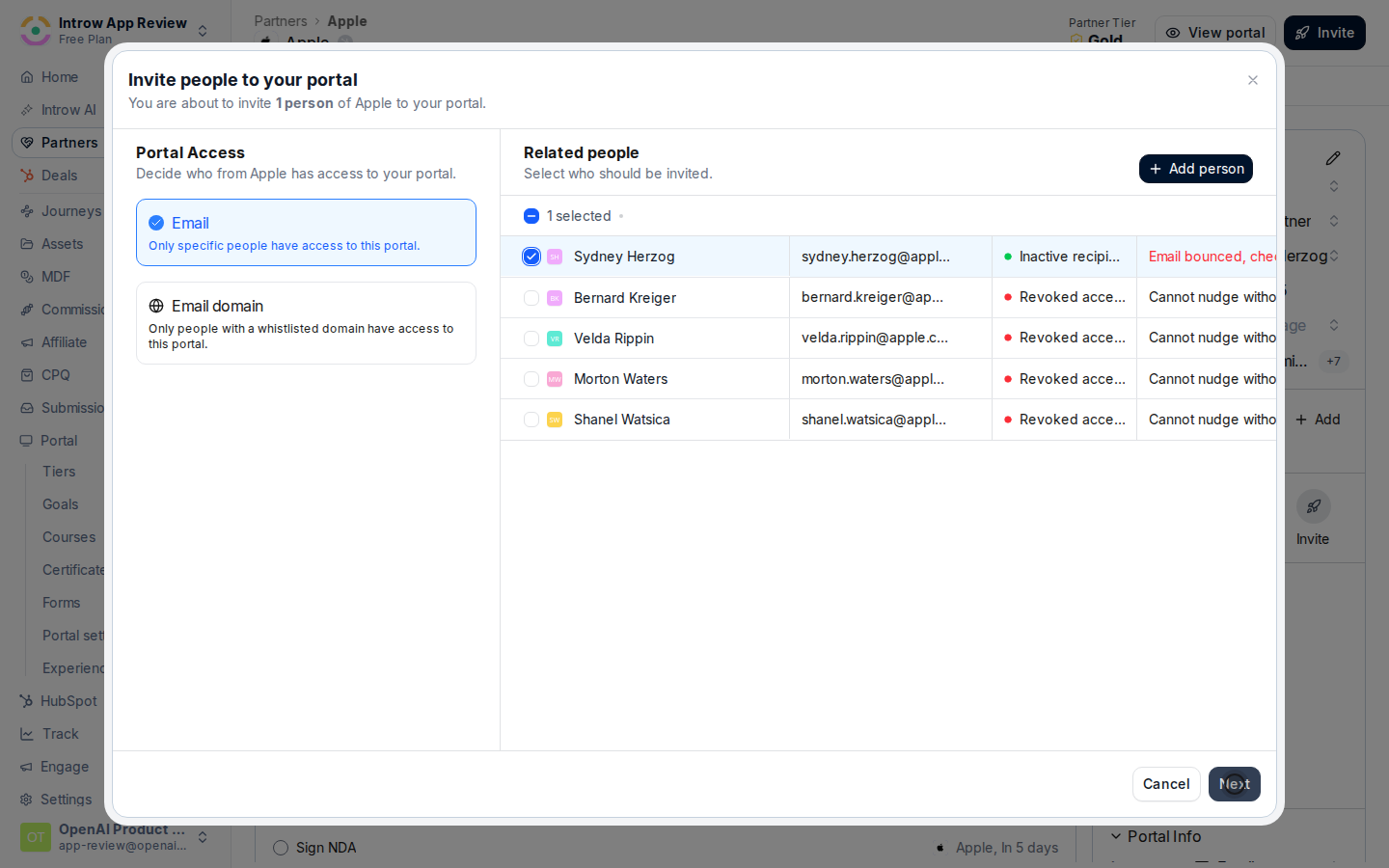
 From the partner's related people, select the contacts who should get access, or add a new person by their email if they are not listed yet. Choosing the right people here keeps access scoped to who actually needs it.
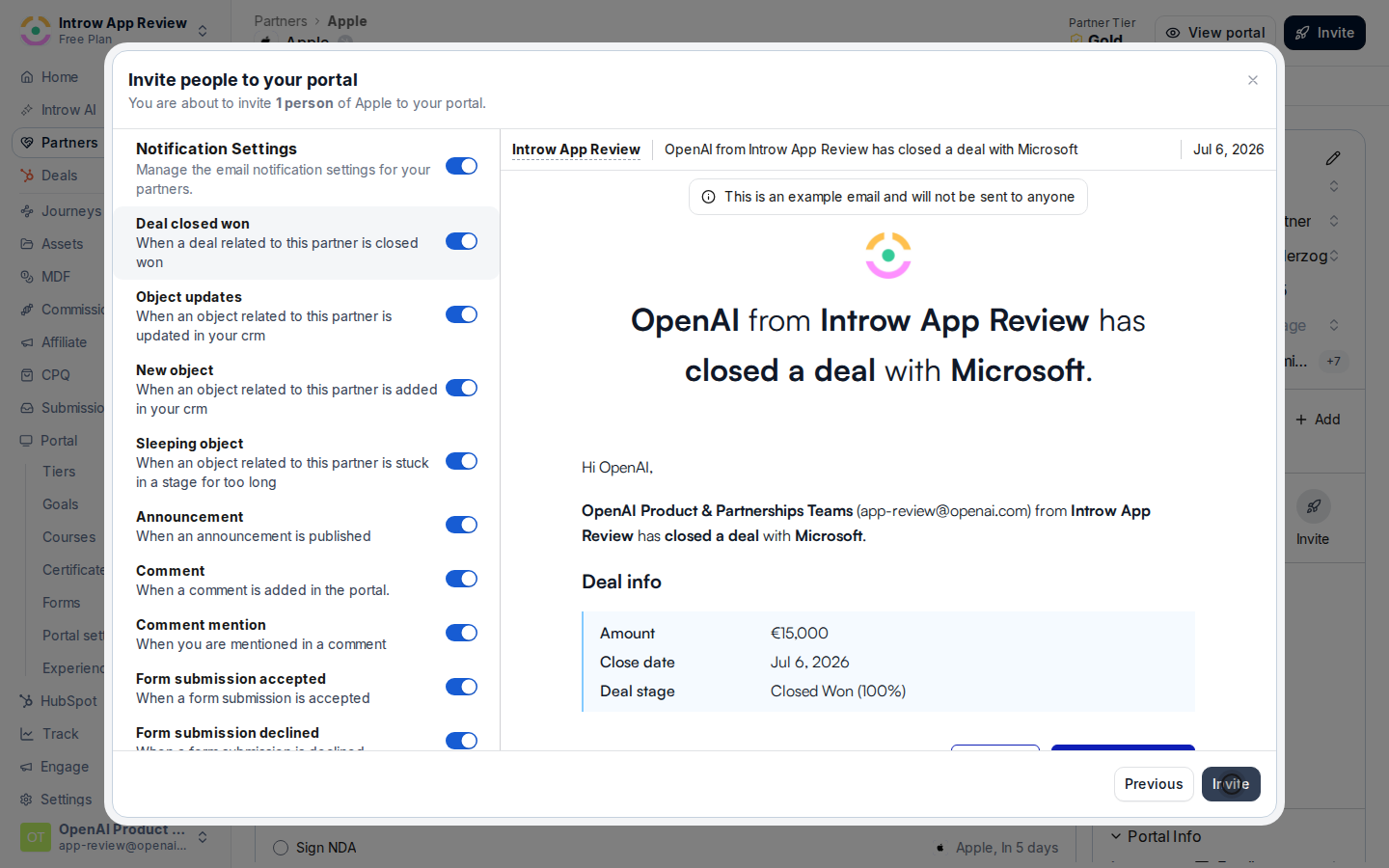
 Send the invite and fill in the message:
* **Work email** - the address the invite is sent to. It must be a work email; if this partner's access is restricted to specific domains, the address has to match an allowed domain or the invite is blocked.
* **Personal message** - the note included in the invite email. A default message explaining the portal is prefilled; personalise it so the first touch feels human rather than automated.
Send the invite and fill in the message:
* **Work email** - the address the invite is sent to. It must be a work email; if this partner's access is restricted to specific domains, the address has to match an allowed domain or the invite is blocked.
* **Personal message** - the note included in the invite email. A default message explaining the portal is prefilled; personalise it so the first touch feels human rather than automated.
 ### Let partners manage their own team
A partner team role controls what a partner's own users can do, including whether they can bring in teammates. Manage these under [Team management](/features/access/team-management).
### Let partners manage their own team
A partner team role controls what a partner's own users can do, including whether they can bring in teammates. Manage these under [Team management](/features/access/team-management).
 Give trusted partners a team role with the permissions to manage their own people, so their admins can invite colleagues from inside the portal. This removes you as the bottleneck while you still control the scope through the role. Keep the permission to partners you trust to manage their own access.
 ## Verify it worked
Invited contacts receive the email, verify their address, and land in the portal on their assigned experience. A partner with a self-management role can invite a colleague from inside the portal, and that colleague appears in the partner's people with access.
## Related
Choose login methods and the access model first.
Let one contact work across more than one portal.
Control what partner users can do.
Full portal access configuration options.
## Verify it worked
Invited contacts receive the email, verify their address, and land in the portal on their assigned experience. A partner with a self-management role can invite a colleague from inside the portal, and that colleague appears in the partner's people with access.
## Related
Choose login methods and the access model first.
Let one contact work across more than one portal.
Control what partner users can do.
Full portal access configuration options.