> ## Documentation Index
> Fetch the complete documentation index at: https://docs.introw.io/llms.txt
> Use this file to discover all available pages before exploring further.
# ROI
> Configure MDF ROI: real-time tracking from CRM data (count objects or sum a property, with filters), the partner-facing ROI form, and the ROI reporting window.
export const Rail = ({children}) =>
{children}
;
## Where it lives
ROI sits under **MDF**, at [Marketing Funds](https://app.introw.io/marketing-funds).
 ## Before you start
| You need | Why | Fix it |
| -------------------------------- | ---------------------------- | --------------------------------------------------------------------------------- |
| A fund with approved projects | ROI is measured per project | [Set up a fund](/features/mdf/funds-allocation/guides/set-up-an-mdf-program) |
| The object you attribute, synced | Usually deals, from your CRM | [Connect a CRM](/features/integrations/crm/guides/connect-hubspot) |
| Write access to MDF | To configure the ROI step | [Internal roles](/features/access/team-management/guides/create-an-internal-role) |
## How it works
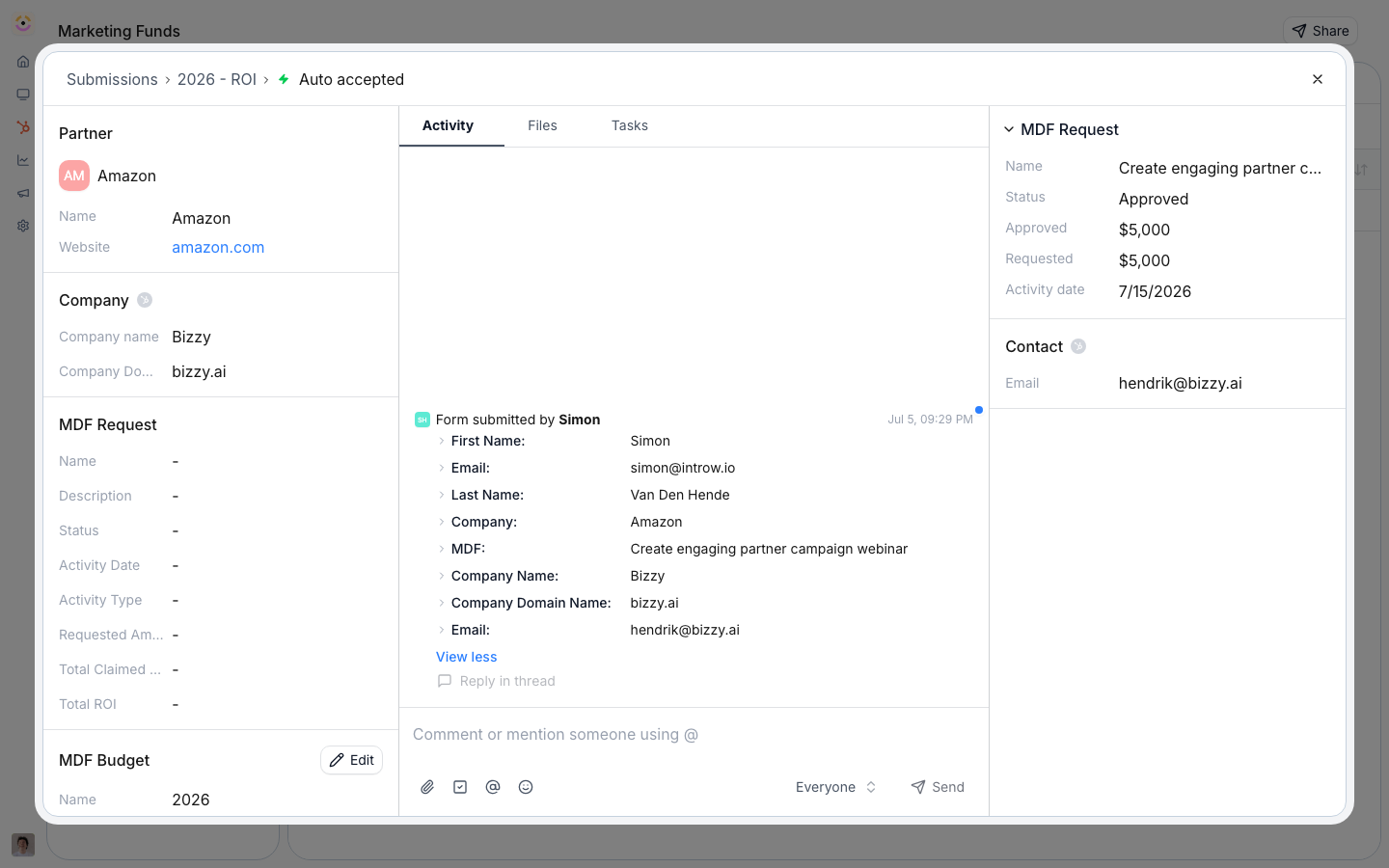
ROI is tracked two ways on a fund. Partners **report outcomes** through the ROI form, and Introw tracks **real-time ROI from CRM data** by attributing the objects a project produced (typically deals) to that project and aggregating them. You choose the aggregation: **count of objects** times a value per unit, or **sum of a property** (like deal amount). Filters scope which records count. The result updates live and surfaces on the project and in [reports and dashboards](/features/reporting/report-builder).
## Settings & configuration
### Real-time ROI tracking
On the fund's ROI settings, choose the **object type** to attribute (for example deals), the **aggregation** (count of objects or sum of a property), the **value per unit** or the property to sum, and any **filters** that scope which records count toward the fund.
### The ROI form
Partners report qualitative and quantitative outcomes through the ROI form. Edit it no-code and map its fields to the CRM like any other step.
### ROI reporting window
Set the ROI reporting deadline on the fund's timeline so partners report within the window you expect. The ROI step can be turned off if you only track ROI from CRM data.
## How-to guides
* 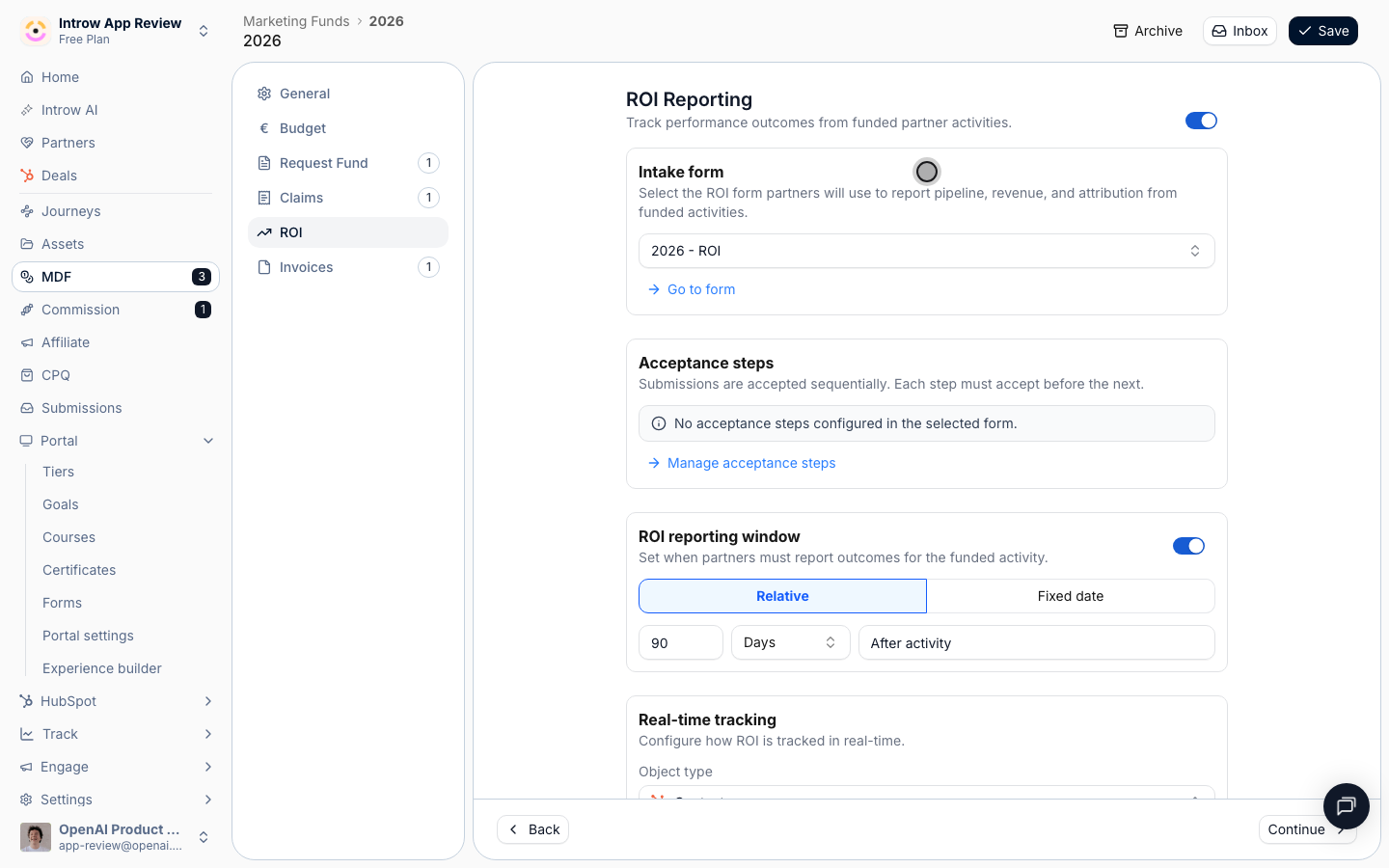
[**Configure the ROI step**](/features/mdf/roi/guides/configure-the-roi-form)
Configure the MDF ROI step: build the ROI form, set CRM automations, approval gates, the reporting window, and enable or disable the step per project.
* [**Submit ROI**](/features/mdf/roi/guides/submit-roi)
How a partner reports the outcomes of a funded MDF activity through the ROI form on their approved project - from the portal, a link, or an AI assistant.
* 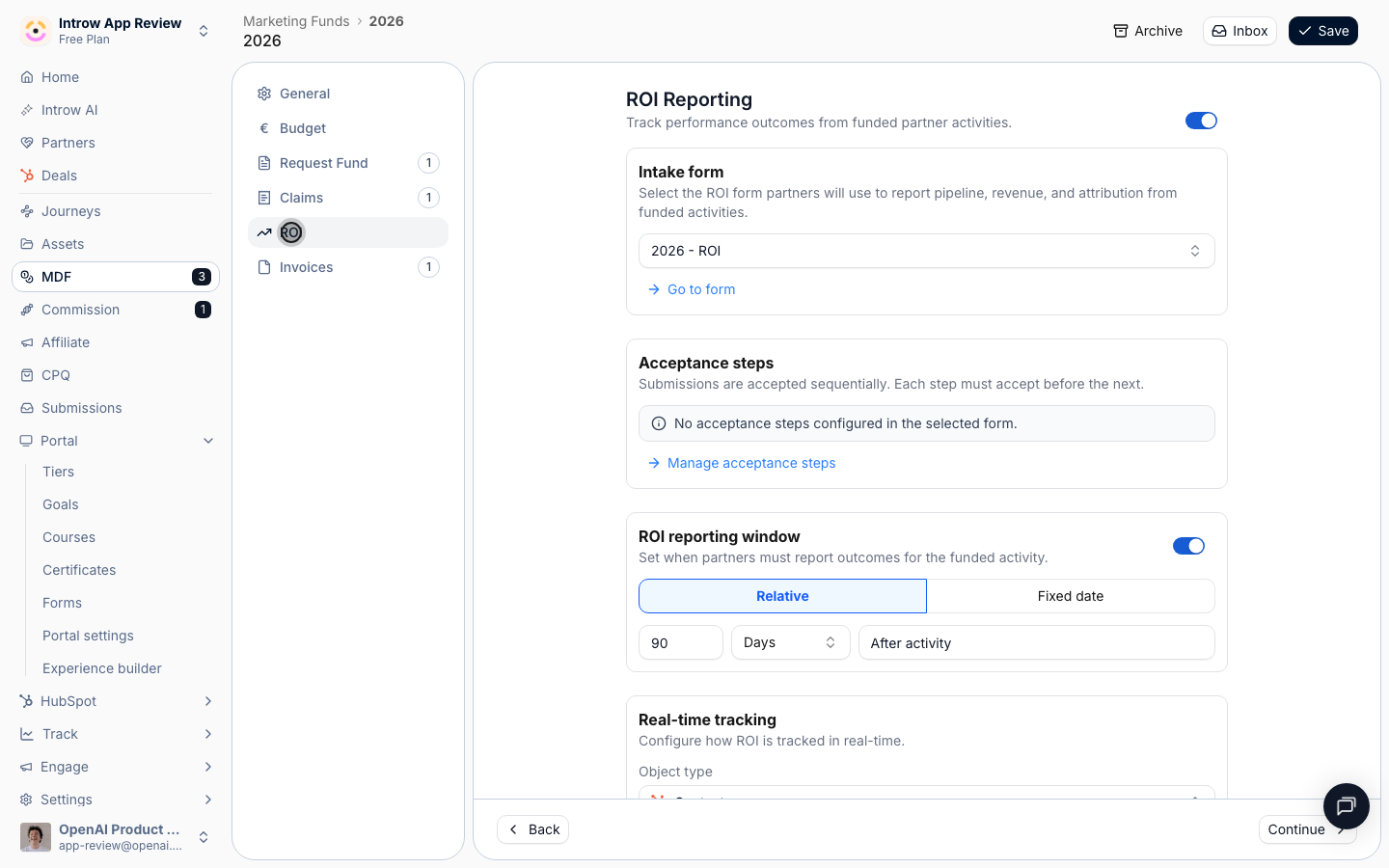
[**Track ROI on a fund**](/features/mdf/roi/guides/track-roi-on-a-fund)
Measure the return of an MDF marketing fund using partner-reported outcomes and real-time CRM data - attributed deals, revenue, and activity metrics.
## Troubleshooting
Real-time ROI attributes CRM objects to the project, so the object type must be syncing and the filters must include the records you expect. The ROI reporting window can be disabled. Fund-level real-time totals are strongest with count-of-object aggregation; per-project totals support both count and sum.
The object type or filters exclude the records; widen the filter.
The ROI window is disabled or has closed.
## Before you start
| You need | Why | Fix it |
| -------------------------------- | ---------------------------- | --------------------------------------------------------------------------------- |
| A fund with approved projects | ROI is measured per project | [Set up a fund](/features/mdf/funds-allocation/guides/set-up-an-mdf-program) |
| The object you attribute, synced | Usually deals, from your CRM | [Connect a CRM](/features/integrations/crm/guides/connect-hubspot) |
| Write access to MDF | To configure the ROI step | [Internal roles](/features/access/team-management/guides/create-an-internal-role) |
## How it works
ROI is tracked two ways on a fund. Partners **report outcomes** through the ROI form, and Introw tracks **real-time ROI from CRM data** by attributing the objects a project produced (typically deals) to that project and aggregating them. You choose the aggregation: **count of objects** times a value per unit, or **sum of a property** (like deal amount). Filters scope which records count. The result updates live and surfaces on the project and in [reports and dashboards](/features/reporting/report-builder).
## Settings & configuration
### Real-time ROI tracking
On the fund's ROI settings, choose the **object type** to attribute (for example deals), the **aggregation** (count of objects or sum of a property), the **value per unit** or the property to sum, and any **filters** that scope which records count toward the fund.
### The ROI form
Partners report qualitative and quantitative outcomes through the ROI form. Edit it no-code and map its fields to the CRM like any other step.
### ROI reporting window
Set the ROI reporting deadline on the fund's timeline so partners report within the window you expect. The ROI step can be turned off if you only track ROI from CRM data.
## How-to guides
* 
[**Configure the ROI step**](/features/mdf/roi/guides/configure-the-roi-form)
Configure the MDF ROI step: build the ROI form, set CRM automations, approval gates, the reporting window, and enable or disable the step per project.
* [**Submit ROI**](/features/mdf/roi/guides/submit-roi)
How a partner reports the outcomes of a funded MDF activity through the ROI form on their approved project - from the portal, a link, or an AI assistant.
* 
[**Track ROI on a fund**](/features/mdf/roi/guides/track-roi-on-a-fund)
Measure the return of an MDF marketing fund using partner-reported outcomes and real-time CRM data - attributed deals, revenue, and activity metrics.
## Troubleshooting
Real-time ROI attributes CRM objects to the project, so the object type must be syncing and the filters must include the records you expect. The ROI reporting window can be disabled. Fund-level real-time totals are strongest with count-of-object aggregation; per-project totals support both count and sum.
The object type or filters exclude the records; widen the filter.
The ROI window is disabled or has closed.