> ## Documentation Index
> Fetch the complete documentation index at: https://docs.introw.io/llms.txt
> Use this file to discover all available pages before exploring further.
# Invoices
> Close the MDF loop: partners submit an invoice, Introw generates a reimbursement statement with a PO and PDF, runs approval, and marks the project paid.
export const Headless = ({children, intro = true}) => {
const [copied, setCopied] = useState(null);
const copy = event => {
const row = event.target.closest("li");
if (!row) return;
const text = row.textContent.trim();
try {
navigator.clipboard?.writeText(text);
} catch {}
setCopied(text);
setTimeout(() => setCopied(null), 1600);
};
return <>
{intro ?
Introw is headless by design: run everything here in plain language from Claude, ChatGPT,
Slack, Teams, or your own CRM through Introw's MCP server, with every
action written straight back to your CRM source of truth. The portal is one surface, never the only one.
:
The agentic motion - lifecycle deep dives and a Claude Code skill library that run your partner program from
Claude, ChatGPT, Slack, and your CRM.
}
;
};
export const Tour = ({children}) => {
const [active, setActive] = useState(0);
const wrappers = (Array.isArray(children) ? children : [children]).filter(c => c && c.props);
const frames = wrappers.length === 1 && Array.isArray(wrappers[0].props.children) ? wrappers[0].props.children.filter(c => c && c.props) : [];
if (frames.length < 2) {
return
;
> The last step is getting the partner paid. Invoices turn approved spend into a reimbursement statement your finance team can act on - generated from the numbers already in Introw, run through approval, and closed out by marking the project paid - so nobody rebuilds the total in a spreadsheet.
## The problem it solves
Reimbursement is where MDF programs get stuck:
| Without Introw | With Introw |
| ----------------------------- | -------------------------------- |
| Totals are rebuilt by hand | The statement writes itself |
| Finance has no clean document | A PO-numbered PDF |
| Approval is informal | The same approvers as every step |
| Nobody is sure it was paid | Marking it paid updates the CRM |
## Impact
Getting paid on time, with a document their own finance team accepts, is the part partners tell other partners about. It is the cheapest reputation you can buy.
for your business
* **In your CRM**
Approved and paid both live on the CRM record, so nobody has to remember whether the money went out
* **Cost to run**
The statement is generated from the approved claim rather than rebuilt in a spreadsheet each time
* **AI, not admin**
The invoice runs the same AI review and approval chain as every other step, with no separate process
for your partners
* **Self-serve**
They raise the invoice themselves against spend you have already approved
* **Enabled**
A PO-numbered statement and PDF their finance team will accept without a conversation
* **Efficient**
A payment deadline stated before they spend, so they can plan their own cash
[A day in the life of a co-sell partner](/days-in-the-life/co-sell-partner)
* **Partner Operations** - a last mile that does not need chasing
* **Finance** - a PO-numbered statement and a clear paid state
* **Partner Marketing & Enablement** - the invoice step done and projects marked paid
* **Partners** - money that arrives when it was promised
## See it work
* 
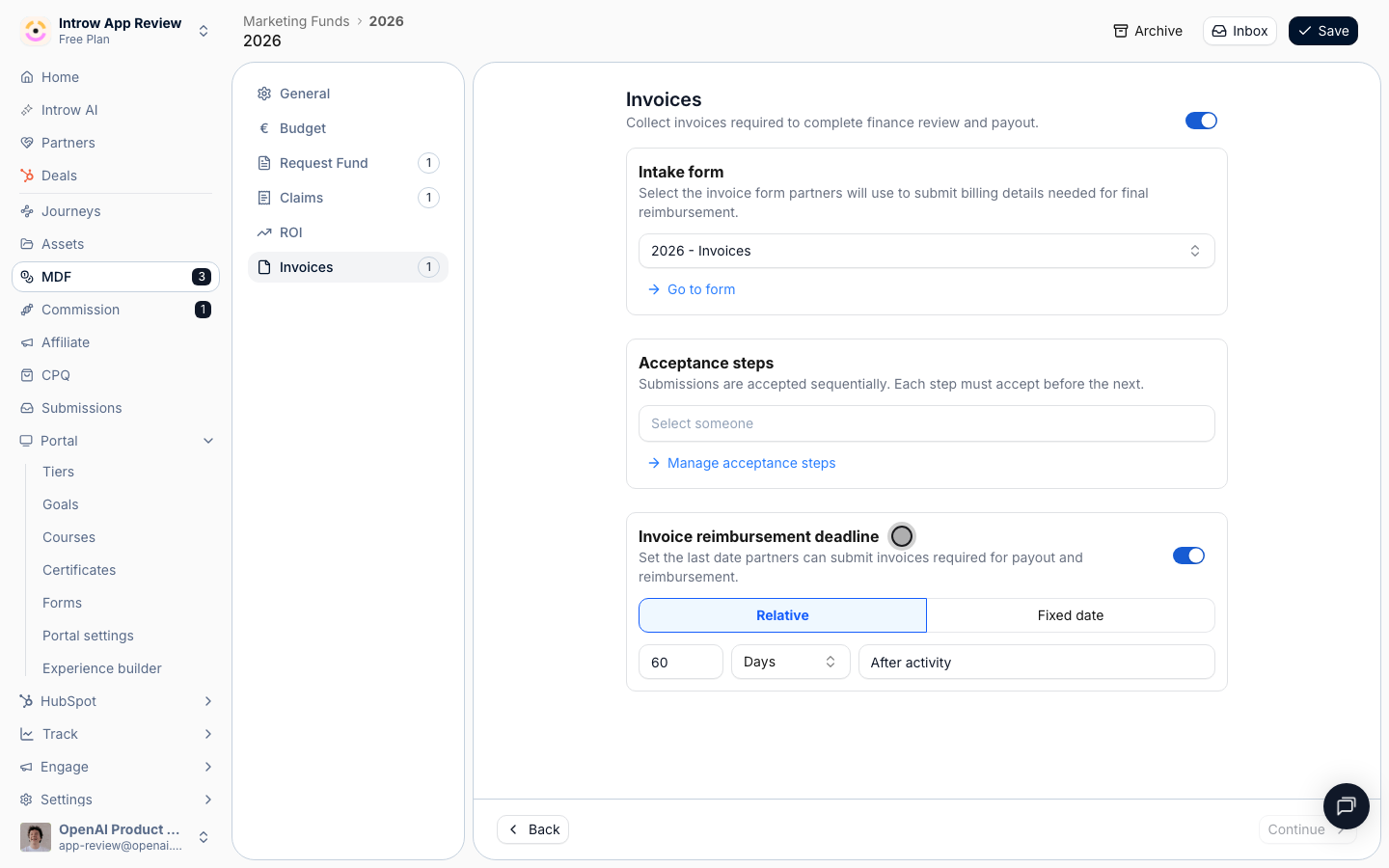
**The step**
The Invoices step, with the payment deadline set up front.
* 
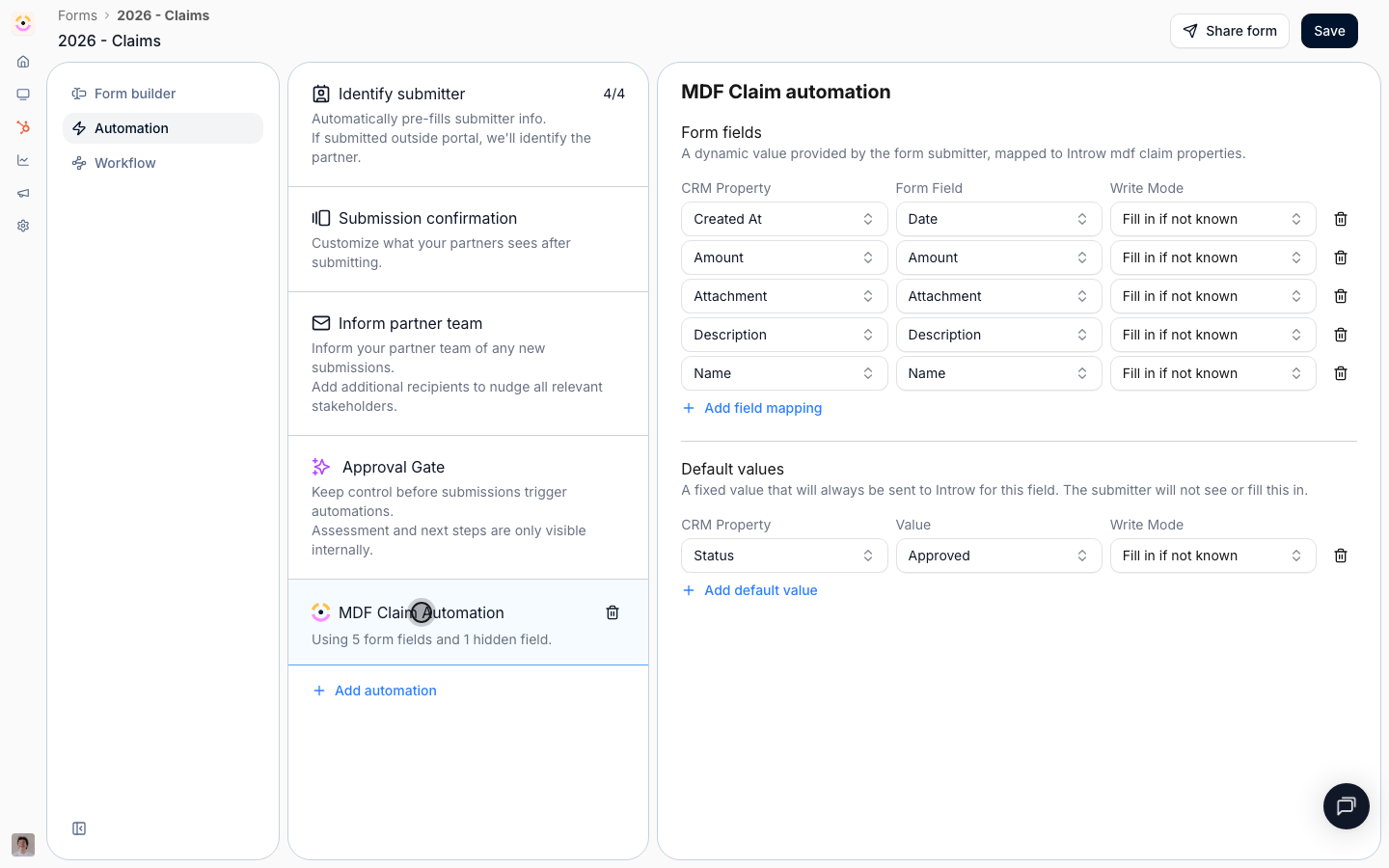
**The form**
The invoice form, built without code like the others.
* 
**Approve**
Approvers in order before anything is paid.
* 
**Record it**
The CRM record carries the outcome, so paid means paid.
## How it works
A partner submits an **invoice** through the fund's invoice form for reimbursement. From the approved amounts, Introw generates a **reimbursement statement**. It is a document whose line items are sourced from either the **approved budget** or the **sum of approved claims**, with a **PO number** and a downloadable **PDF**. It moves through its own stages: draft, pending approval, approved, paid. Once reimbursed, you **mark the project paid**, which updates its CRM status and logs the event, closing the loop.
Like every other step, the invoice form is no-code with its own approval flow, has its own reimbursement deadline on the timeline, and can be **turned off** if your program reimburses another way. Partners can submit and track invoices off-portal, and the statement, PO, and payment status live on the same CRM-linked project everyone already collaborates on.
```mermaid theme={"theme":{"light":"github-light","dark":"github-dark"}}
flowchart LR
invoice["Partner submits invoice"] --> statement["Statement from budget or claims"]
statement --> approve["Approval and PO"]
approve --> paid["Mark paid, logged in CRM"]
```
## Run it from your AI assistant
* Generate the reimbursement statement for Acme's approved claims.
* Which MDF invoices are approved but not yet paid?
* Mark Acme's Q2 project paid and notify them.
## Going deeper
Configure the invoice form, reimbursement statements, and marking paid.
Integration surface and code.
**Works with**
Invoices reimburse approved claims.
Invoices close out a funded project.
The invoice form is built and customized no-code.