> ## Documentation Index
> Fetch the complete documentation index at: https://docs.introw.io/llms.txt
> Use this file to discover all available pages before exploring further.
# Link HubSpot deals to partners
> Attribute HubSpot deals to the partner who influenced them using a custom property, an association, or Introw's one-click setup.
Attribution is what connects a HubSpot deal to the partner who sourced or influenced it, and it is what makes partner-attached pipeline, reporting, and commissions trustworthy. HubSpot models partner links in more than one way, so this guide helps you pick the method that matches how your deals already relate to partners, then configure it once so every matching deal attributes automatically. This is the same attribution step the connect wizard runs, reopened so you can refine or add mappings any time.
## What you'll achieve
HubSpot deals linked to the right partner, with a named attribution that reads clearly to your team and partners, so partner-influenced revenue shows up correctly in Introw reporting and feeds commissions.
## Before you start
HubSpot must be connected and synced. See [Connect HubSpot as your source of truth](/features/integrations/crm/guides/connect-hubspot).
Decide which of these matches your data: a deal property that holds the partner, a HubSpot association between the deal and the partner company, or no existing link at all (Introw can create one).
## Watch it
## Steps
Go to [Integrations](https://app.introw.io/settings/integrations?category=crm), open the connected HubSpot connection with **Configure**, and go to **Which objects do you link with partners?** (the **Object Linking** screen). Select **Add object** to create a mapping, or open the existing **Deal** mapping to edit it. Configure **Deal** at minimum, since deal attribution is what reporting and commissions run on.
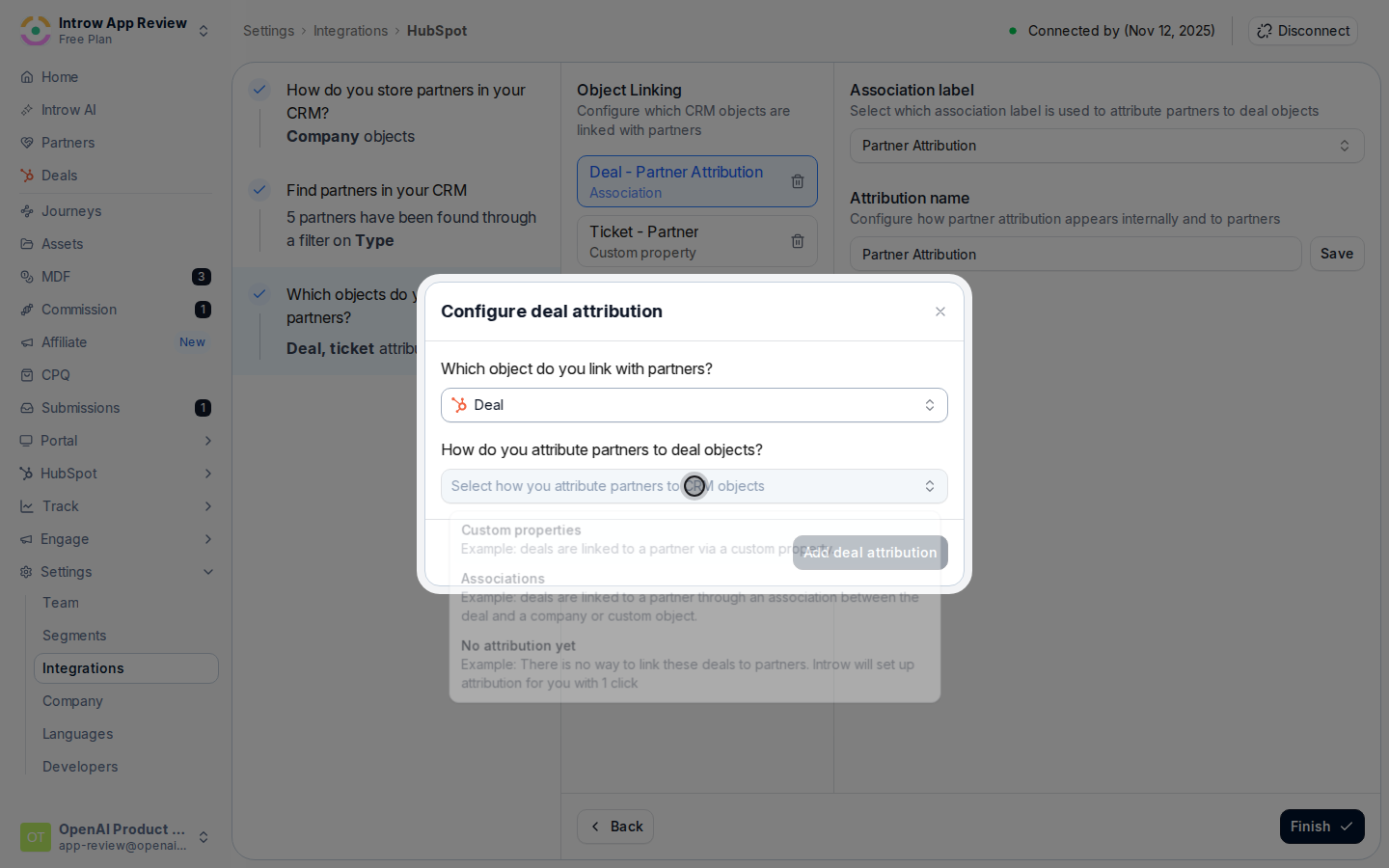
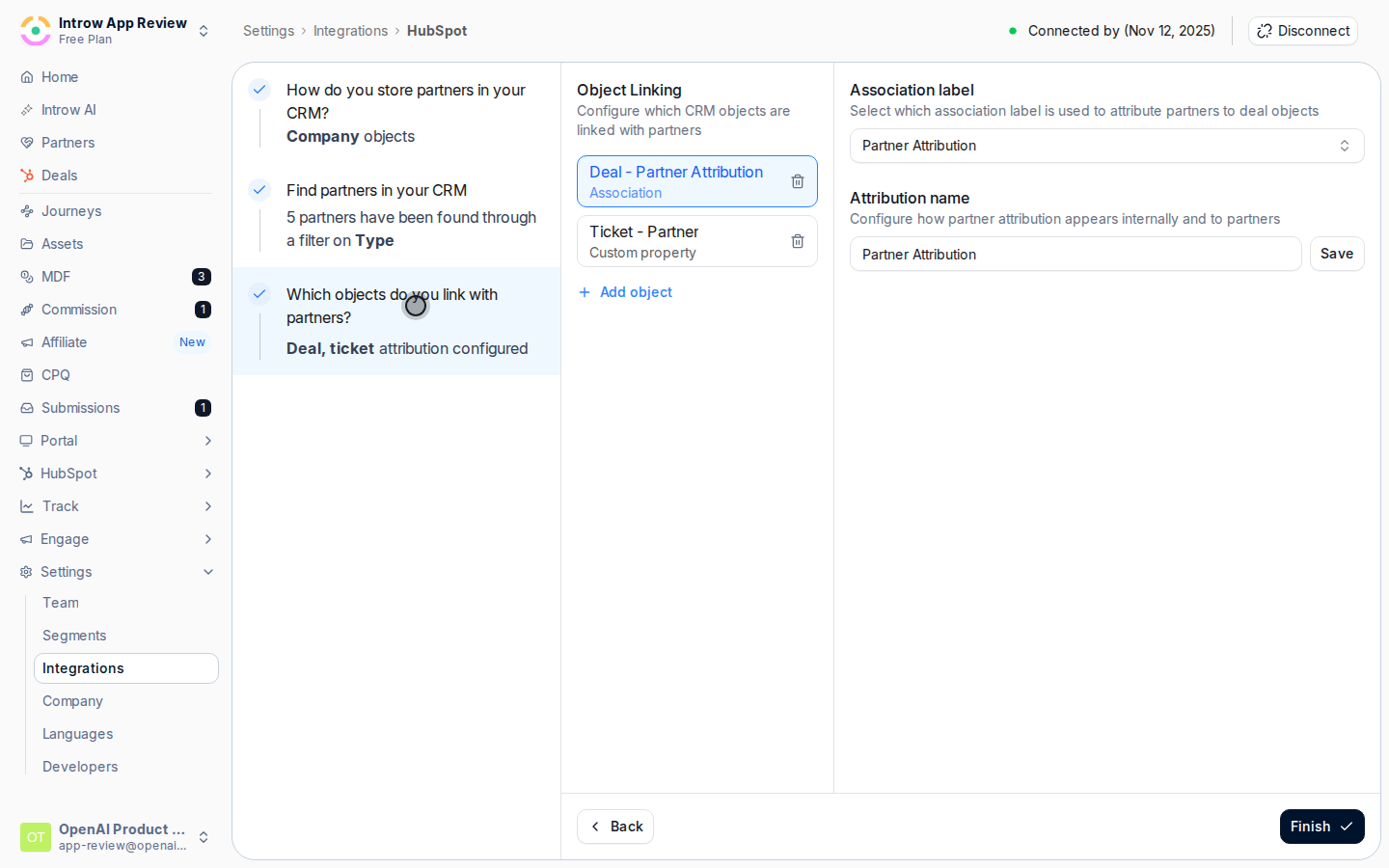 On **How do you attribute partners to Deal objects?**, choose the method that matches your data:
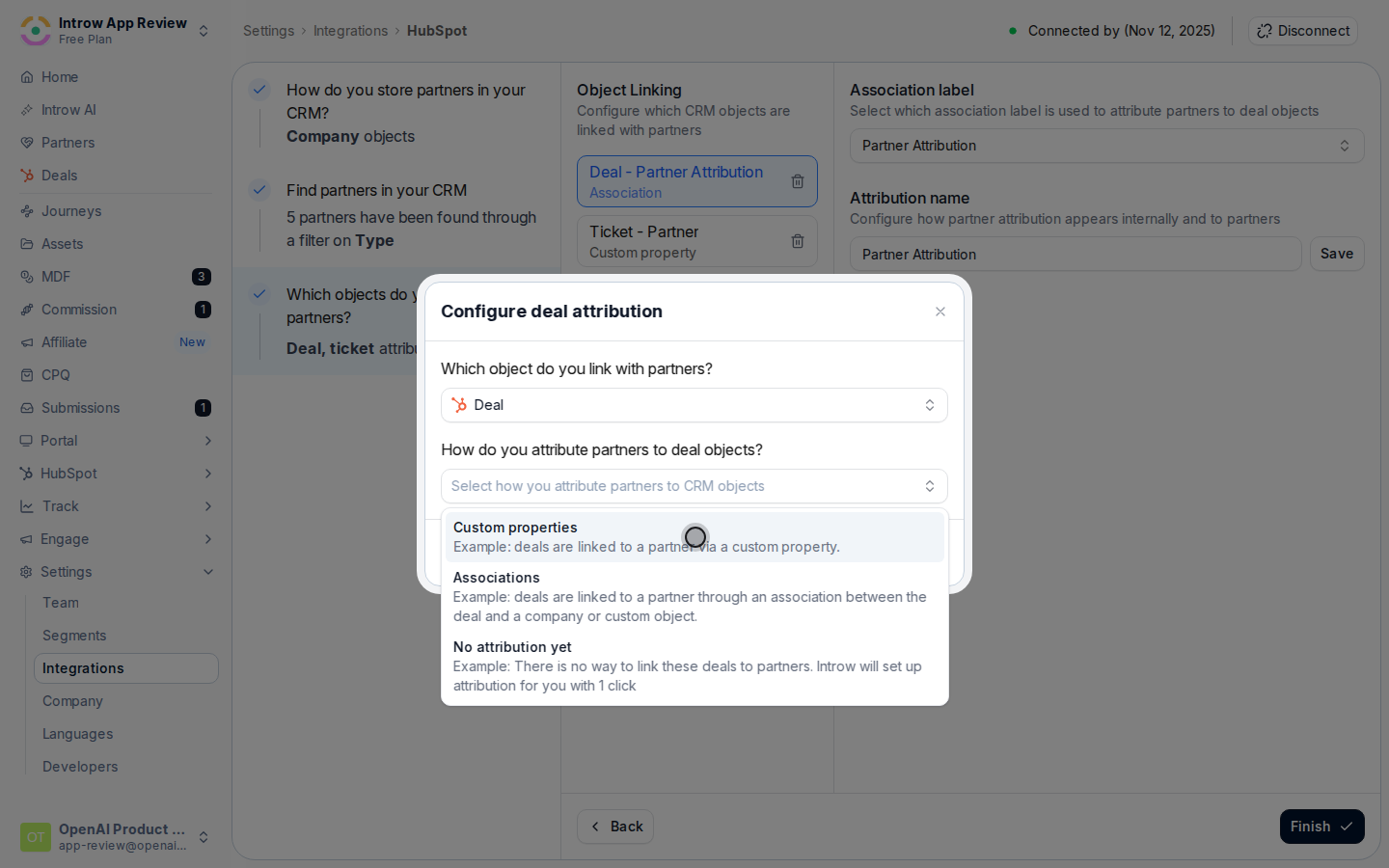
* **Custom properties** - link each deal to a partner through a deal property you already maintain. Best when a deal has a single partner recorded on a property. You then pick **Which property do you use to link a partner to Deal?**.
* **Associations** - attribute through a HubSpot association between the deal and the partner company (or custom partner object). Best when you already associate partners to deals natively. You then pick **which association label** links a deal to a partner.
* **No attribution yet** - if you have no existing link, Introw sets attribution up for you in one click by creating a dedicated partner property on the Deal object in HubSpot. Best when you are starting fresh.
On **How do you attribute partners to Deal objects?**, choose the method that matches your data:
* **Custom properties** - link each deal to a partner through a deal property you already maintain. Best when a deal has a single partner recorded on a property. You then pick **Which property do you use to link a partner to Deal?**.
* **Associations** - attribute through a HubSpot association between the deal and the partner company (or custom partner object). Best when you already associate partners to deals natively. You then pick **which association label** links a deal to a partner.
* **No attribution yet** - if you have no existing link, Introw sets attribution up for you in one click by creating a dedicated partner property on the Deal object in HubSpot. Best when you are starting fresh.
 Fill in the detail for your method. For **Custom properties**, select the property that holds the partner.
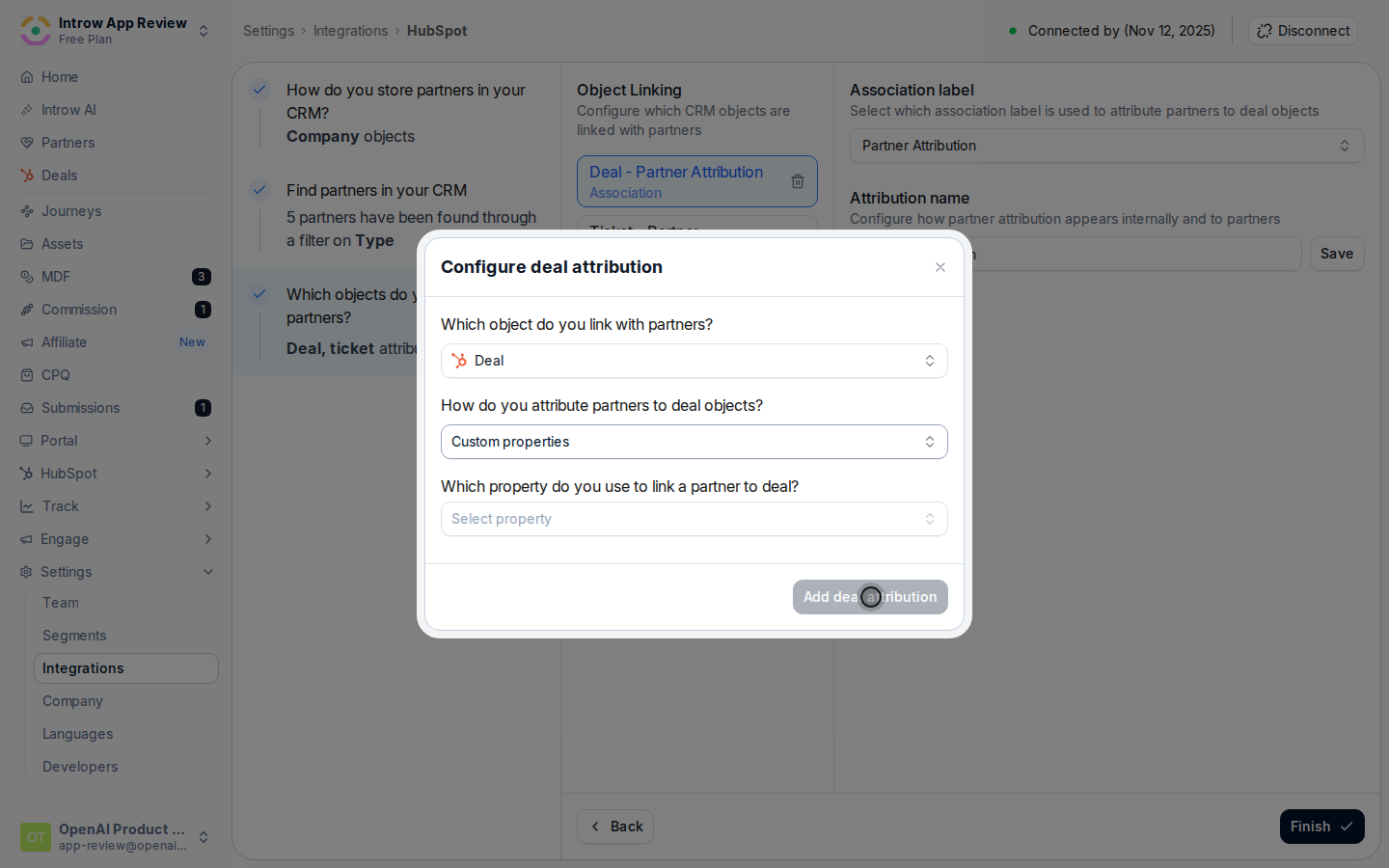
 When a property holds coded values rather than partner names, use **Match property values to Introw partners** to line each CRM value up with the right partner, so deals resolve to the correct partner record. For an **Association**, confirm the association label that represents the partner relationship.
Set **What name do you want to use for this attribution?** so the link reads clearly internally and to partners (for example "Influencing partner"), then select **Add Deal attribution** (or **Save** when editing). Confirm when Introw asks you to verify the configuration.
When a property holds coded values rather than partner names, use **Match property values to Introw partners** to line each CRM value up with the right partner, so deals resolve to the correct partner record. For an **Association**, confirm the association label that represents the partner relationship.
Set **What name do you want to use for this attribution?** so the link reads clearly internally and to partners (for example "Influencing partner"), then select **Add Deal attribution** (or **Save** when editing). Confirm when Introw asks you to verify the configuration.
 ## Verify it worked
Open a partner-influenced deal in HubSpot: in Introw it shows attributed to the right partner under your attribution name, and that partner's sourced or influenced pipeline reflects the deal in reporting and commissions.
## Related
The same job for Salesforce, including relation tables.
Set up the connection and the attribution step in context.
Full configuration options.
## Verify it worked
Open a partner-influenced deal in HubSpot: in Introw it shows attributed to the right partner under your attribution name, and that partner's sourced or influenced pipeline reflects the deal in reporting and commissions.
## Related
The same job for Salesforce, including relation tables.
Set up the connection and the attribution step in context.
Full configuration options.